
Free
Chatter Filter and Search
Search the chatter as you type, filter notes, emails and logs, reply in threads, get reminded and hide the chatter in one click.
Get it on Odoo Apps
Productivity
Open Word, Excel, PowerPoint and Outlook attachments in the chatter, without downloading them and without any external service.
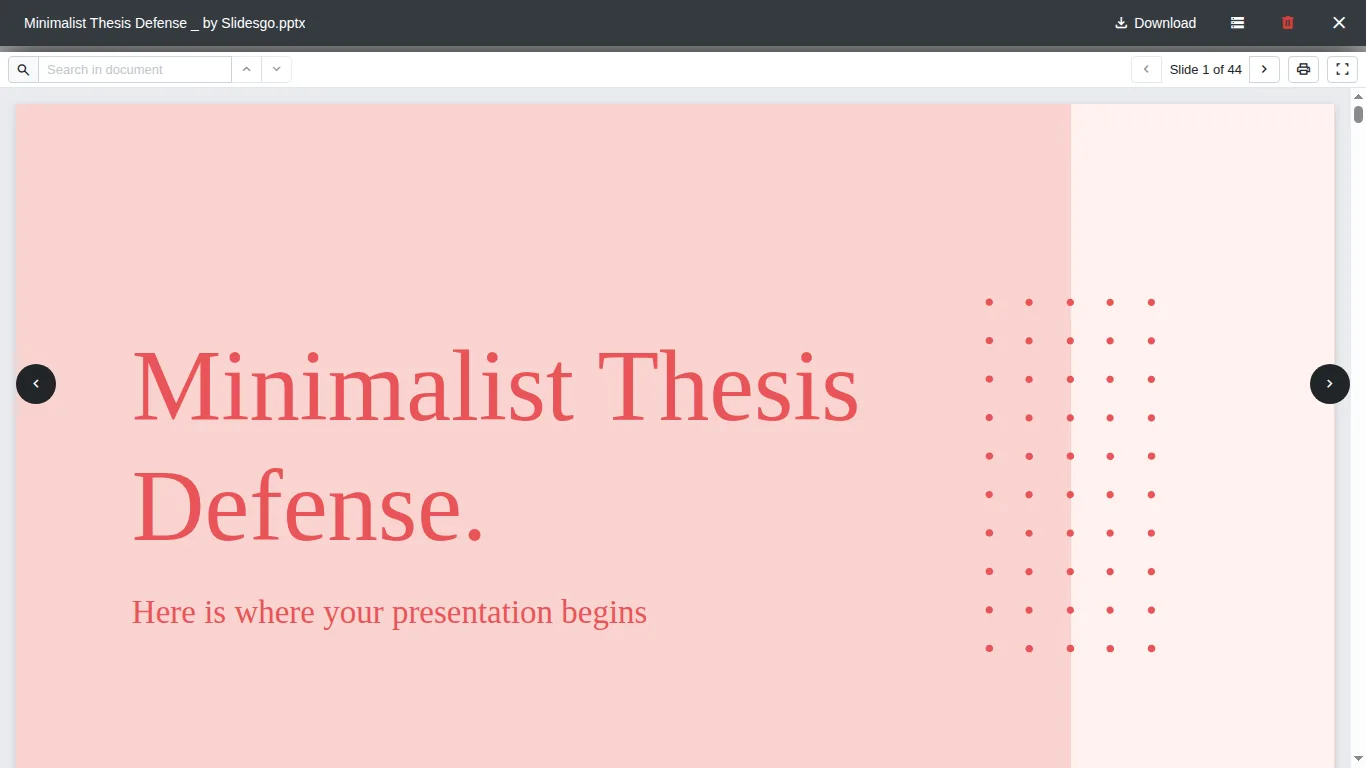
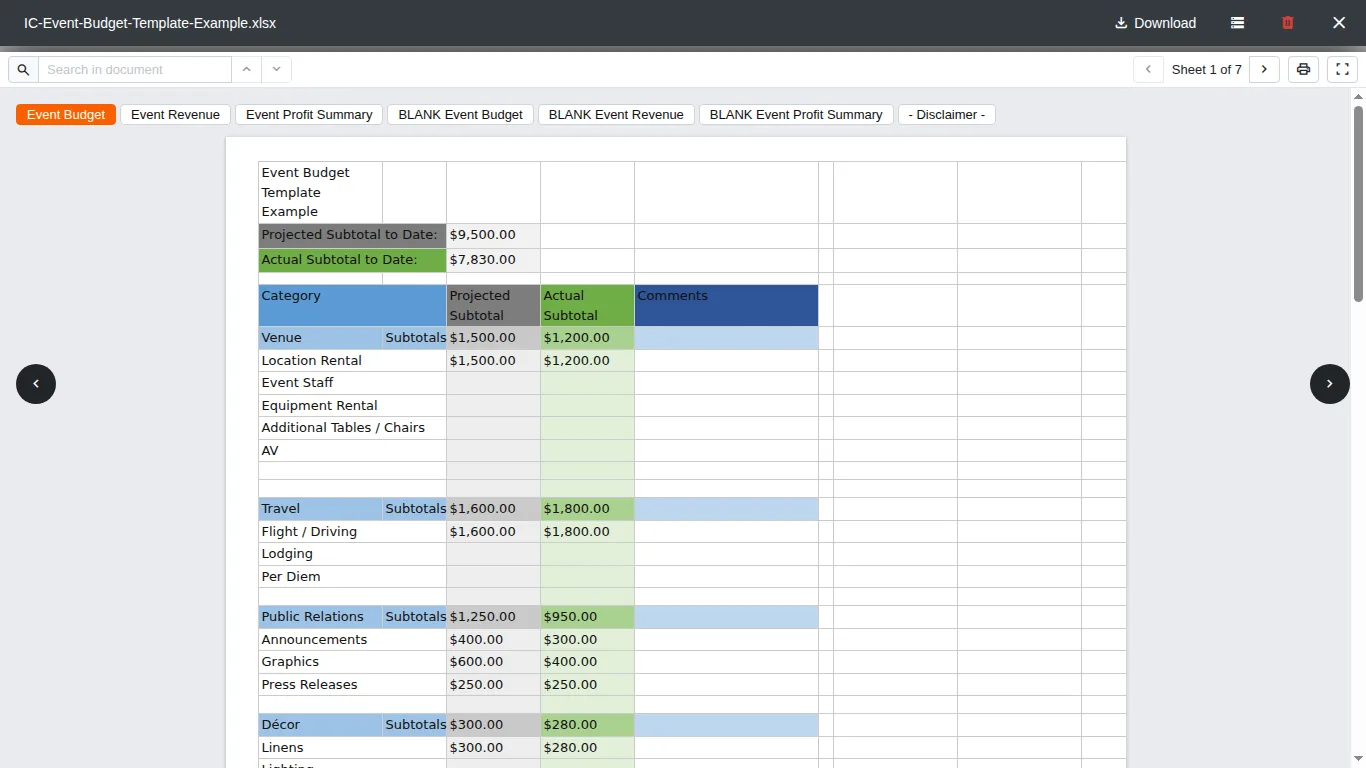
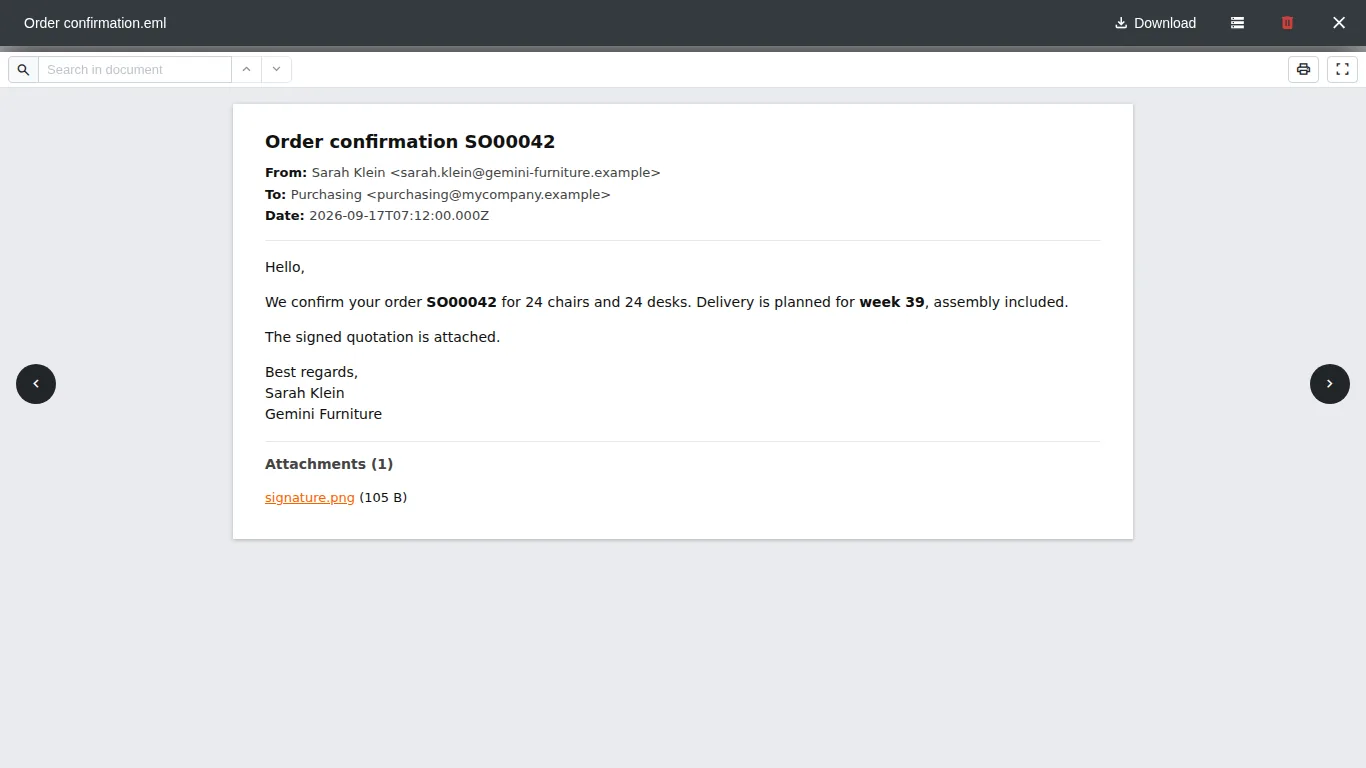
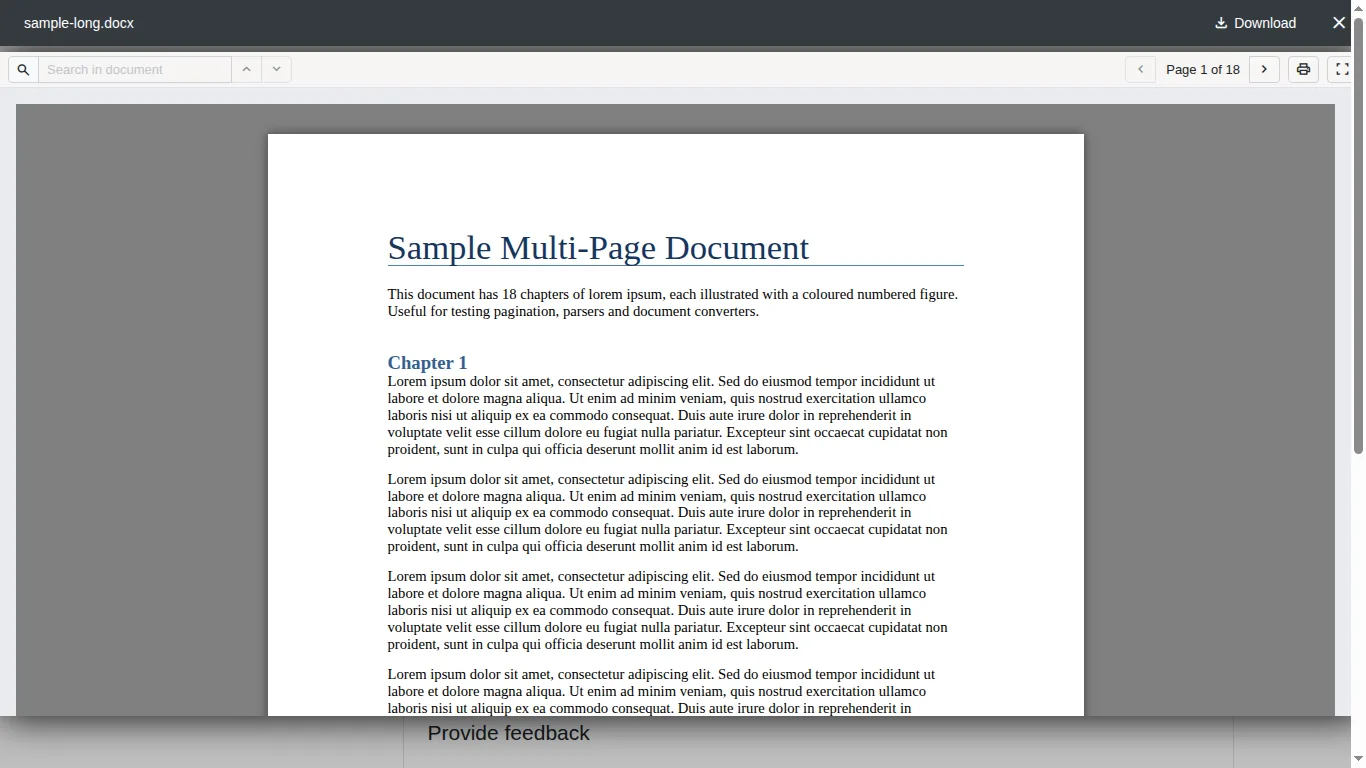
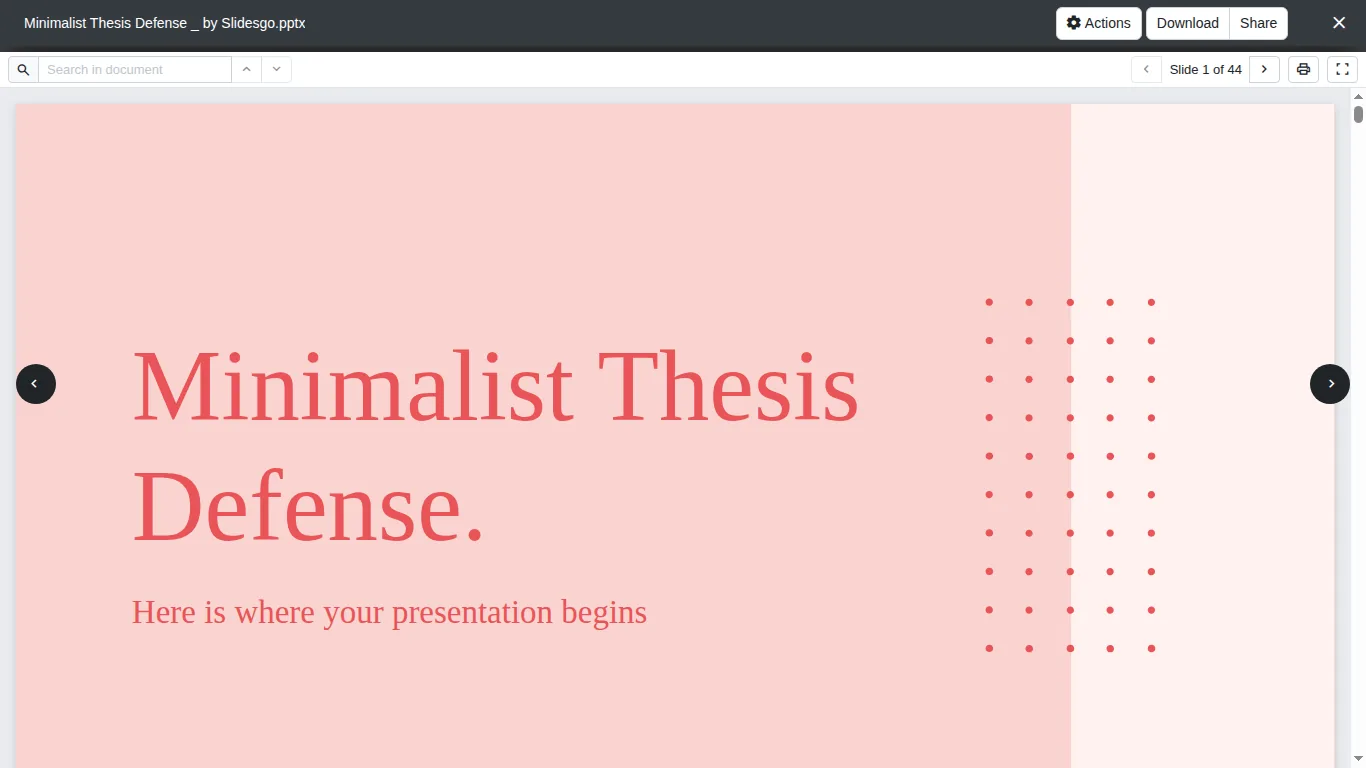
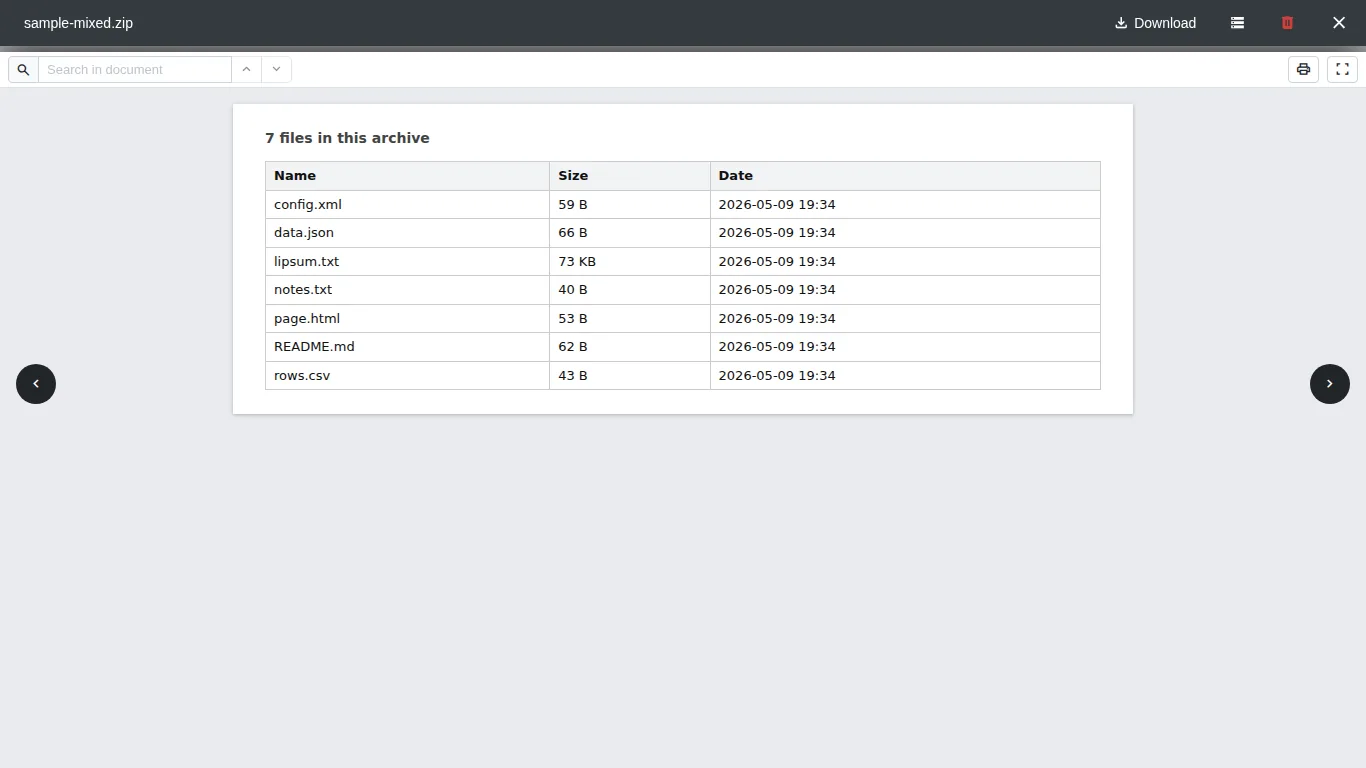
The standard Odoo viewer opens images and PDF only: every Word, Excel or PowerPoint file has to be downloaded first. With this app, a click on the attachment opens it in the same window, in the chatter, in file fields and in the customer portal.
The browser does the rendering: nothing is sent to Microsoft, Google or any other service, and no public link is created. Scripts and remote images inside documents are removed before display, so opening an email signals nothing outside. That is also why it works on Odoo.sh, where LibreOffice cannot be installed.
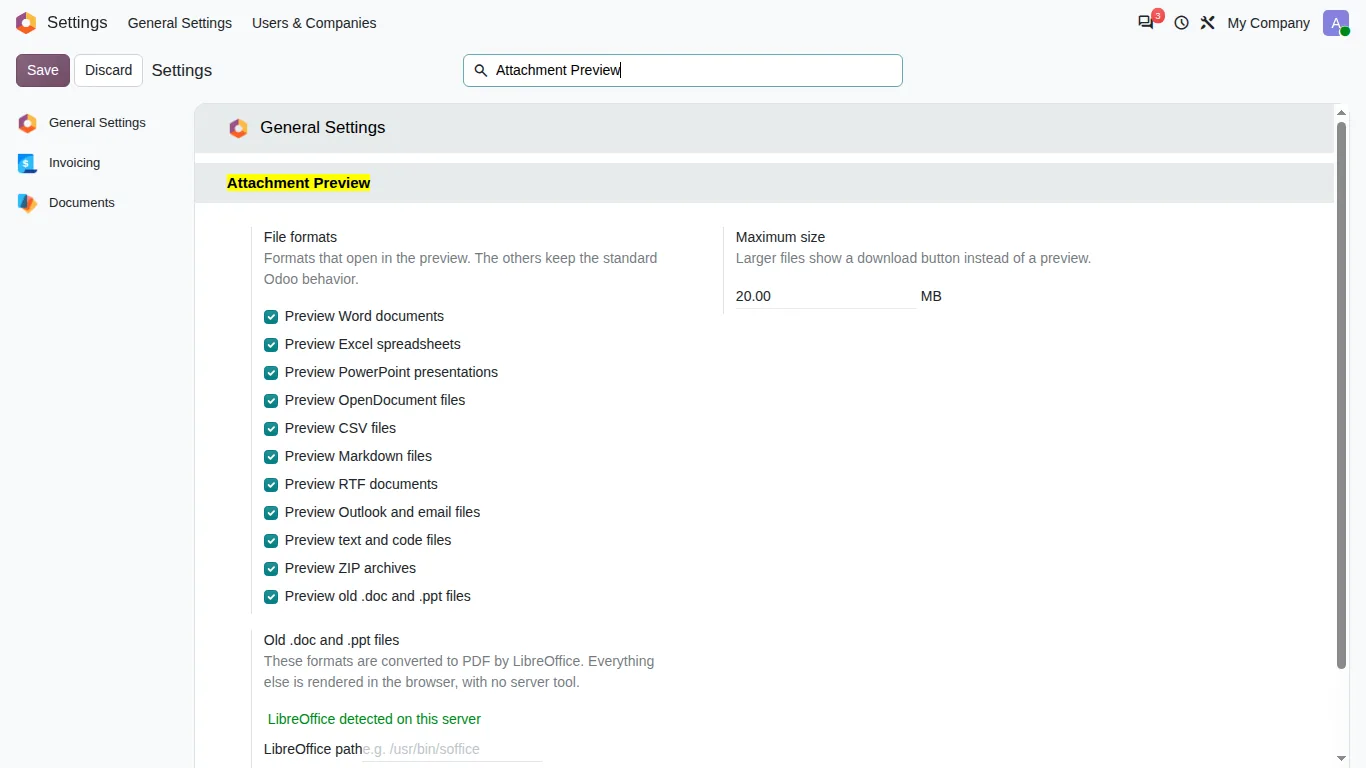
Each family of formats can be turned on or off in the settings, with a maximum file size. Presentations and OpenDocument files also get a real thumbnail on the attachment card.
Documentation and installation are on the page of your Odoo version.
Word, Excel and Outlook attachments open instantly in the Odoo chatter, like PDFs. No downloads, and nothing leaves your server.
Read the articleYes. The modern formats are rendered by the browser, so nothing has to be installed on the server. Only the old .doc and .ppt formats need LibreOffice, which Odoo.sh does not provide.
No. The file is read through the standard Odoo route and rendered in the browser. The tests of the app fail if a preview makes a single request outside your server.
No. Access rights are Odoo's own: someone who cannot read the record cannot open its preview either.
Yes, with the two companion apps for Odoo Enterprise: one adds the preview and thumbnails to the kanban, list and activity views of Documents, the other keeps the Odoo Spreadsheet import one click away for Excel and CSV files.
Search the chatter as you type, filter notes, emails and logs, reply in threads, get reminded and hide the chatter in one click.
Get it on Odoo Apps
The same office preview in the kanban, list and activity views of Documents, with readable thumbnails.
Get it on Odoo Apps
Preview Excel and CSV files in Documents before importing them, with Odoo Spreadsheet one click away.
Get it on Odoo Apps