You click Print in Odoo. A PDF downloads. You open it, pick the printer, check the tray and click Print again. For one delivery slip, fine. For two hundred a day, it becomes a job in itself.
If you run a warehouse, a shop or an office on Odoo, this probably sounds familiar:
- Every document becomes a download before it becomes paper.
- Carrier labels sit in the chatter until someone remembers to print them.
- A Zebra label comes out wrong, and you only notice once the roll is wasted.
- The usual answer is a monthly subscription, or a box to buy and install.
We looked at what exists today. Cloud printing services charge every month and send your documents through their servers. An IoT box means extra hardware that does not fit every setup. What was missing was simple: direct printing you pay once, that stays on your own network and keeps working when the internet does not.
Odoo direct print: click, and it is already printing
Direct Print adds that missing piece. A small agent runs on any PC or Raspberry Pi next to your printers. Odoo sends it the document, the agent prints it, and Odoo tells you it is done.
Before
Click Print. Download. Open the PDF. Choose the printer. Choose the tray. Print. Delete the file.
After
Click Print. Take the paper.
Often you do not even click. Validate a delivery and the slip prints on the dock. Post an invoice and it lands on the accounting printer. The printer does the walking, not your team.
Nothing gets lost, nothing prints twice
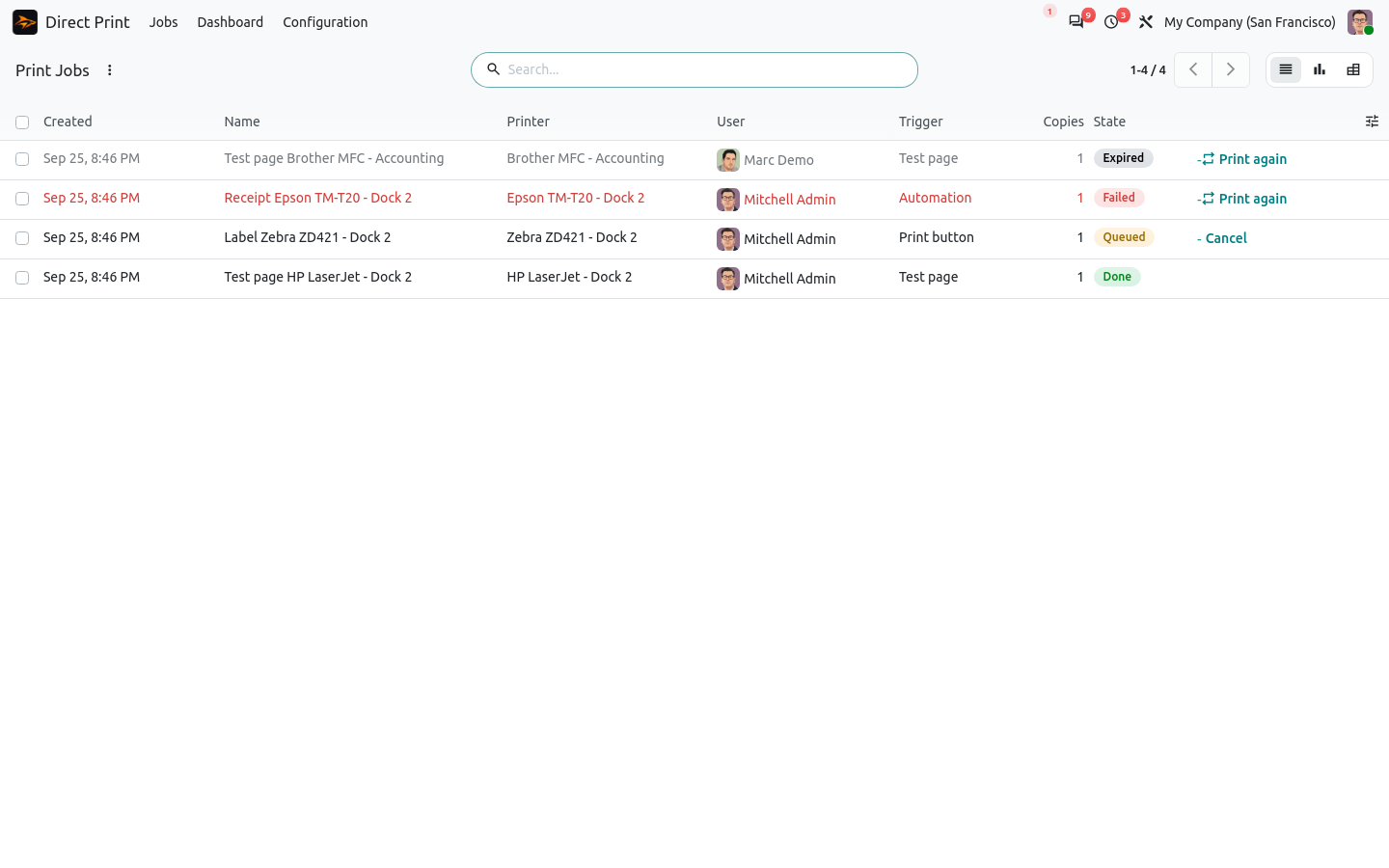
Every document goes into a print queue. Printer out of paper, agent switched off? The job waits and prints as soon as it can, and a nervous double click still gives you one copy. You see every job, and you can reprint it or send it to another printer in one click.
If Odoo runs on your local network, printing keeps going when the internet is down. If Odoo is hosted, jobs wait in the queue and print when the line is back, never twice.
The right printer, without asking
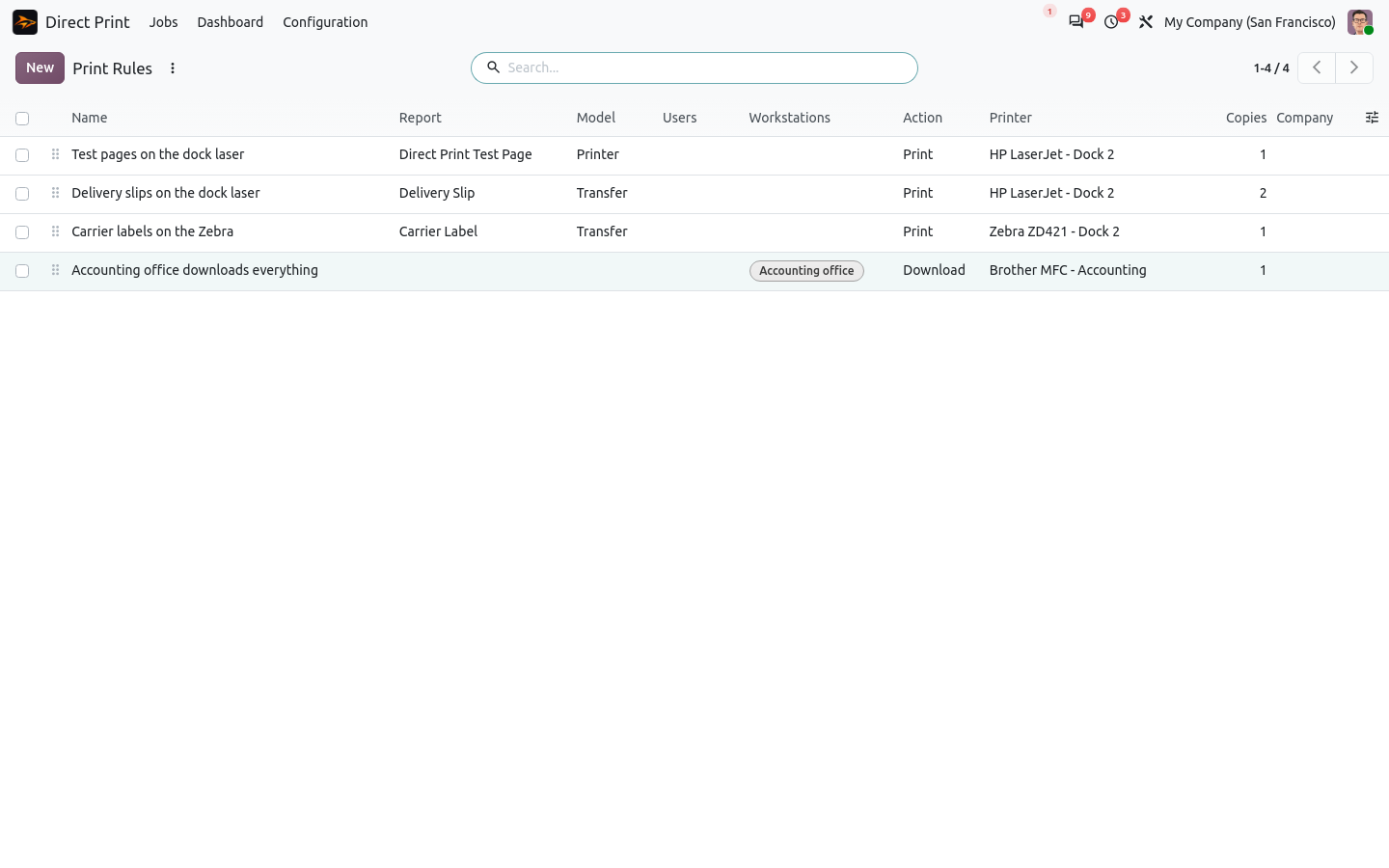
Invoices to the office laser, labels to the Zebra at the dock, three copies of the delivery slip, tray 2 for letterhead. You set simple rules once, by report, user or workstation, and nobody picks a printer again. When someone wonders why a document went somewhere, a small simulator shows which rule won.
See your ZPL label before it prints
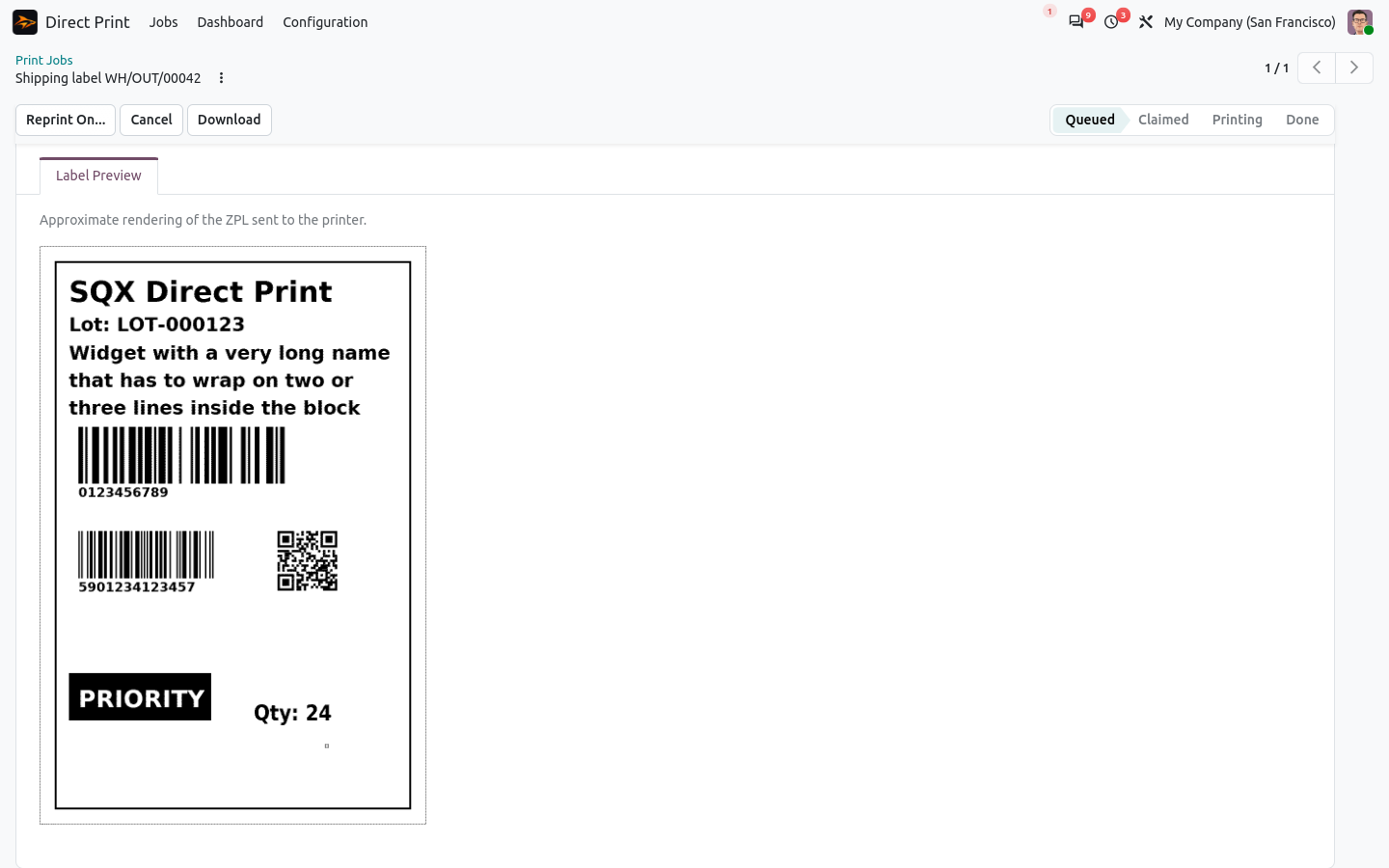
Label printers are fast and unforgiving. Direct Print shows a preview of your ZPL labels, with text, barcodes and QR codes, at the resolution of your printer. You catch the mistake on screen, not on a roll of labels.
Ready-made for the apps you use
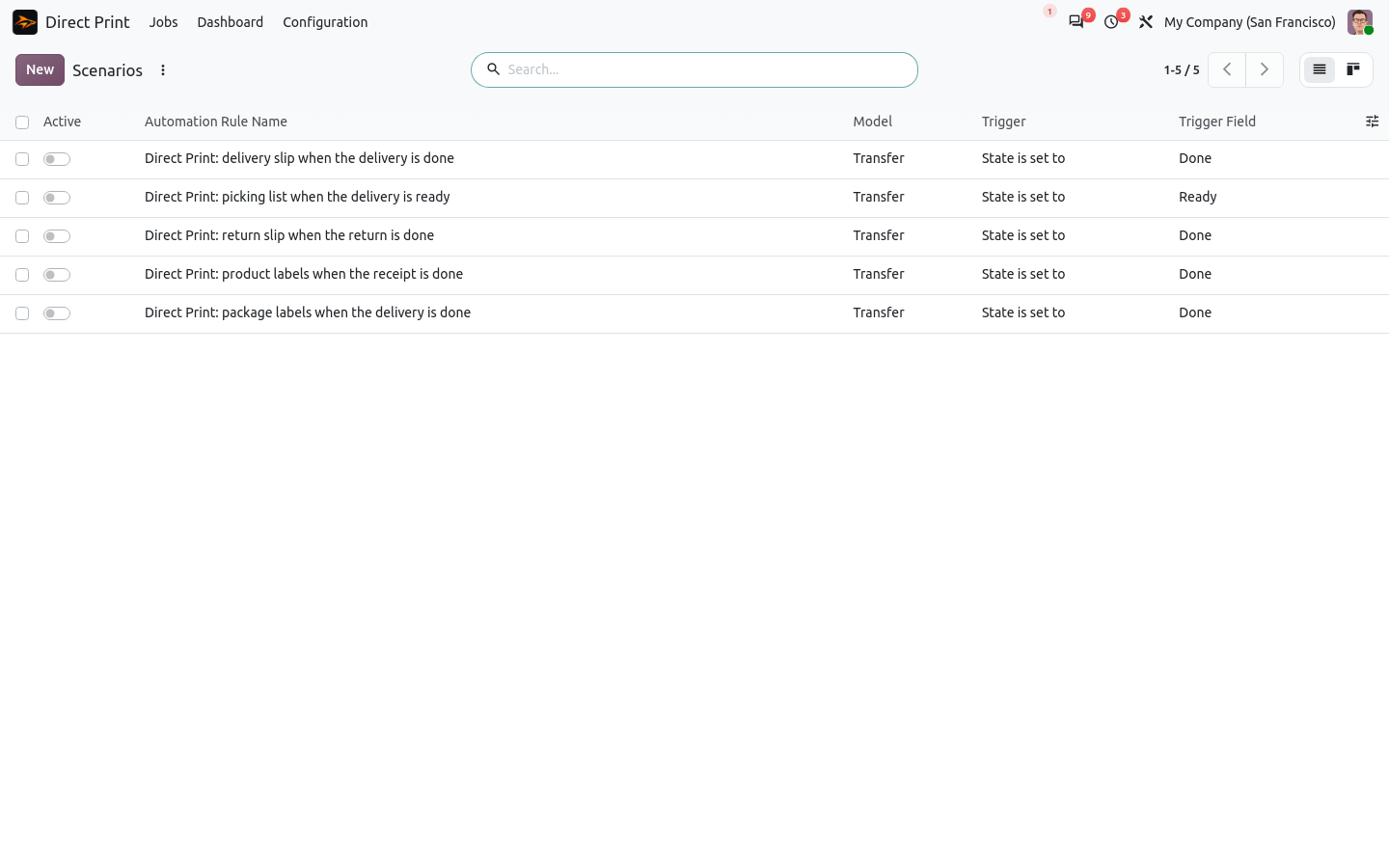
The base app prints any Odoo report. Small companion apps, 20 € each, add ready-made scenarios you just switch on:
- Direct Print for Inventory: delivery slips, picking lists, carrier and package labels, weight read from the scale.
- Direct Print for Invoicing: invoices, credit notes and payment receipts as soon as they are confirmed.
- Direct Print for Follow-ups: payment reminder letters with the overdue invoices.
- Direct Print for Manufacturing: manufacturing orders, work order sheets and product labels.
- Direct Print for Point of Sale: receipts and cash drawer on USB printers, without an IoT box.
100% tested, satisfied or refunded
The apps ship with automated tests. No risk, no questions.
Up and running in a few minutes
Install Direct Print from the Odoo Apps Store. Then get the agent on sharqix.com/direct-print with your order reference: the download link arrives by email. A setup wizard pairs the agent with a short code and checks that everything answers. Windows, Linux and Raspberry Pi, Odoo 18, 19 and 20, for 99 € one time. No subscription, ever.
Let Odoo do the printing
Every PDF you no longer download is a few seconds back, and a warehouse downloads hundreds of them a week.
See all our modules on the SHARQIX apps page.
Questions before buying? Write to support@sharqix.com, we answer fast.