
10.00 €
Office Preview for Attachments
Open Word, Excel, PowerPoint and Outlook attachments in the chatter, without downloading them and without any external service.
Get it on Odoo Apps
Accounting
Duplicate an invoice or bill line with one click: the copy is inserted right below the original line.
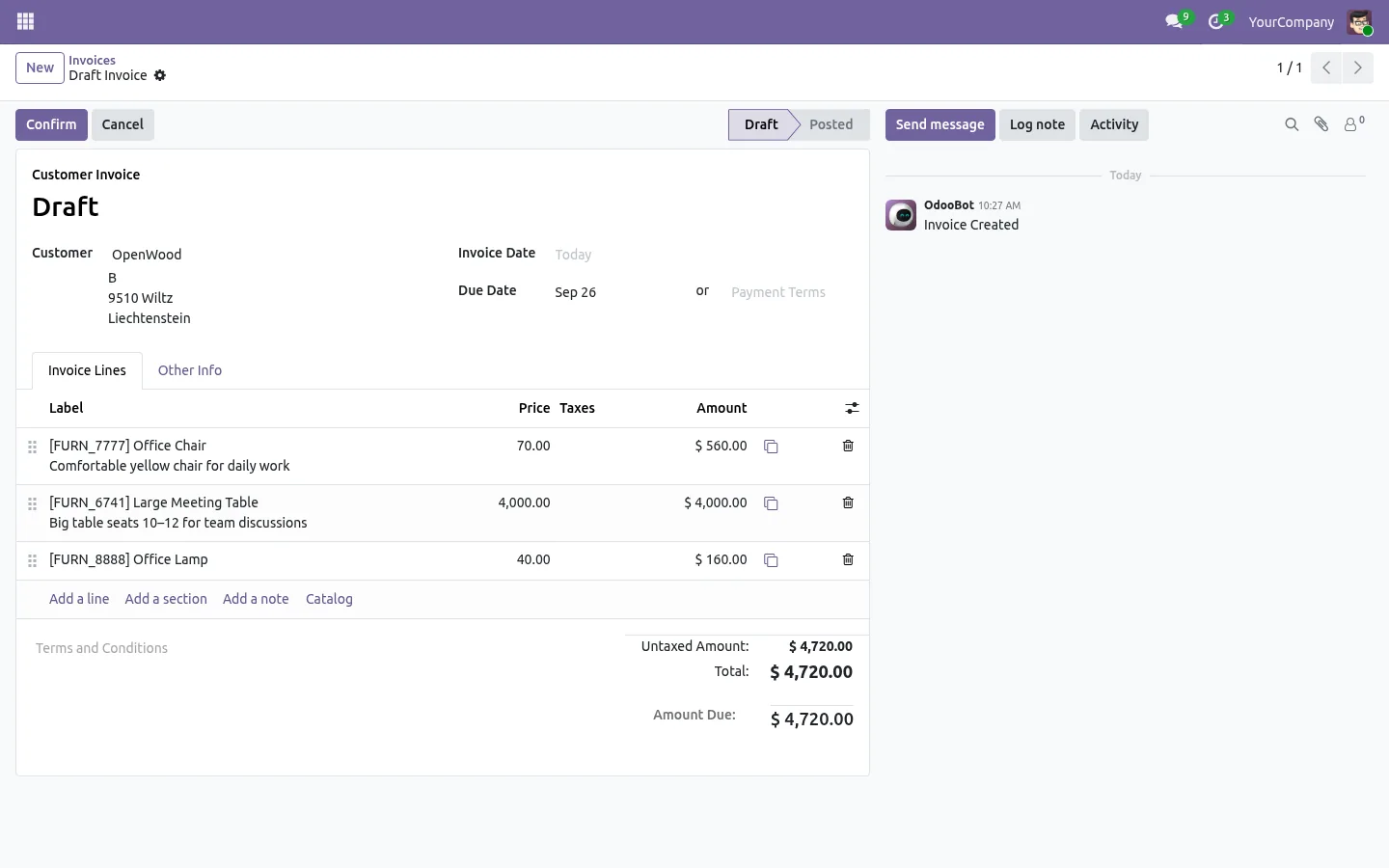
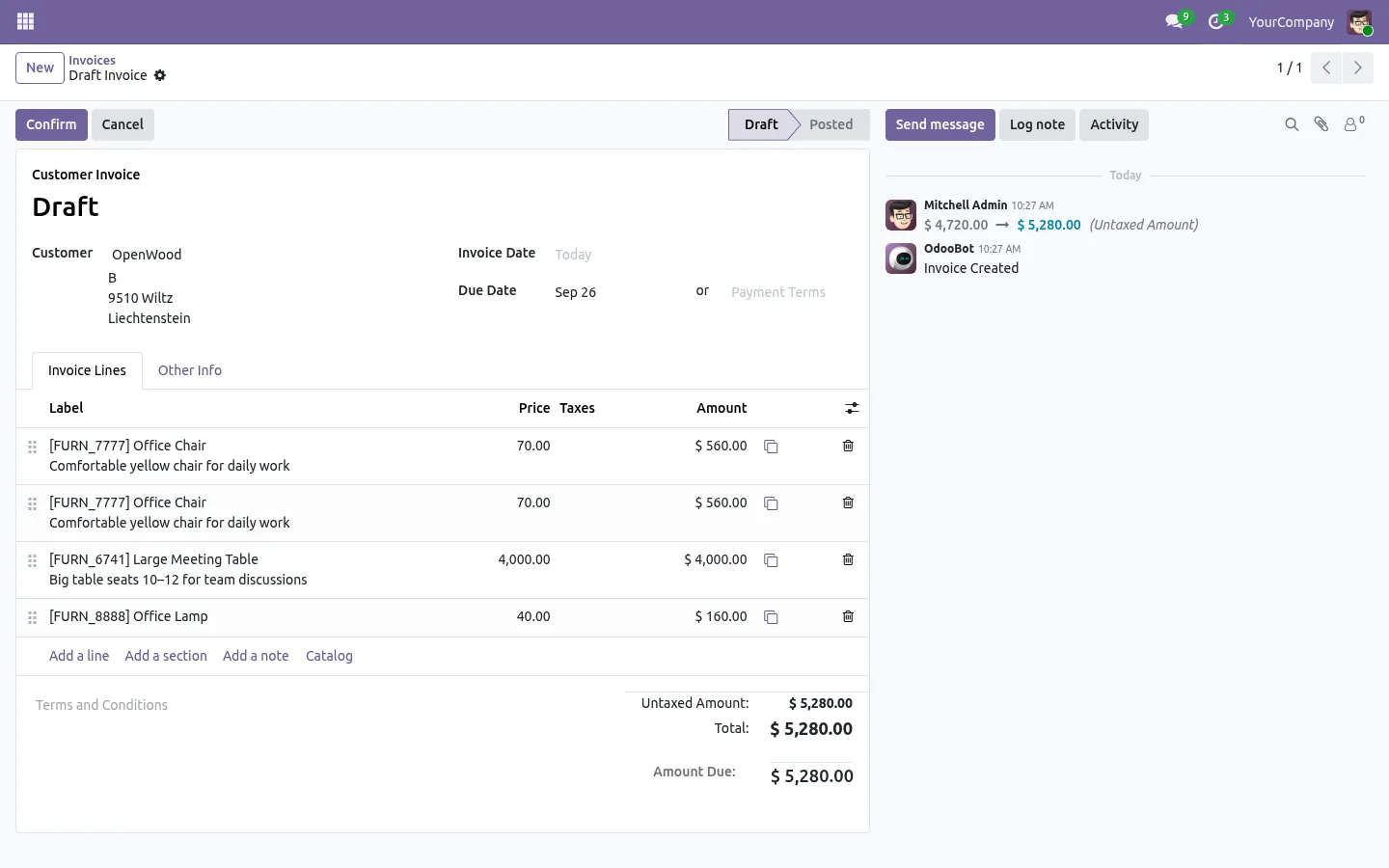
Standard Odoo has no button to duplicate an invoice line: a similar line is typed again field by field. This app adds a copy button at the end of every line of the Invoice Lines tab. One click inserts the copy right below the original, with the product, description, quantity, unit price, discount, taxes, account and analytic distribution. Change what differs and the totals follow.
It works on customer invoices, vendor bills and credit notes, in draft only, so a posted invoice is never changed. One button, no setting, no JavaScript, open source under the LGPL.
Documentation and installation are on the page of your Odoo version.
A second line almost like the first one, and Odoo makes you type it all again. Here is how to duplicate a line in one click on invoices, quotations and purchase orders.
Read the articleNo. The button only shows while the document is in draft. Reset the invoice to draft first if you need to.
Copy Sales Order Line and Copy Purchase Line add the same button to quotations, sales orders and purchase orders. To insert and move lines as well, see Insert Order Line Anywhere.
Open Word, Excel, PowerPoint and Outlook attachments in the chatter, without downloading them and without any external service.
Get it on Odoo Apps
Search the chatter as you type, filter notes, emails and logs, reply in threads, get reminded and hide the chatter in one click.
Get it on Odoo Apps
The same office preview in the kanban, list and activity views of Documents, with readable thumbnails.
Get it on Odoo Apps