
10.00 €
Office Preview for Attachments
Open Word, Excel, PowerPoint and Outlook attachments in the chatter, without downloading them and without any external service.
Get it on Odoo Apps
Sales
Duplicate a sales order line with one click: the copy is inserted right below the original line.

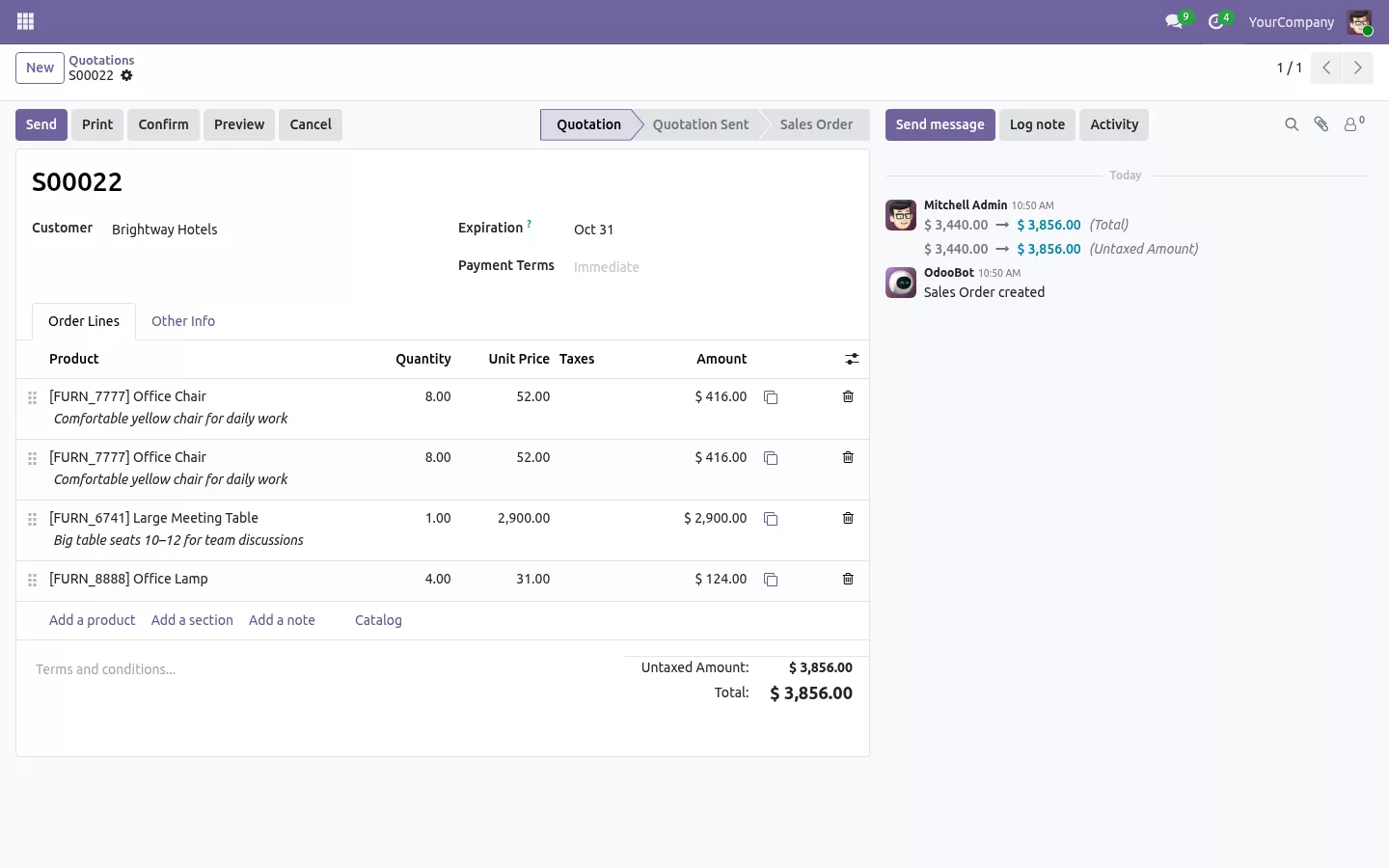
A copy button at the end of every line of the Order Lines tab, on quotations and sales orders. One click inserts the copy right below the original, with the product, description, quantity, unit price, discount, taxes and analytic distribution, and Odoo recomputes the totals.
The button stays as long as Odoo lets you edit the lines, and hides on locked and cancelled orders and on down payment and combo lines. Open source under the LGPL, nothing to configure.
Documentation and installation are on the page of your Odoo version.
A second line almost like the first one, and Odoo makes you type it all again. Here is how to duplicate a line in one click on invoices, quotations and purchase orders.
Read the articleYes, as long as the lines are still editable. Once the order is locked or cancelled, the button hides.
Open Word, Excel, PowerPoint and Outlook attachments in the chatter, without downloading them and without any external service.
Get it on Odoo Apps
Search the chatter as you type, filter notes, emails and logs, reply in threads, get reminded and hide the chatter in one click.
Get it on Odoo Apps
The same office preview in the kanban, list and activity views of Documents, with readable thumbnails.
Get it on Odoo Apps