
10.00 €
Office Preview for Attachments
Open Word, Excel, PowerPoint and Outlook attachments in the chatter, without downloading them and without any external service.
Get it on Odoo Apps
Accounting
Print the payment reminder letter with the overdue invoices at each follow-up level, on a printer of the print agent.
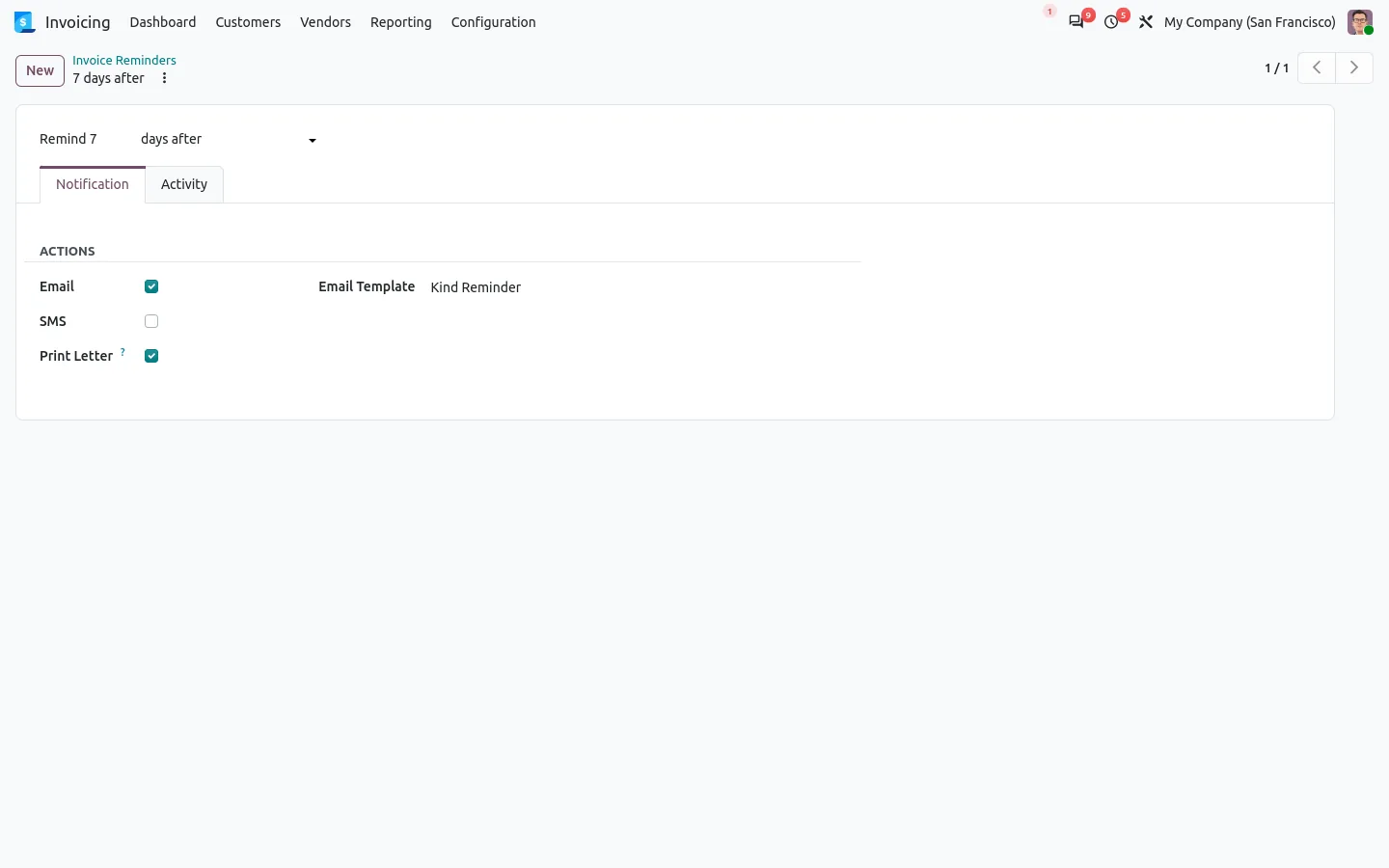
Odoo follow-ups send emails and SMS, but a paper letter is opened and printed by hand from the customer statement, and the overdue invoices are printed separately. This app adds a Print Letter option next to Email and SMS on each follow-up level. When the automatic follow-up processes a customer on that level, the reminder letter and the PDF of the overdue invoices come out of the printer as one document.
Documentation and installation are on the page of your Odoo version.
Some customers still want paper, and the accounting binder too. Here is how Odoo can print invoices and reminder letters by itself, on the right printer.
Read the articleNo. It comes with Direct Print for Invoicing and installs itself when the Follow-up app is present.
No. Payment follow-ups are an Odoo Enterprise feature, so this app needs Enterprise with the Follow-up app.
Open Word, Excel, PowerPoint and Outlook attachments in the chatter, without downloading them and without any external service.
Get it on Odoo Apps
Search the chatter as you type, filter notes, emails and logs, reply in threads, get reminded and hide the chatter in one click.
Get it on Odoo Apps
The same office preview in the kanban, list and activity views of Documents, with readable thumbnails.
Get it on Odoo Apps