
10.00 €
Office Preview for Attachments
Open Word, Excel, PowerPoint and Outlook attachments in the chatter, without downloading them and without any external service.
Get it on Odoo Apps
Sales
The same line menu on quotations and sales orders, with foldable sections and a page break before a section on the printed quotation.
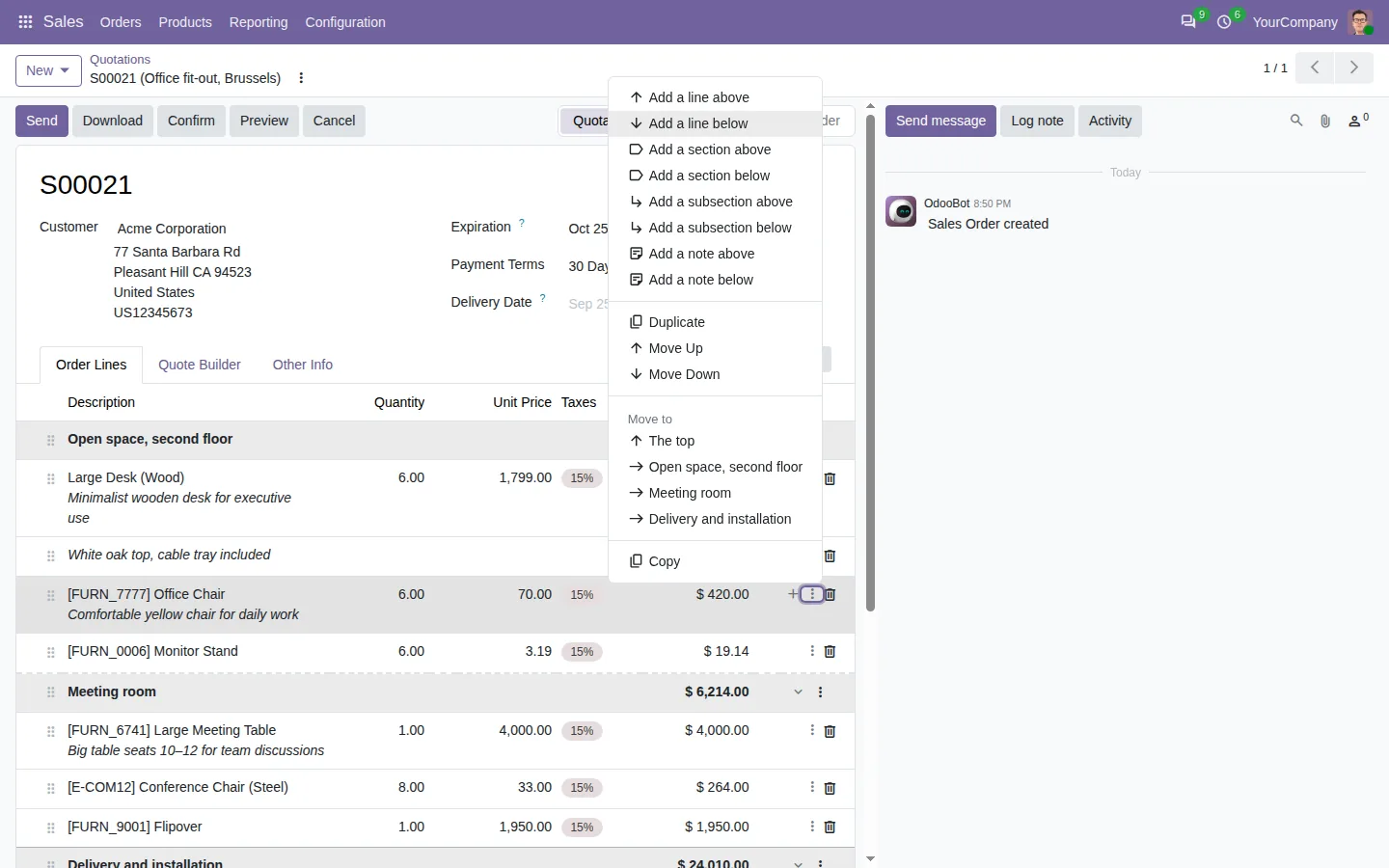
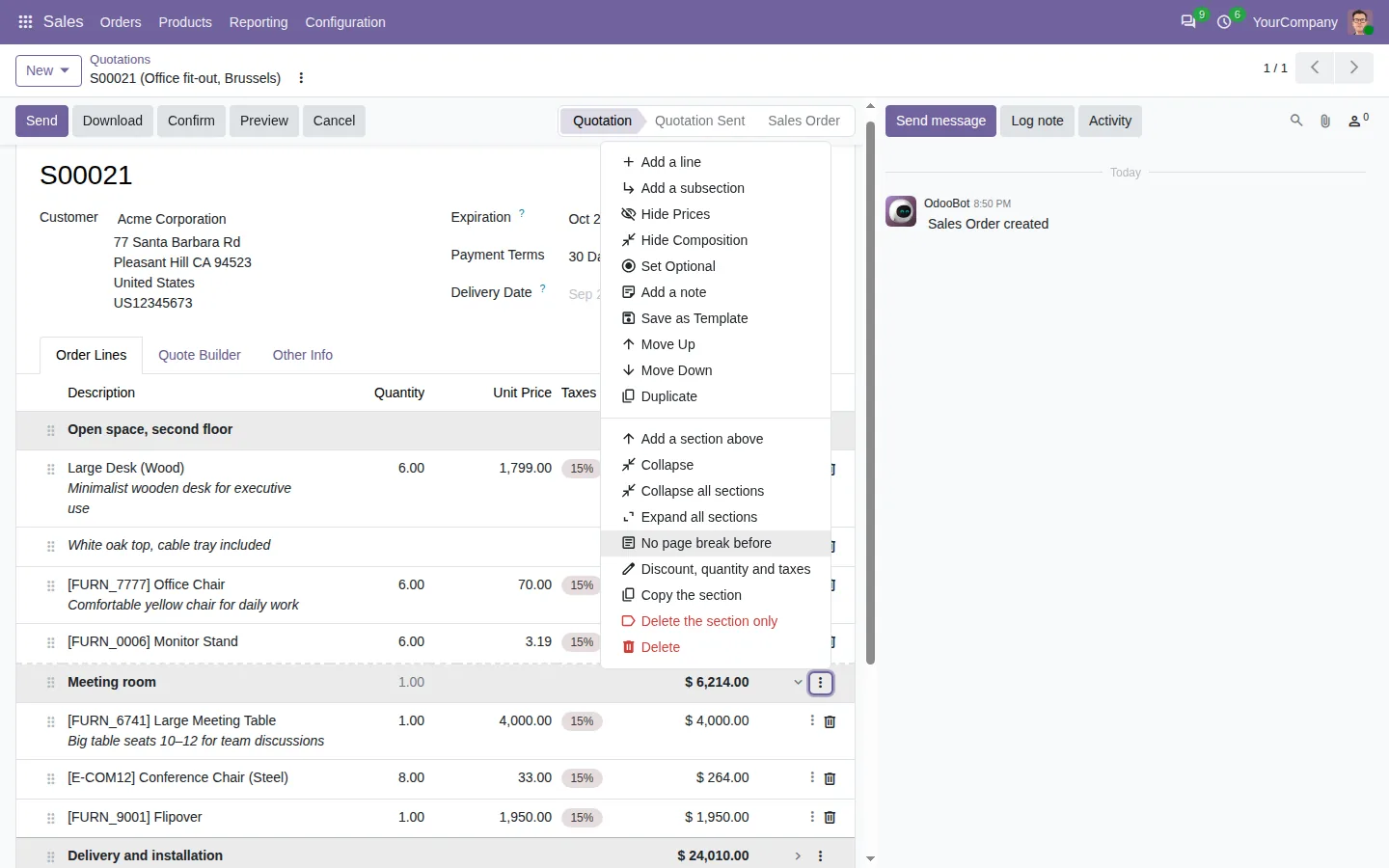
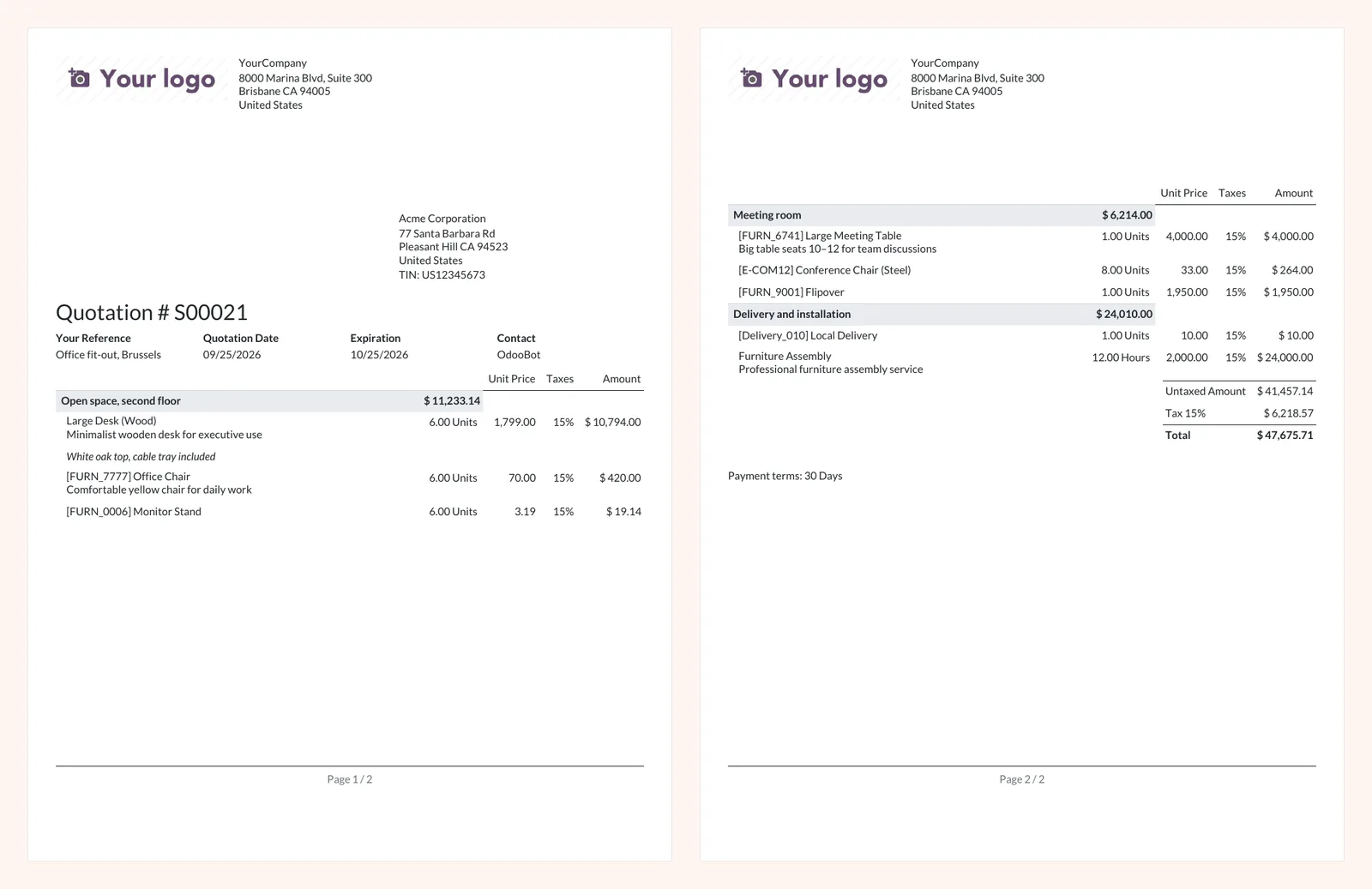
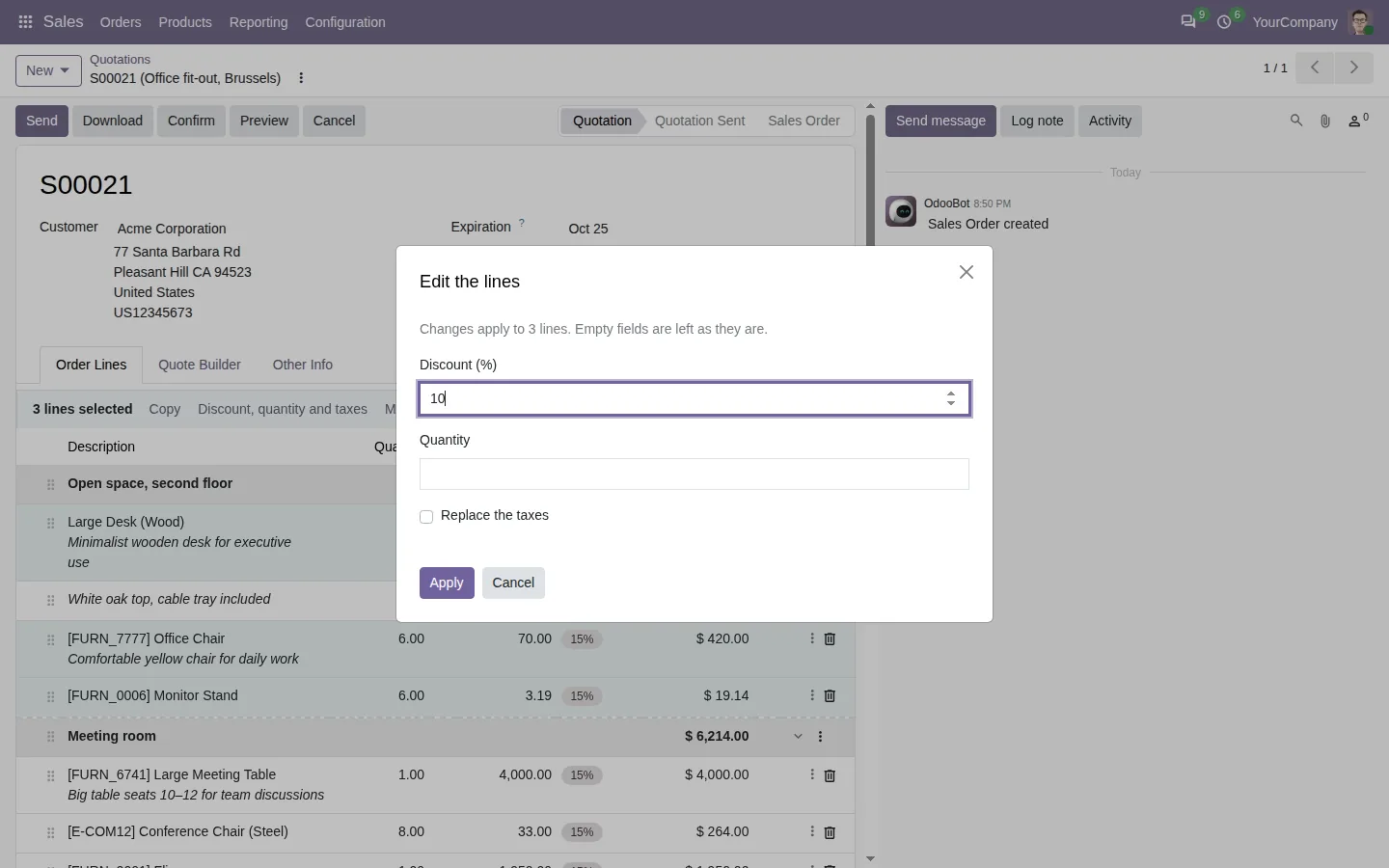
The line menu and the keyboard shortcuts of Insert Line, on quotations and sales orders: add a product right under the line you clicked, duplicate a line, move it or send it to another section, and undo any change with Ctrl+Z.
Documentation and installation are on the page of your Odoo version.
In Odoo, a new line goes to the end of the section and you drag it back up. Here is how to insert a line exactly where it belongs, and reuse lines between quotations, purchase orders and invoices.
Read the articleThis app and Insert Line Base. Once both are in your database, this one installs itself with the Sales app.
Yes. Copy the lines on the quotation and paste them in an invoice. For purchase orders, add the Purchase version of the app.
Open Word, Excel, PowerPoint and Outlook attachments in the chatter, without downloading them and without any external service.
Get it on Odoo Apps
Search the chatter as you type, filter notes, emails and logs, reply in threads, get reminded and hide the chatter in one click.
Get it on Odoo Apps
The same office preview in the kanban, list and activity views of Documents, with readable thumbnails.
Get it on Odoo Apps