
10.00 €
Office Preview for Attachments
Open Word, Excel, PowerPoint and Outlook attachments in the chatter, without downloading them and without any external service.
Get it on Odoo Apps
Productivity
An MCP server inside Odoo: Claude, ChatGPT, Cursor, n8n and AI agents read sales, invoices, stock and the pipeline, and prepare quotations, invoices and tasks, with the access rights of the user who connected them. OAuth 2.1 sign-in, preview before every change, call log.
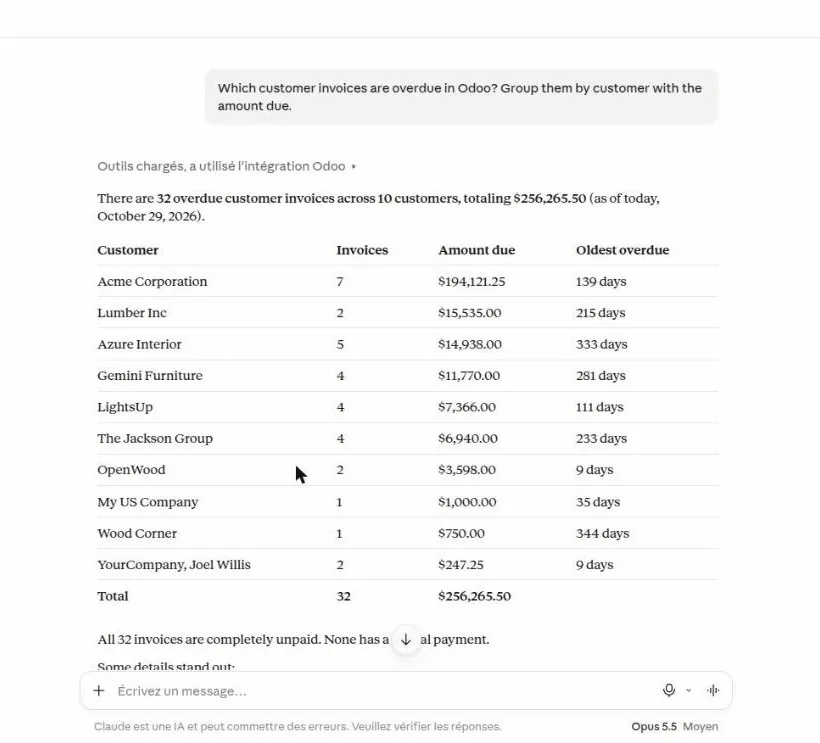
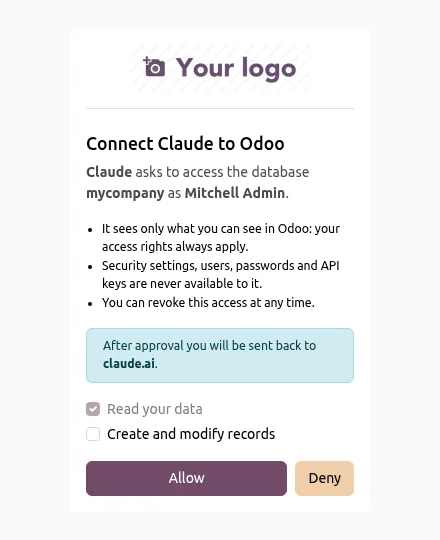
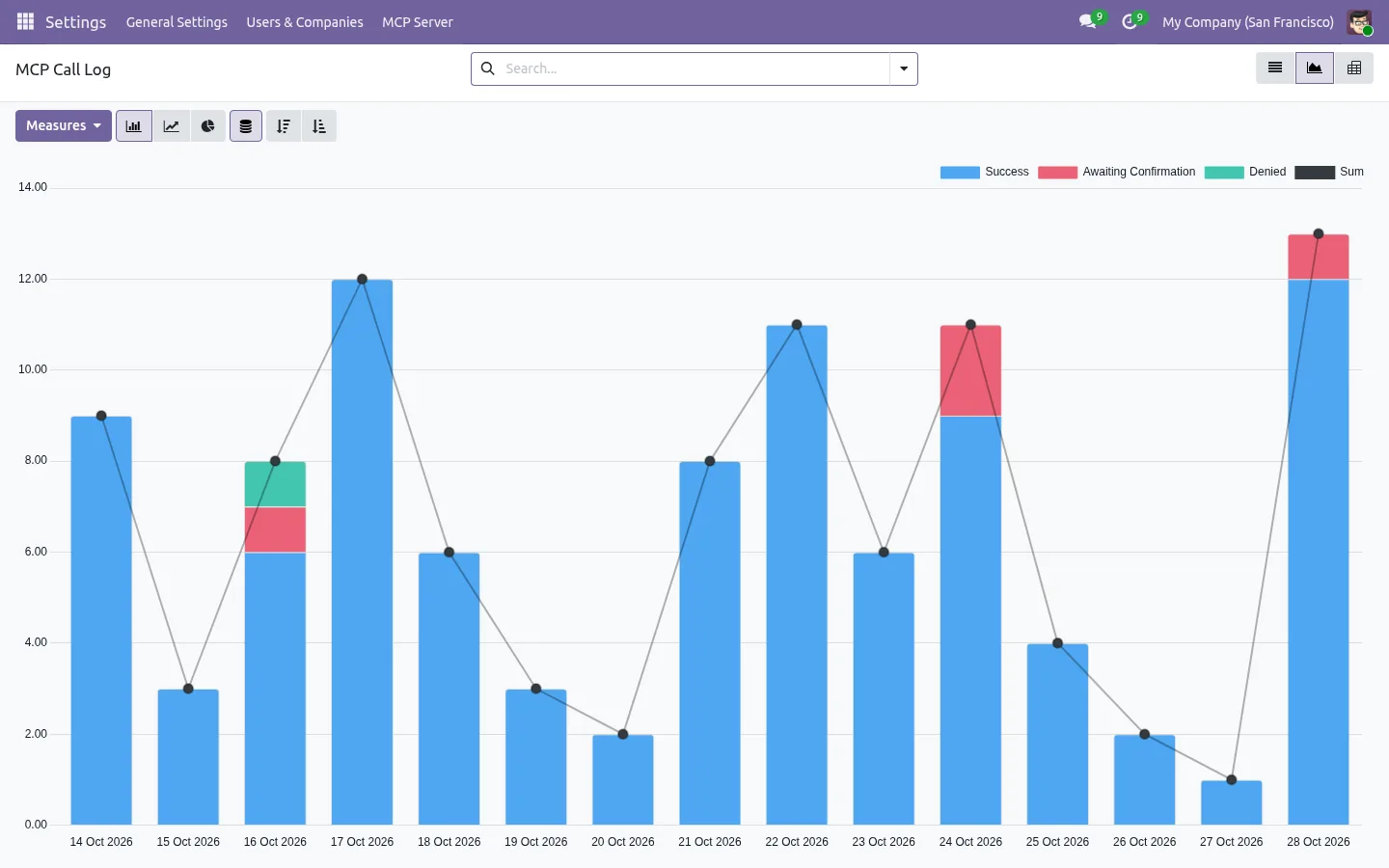
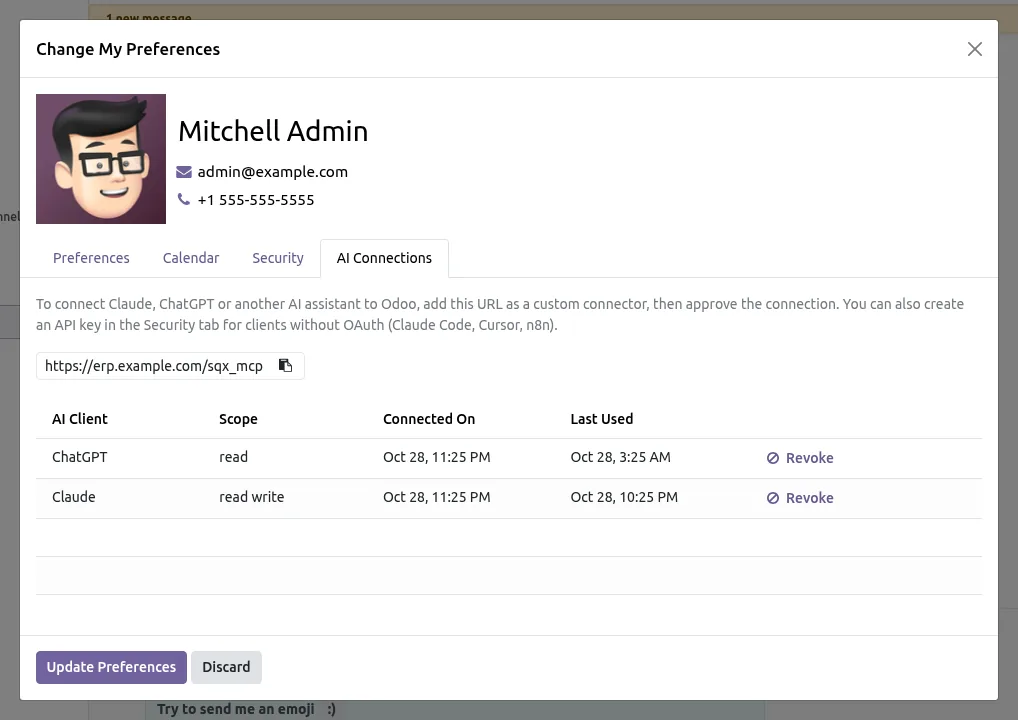
Instead of exporting to Excel and pasting into a chat, connect your AI assistant to Odoo and ask in plain words:
The assistant reads live data with links back to each record, and prepares quotations, invoices, requests for quotation, leads and tasks as drafts.
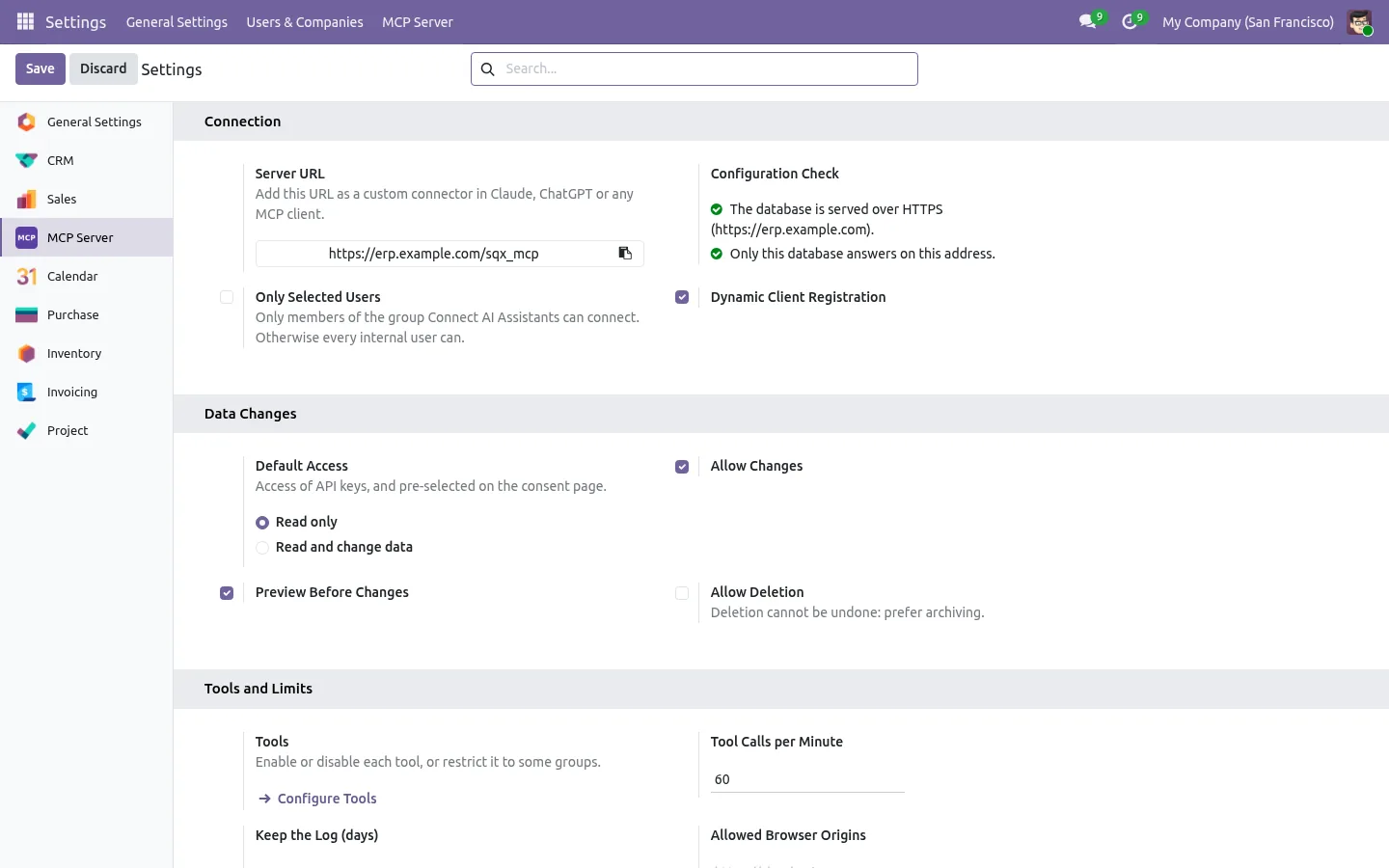
The app adds a Model Context Protocol endpoint to your database, at an address such as https://your-odoo/sqx_mcp. There is no separate server or Docker container to host, and no Python library to install. It follows the current MCP specification with the Streamable HTTP transport, and uses the Odoo ORM directly rather than the XML-RPC and JSON-RPC APIs that Odoo has deprecated. It works on Community, Enterprise and Odoo.sh.
claude mcp add --transport http and an Authorization header.mcp.json.An API key can be restricted to this server only, so it never opens XML-RPC or JSON-RPC.
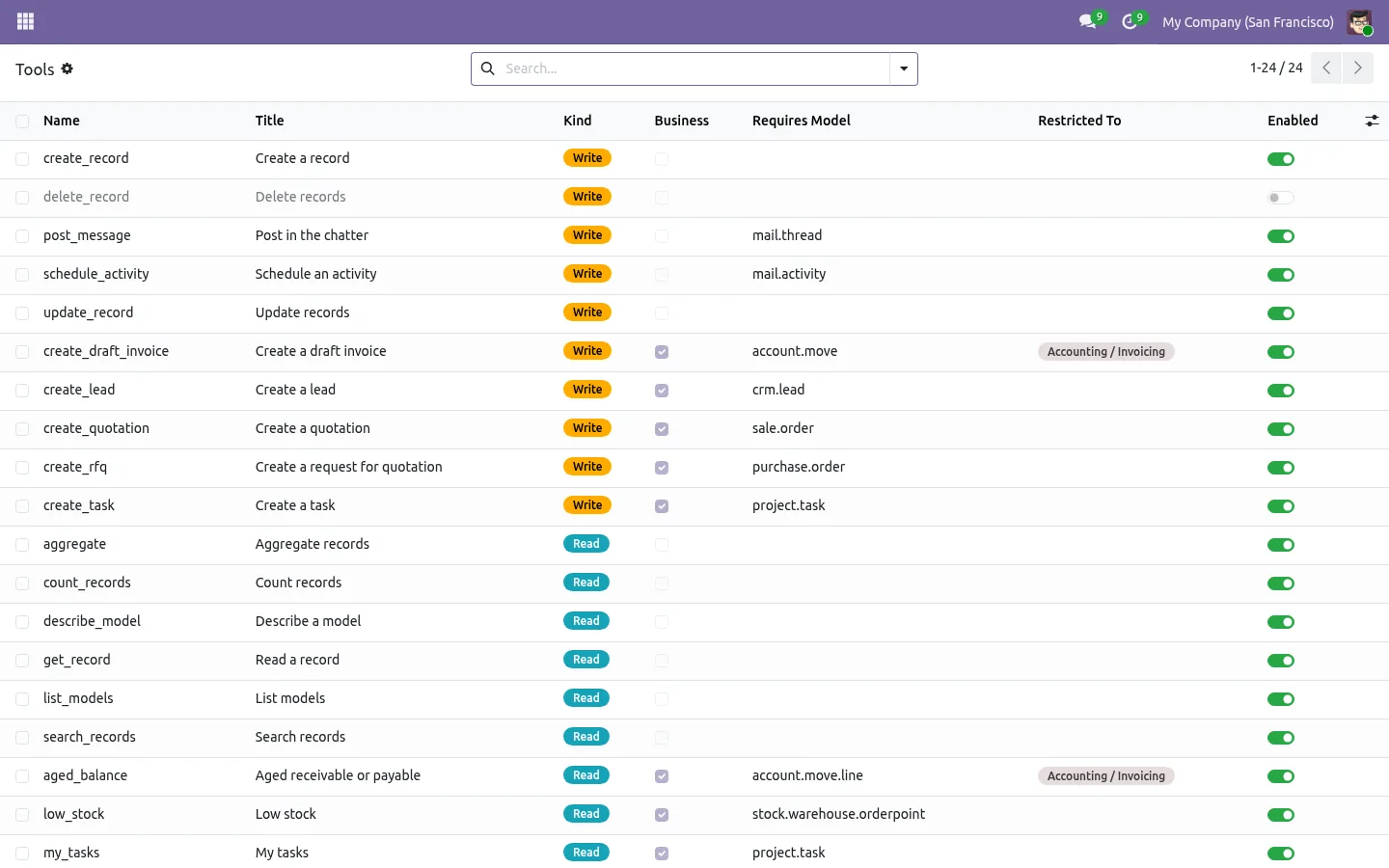
Generic tools search, count, read and group any model. Business tools answer the usual questions directly: a sales or purchase summary, overdue invoices and the aged balance, low stock and availability per warehouse, the pipeline by stage, open tasks by deadline. Writing tools create draft quotations priced by Odoo, draft invoices and vendor bills that are never posted, requests for quotation, leads and tasks. A tool only shows up when its app is installed, and each one can be switched off or kept for a group.
Documentation and installation are on the page of your Odoo version.
Exporting to Excel and pasting into ChatGPT gives an answer that is already out of date. Here is how to connect Claude or ChatGPT to Odoo itself, safely.
Read the articleThe Model Context Protocol is the open standard AI assistants use to reach other software. Claude, ChatGPT, Cursor, n8n and many agent frameworks support it, so they all talk to Odoo the same way through this app.
Yes. It only depends on the base modules and needs no Python library, so it installs on Community, Enterprise, Odoo.sh and your own servers. It can also run next to the Odoo Enterprise AI server: it uses its own addresses under /sqx_mcp and its own API key type.
Only the results of the tools the assistant calls, and only what the user is allowed to see, as with any connector. Your database is never copied, and the log shows what was read.
Only if the administrator allows changes and the user grants write access when connecting. Each change is then previewed and approved first. Deletion stays off unless the administrator switches it on.
A public HTTPS address, the proxy mode when Odoo runs behind nginx or another proxy, and one database per domain. The settings page checks these points for you.
Yes, with any client that can add an MCP server over HTTP using an API key or OAuth, such as Gemini CLI, code editors, agent frameworks or n8n. The app calls no AI itself and needs no AI key in Odoo.
Yes. A tool is a method and a short description in your own module, and the README of the app shows a complete example. It then appears in the tools list with the same rights, log and switches.
Open Word, Excel, PowerPoint and Outlook attachments in the chatter, without downloading them and without any external service.
Get it on Odoo Apps
Search the chatter as you type, filter notes, emails and logs, reply in threads, get reminded and hide the chatter in one click.
Get it on Odoo Apps
The same office preview in the kanban, list and activity views of Documents, with readable thumbnails.
Get it on Odoo Apps