You ask ChatGPT which customers are late, and it needs your numbers. So you export the invoices to Excel, paste them into the chat, and get an answer that is out of date by the afternoon. An Odoo MCP server lets Claude or ChatGPT read Odoo itself, live, with your access rights. Here is how to connect them, and what to check before you do.
Most teams that try AI with Odoo hit the same walls:
- Every question starts with an export and a copy-paste.
- Connectors found online run on a separate server, often with one shared admin account.
- An API key opens everything the user can do, with no preview of what the AI changes.
- Nobody can say what the AI read or modified last week.
Connect ChatGPT and Claude to Odoo: before and after
MCP Server adds a Model Context Protocol endpoint inside your Odoo database. MCP is the open standard that Claude, ChatGPT, Cursor, n8n and most AI agents use to reach other software. You paste one address in your assistant, the user signs in to Odoo and approves, and the assistant answers from your live data.
Before
Export to Excel. Paste into the chat. Explain the columns. Get an answer about yesterday's figures. Start again tomorrow.
After
Ask the question. The assistant reads Odoo and answers.
Ask about sales, late invoices and stock in plain words
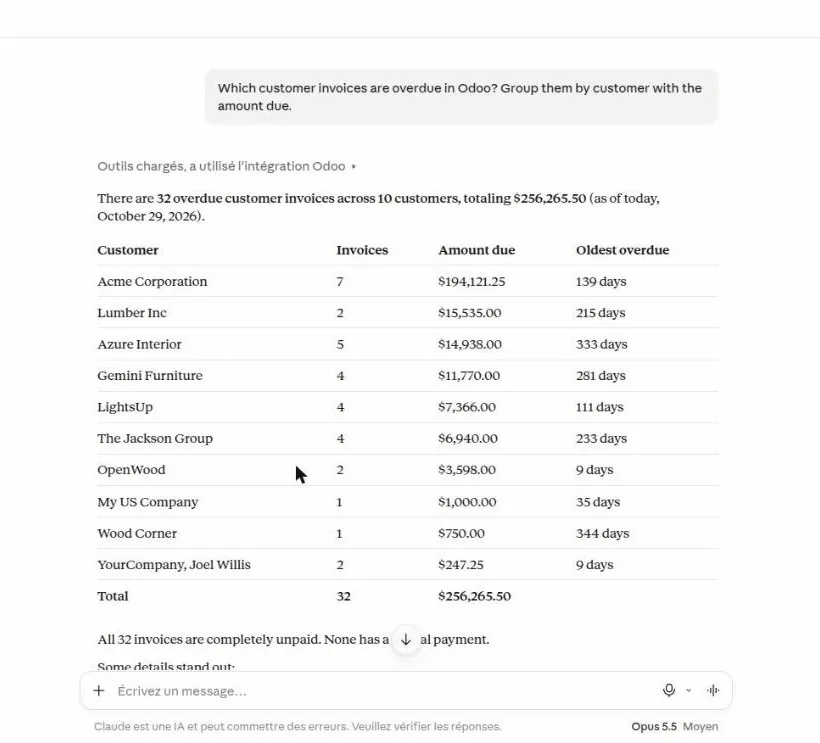
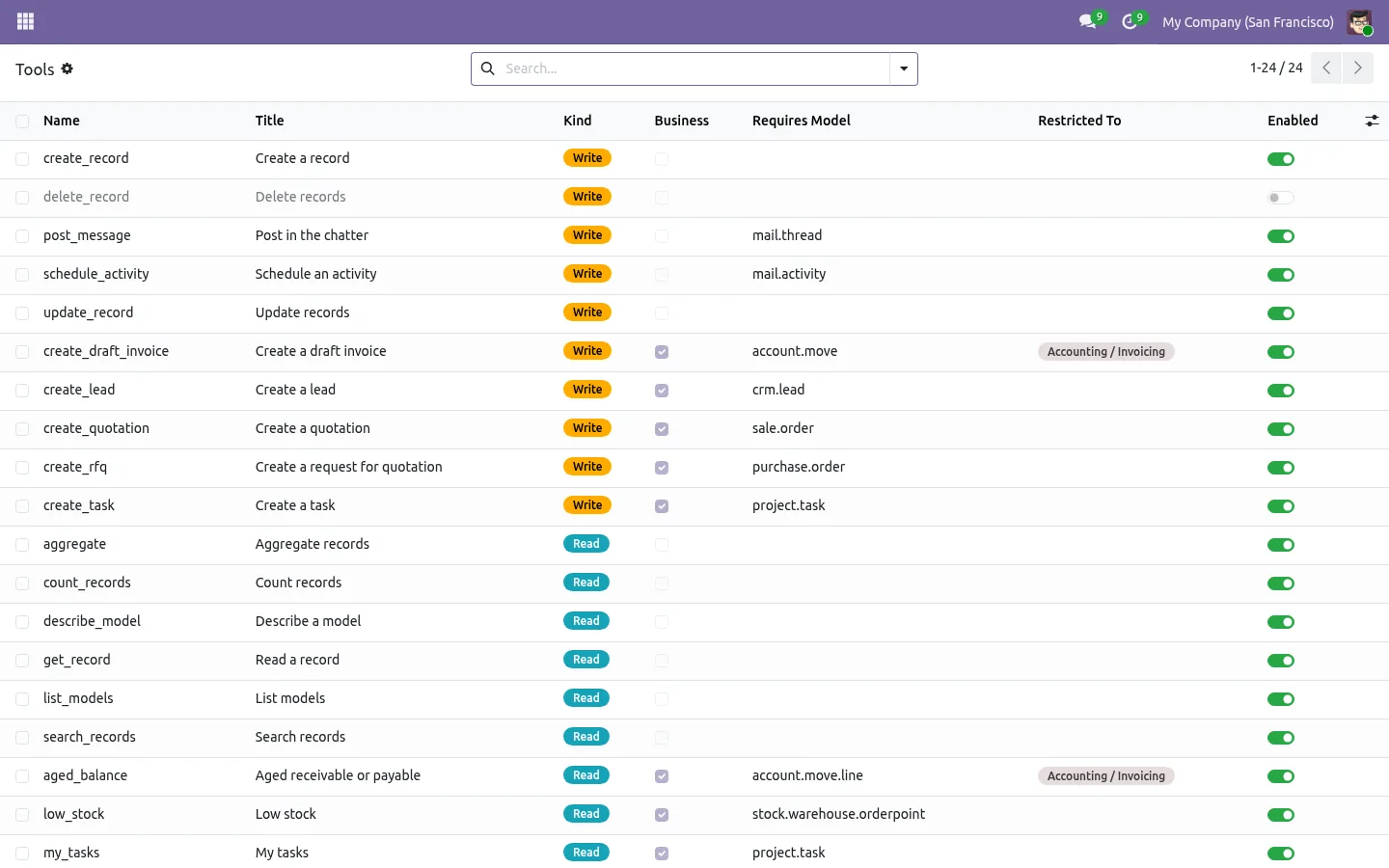
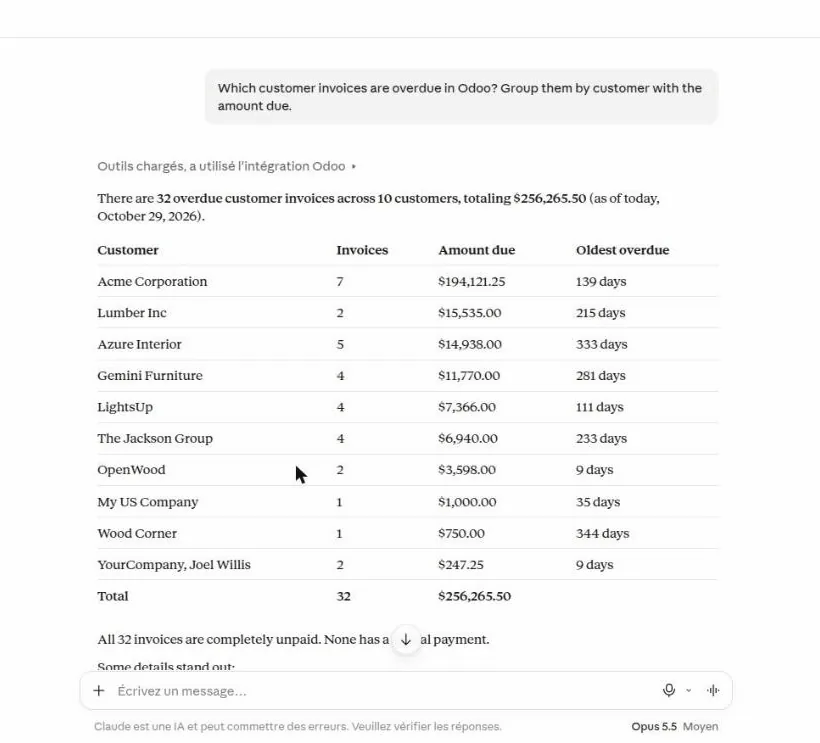
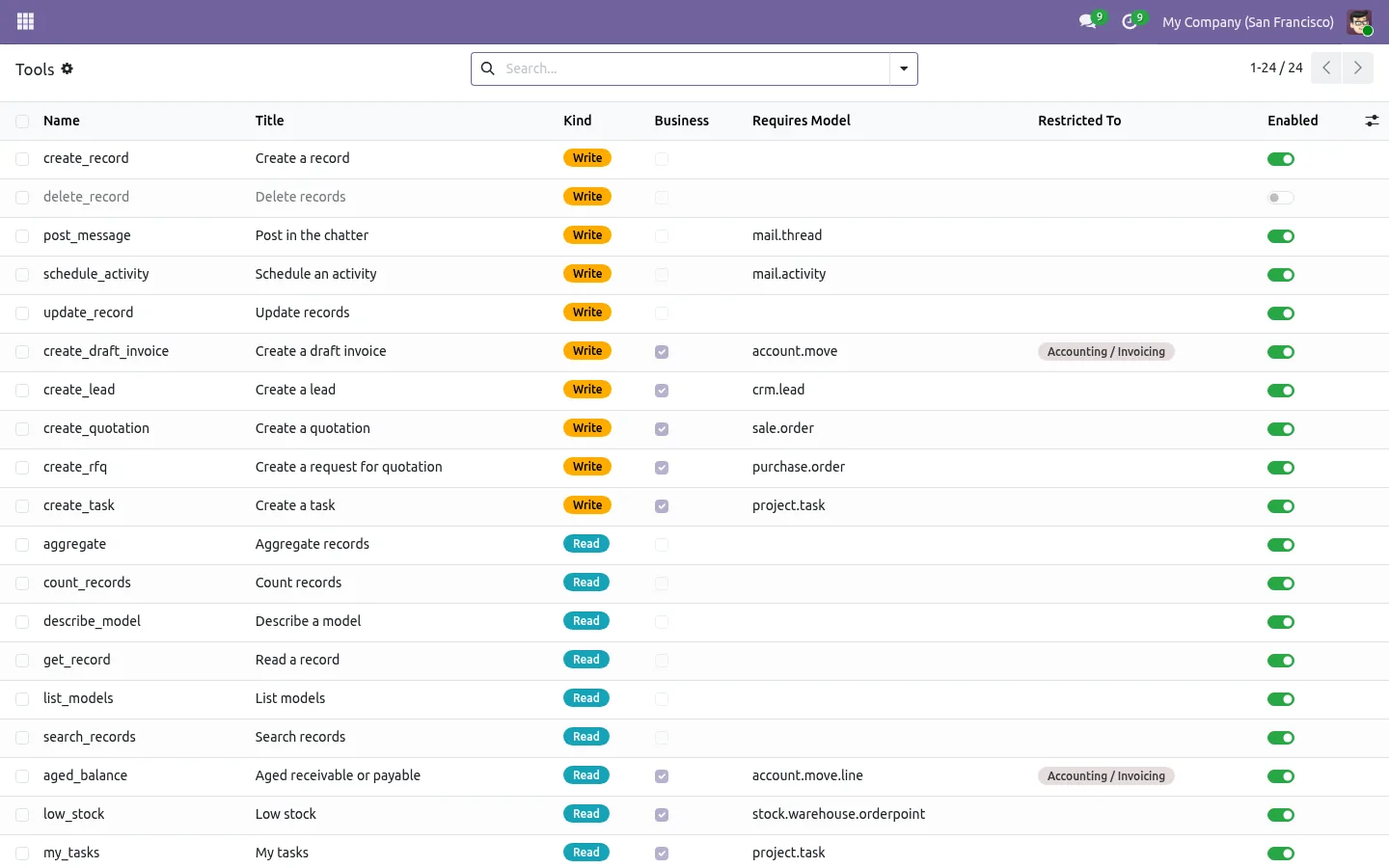
"Which customers are more than 30 days late?" The assistant picks the overdue invoices tool, asks before using it, and answers with the amount due per customer and a link to each invoice. The figures come from Odoo at the moment you ask, not from a file someone exported. Weekly sales, products below their minimum, the pipeline by stage or your tasks for today work the same way.
Each user connects with their own Odoo rights
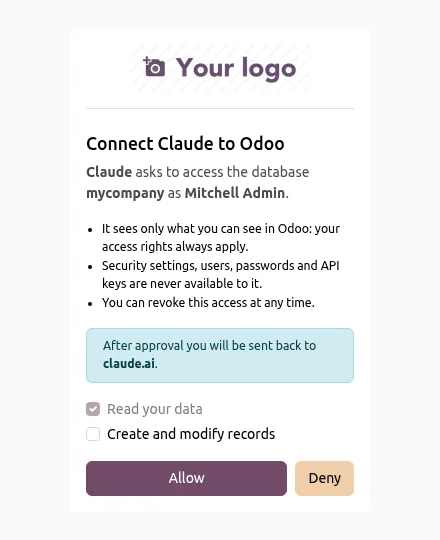
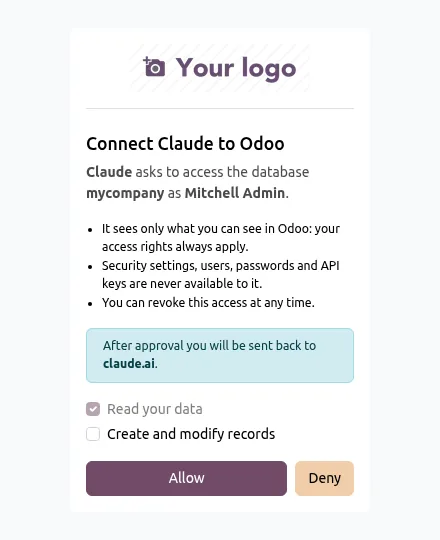
In Claude or ChatGPT, add a custom connector with your Odoo address. A window opens on Odoo: the user signs in with OAuth 2.1, sees which assistant asks for access, and chooses read only or read and change. No password is given to the AI, and there is no shared technical account: every call runs with that user's access rights, record rules and companies.
Let the AI prepare quotations, with a preview first
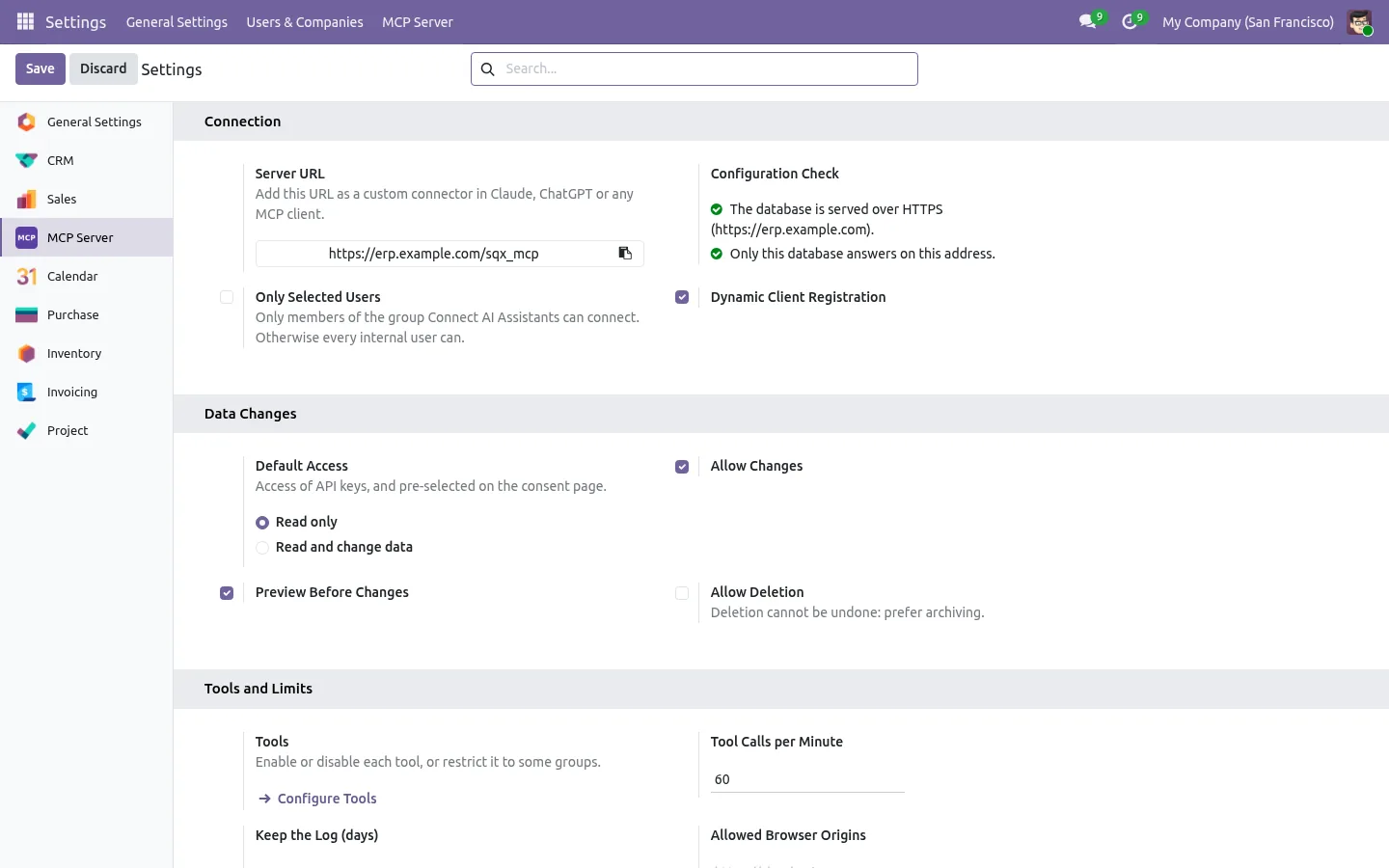
"Create a quotation for Azure Interior: 4 office chairs and 2 desks." The assistant asks which chair when several match, then shows a preview priced by Odoo, customer pricelist included. Nothing is created until you say yes, and the quotation is saved as a draft, never sent. Invoices, requests for quotation, leads and tasks follow the same rule, and deleting stays off unless the administrator turns it on.
See every call, cut any connection
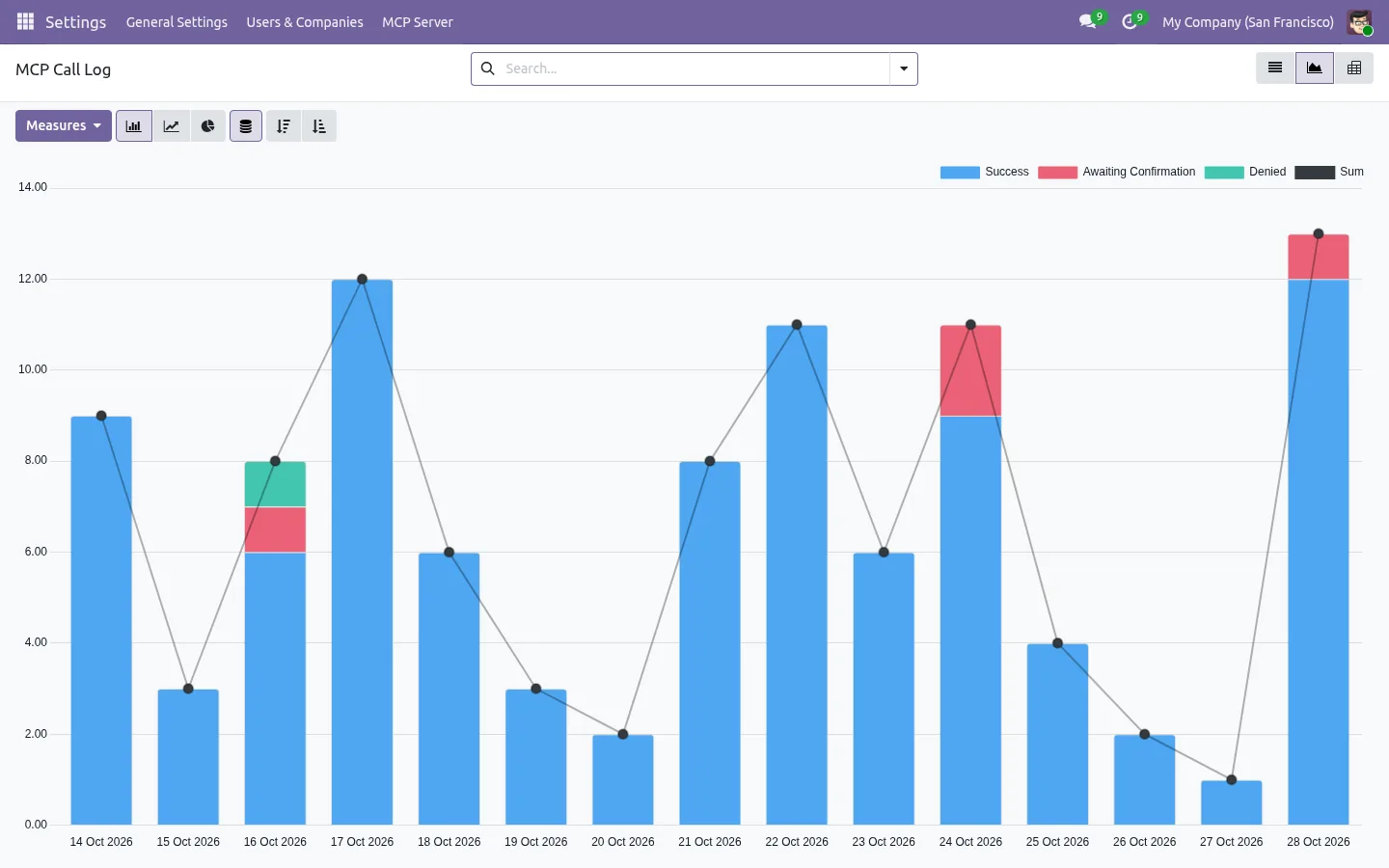
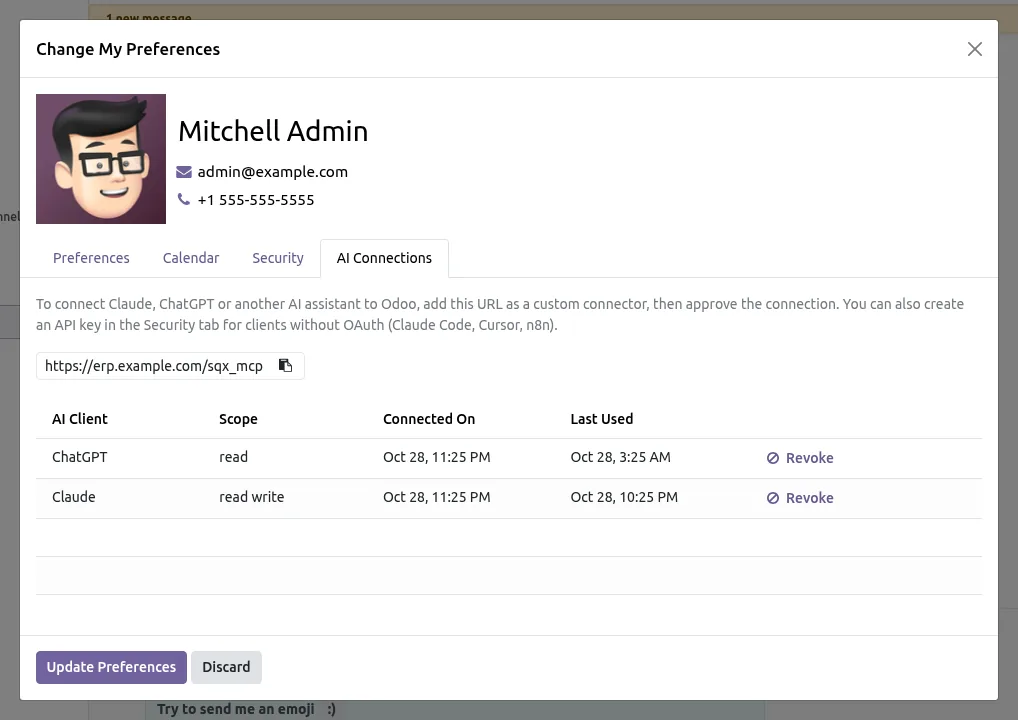
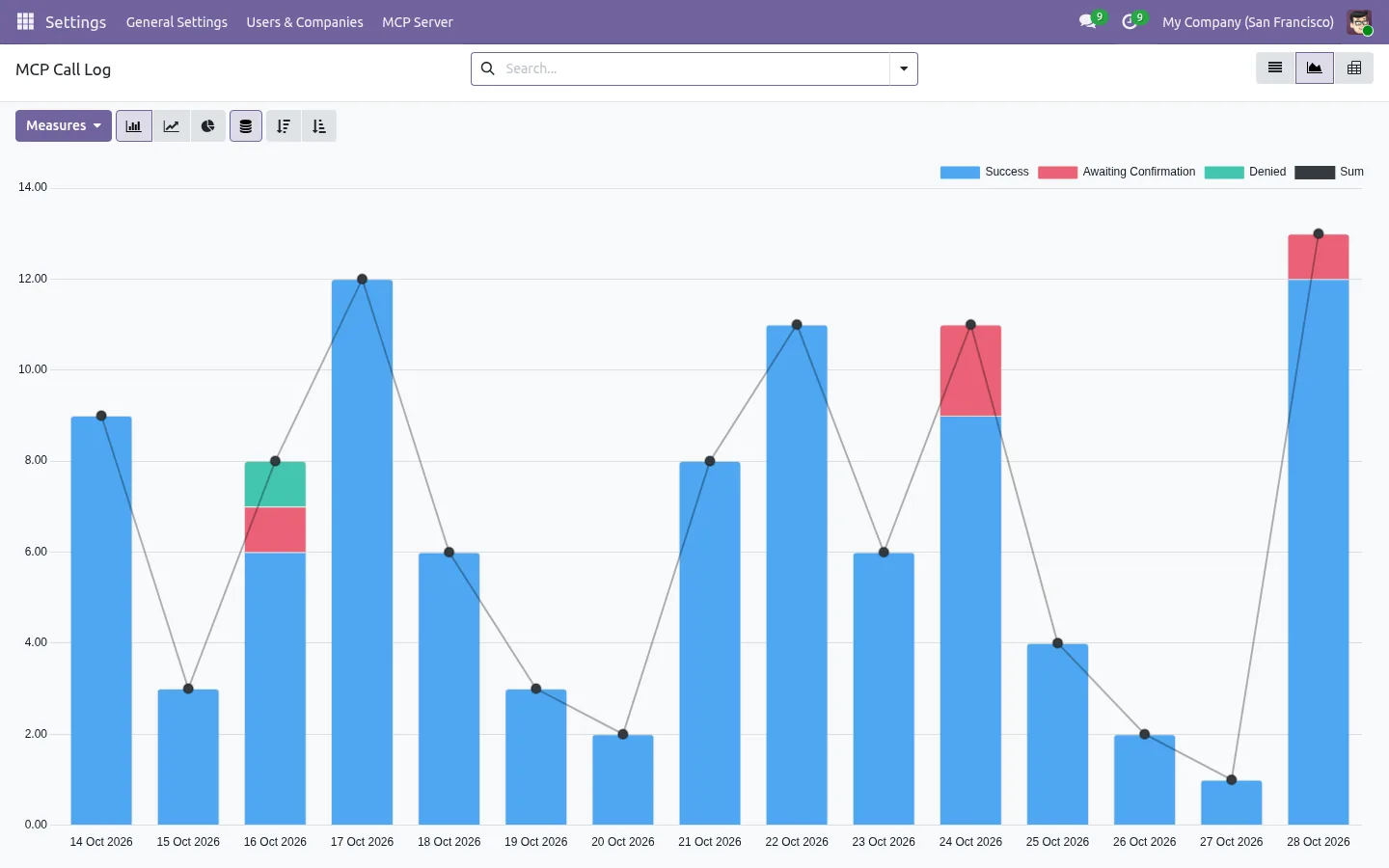
Every call is logged: who asked, from which assistant, which tool, how long it took and whether it worked. Each record the AI changes gets a note in its chatter. Users disconnect an assistant from their preferences, and the administrator can block a client for the whole company. Claude Code, Cursor and n8n connect with an API key, which can be restricted to this server.
100% tested
The apps ship with automated tests. No risk.
Up and running in three steps
Install MCP Server from the Odoo Apps Store, copy the server address from its settings page, and add it to your assistant. The settings page checks HTTPS, the proxy mode and the database filter for you. There is no external server, no Python library and no AI key to set in Odoo. Community and Enterprise, on Odoo.sh or on your own server (not Odoo Online), and it can run next to the AI features of Odoo Enterprise.
Your AI assistant, working from your real Odoo data
Stop exporting spreadsheets to ask a question. Connect Claude or ChatGPT to Odoo once, and every answer comes from live data, with the rights you already set.
Every tool and screenshot on the app page.
A question before buying? Write to support@sharqix.com, we help you connect your first assistant.