
10.00 €
Office Preview for Attachments
Open Word, Excel, PowerPoint and Outlook attachments in the chatter, without downloading them and without any external service.
Get it on Odoo Apps
Extra Tools
Each user adds any field as a column, even from a linked record, drags, resizes, renames and hides columns, searches under each header and edits in the list. Totals of all records, colored rows and cells, rows copied to a spreadsheet and default layouts per user group.
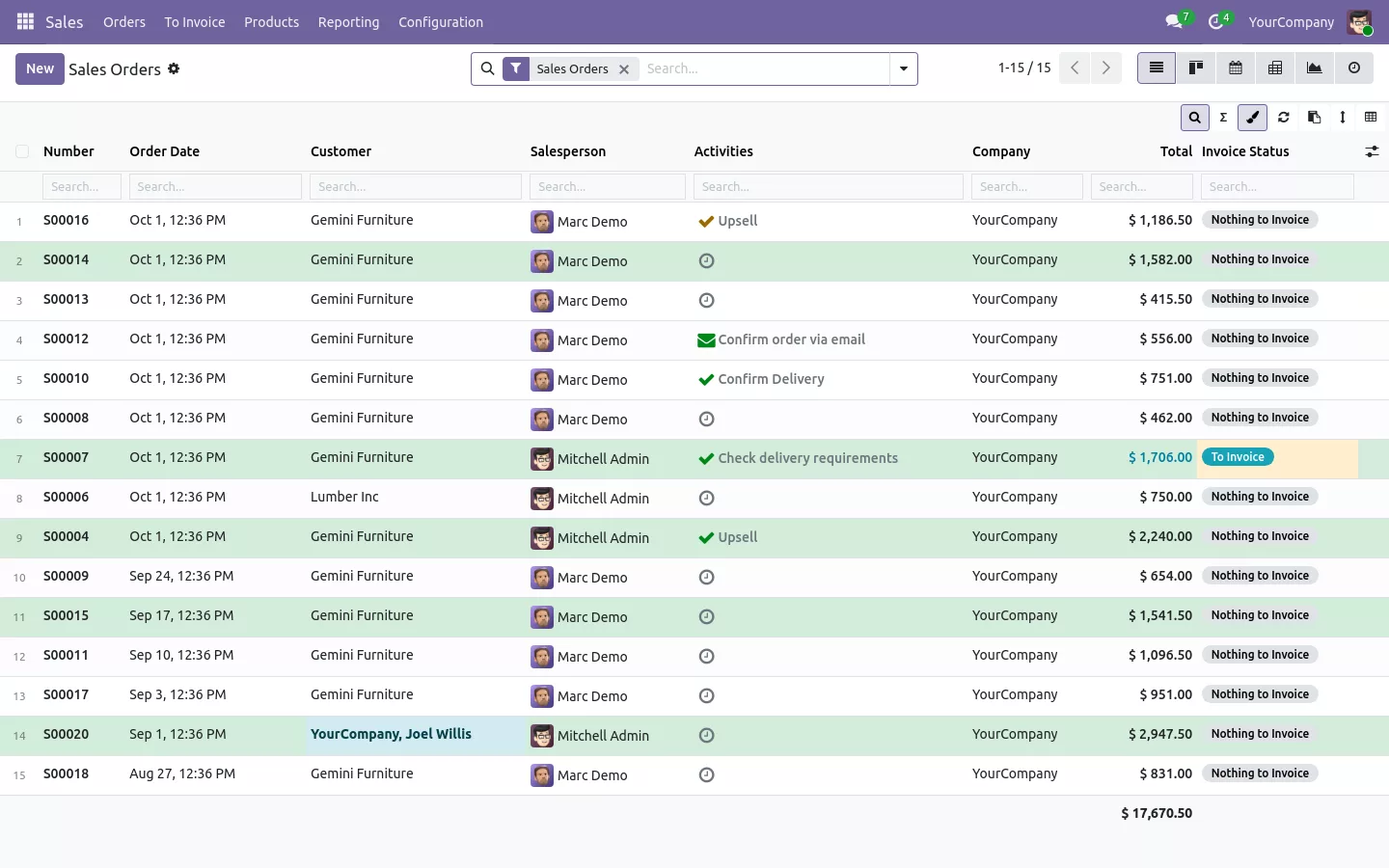

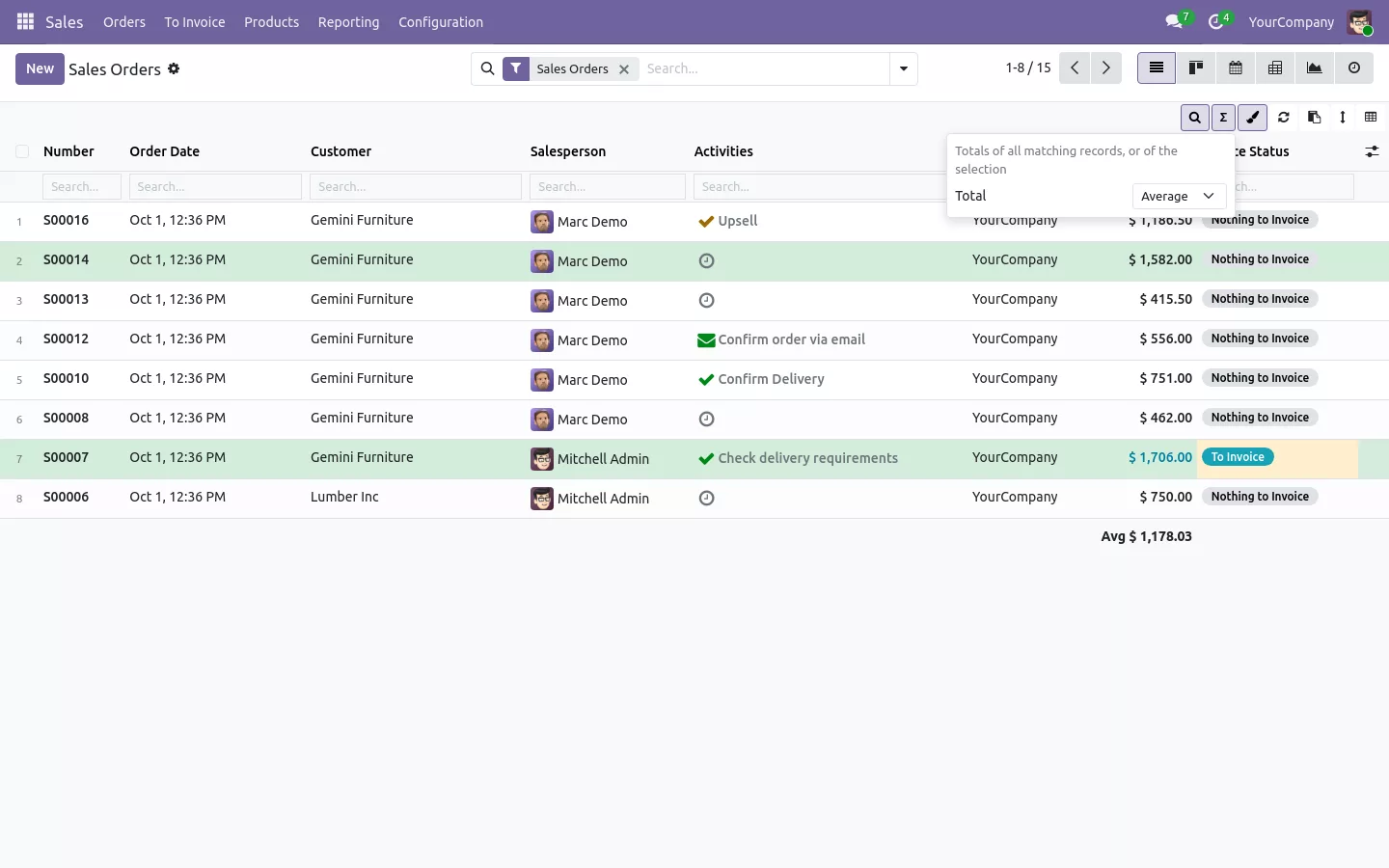
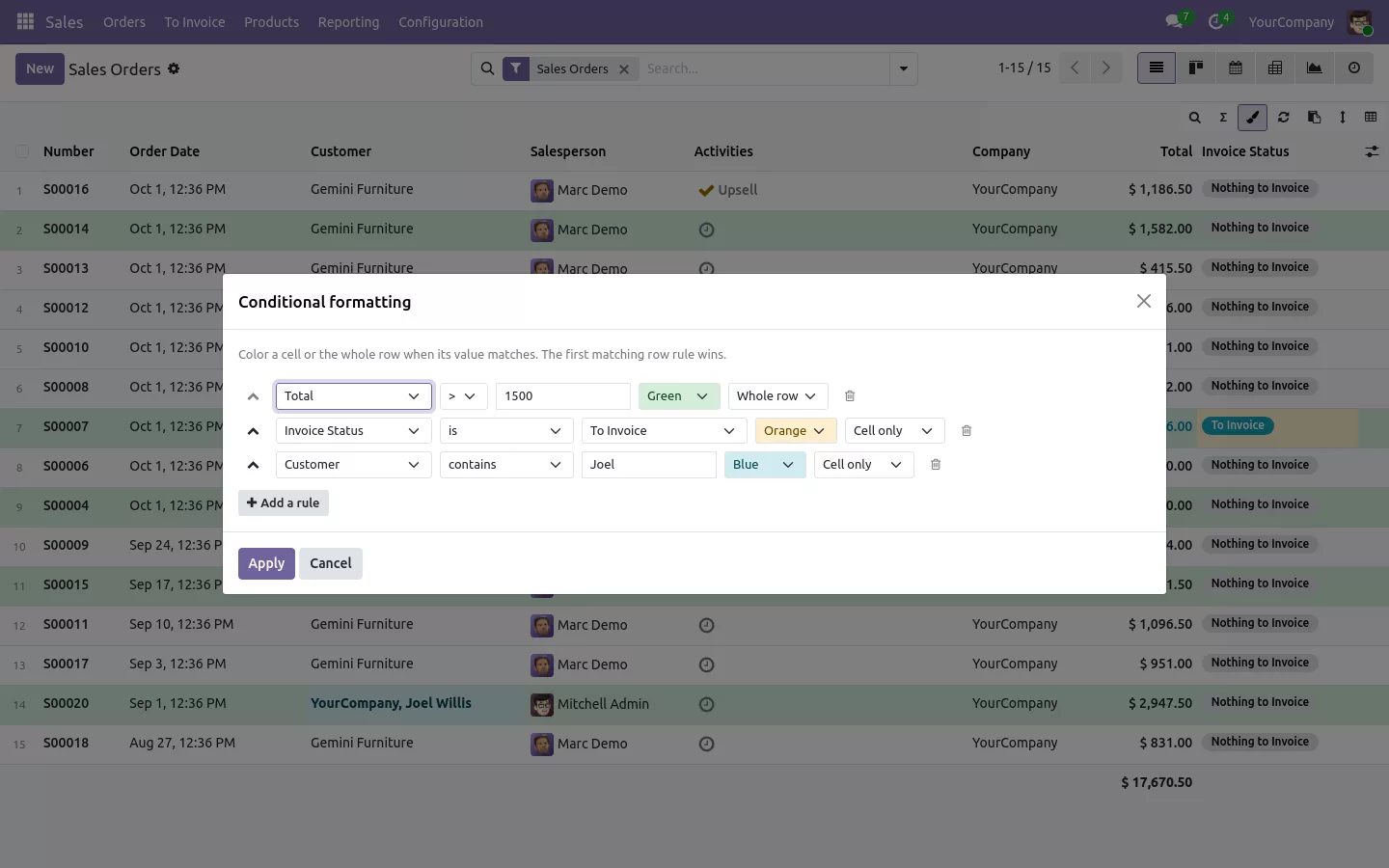
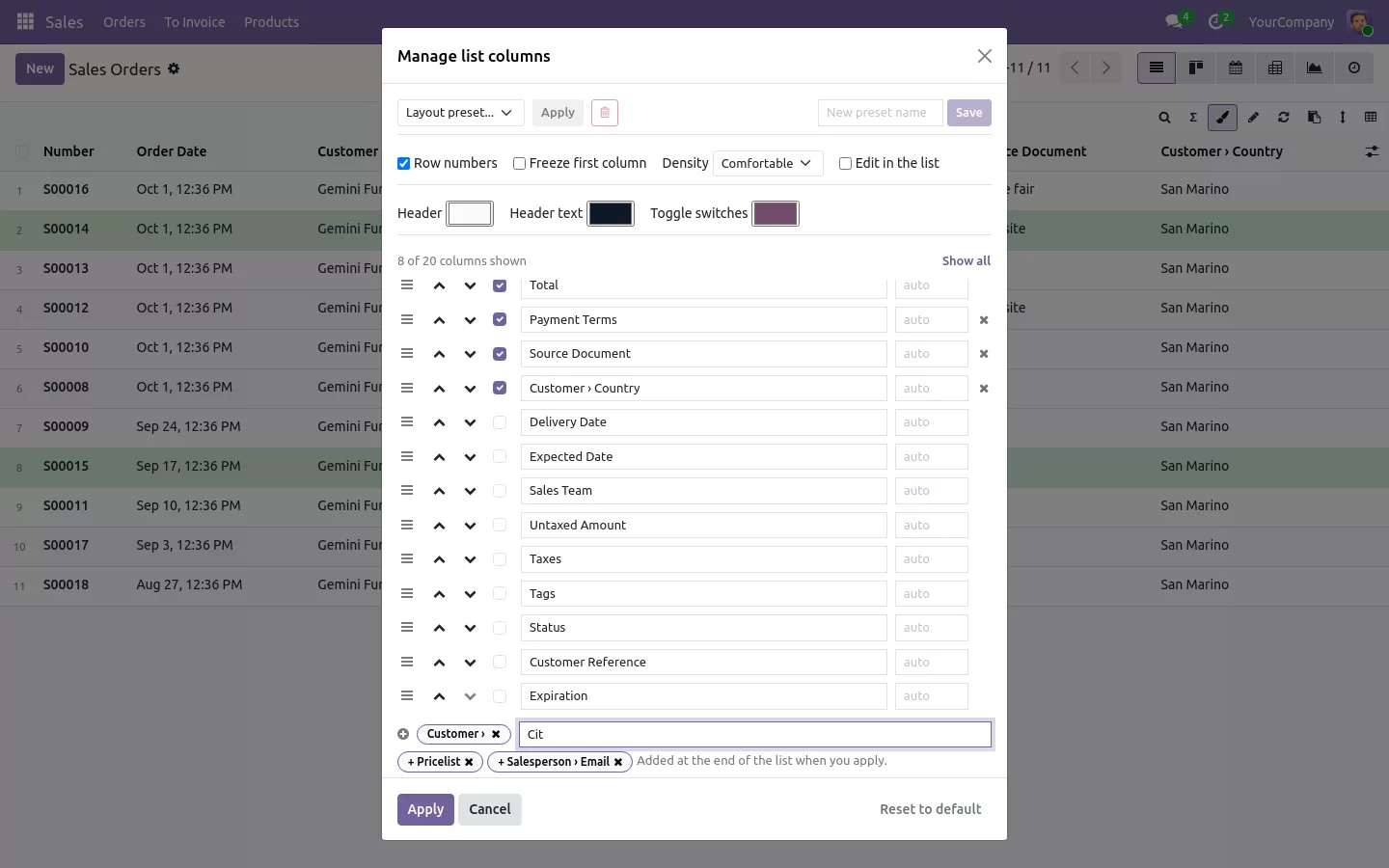
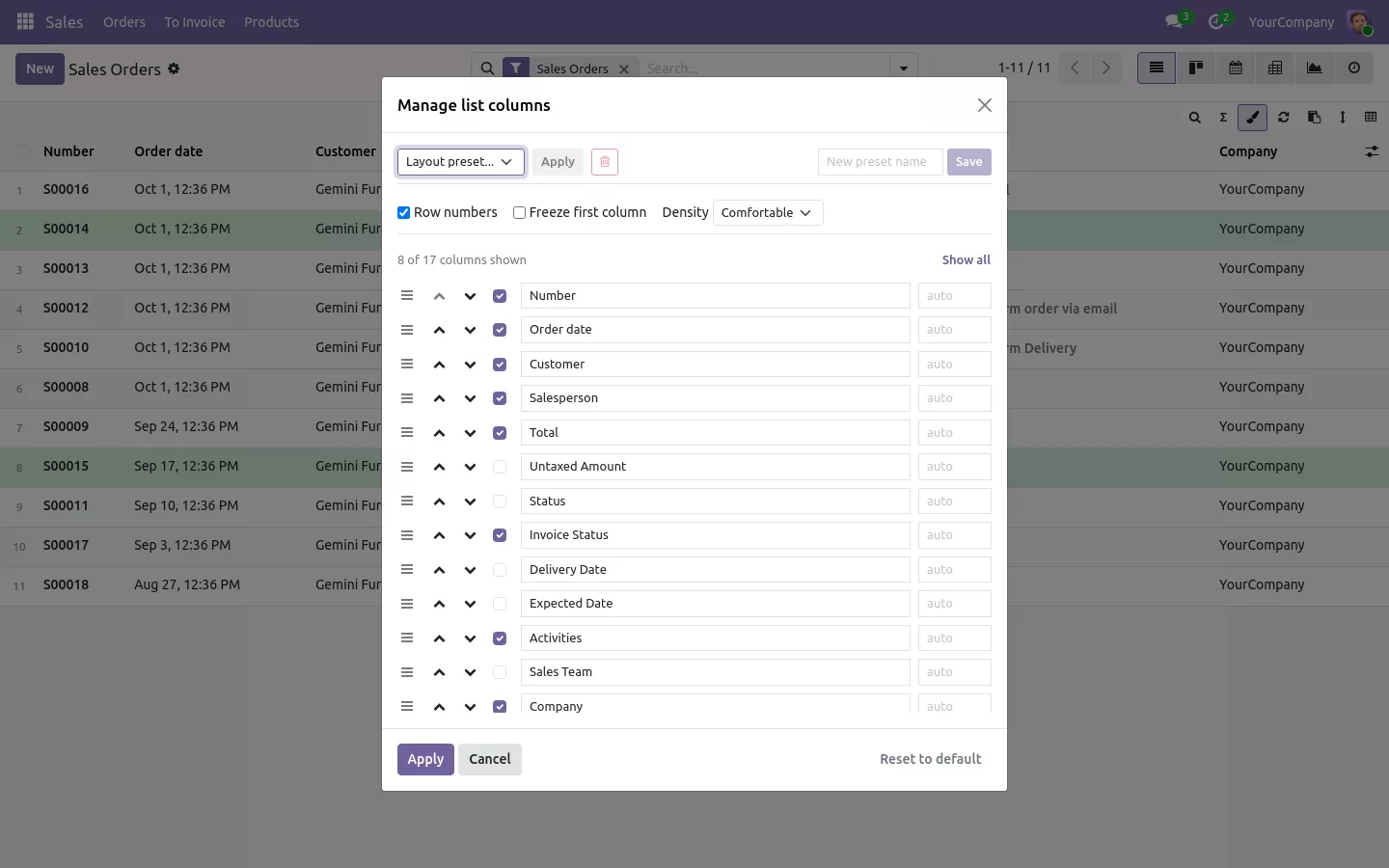
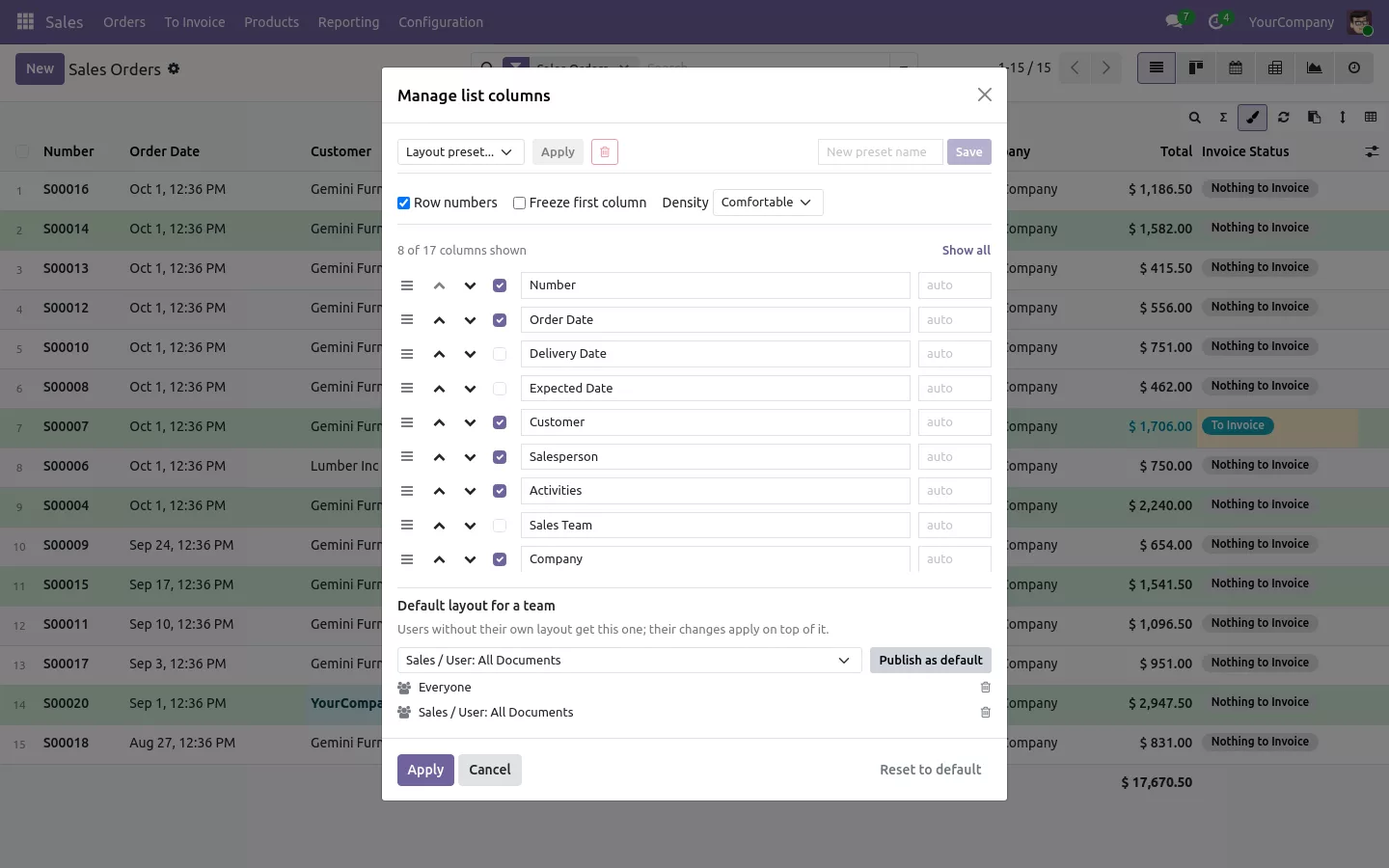
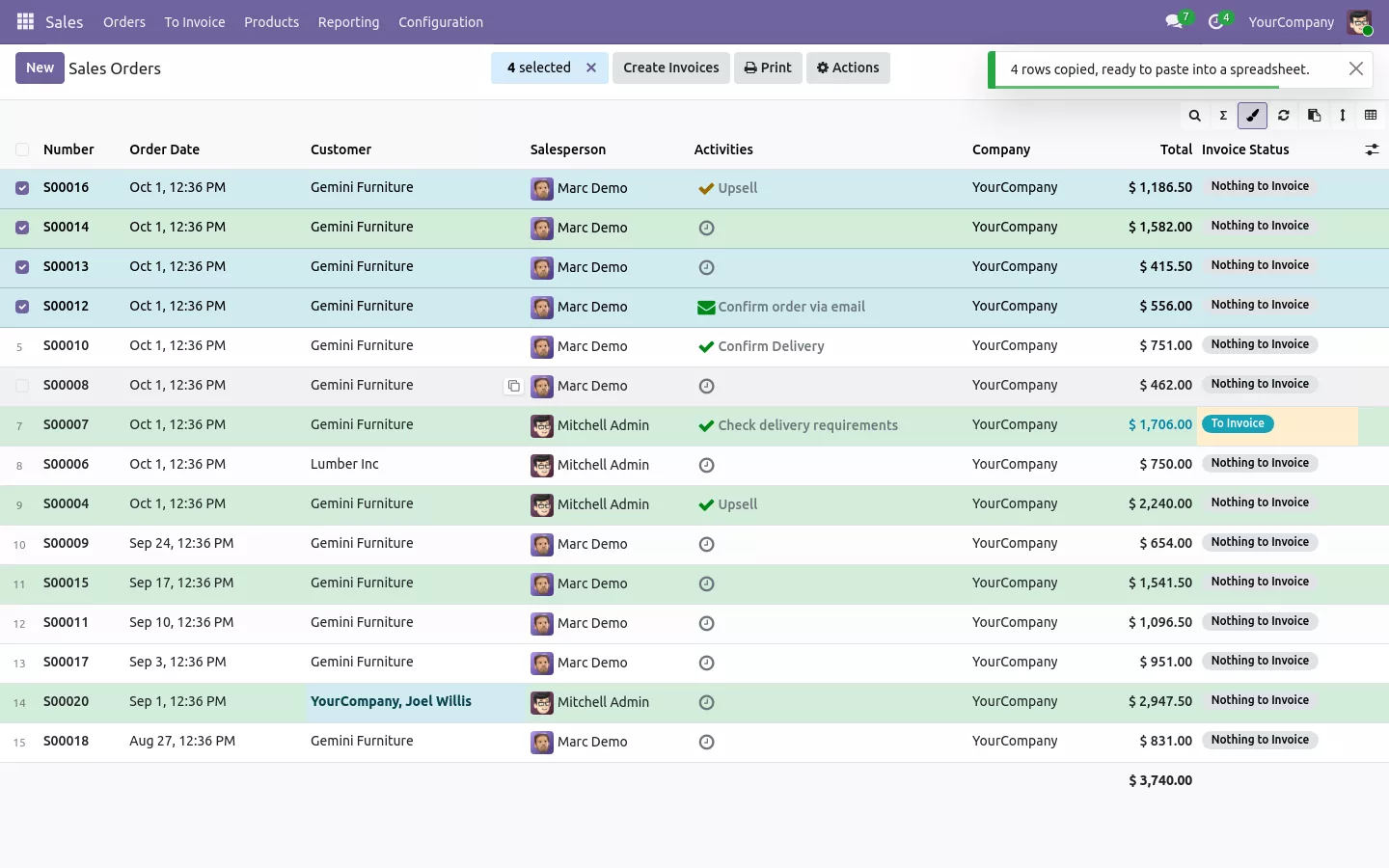
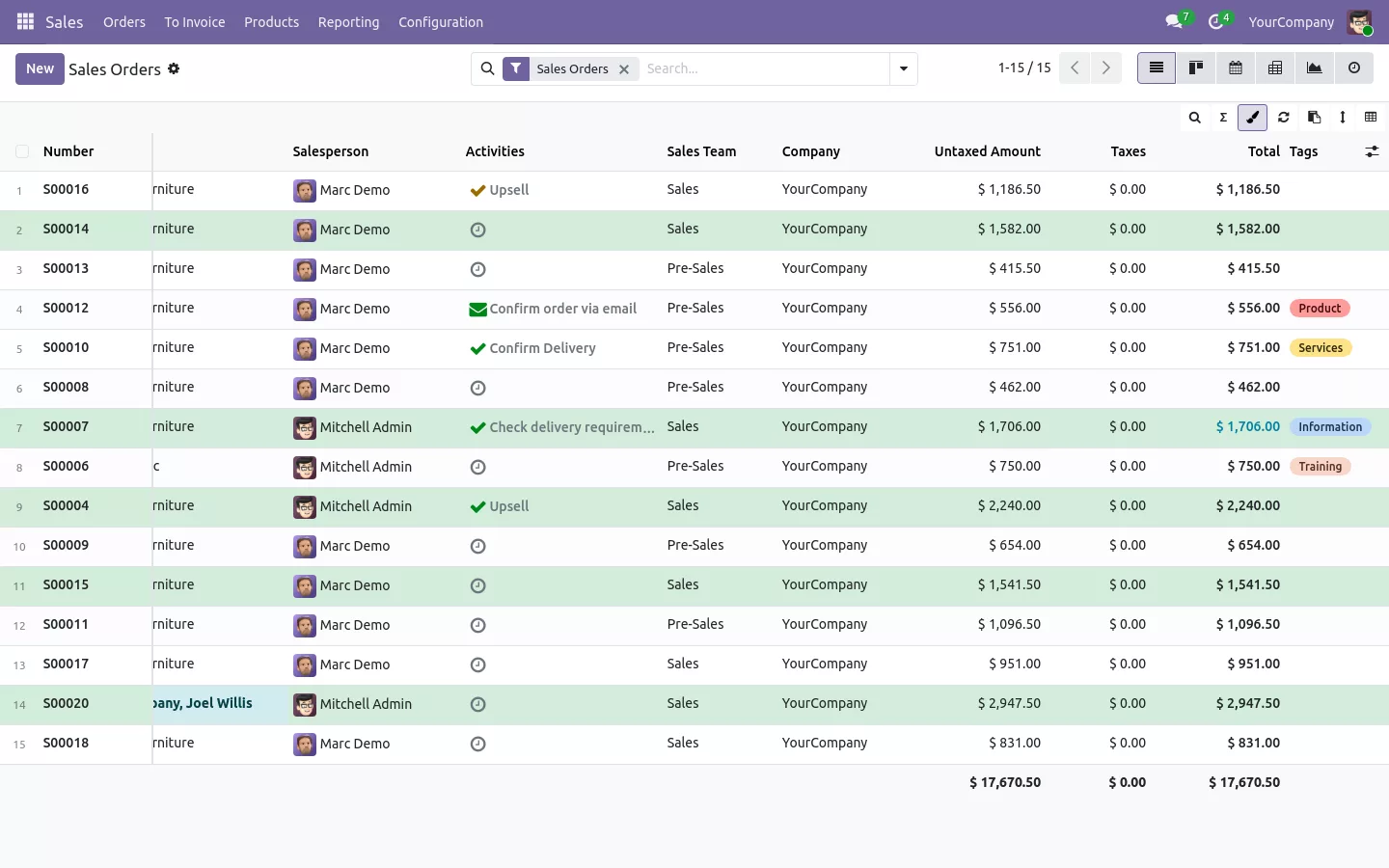
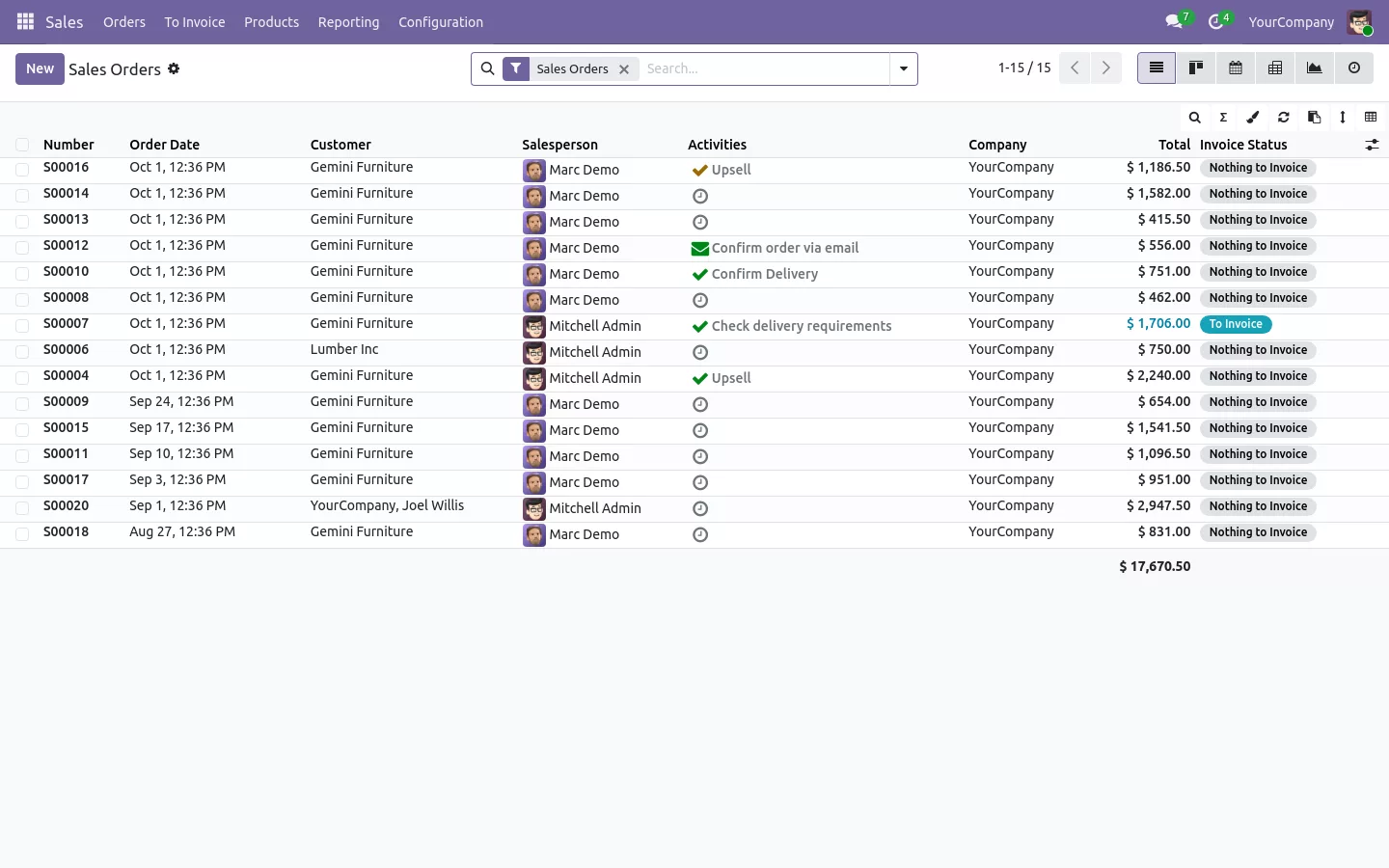
In standard Odoo, adding a field to a list, moving a column or coloring late orders means Odoo Studio or a developer. With this app, each user changes the list from the list itself, on Community as on Enterprise:
It works in the lists of every app, sales, invoices, stock or contacts, in grouped lists, and, when switched on in the settings, in the order and invoice lines of a form.
Drag the border of a header to change the column width: the width is kept for next time. Drag a header to move the column. On a wide list, right click a header and pin it, so the reference, the customer or the total stays on the left while you scroll, the way frozen columns work in a spreadsheet.
Layouts are saved on the server, so they follow the user from one computer to another, and a user can keep several named layouts, like "Month end". The administrator can arrange a list once and publish it for everyone or for a group such as the sales team; users adjust it on top and can go back to it in one click. The view itself is never modified, and a field a user may not read never shows.
Documentation and installation are on the page of your Odoo version.
Your team filters, freezes and copies in Excel all day, then opens Odoo and loses all three. Here is how to bring them into every Odoo list view, order lines included.
Read the articleDrag the border of the column header, or type a width in the columns window. Each user keeps their own widths, saved on the server.
Pick Sum, Average, Minimum or Maximum for the column. When the pager or the groups show only part of the records, the footer asks the server for the total of all matching records. With rows selected, it shows the total of the selection.
No. Each user has their own layout for each list. Only administrators, and the users they allow, can publish a layout for a group.
No. Extra columns, colors, totals and team layouts are done from the list itself, on Odoo Community as on Enterprise.
The lists go back to the standard Odoo display and the saved layouts are removed with the app. None of your views or records are changed.
Open Word, Excel, PowerPoint and Outlook attachments in the chatter, without downloading them and without any external service.
Get it on Odoo Apps
Search the chatter as you type, filter notes, emails and logs, reply in threads, get reminded and hide the chatter in one click.
Get it on Odoo Apps
The same office preview in the kanban, list and activity views of Documents, with readable thumbnails.
Get it on Odoo Apps