Skip to Content
Dynamic Dashboard Builder with AI: KPI, Charts, Alerts, Cash Forecast

Productivity

Dynamic Dashboard Builder with AI: KPI, Charts, Alerts, Cash Forecast

22 ready-made Odoo dashboards and an AI dashboard builder: KPI tiles, charts with target lines and a world map, your company colors in one click, a sidebar, dark mode, goals, alerts, scheduled emails with PDF and Excel, and cash flow forecast on any model. Your data stays on your server.
  • 150.00 €
  • Odoo 11.0
  • Odoo 12.0
  • Odoo 13.0
  • Odoo 14.0
  • Odoo 15.0
  • Odoo 16.0
  • Odoo 17.0
  • Odoo 18.0
  • Odoo 19.0
  • Odoo 20.0

Screenshots

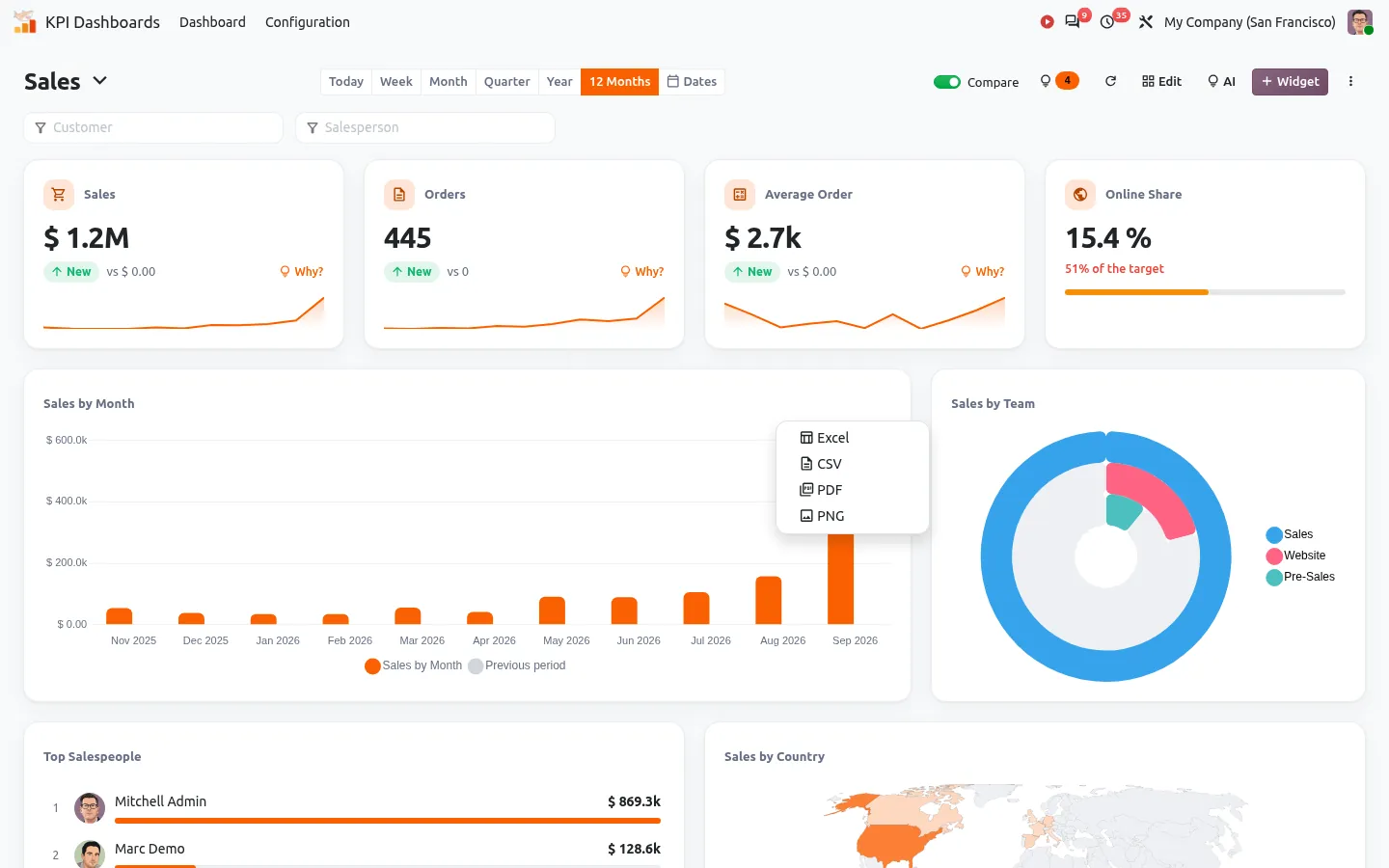
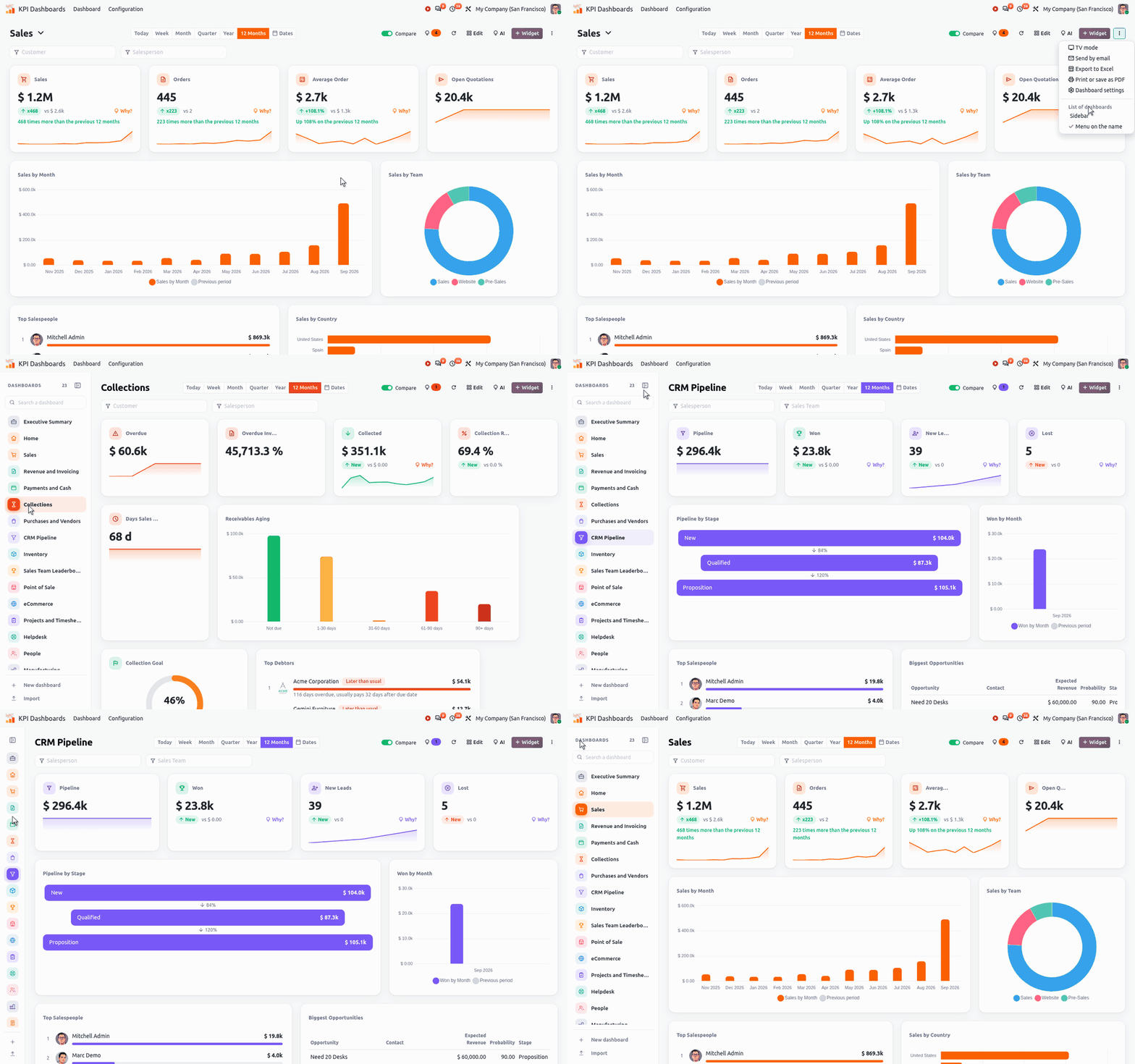
Animation: switch to the sidebar, open a dashboard, then fold the sidebar to its icons
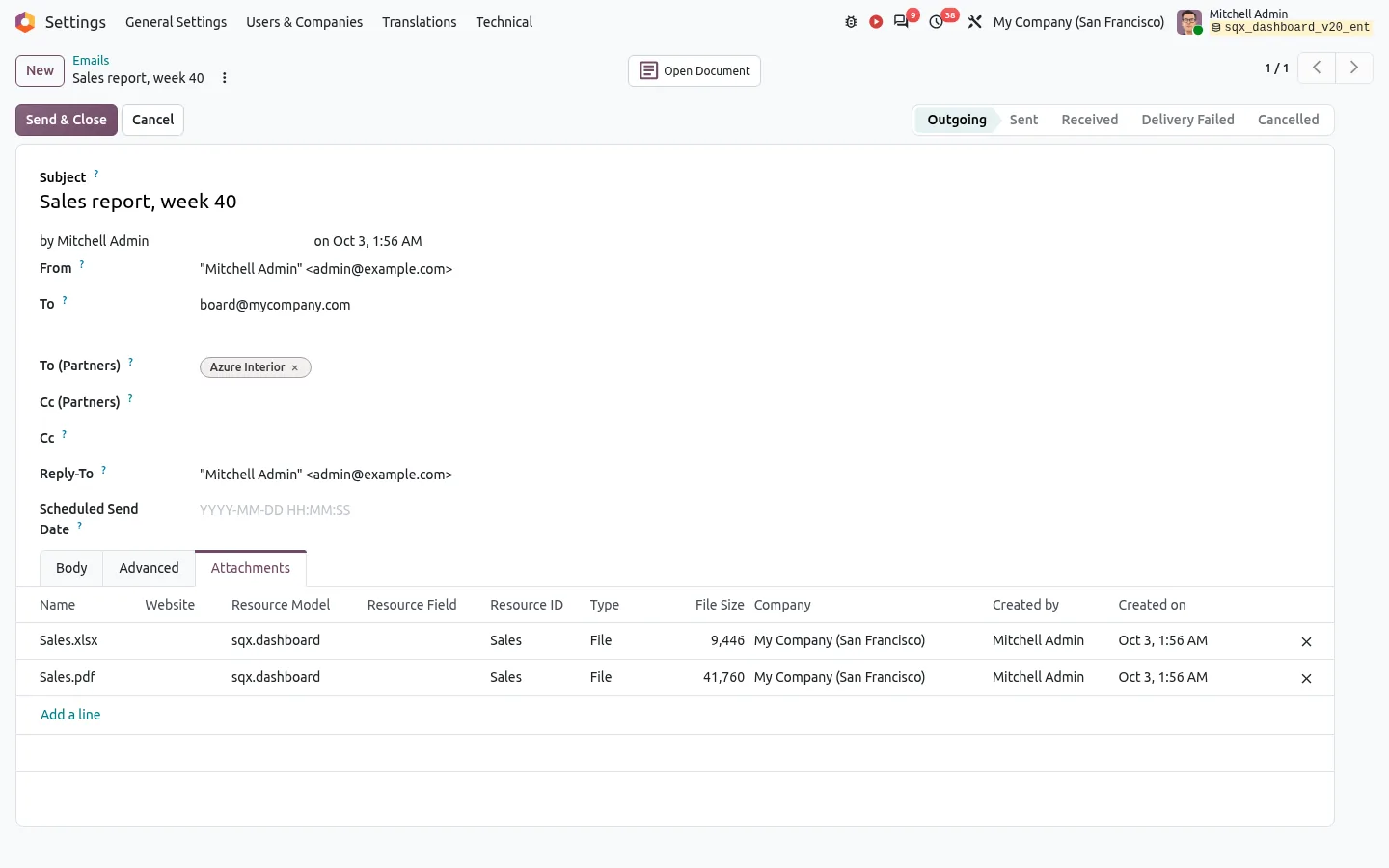
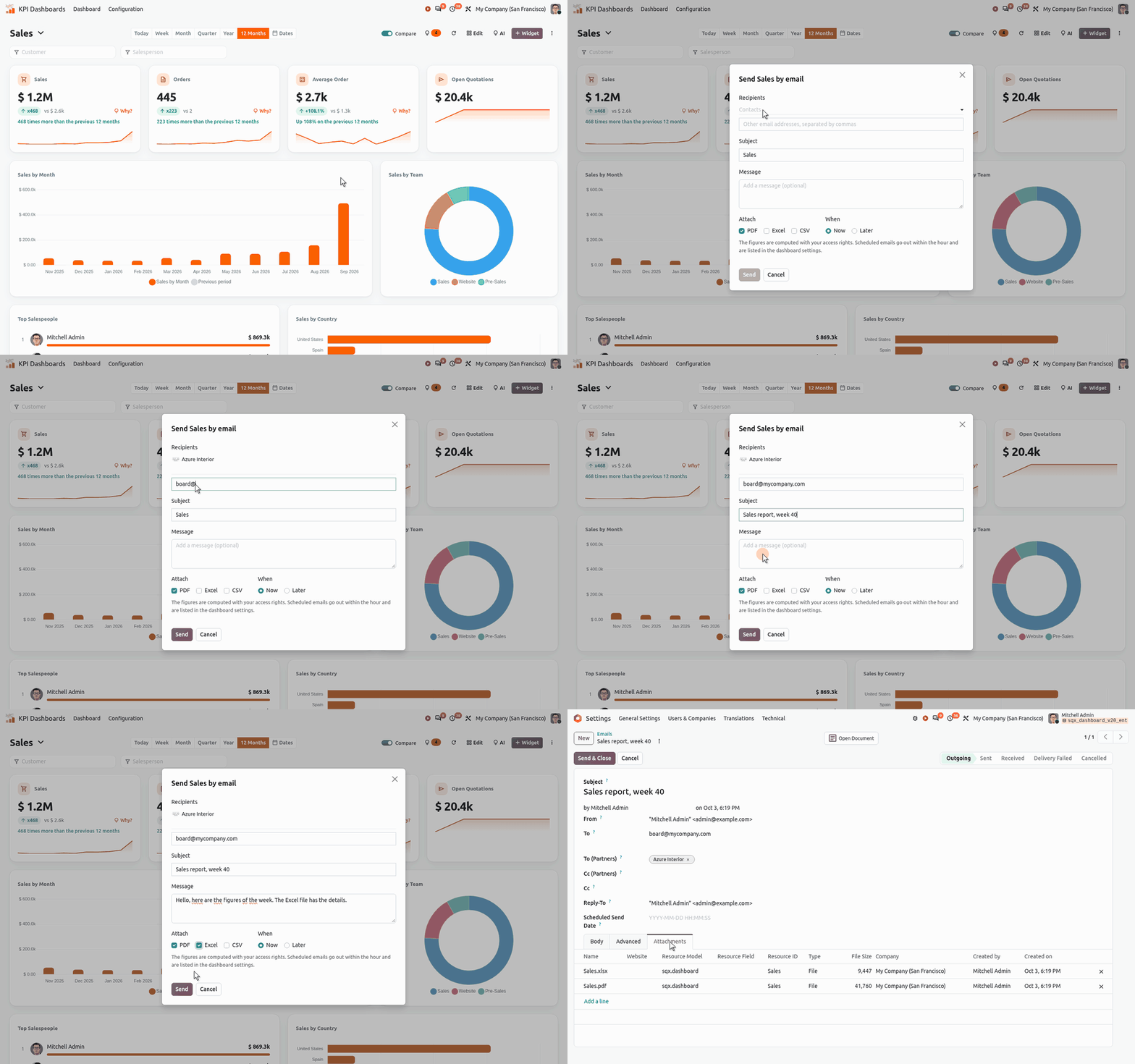
Animation: a dashboard sent by email, from the click to the outgoing mail with its PDF and Excel files
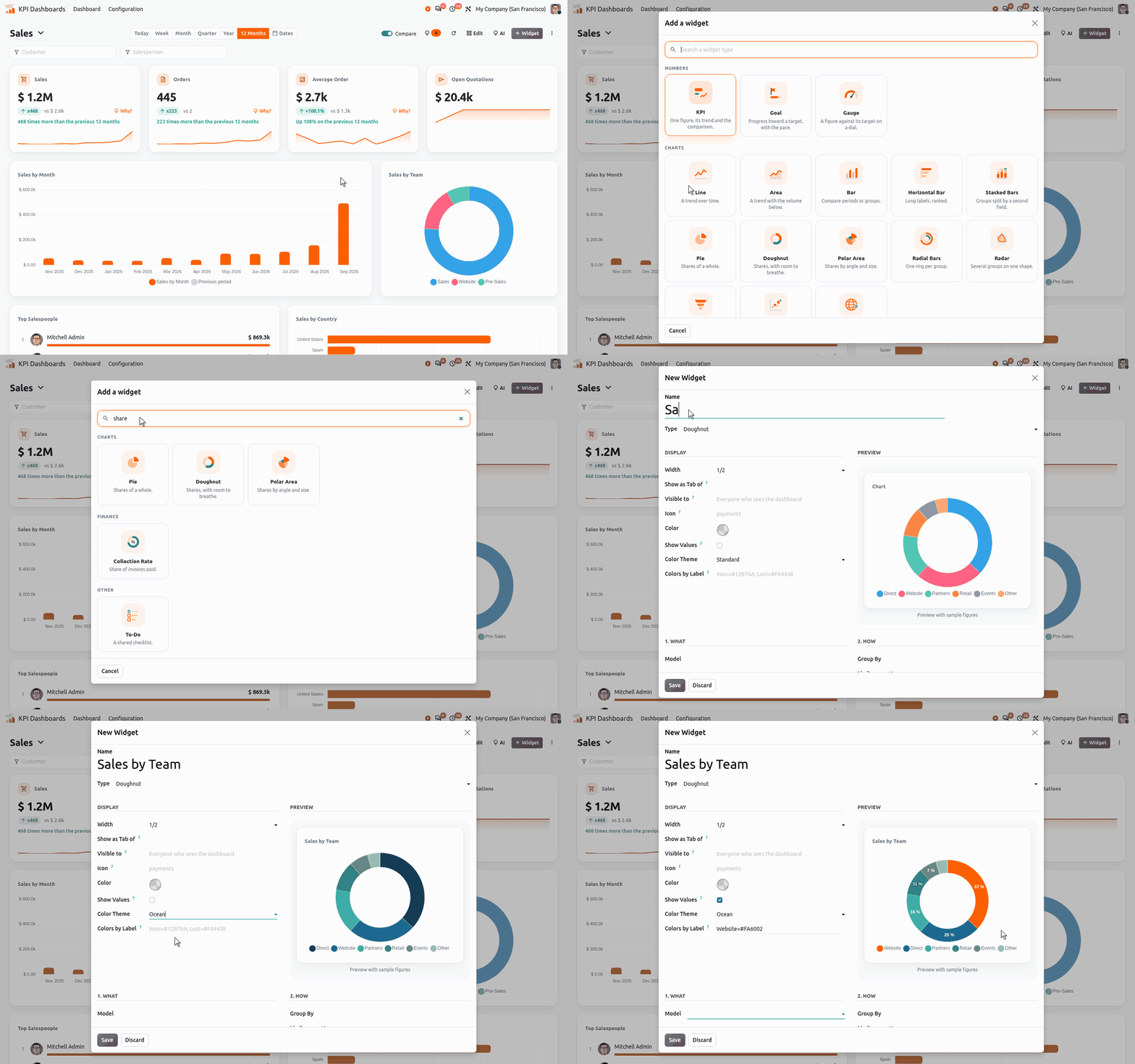
Animation: add a widget, search its type and see a live preview of the chart in its form
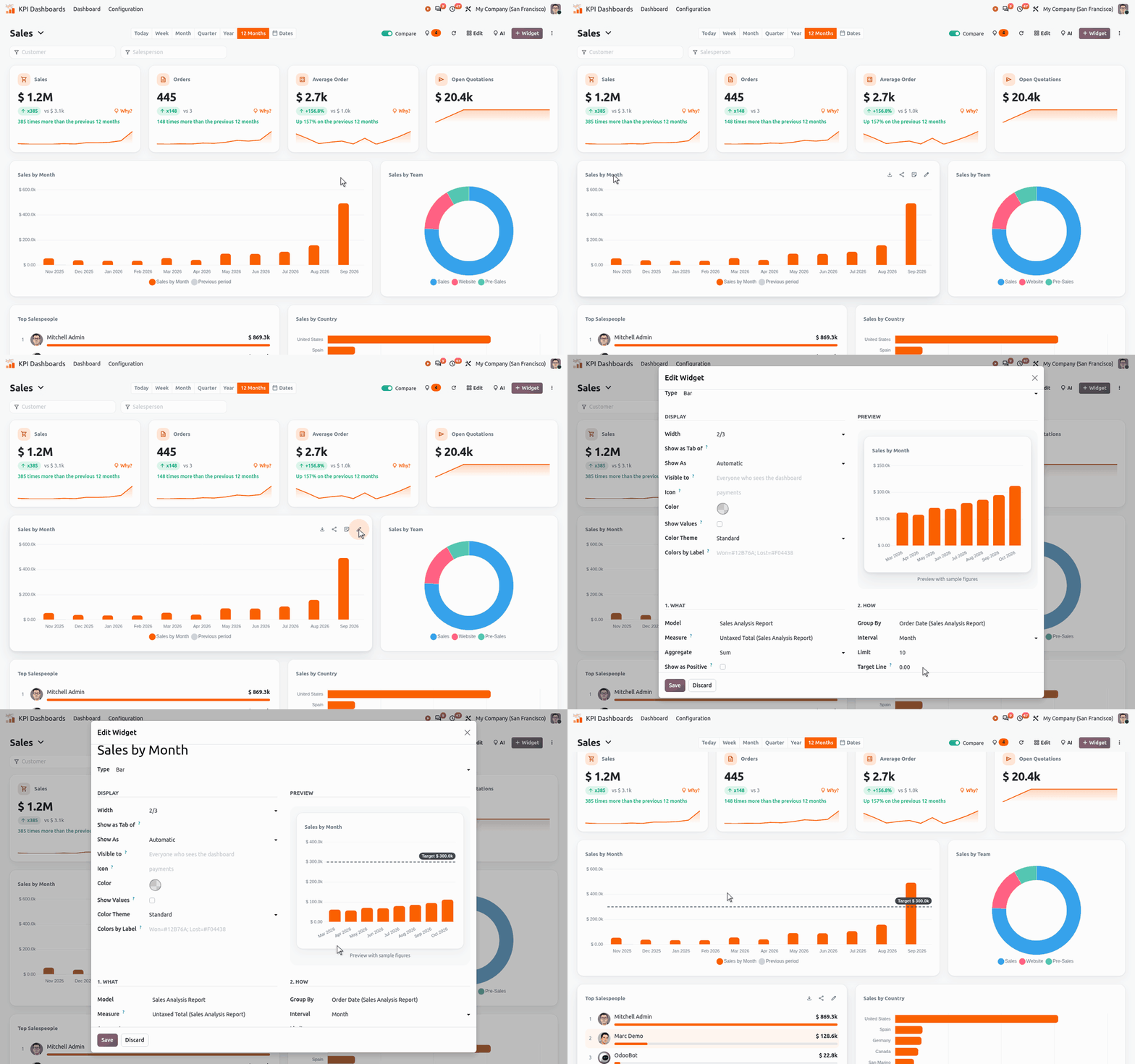
Animation: give a bar chart its target line, see it in the preview, then on the dashboard
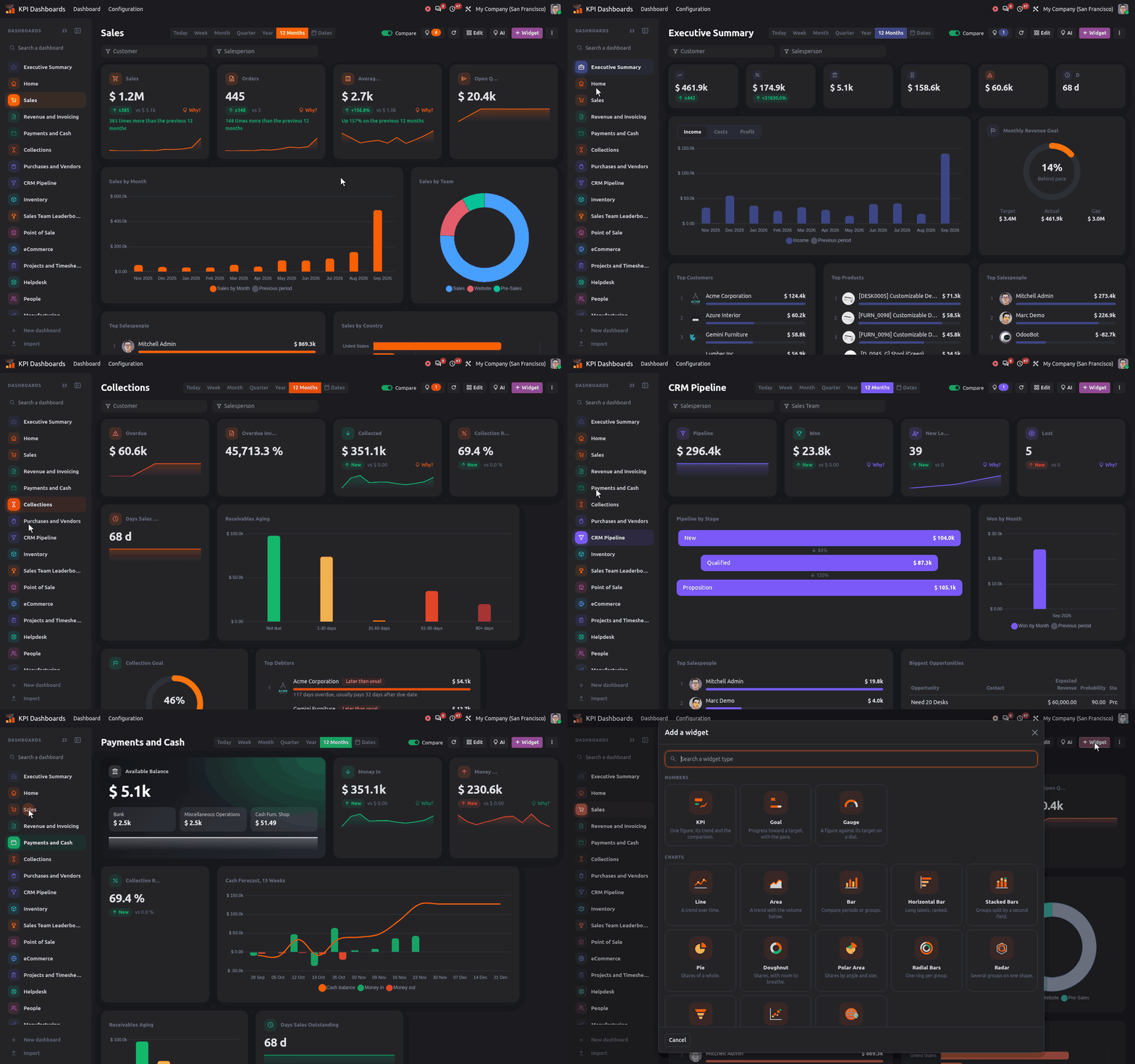
Animation: Odoo dashboards in dark mode, from sales to the executive summary, collections, CRM and cash
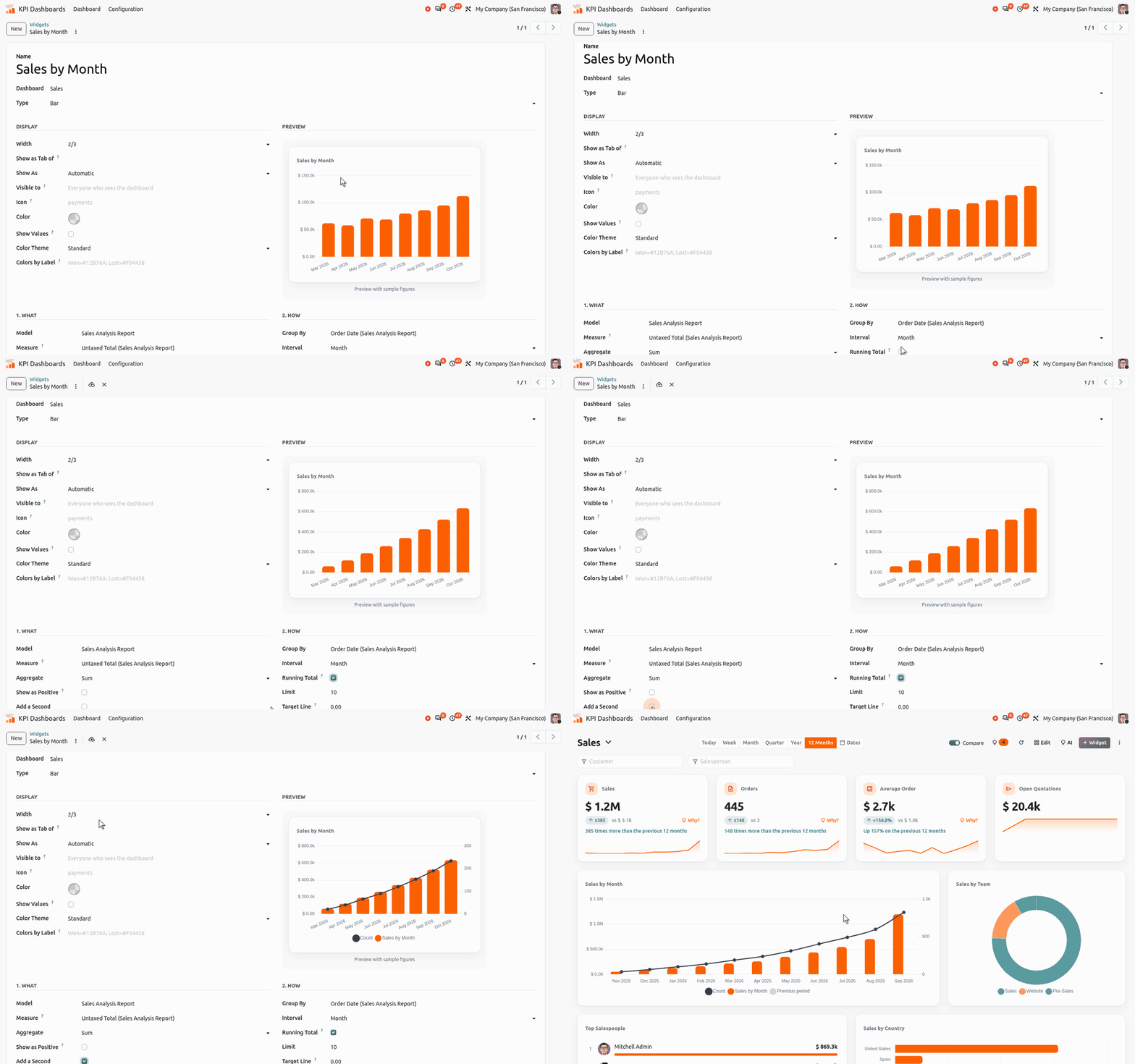
Animation: a running total and a second measure on an Odoo bar chart, in the widget form then on the dashboard
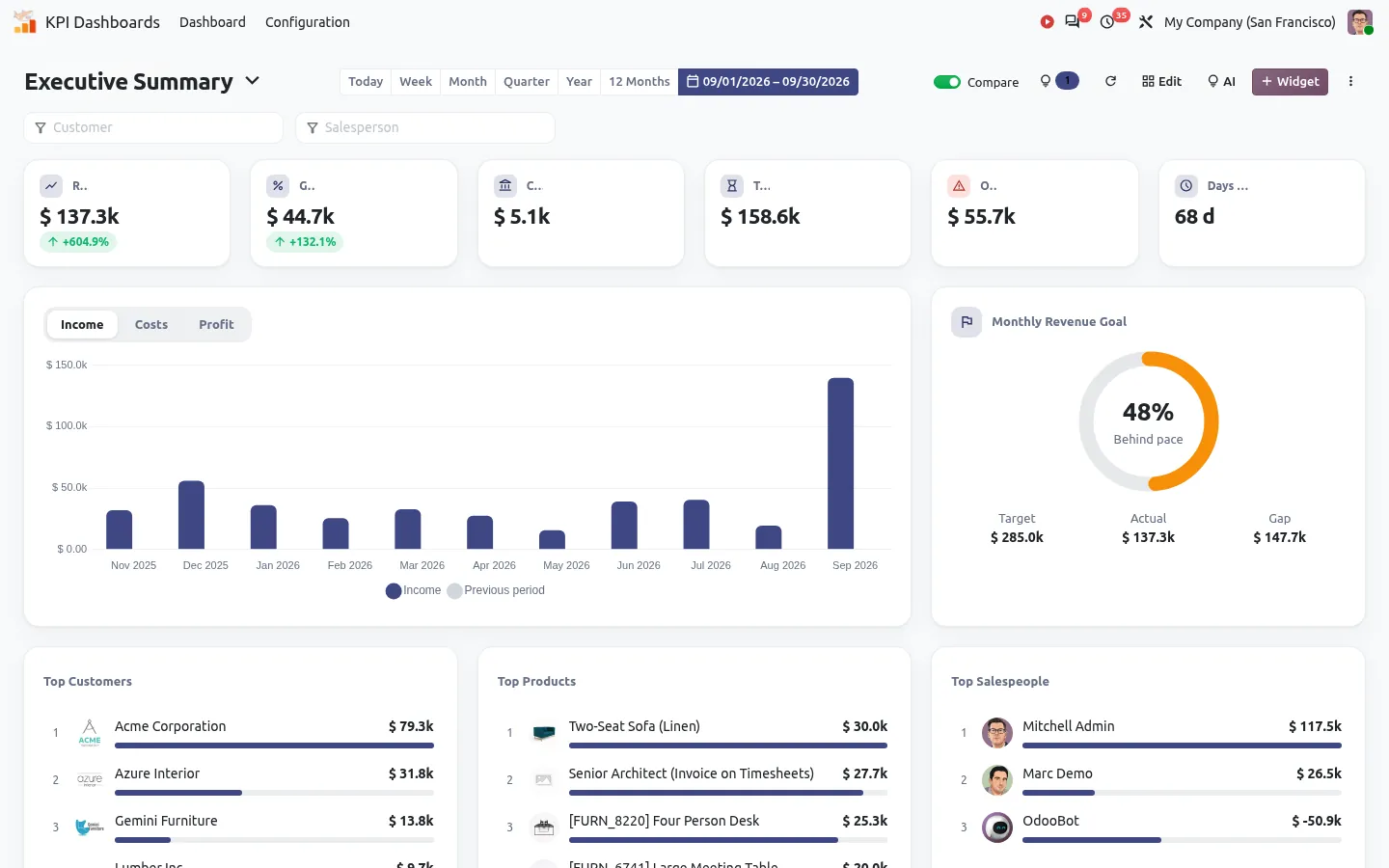
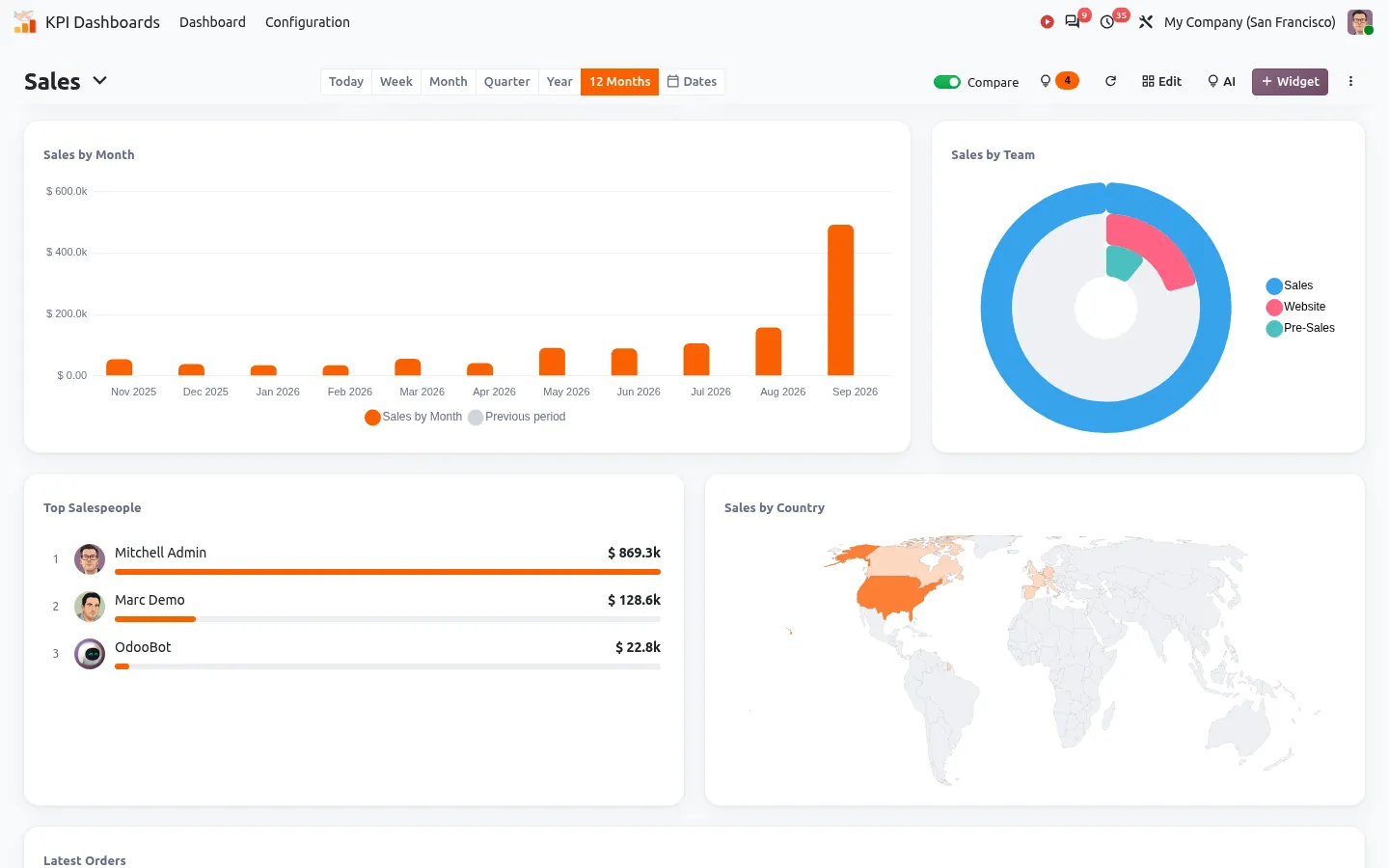
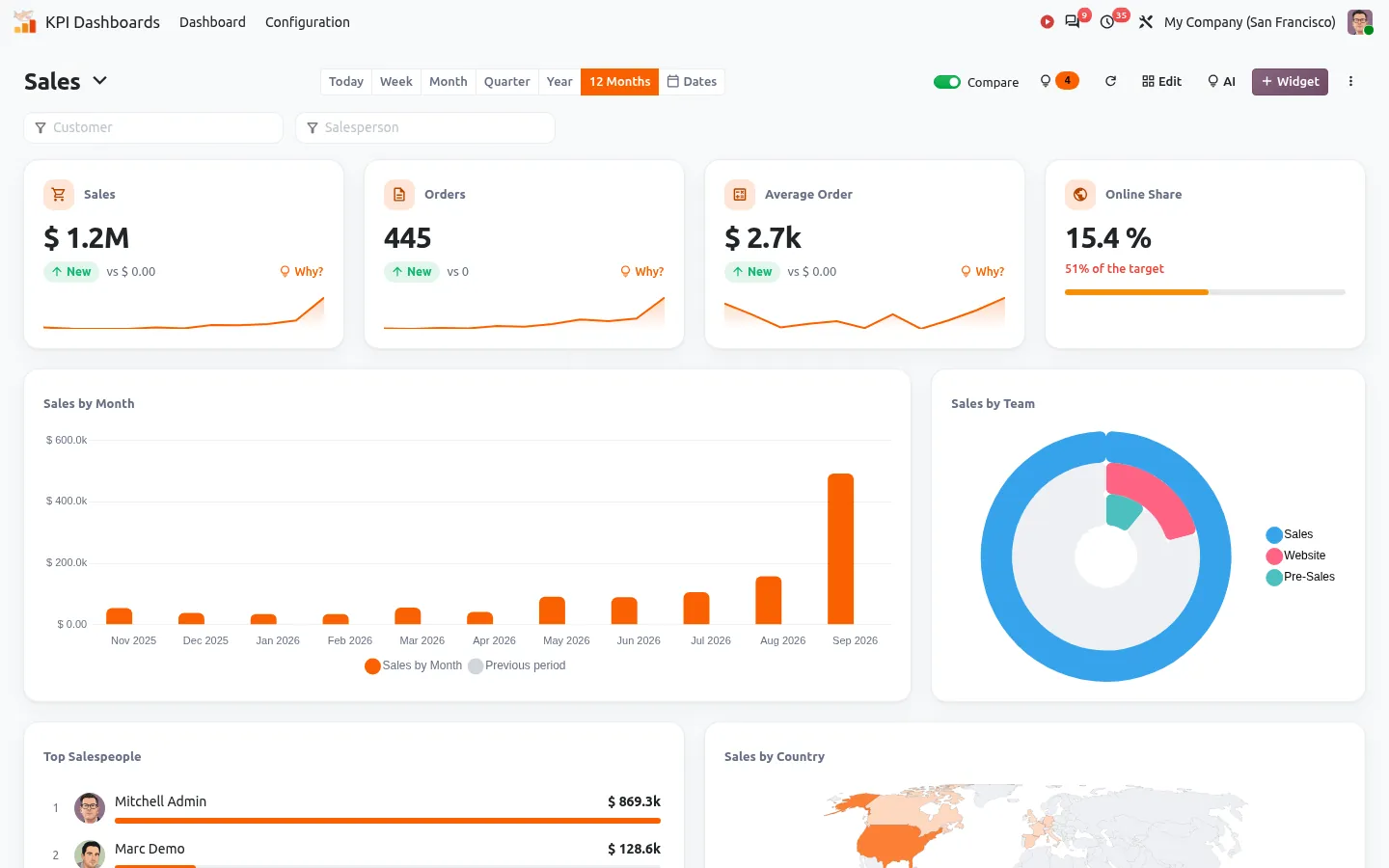
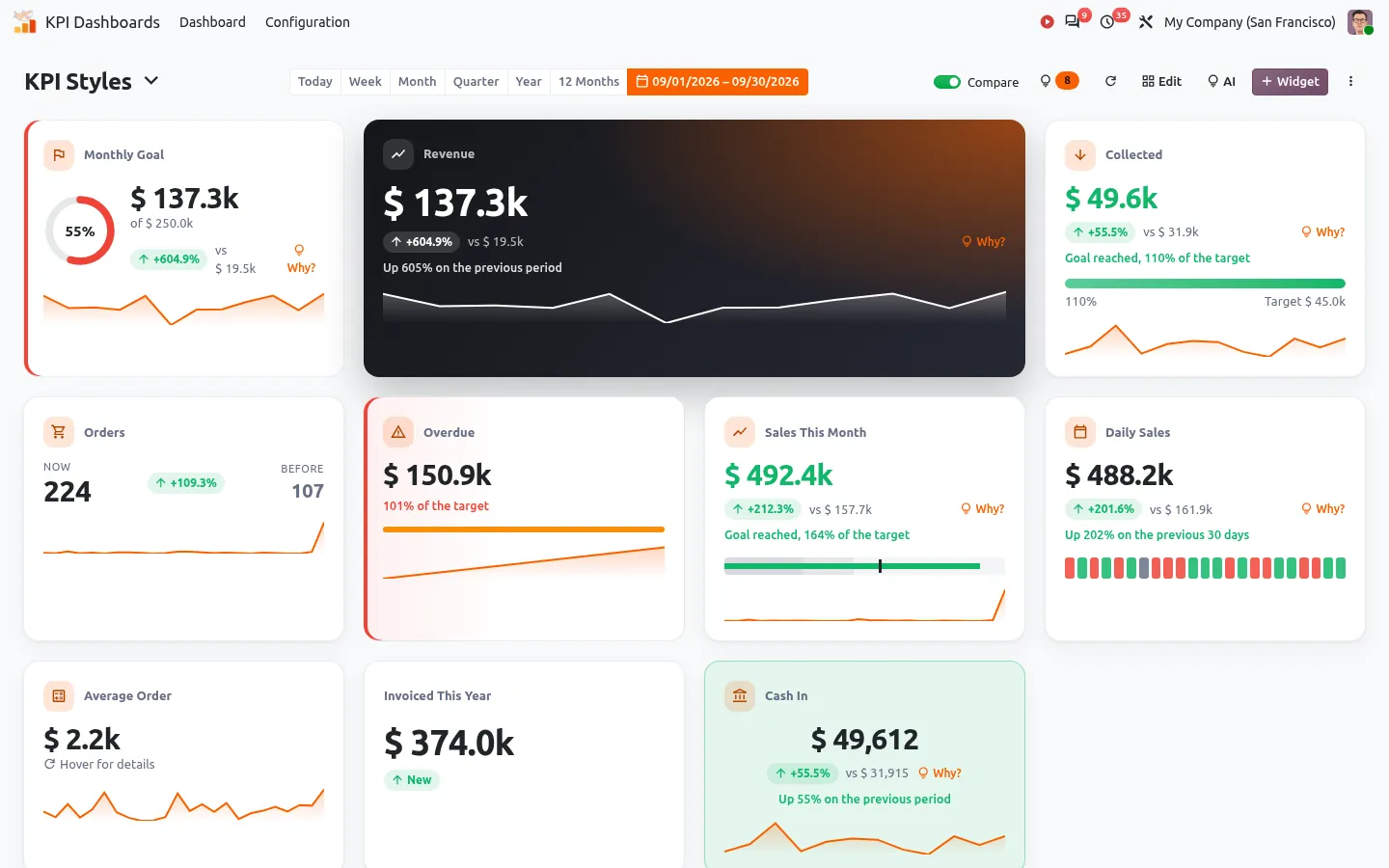
Odoo KPI dashboard: revenue, margin, cash and goals with period comparison
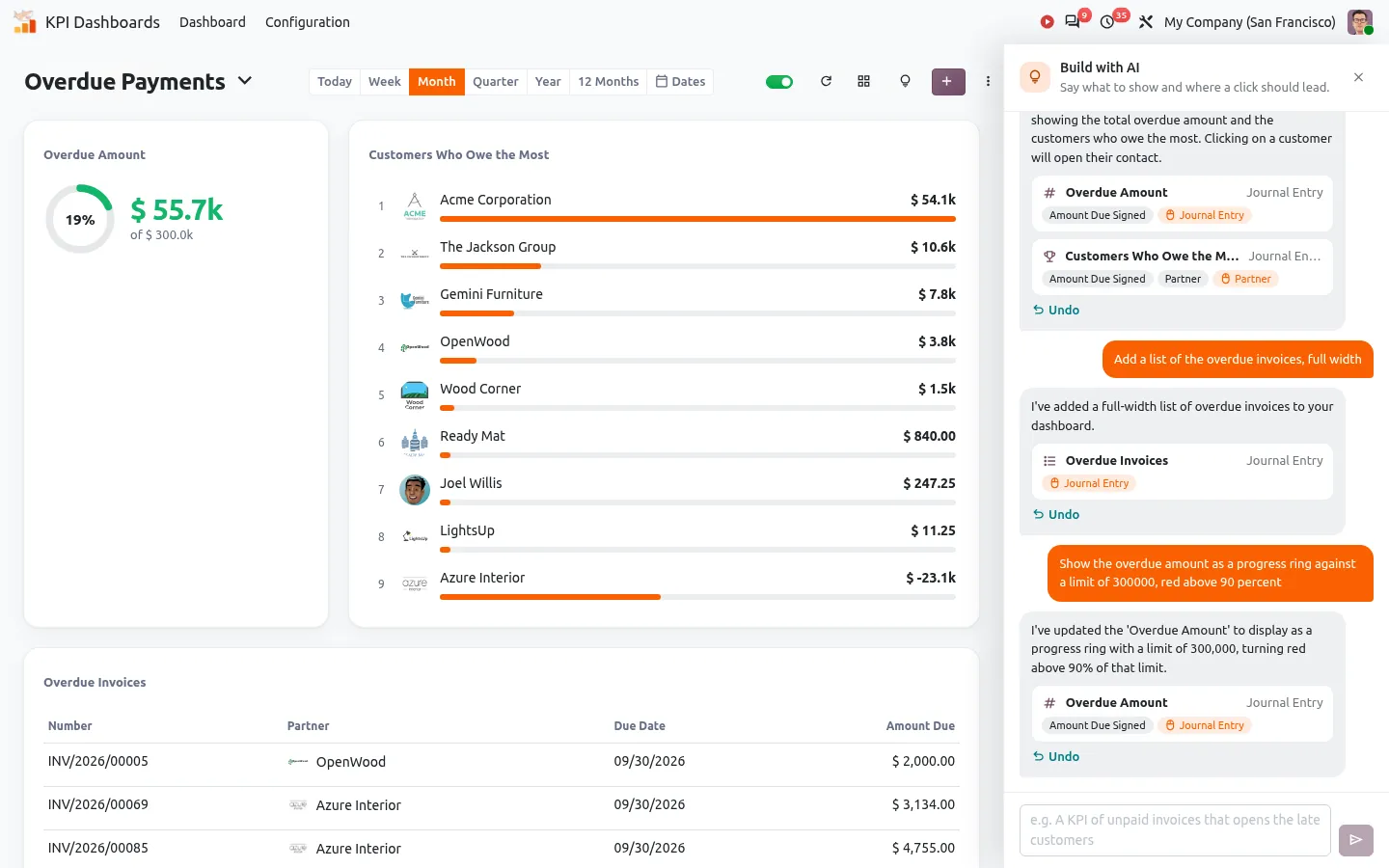
Build an Odoo dashboard by chatting with AI: KPIs, rankings and lists created from one request
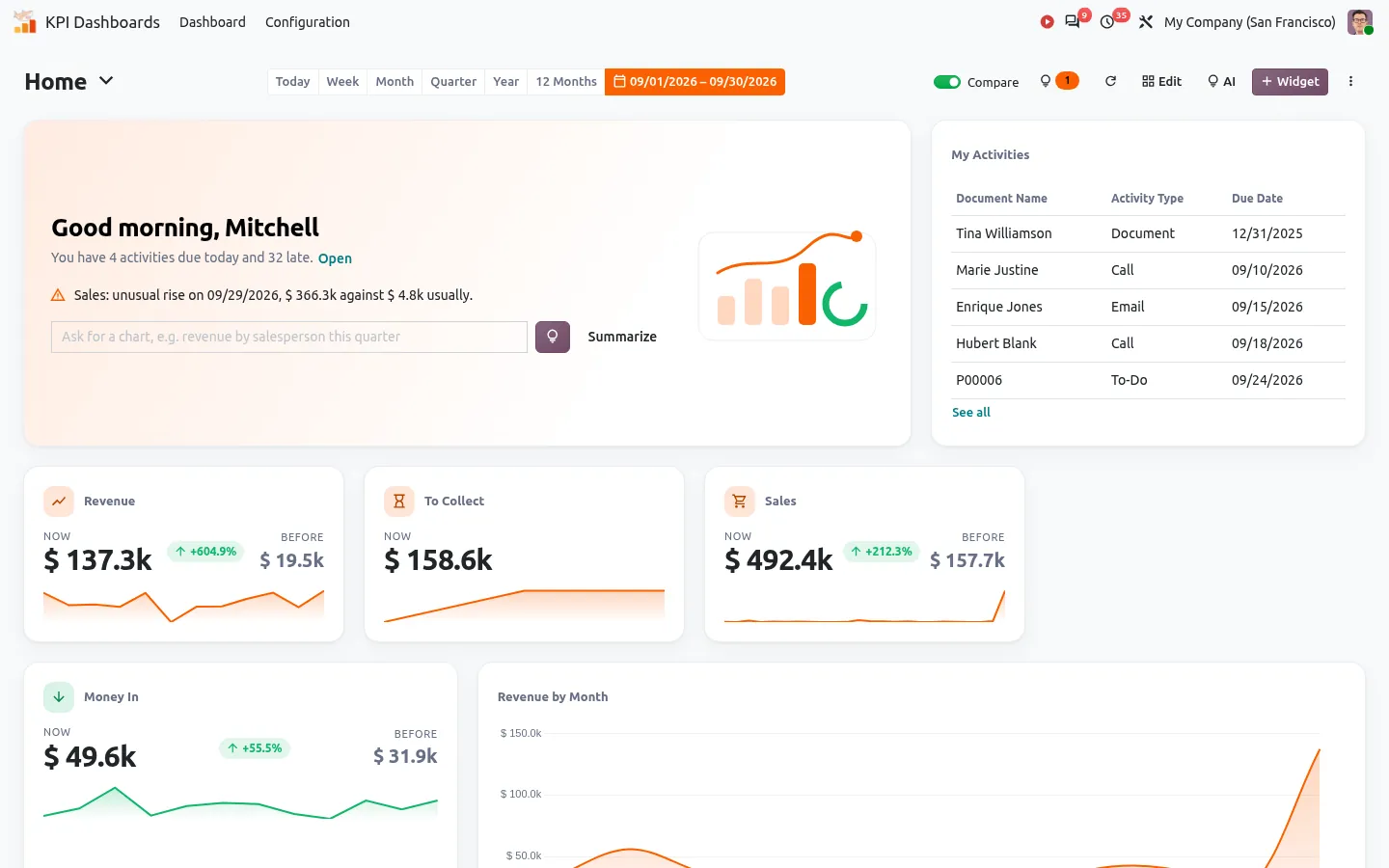
Odoo KPI dashboard home page with a personal greeting, activities due today and key figures
Explain a KPI change by customer, product and salesperson in Odoo
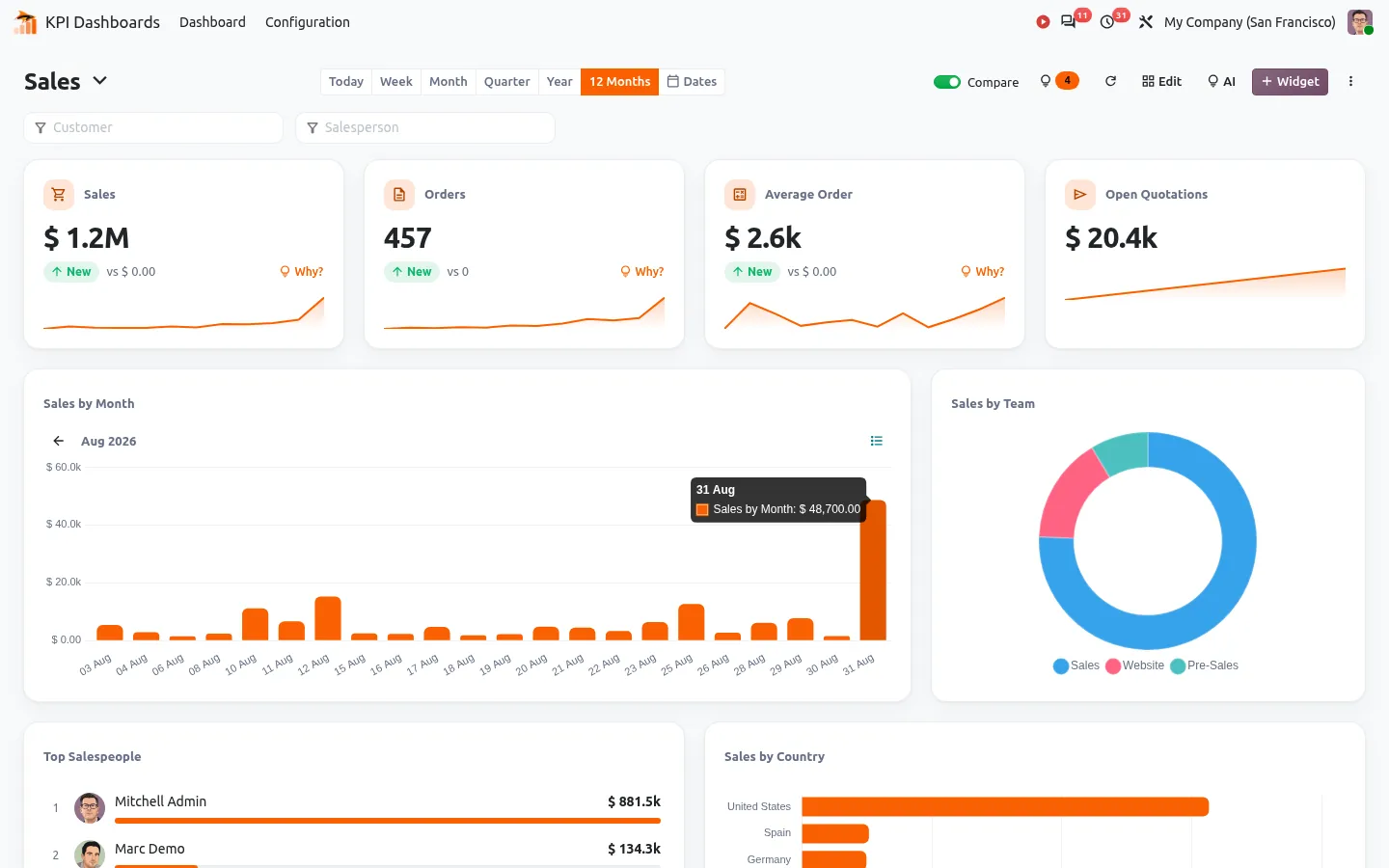
Zoom into an Odoo chart from the months to the days, with a custom date range
Odoo dashboard with radial bars, polar area and a world map of sales by country
Odoo KPI computed from two figures: the share of online sales in percent, with its target
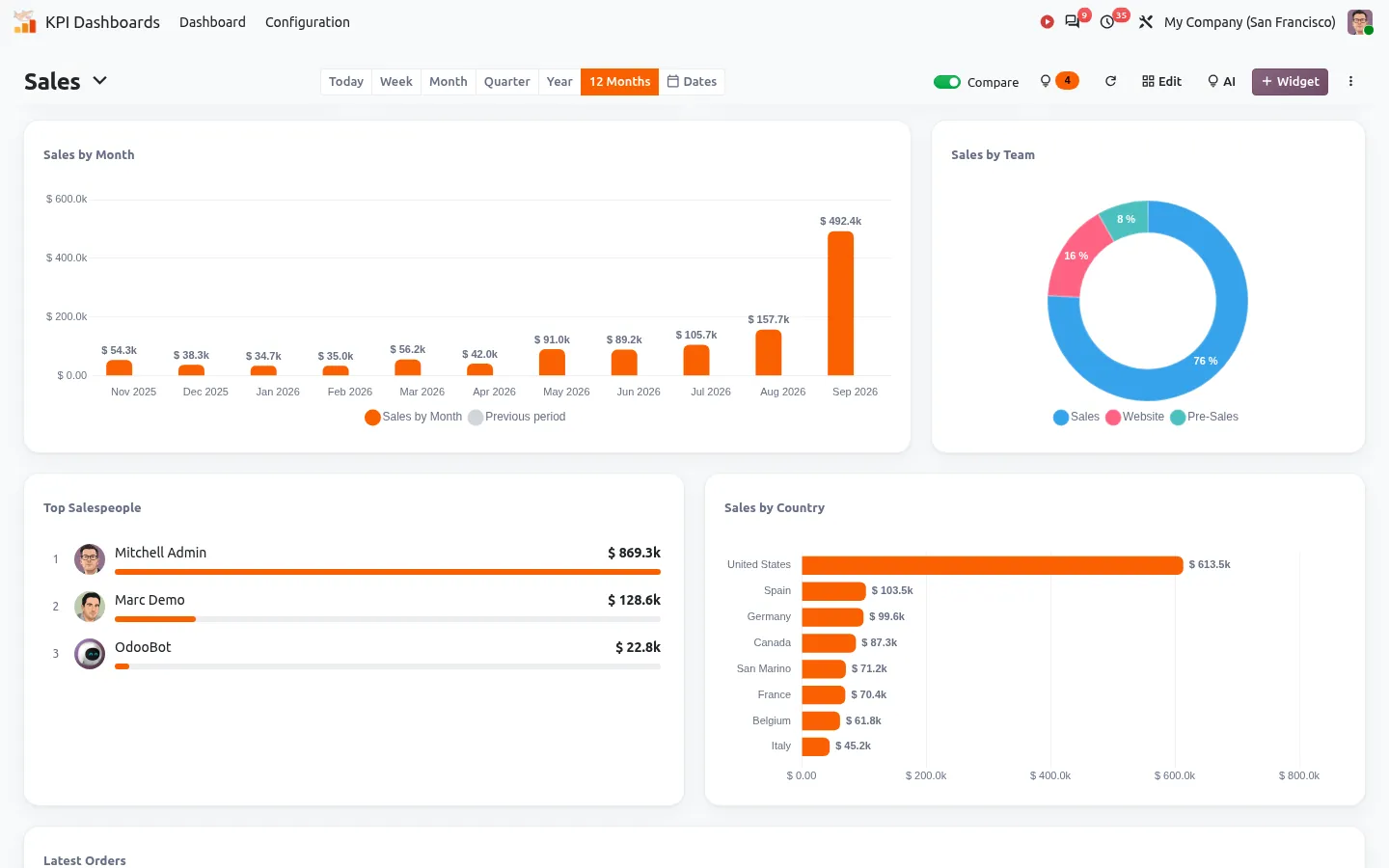
Odoo dashboard charts with the values written on the bars and in the slices
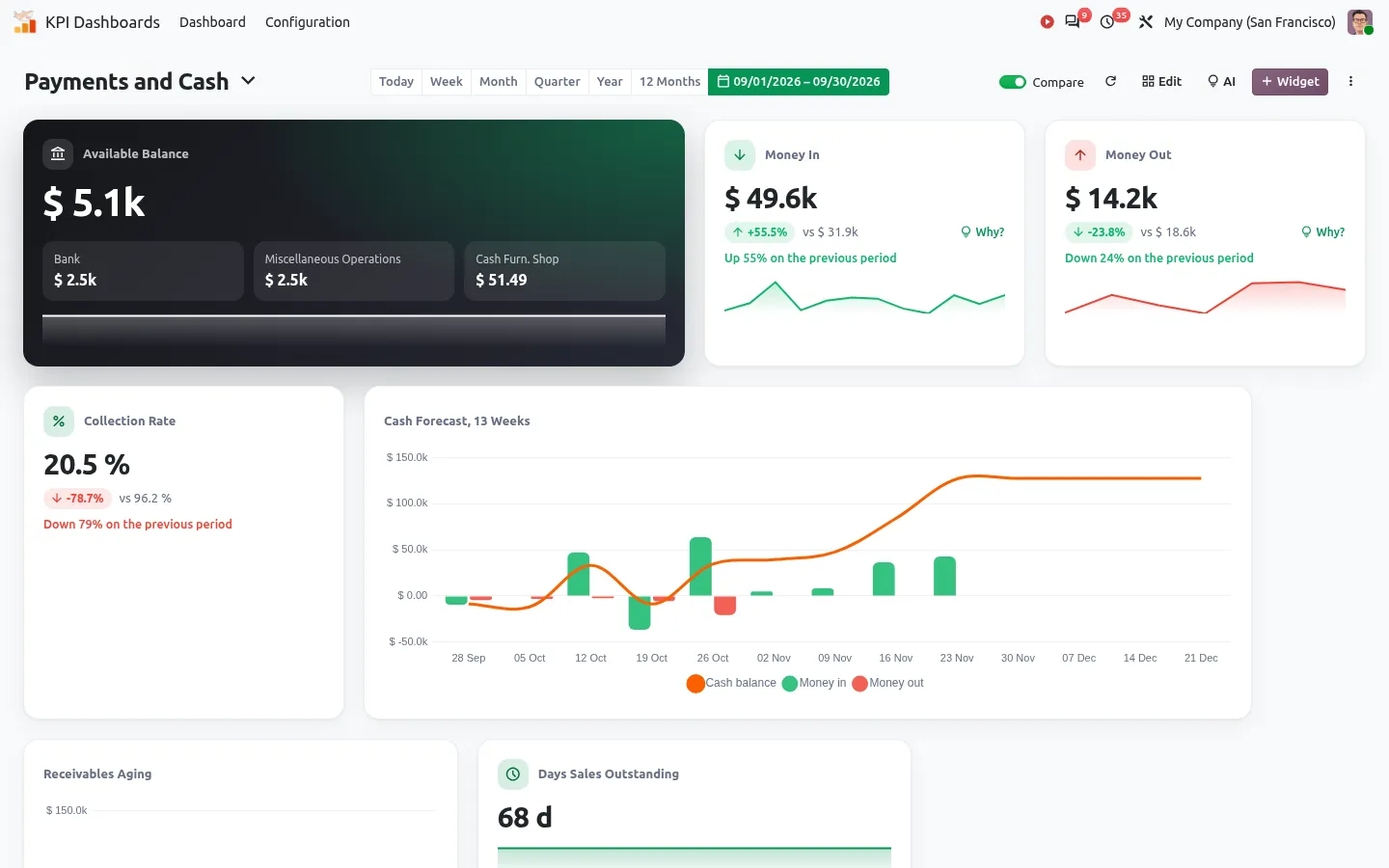
Odoo cash flow forecast dashboard with receivables aging and DSO
Odoo receivables aging and top debtors dashboard with payment delays
Odoo KPI goal with pace, alert rules and email digest
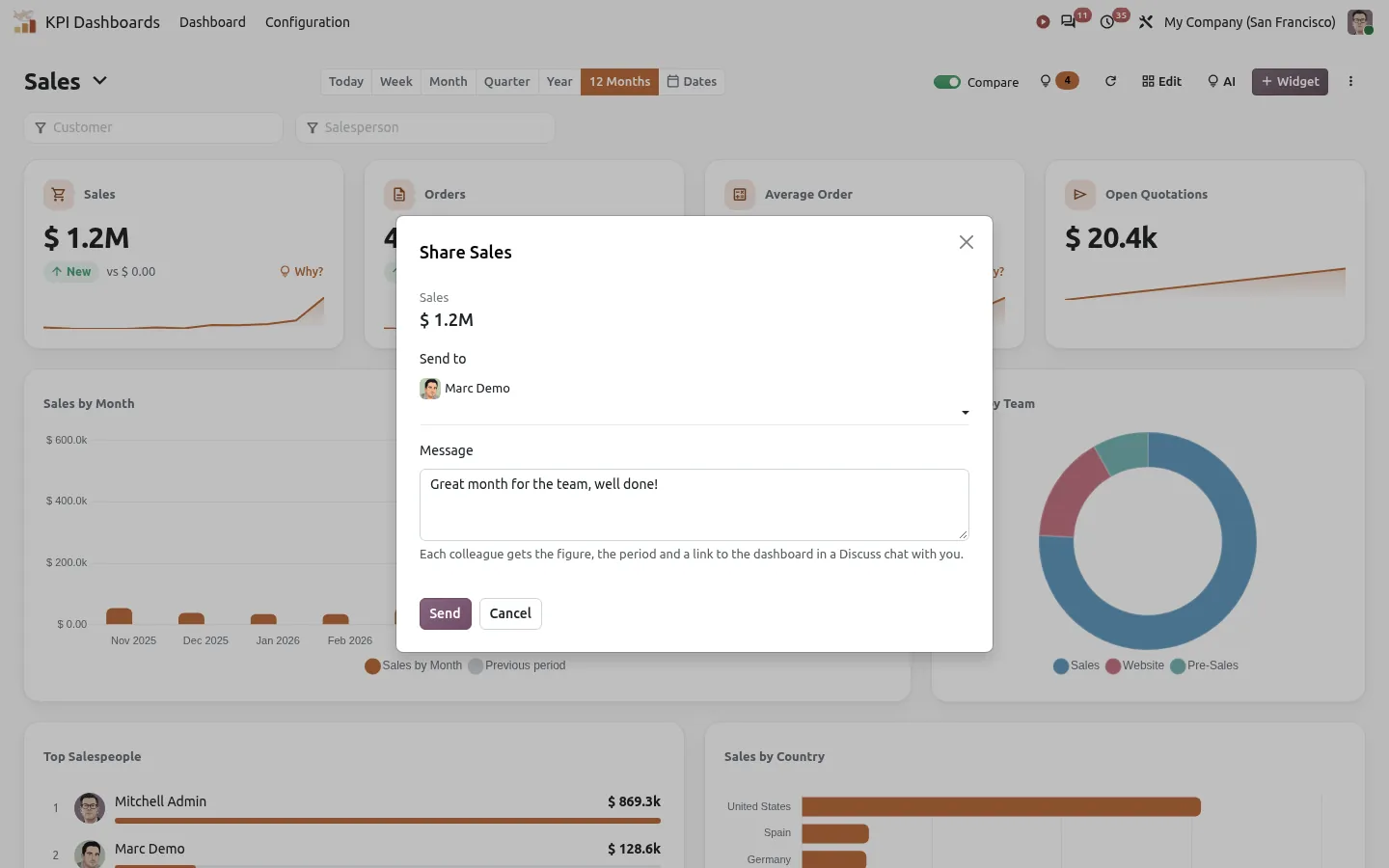
Share an Odoo KPI with colleagues in a Discuss chat, with its period and a link to the dashboard
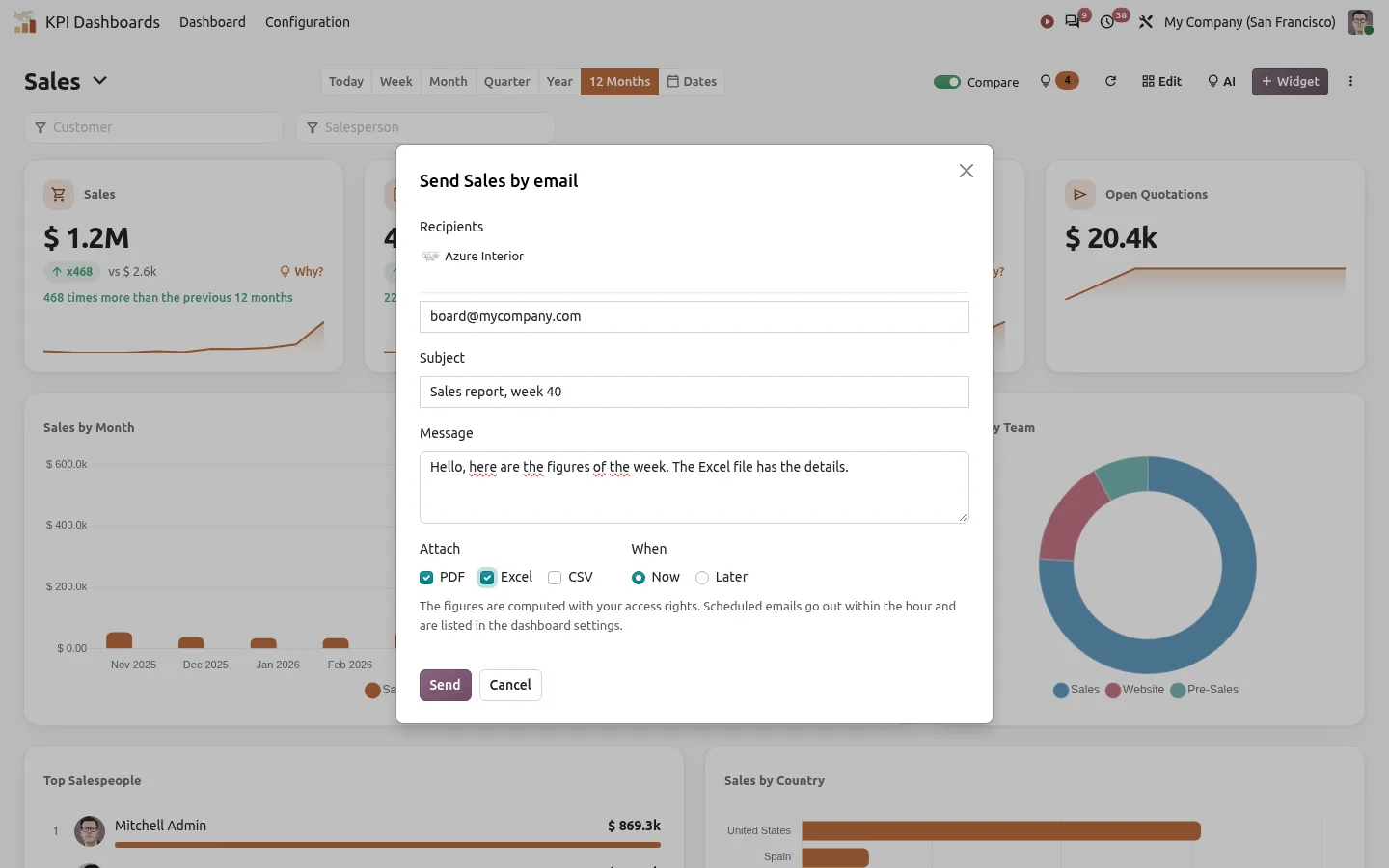
Send an Odoo dashboard by email with PDF, Excel or CSV attached, now or every week
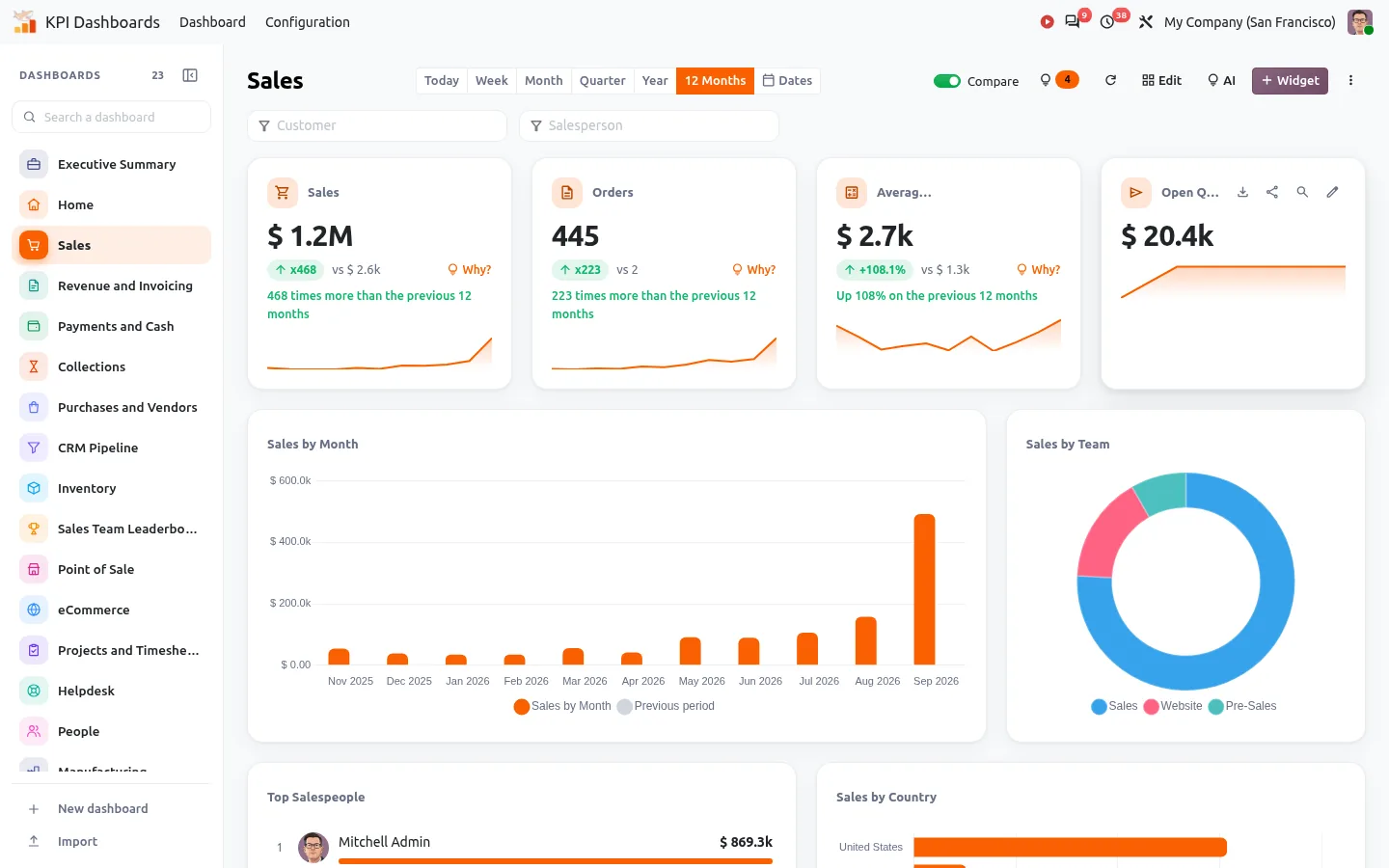
Odoo dashboards listed in a sidebar, one click to open each one
Odoo dashboard sidebar folded to a slim bar of colored icons
An Odoo dashboard sent by email waiting in the outgoing mail with its PDF and Excel files
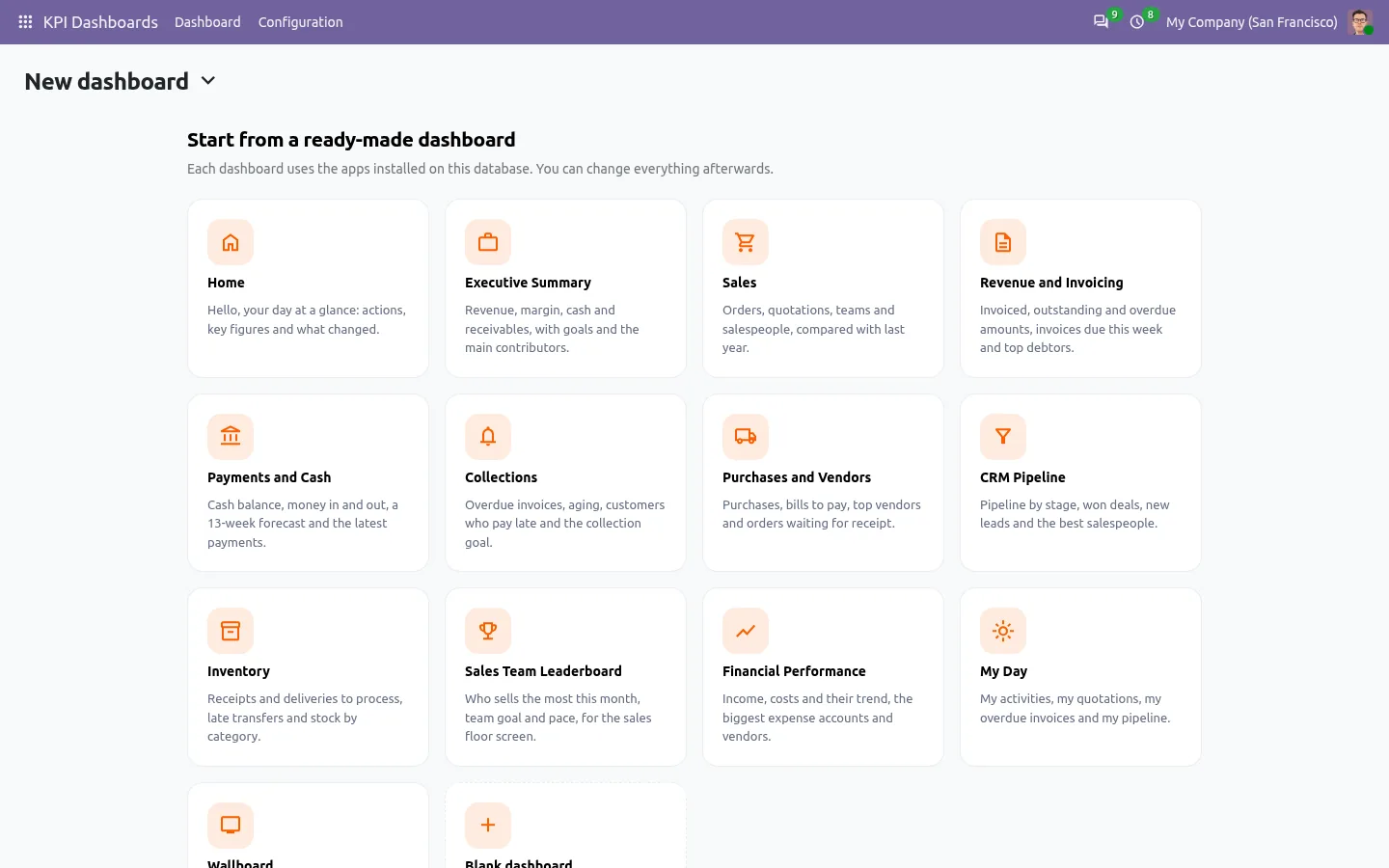
Ready-made Odoo dashboard templates for sales, invoicing, cash and CRM
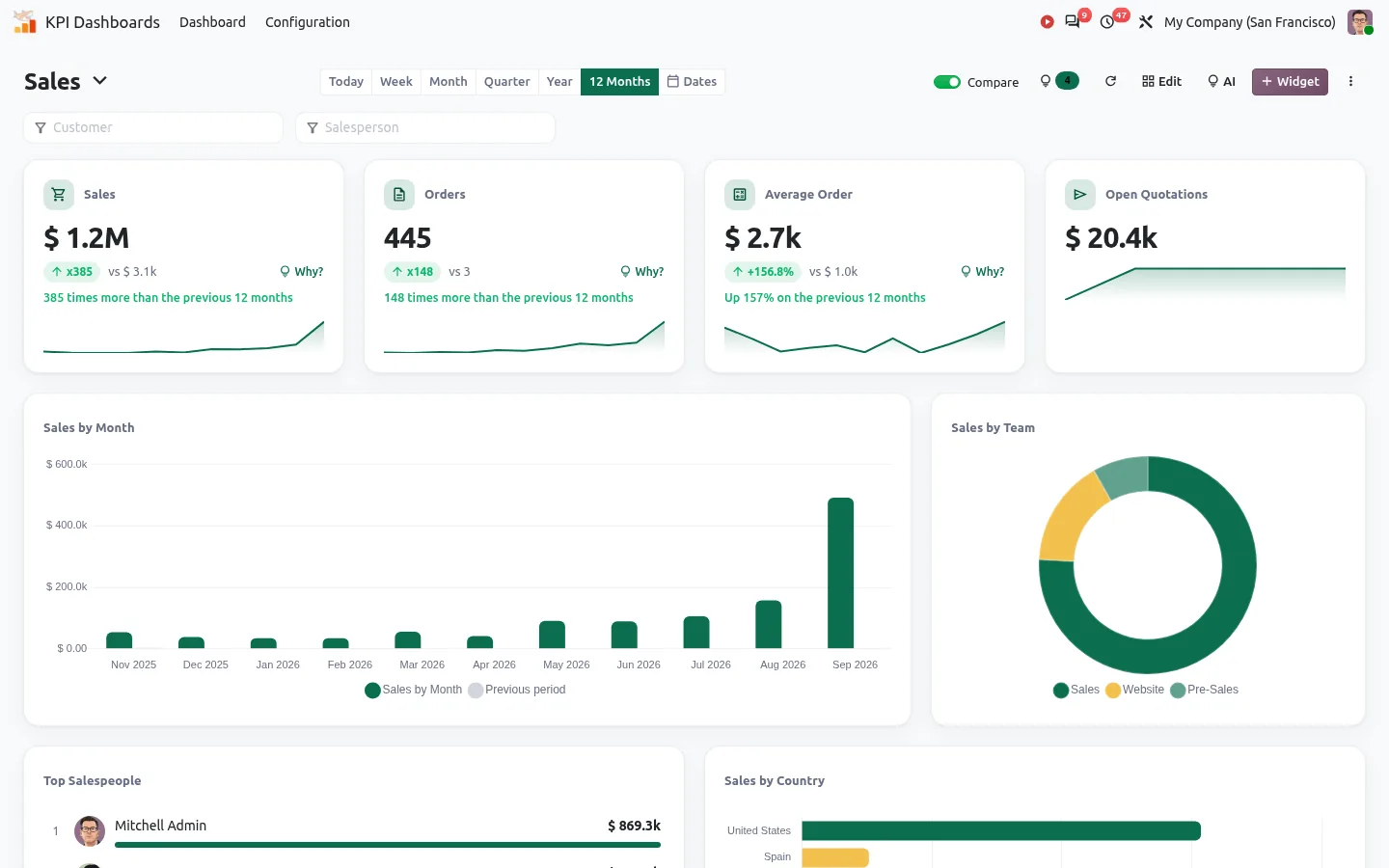
Odoo dashboard in the company colors: cards, bars and slices in the brand green and gold
Odoo bar chart with a dashed target line and its value
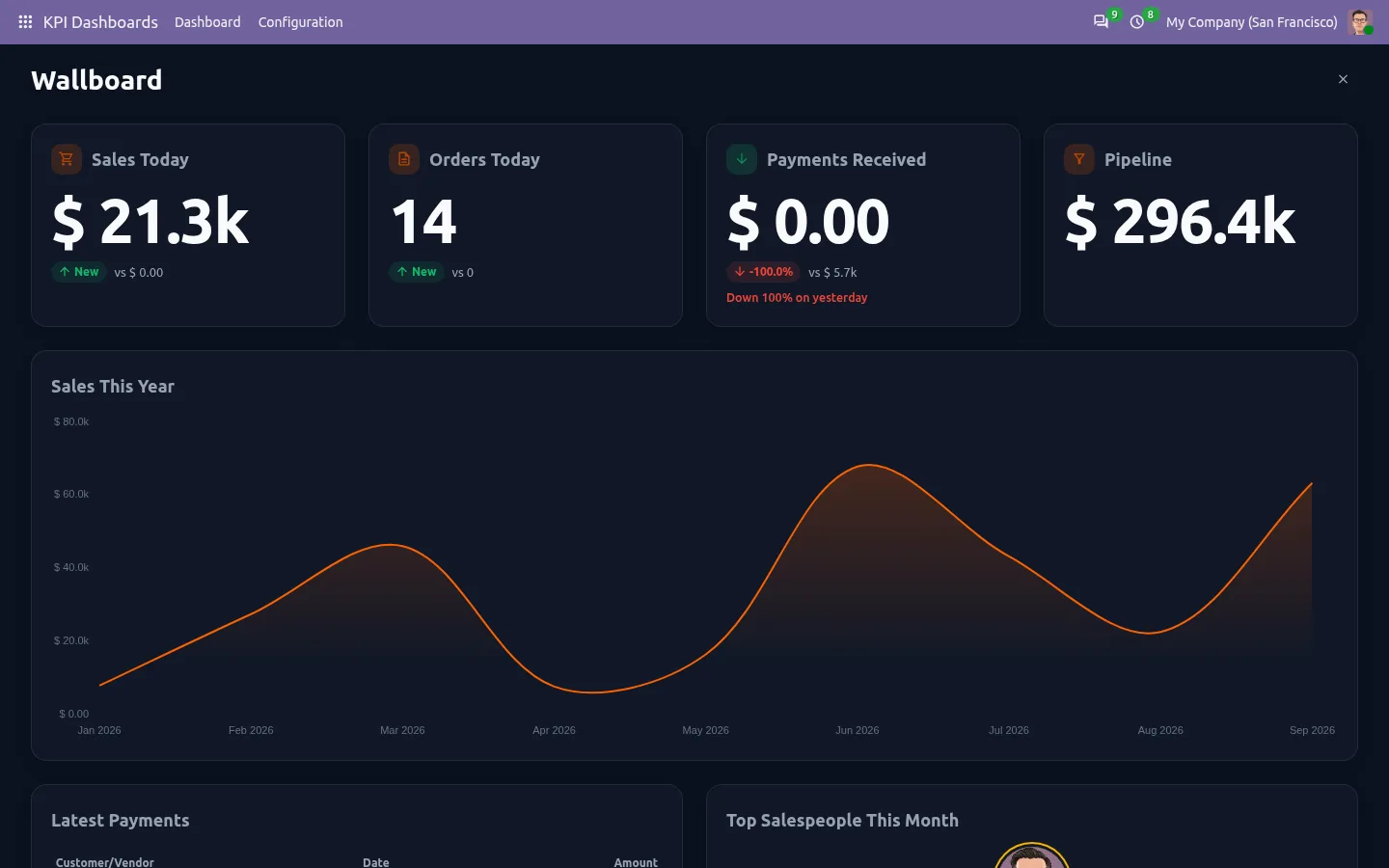
Odoo dashboard TV mode wallboard with big numbers
Configurable Odoo KPI card styles with progress ring, bullet chart and status colors
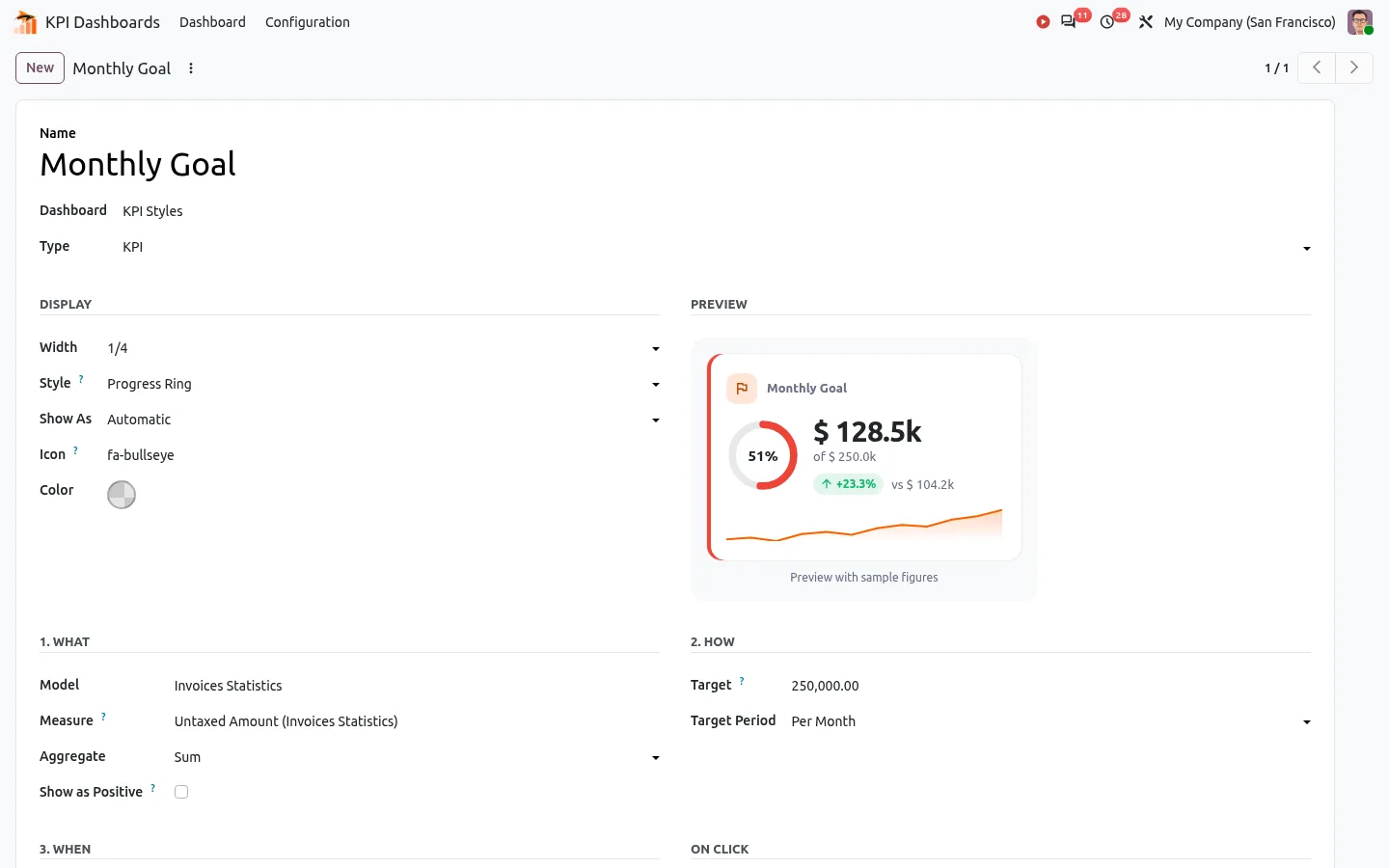
Odoo KPI widget form with a live preview of the card style
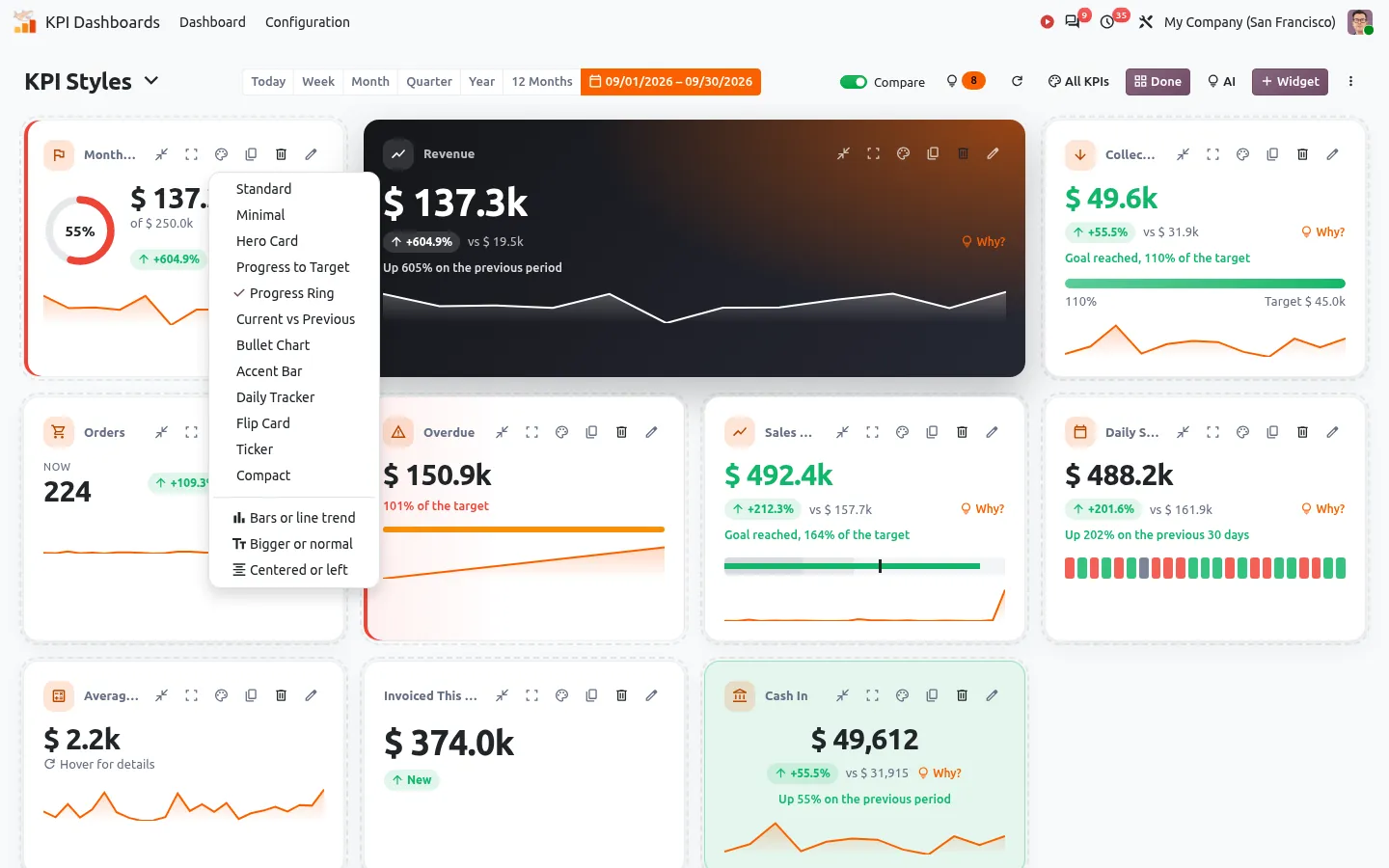
Change the style of one Odoo KPI card from its paintbrush menu
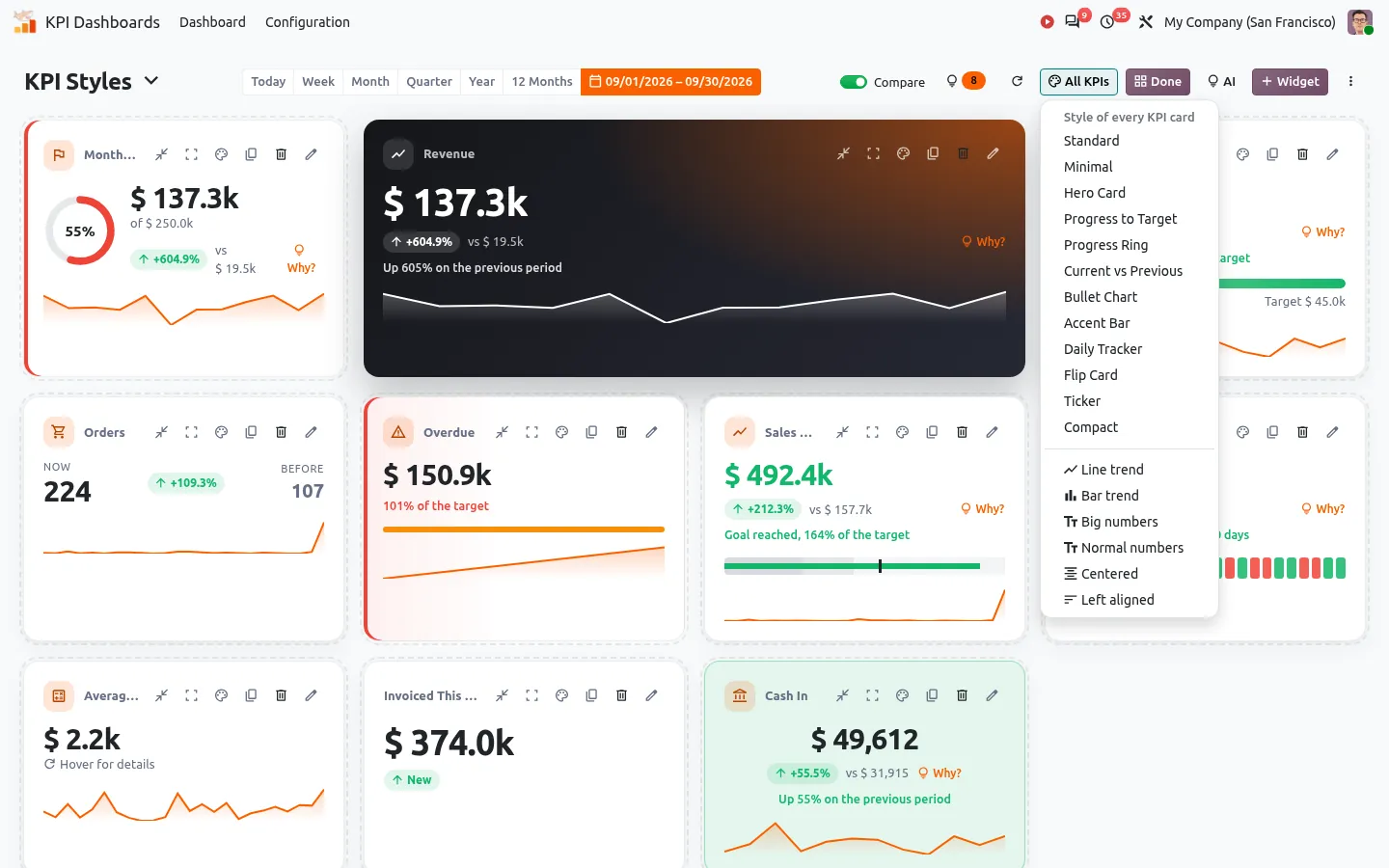
Apply one style to every KPI card of an Odoo dashboard at once
Download one Odoo dashboard card in Excel, CSV, PDF or PNG

A KPI dashboard for every team in Odoo

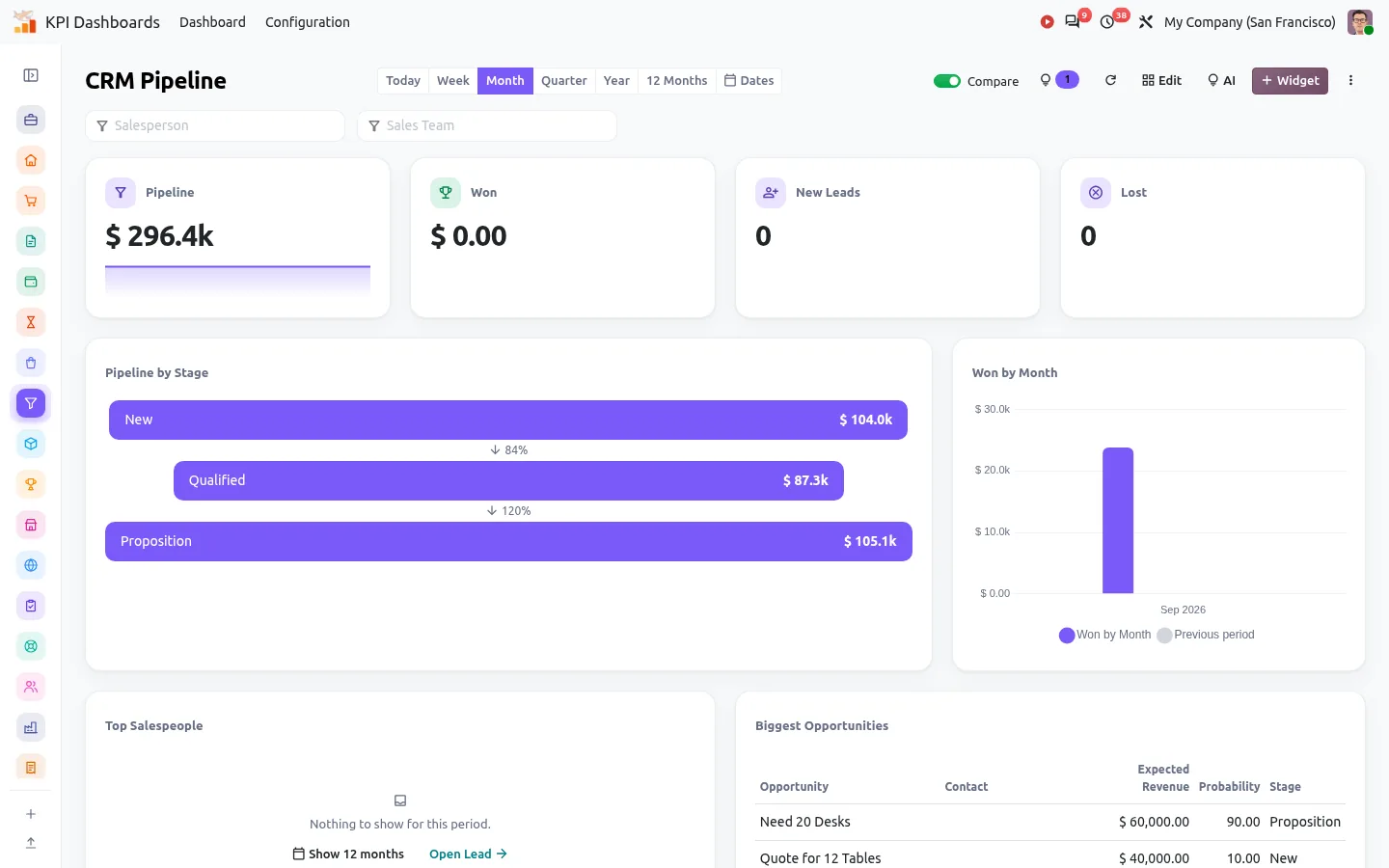
Odoo holds your sales, invoices, stock and pipeline, but each figure sits in its own report. This app puts them on one screen, live, and tells you what changed since yesterday.

  • Managers open an executive summary, a 13-week cash forecast and the customers who pay later than usual.
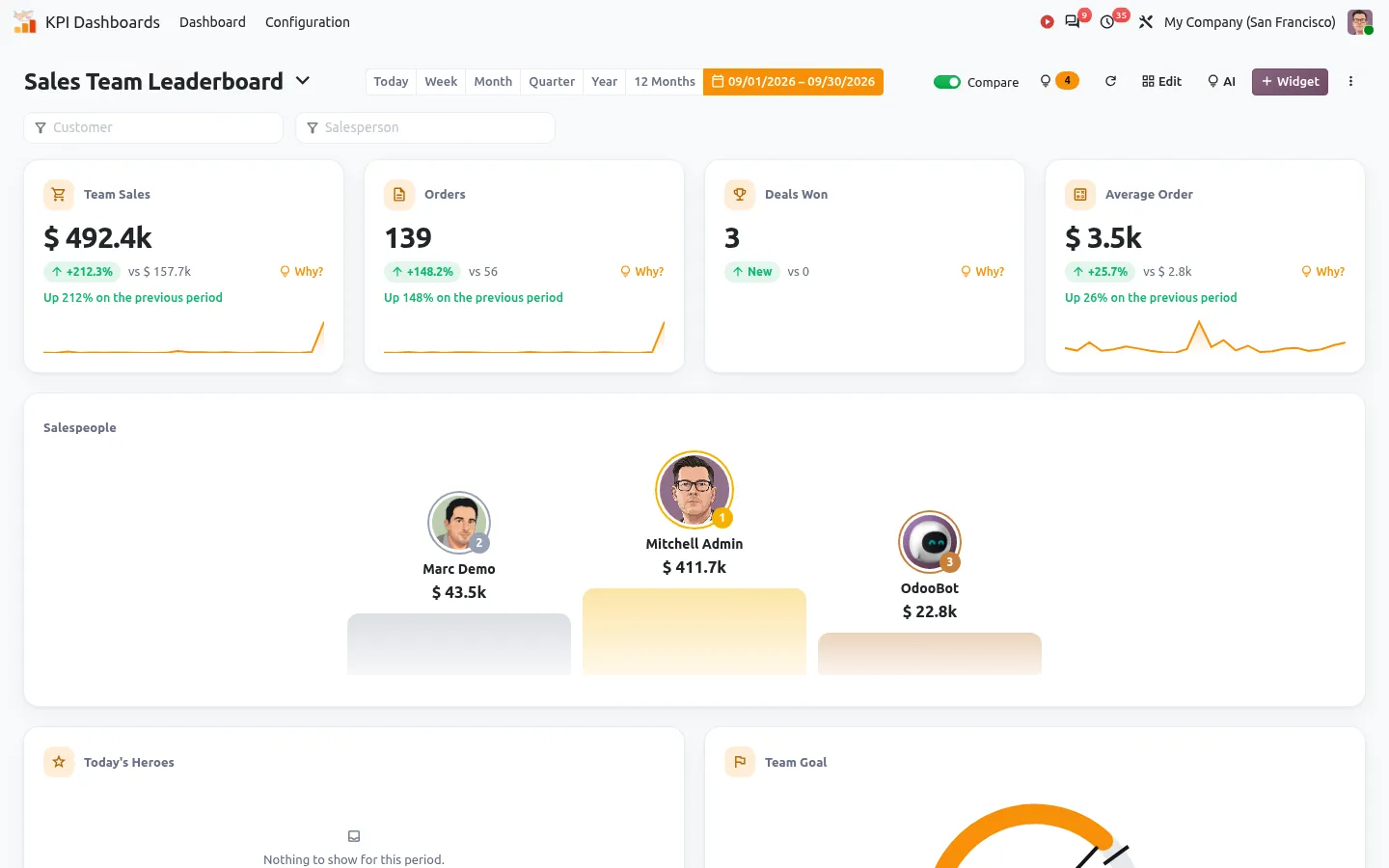
  • Sales teams follow revenue against target, the pipeline and a leaderboard on a TV screen.
  • Warehouse, production and support get their own dashboards for inventory, manufacturing and helpdesk.
  • Each user starts the day on a Home dashboard with what is due today.

How to create a custom dashboard in Odoo

  1. Install the app and open KPI Dashboards.
  2. Pick one of the 22 ready-made dashboards in the gallery, or start from an empty one. Only the dashboards that match the apps installed on your database are offered, and they show your real figures at once.
  3. Click Add a widget and choose its type on a grid of drawings: KPI card, chart, gauge, ranking, list or finance widget.
  4. Pick a model, a measure and a date field. The form shows a live preview of the card while you set its style, colors, target and thresholds.
  5. Drag the widgets into place, then share the dashboard with a group or with everyone.

There are 30 widget types, from KPI cards in 12 styles to bar, line, area, pie, funnel and radar charts, a world map, gauges, heatmaps and cohorts. An AI assistant can also build a dashboard from a sentence, but it is optional.

22 Odoo dashboard examples, ready in one click

The gallery covers the main Odoo apps: executive summary, sales, revenue and invoicing, payments and cash collections, purchases and vendors, CRM pipeline, inventory, sales team leaderboard, point of sale, eCommerce, projects and timesheets, helpdesk, people, manufacturing, expenses, email marketing, financial performance, subscriptions, a personal "My Day" page and a TV wallboard. Each one is a starting point: change any widget, add your own, or remove what you do not need.

Know why a KPI changed, not only that it changed

A click on "Why?" next to a KPI lists the five biggest moves behind it, by customer, product, salesperson or team, and each line opens the matching Odoo records. Every morning, the app compares yesterday with the same weekday of the last seven weeks and flags the days that look unusual. Goals show the progress and the pace expected today, and alerts and a weekly email digest keep the team informed.

All of this runs on your own server, without any AI key.

Cash flow forecast and receivables in Odoo

Once Invoicing is installed, the finance widgets are ready as they are:

  • Cash forecast: the bank balance today, then money in and out week by week for 13 weeks. Each invoice is placed on the date this customer usually pays, not on its due date.
  • Receivables aging: not due, 1-30, 31-60, 61-90 and over 90 days.
  • Top debtors: the amount, the days overdue and the usual payment delay, with a badge when a customer is later than usual.
  • DSO: days sales outstanding, with its daily history.

An Odoo dashboard for Community and Enterprise

  • The same dashboards on Odoo Community and Enterprise, with no Odoo Studio and no Spreadsheet needed.
  • Every card is computed with the access rights of the person who looks at it, and a card can be kept for some groups only, like the margin for the managers.
  • Send a dashboard by email as PDF, Excel or CSV, now or every day, week or month, or share a read-only link with your accountant.
  • A TV mode shows big numbers in full screen and rotates the dashboards on its own.
  • Dashboards export to JSON and import into another database, so your work survives an Odoo upgrade.

Get it on the Odoo Apps Store

Documentation and installation are on the page of your Odoo version.

  • Odoo dashboard
  • KPI dashboard
  • dashboard builder
  • AI dashboard
  • sales dashboard
  • cash flow forecast
  • charts
  • alerts
  • TV dashboard
  • drill down
  • custom date range
  • map chart
  • conversion rate KPI
  • export Excel
  • dashboard sidebar
  • send dashboard by email
  • scheduled report email
  • chart target line
  • company colors
  • dashboard dark mode
  • add widget

From our blog

How to Create a Dashboard in Odoo: 3 Ways, in Community and Enterprise

Odoo has three ways to build a dashboard, and they are easy to confuse. Here is what each one does in Community and Enterprise, and which one fits your company.

Read the article

Frequently asked questions

Does it work on Odoo Community?

Yes. The app only needs the base and Discuss modules of Odoo, so it runs on Community and Enterprise alike. When a database moves to Enterprise, the dashboards stay, and the ready-made dashboards of Enterprise apps such as Helpdesk become available.

Do I need an AI key to use the dashboards?

No. The dashboards, the "Why?" explanations, anomalies, goals, alerts and digests run on your server. A key only adds the chat builder, questions in plain language and a written summary. You choose the provider, a local model with Ollama included, and only aggregated figures are sent, never a record or a document.
Should I use an external BI tool such as Power BI instead?

An external BI tool reads your data from outside Odoo and needs its own connection, accounts and rights. These dashboards run inside Odoo: figures are live, every user sees them with their own Odoo rights, and a click on a figure opens the records behind it.

Will a salesperson see figures they are not allowed to see?

No. Each widget is computed with the rights of the user who opens the dashboard, so the figures follow their Odoo access rights and record rules.

Can I build a dashboard without the Invoicing app?

Yes. The widgets work on any Odoo model. The cash forecast and receivables widgets appear once Invoicing is installed.

Does it work on Odoo Online?

Odoo Online does not accept apps from the Odoo Apps Store. It works on Odoo.sh and on your own server: Odoo gives you a backup of your Odoo Online database, you restore it there and install the app.

What happens to my dashboards when I upgrade Odoo?

Install the version of the app that matches your new Odoo: its data keeps the same shape. You can also export each dashboard to JSON before the upgrade and import it afterwards.

More Odoo apps by SHARQIX