Monday, 9 a.m. Your Odoo dashboard says sales are down 18%. Fine. But why? Which customer, which product, which salesperson? You open three reports, export two of them to Excel, and the coffee is cold before you have the answer.
If you run a company on Odoo, this probably sounds familiar:
- The numbers are there, but nothing tells you why they moved.
- An unusual day goes unnoticed until the end of the month.
- You never really know how much cash you will have in six weeks.
- Every new dashboard starts from a blank page, and every Odoo upgrade means building it again.
Why we built this Odoo dashboard
A dashboard should do more than draw charts. We built ours around what we missed in our own work with Odoo: it explains why a KPI changed, spots unusual days and forecasts your cash.
Everything is included for one price, with no paid options. Your dashboards export in a format kept across Odoo versions, so an upgrade never means starting over. And your data stays on your server: the AI is optional and only sees field names and totals, never a record.
In short, a dashboard that tells you what changed, why, and what to do today.
The magic: from numbers to answers
Before
Sales are down. Open the sales report, group by customer, then by product, compare with last month in a spreadsheet, and hope you did not miss anything.
After
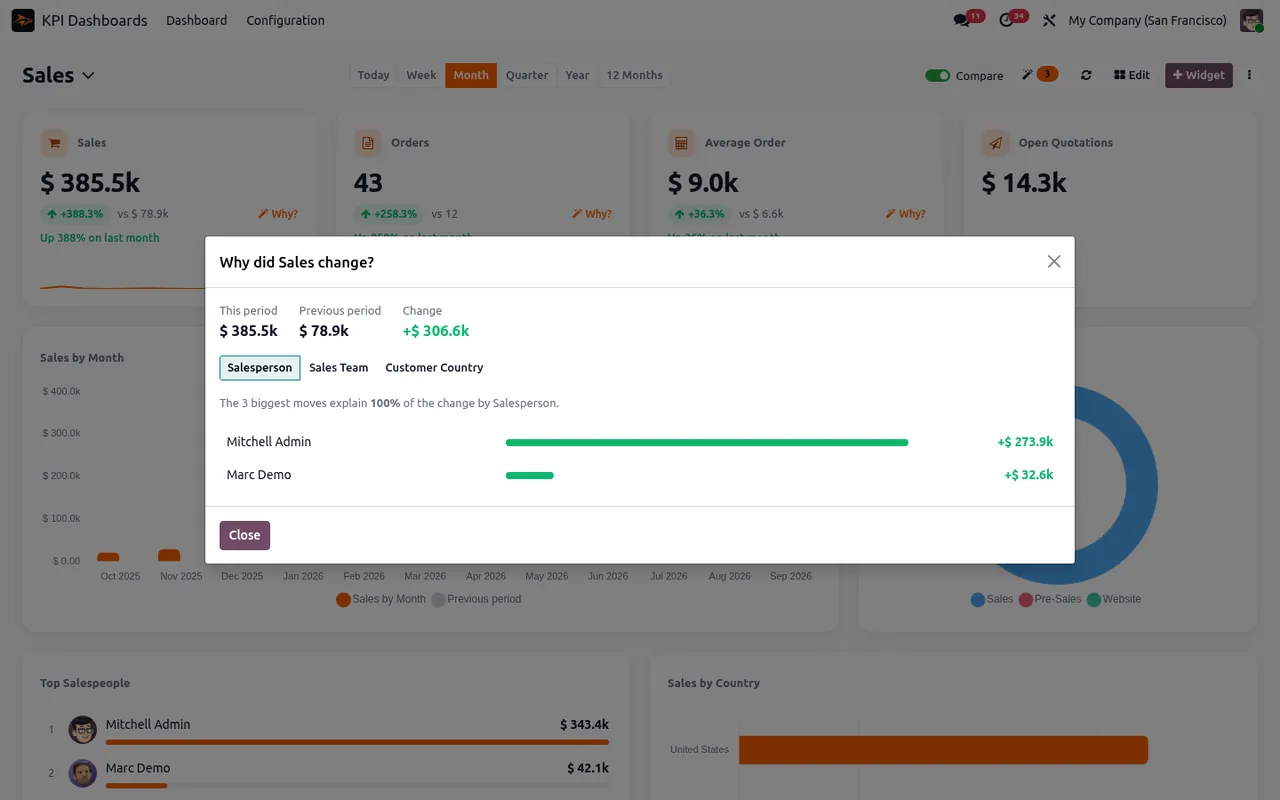
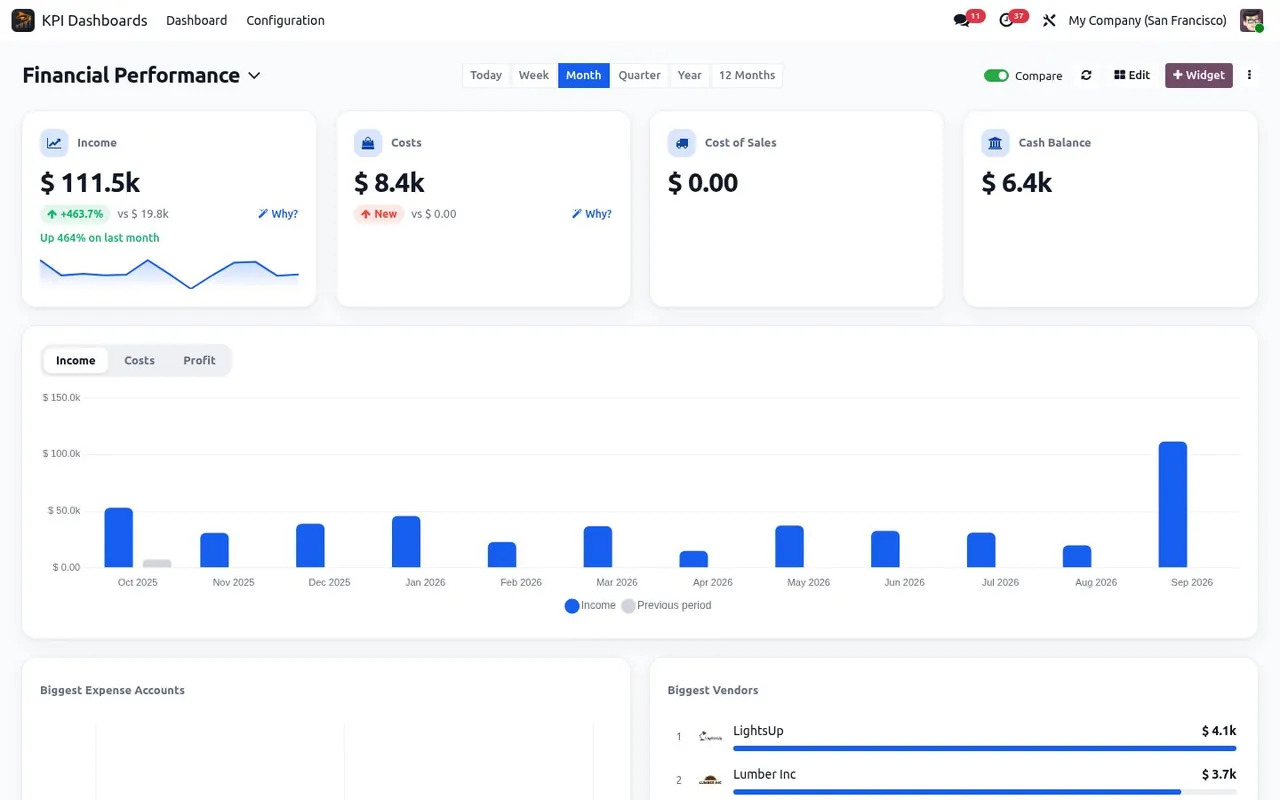
Click "Why?" on the KPI. The five biggest moves are on screen.
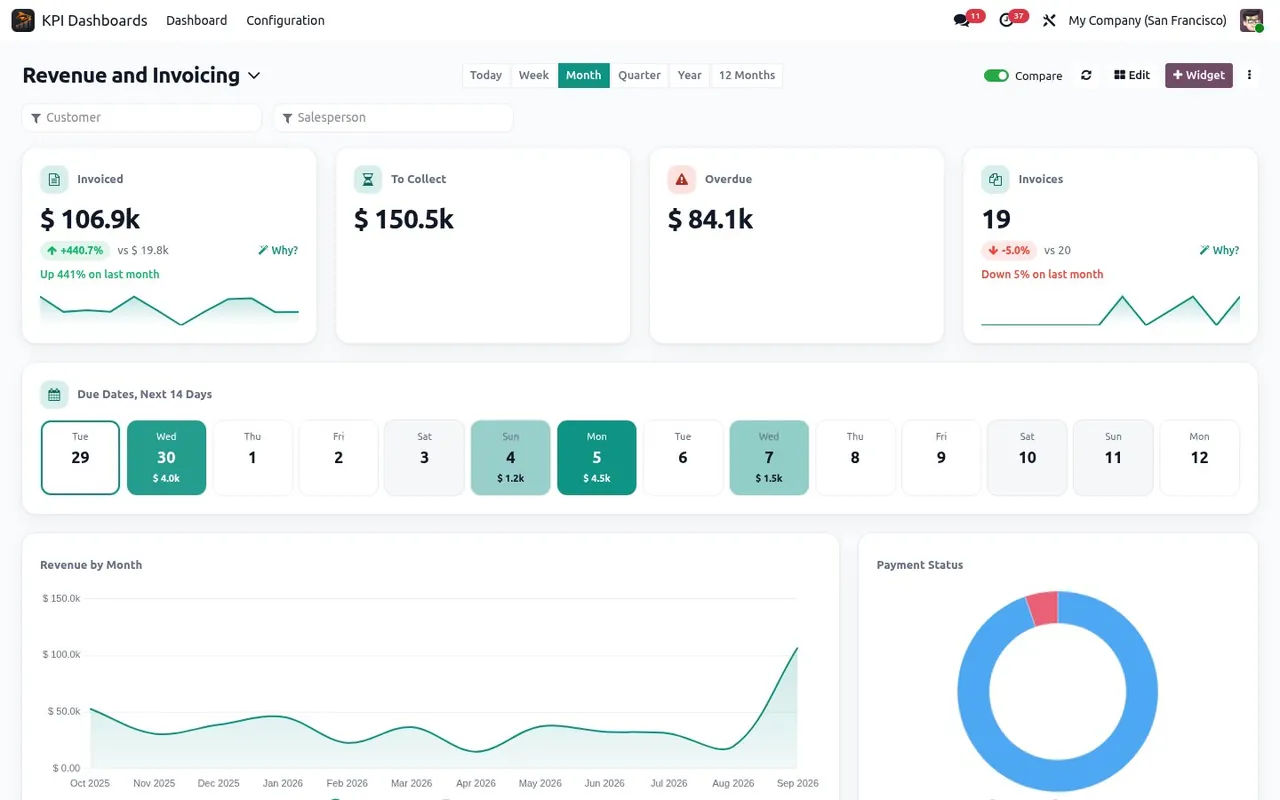
Every KPI is compared with the previous period or last year, at the same point in time. One click on Why? splits the change by customer, product, salesperson or team, and each line opens the matching Odoo records.
22 ready-made dashboards, not a blank page
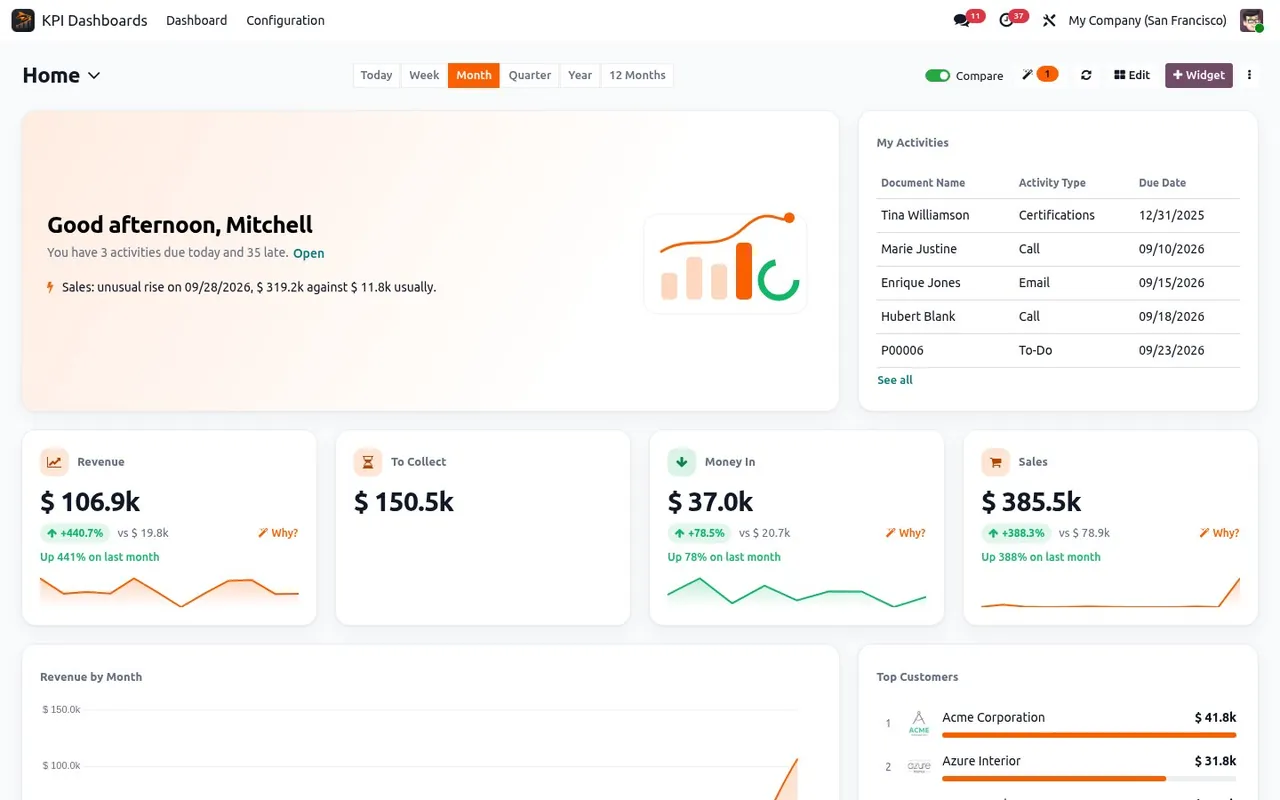
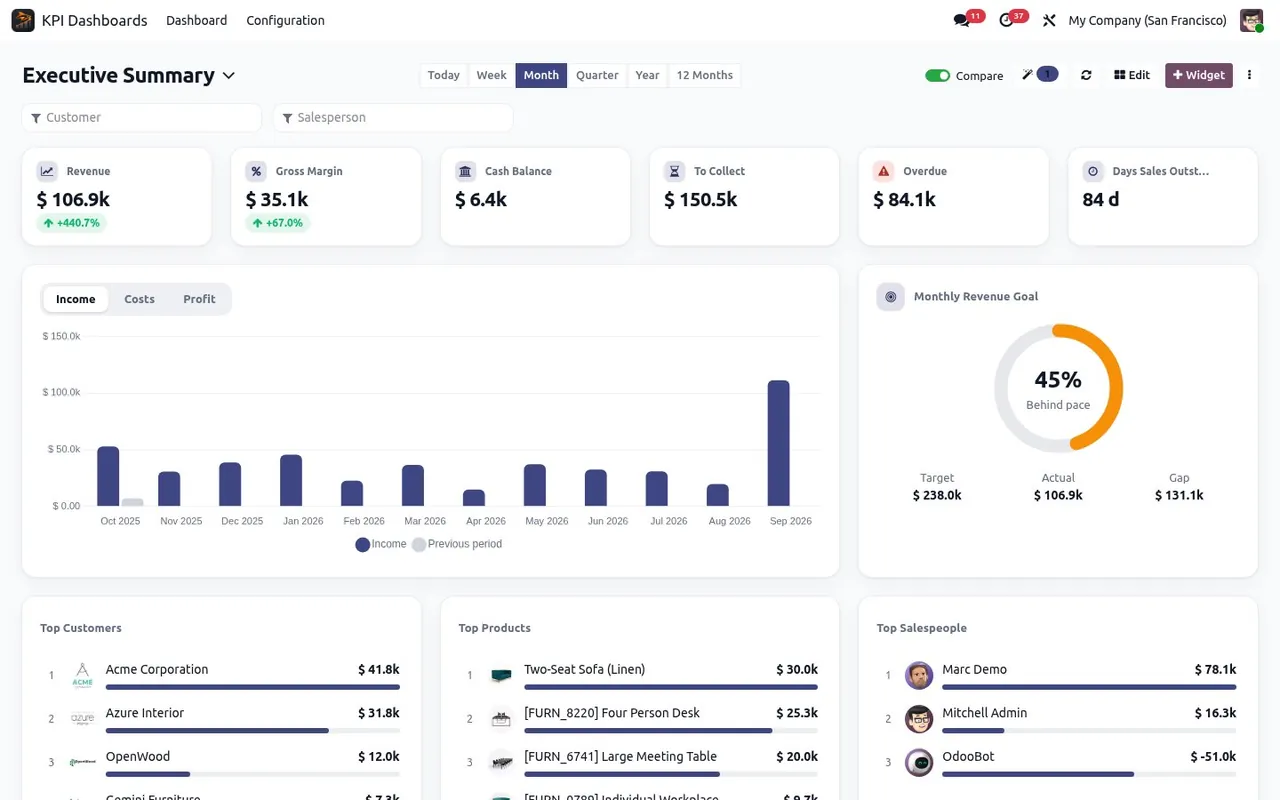
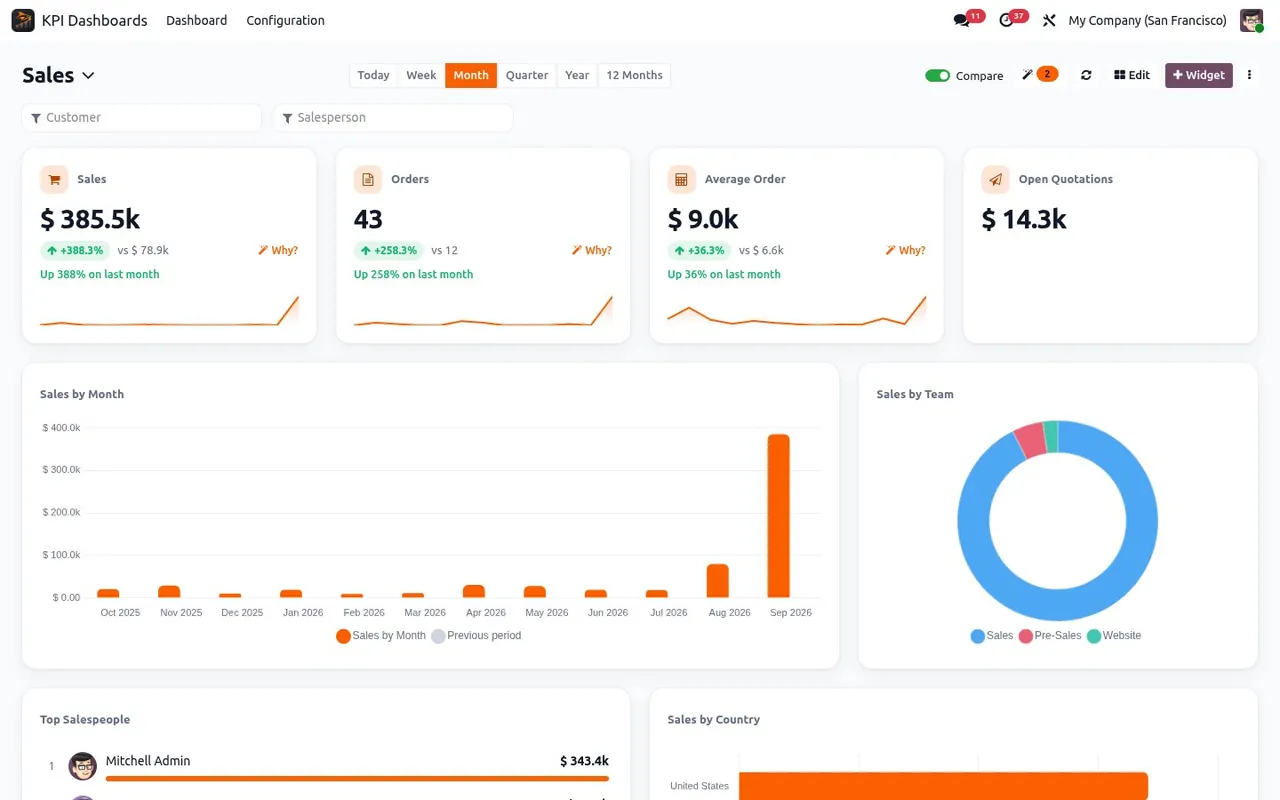
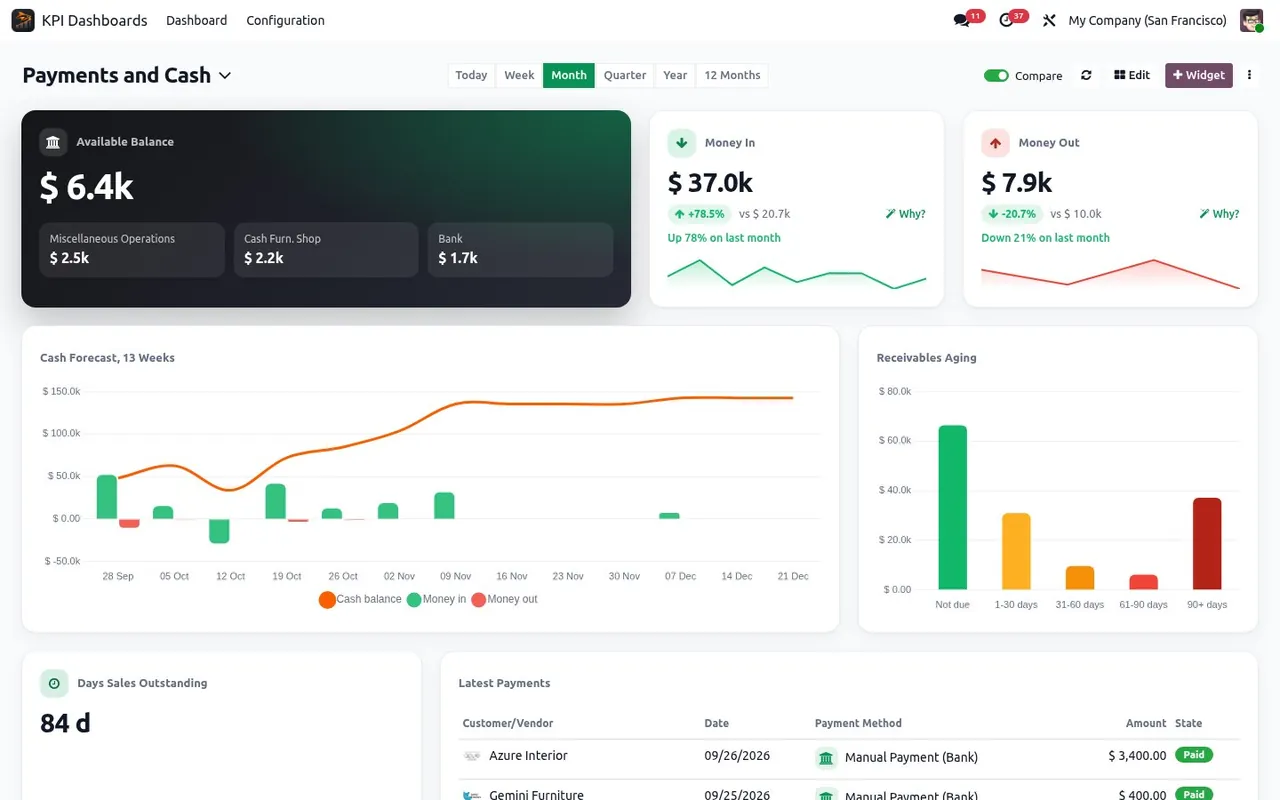
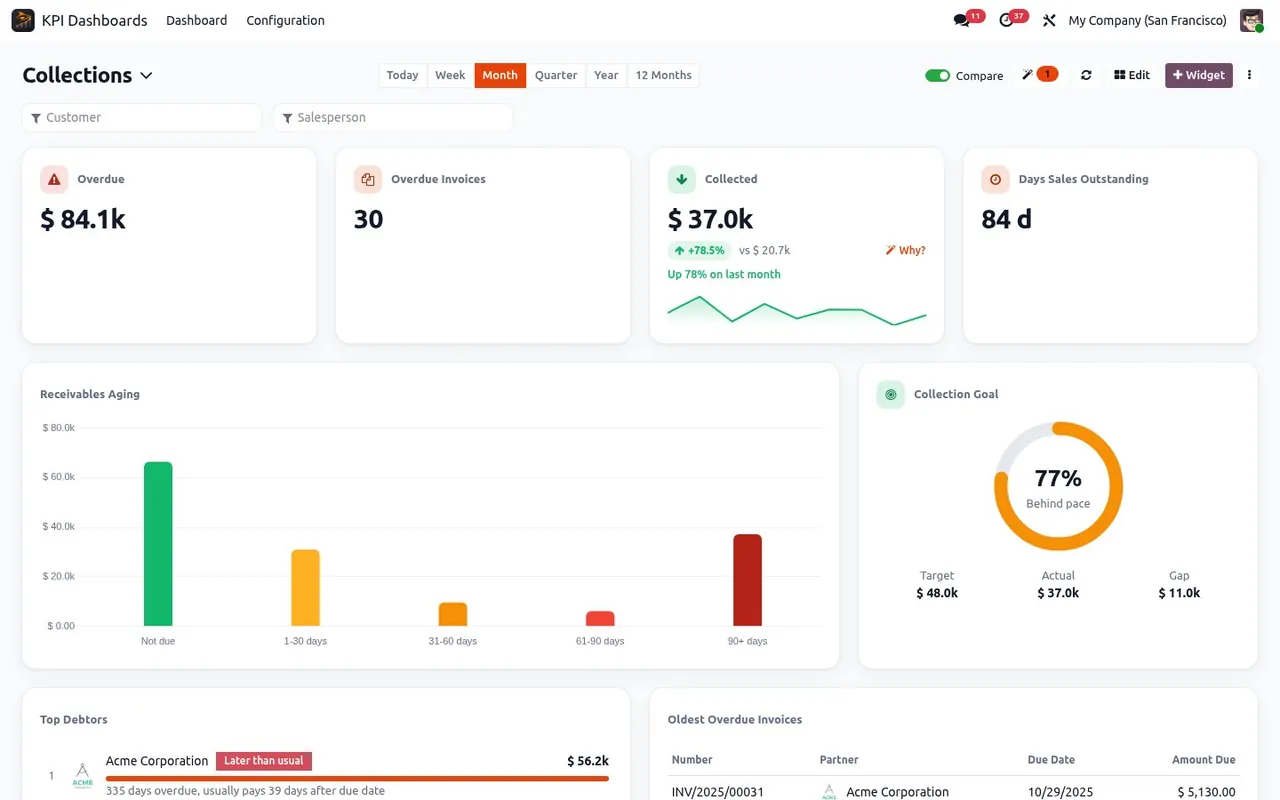
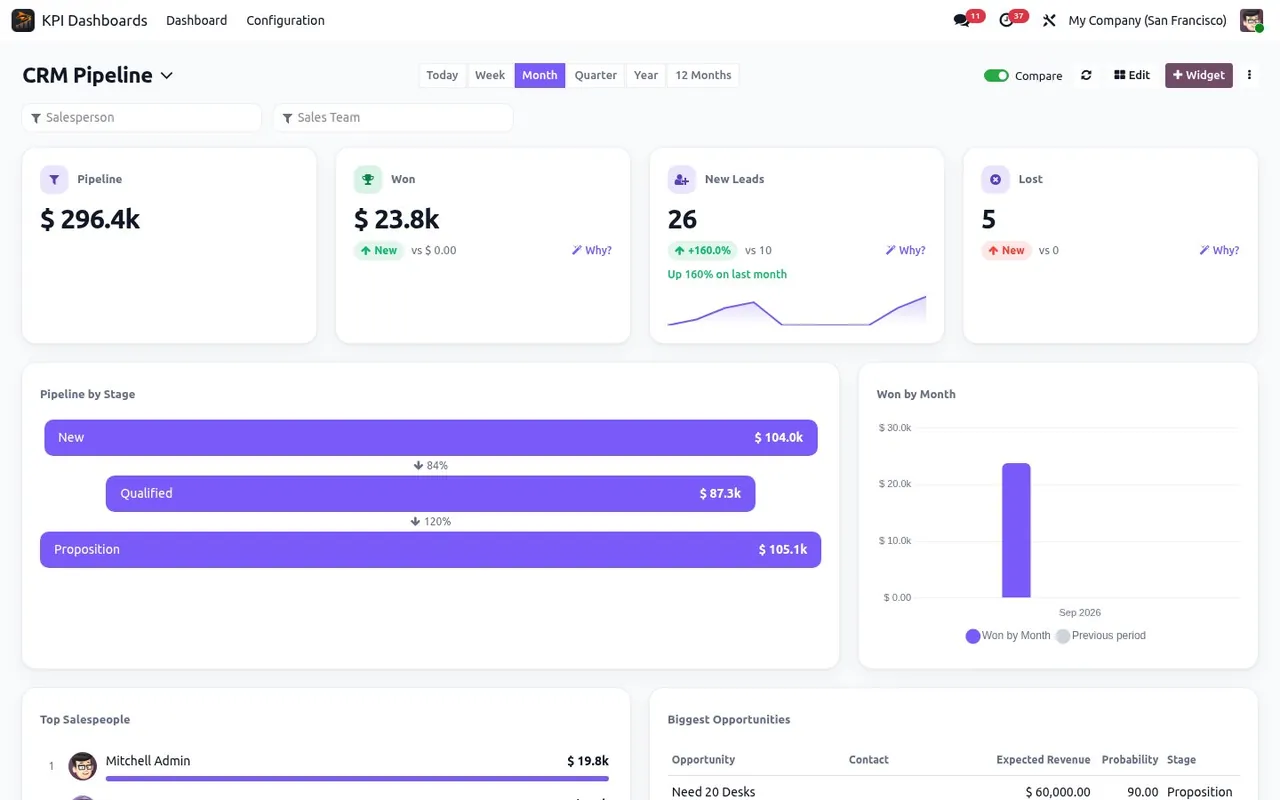
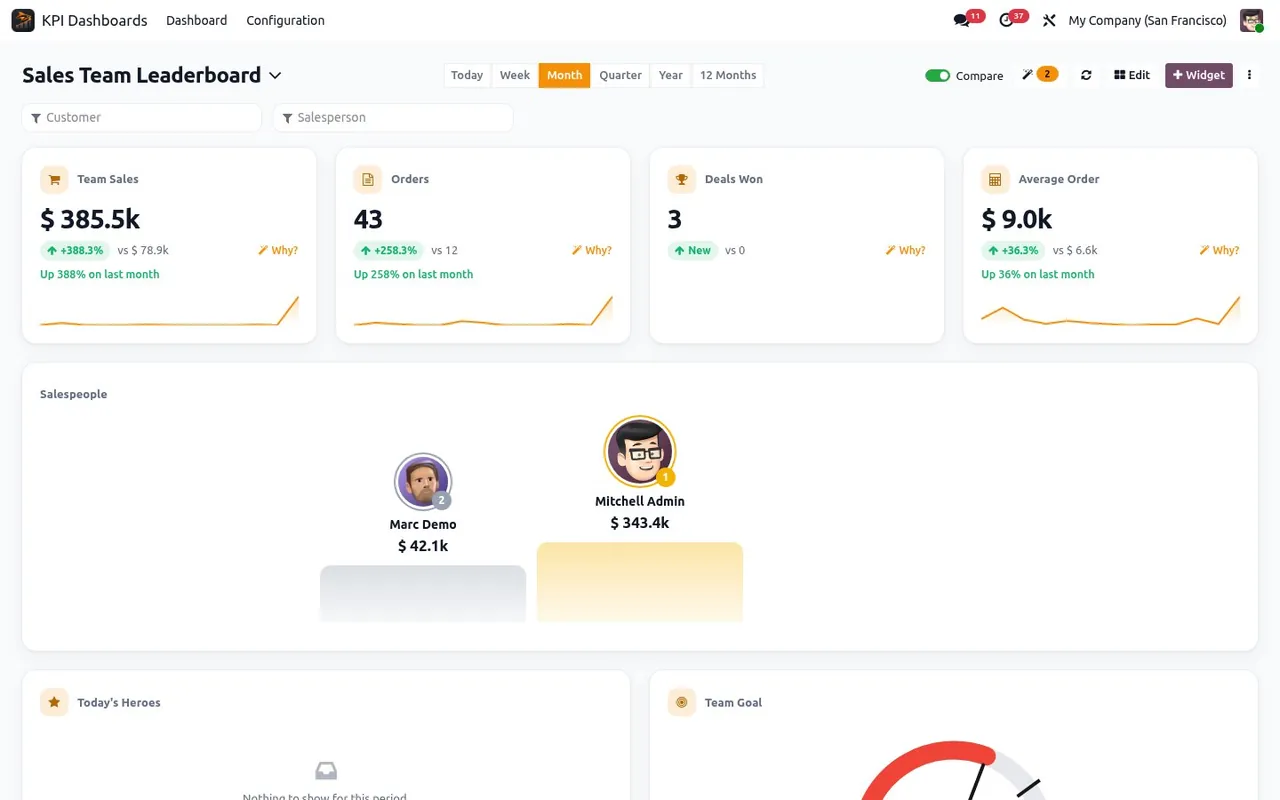
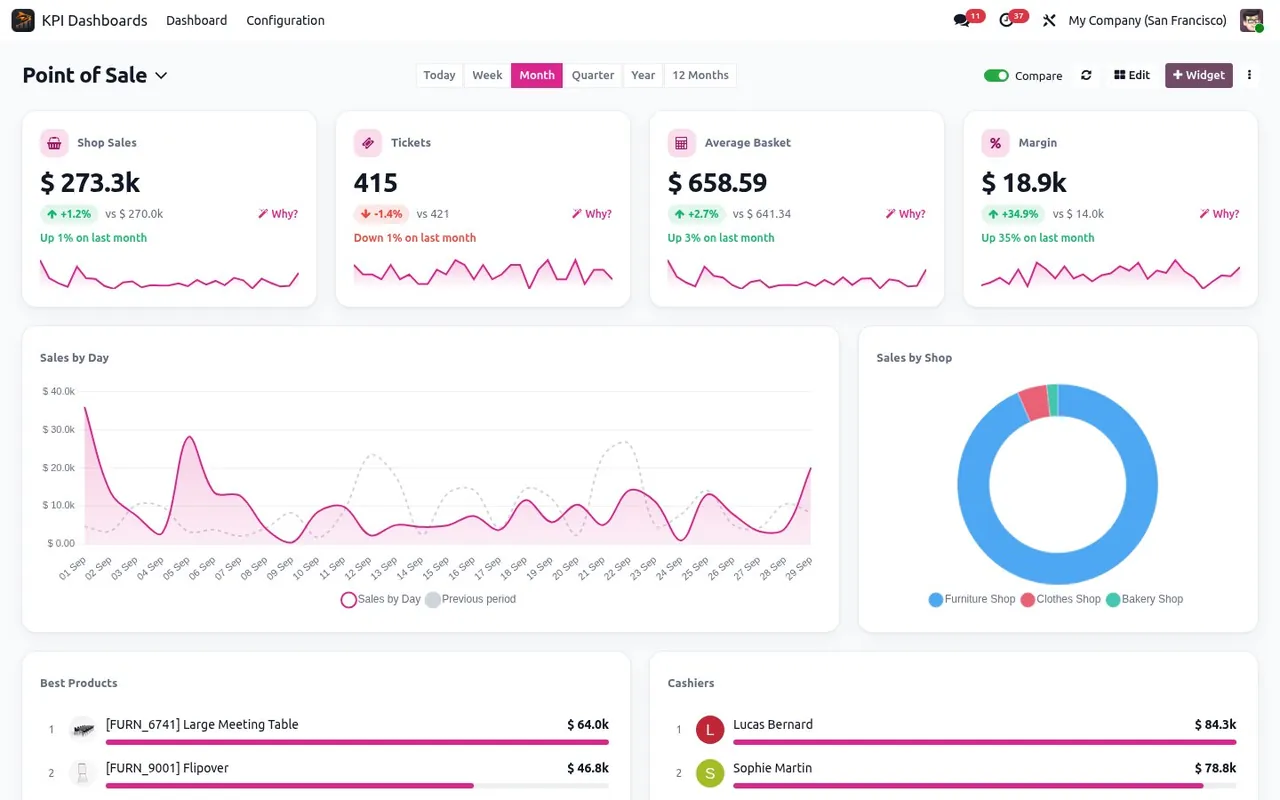
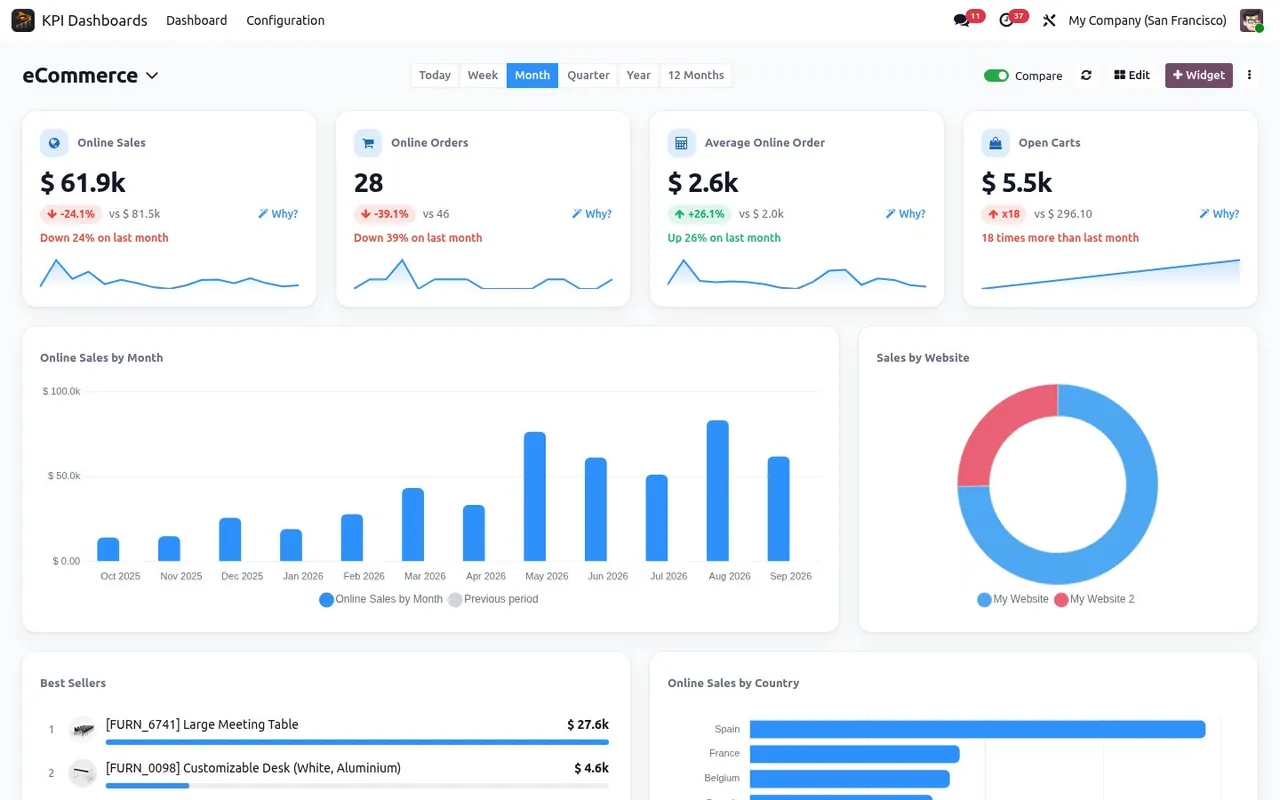
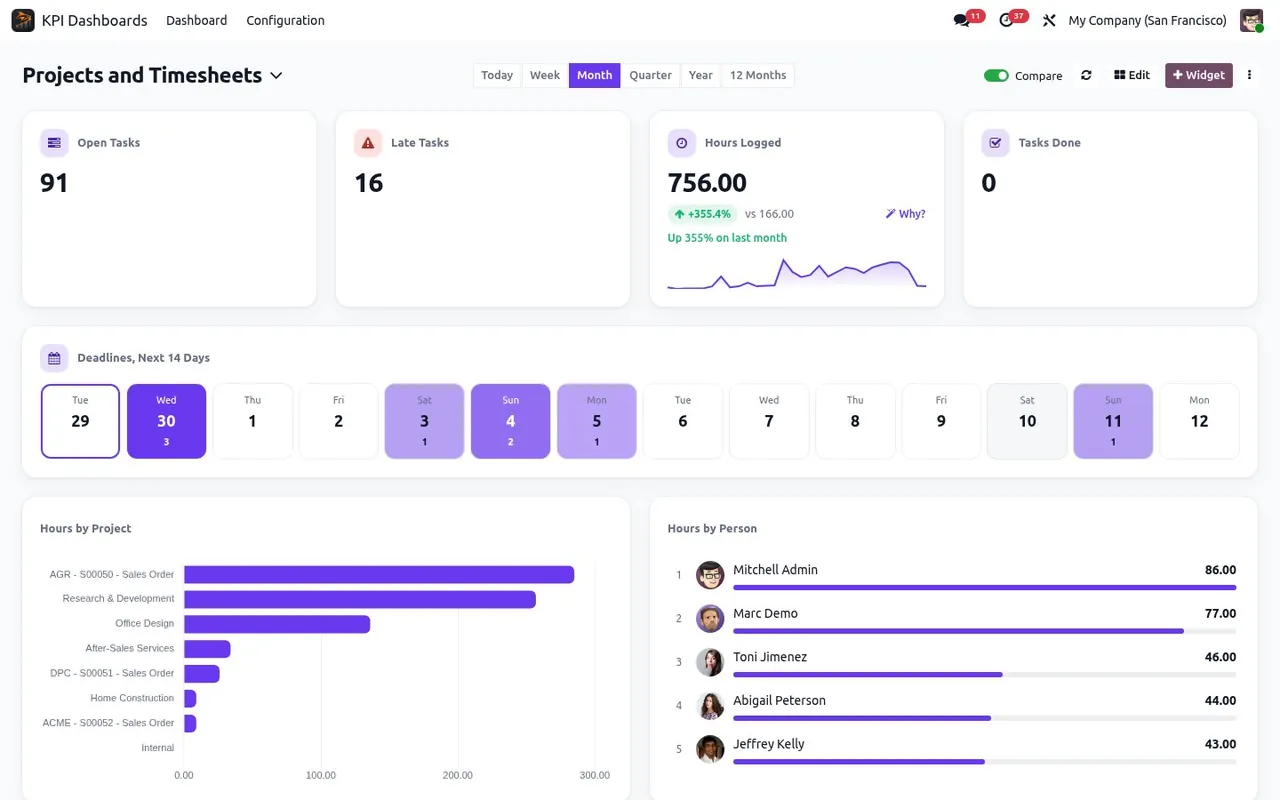
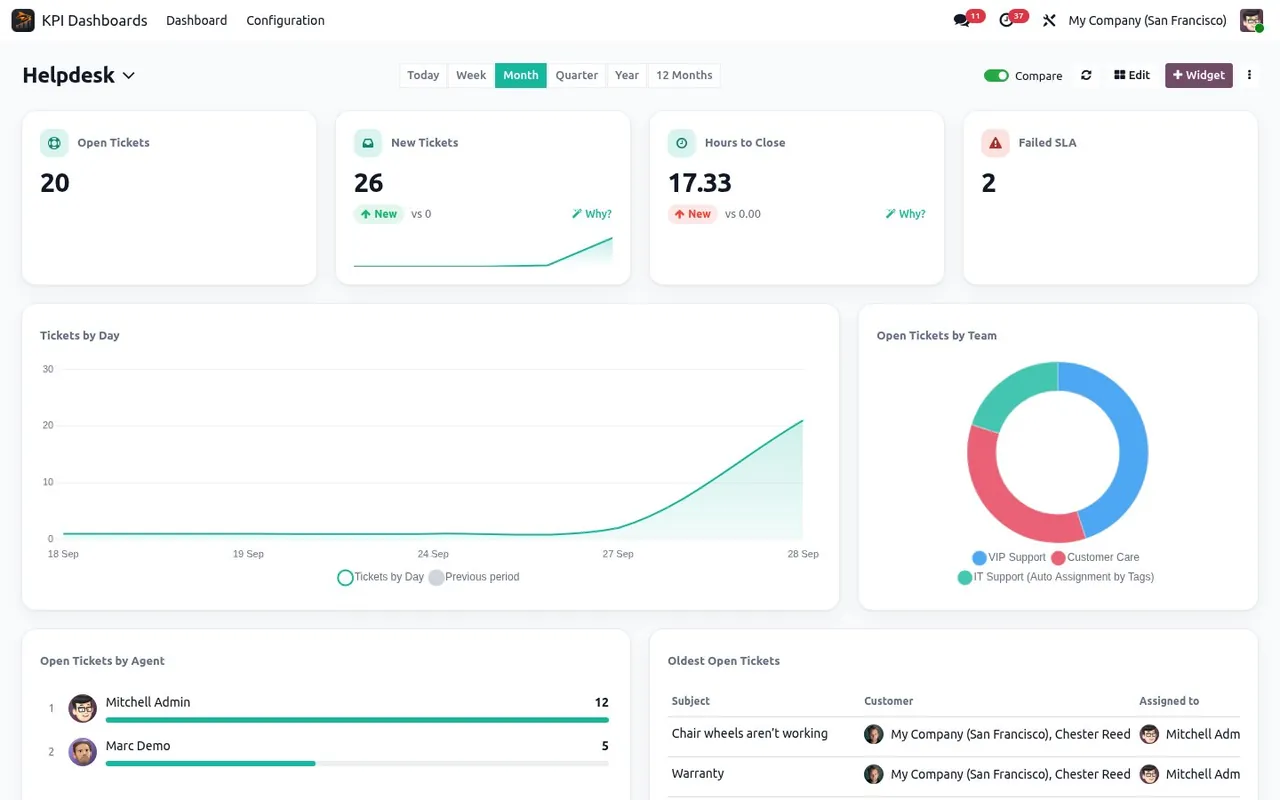
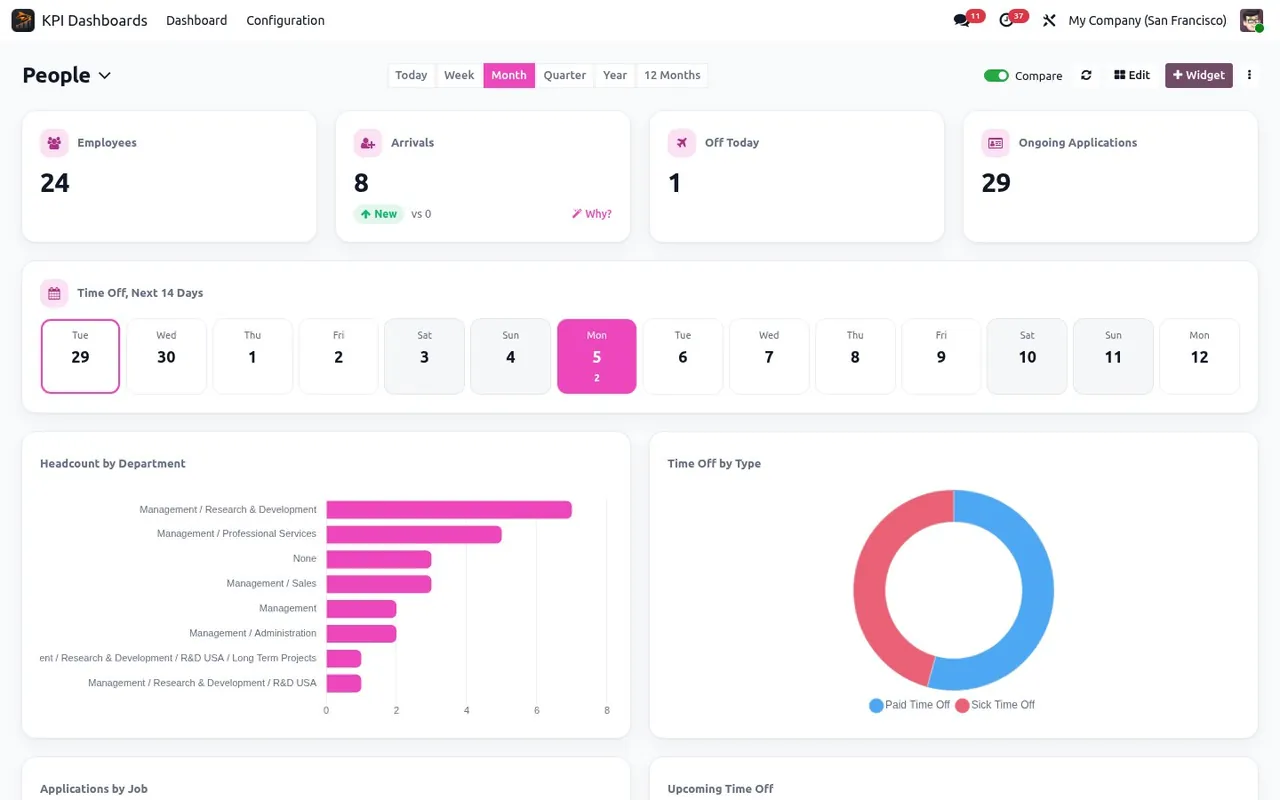
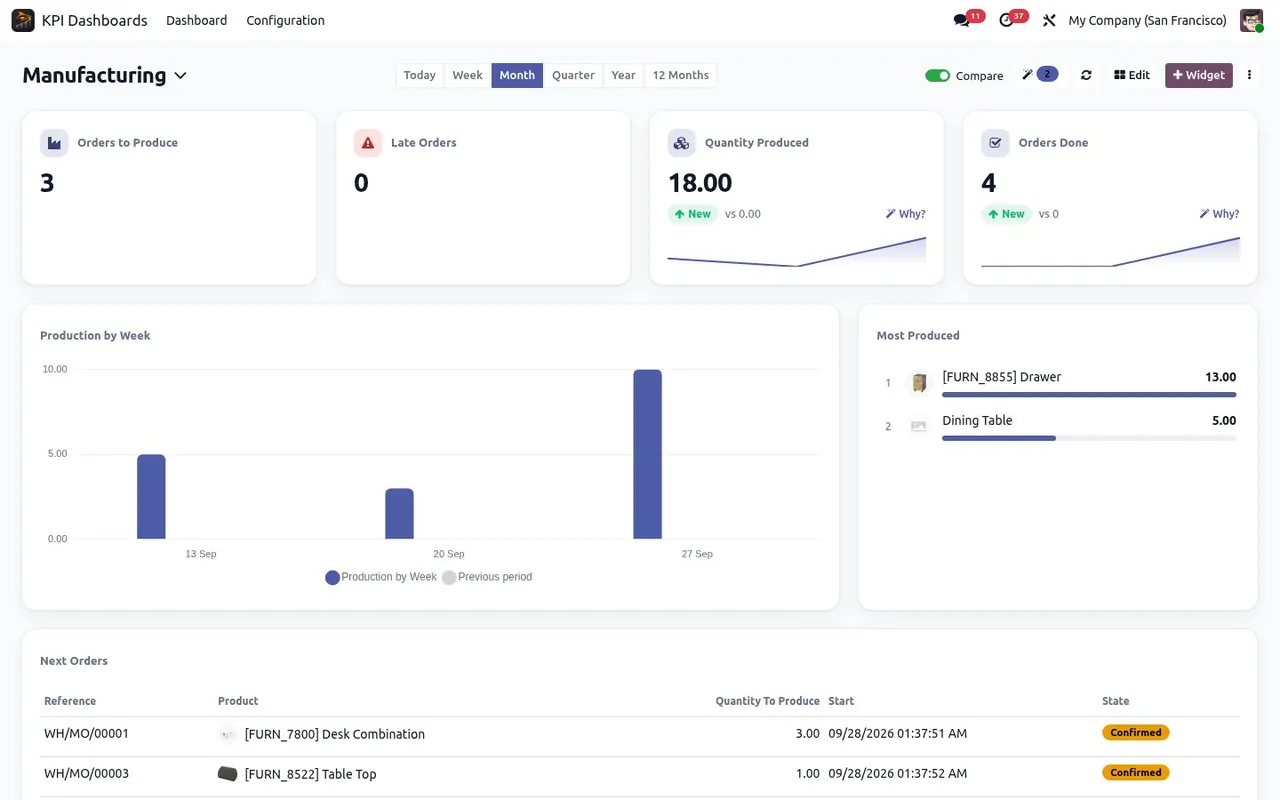
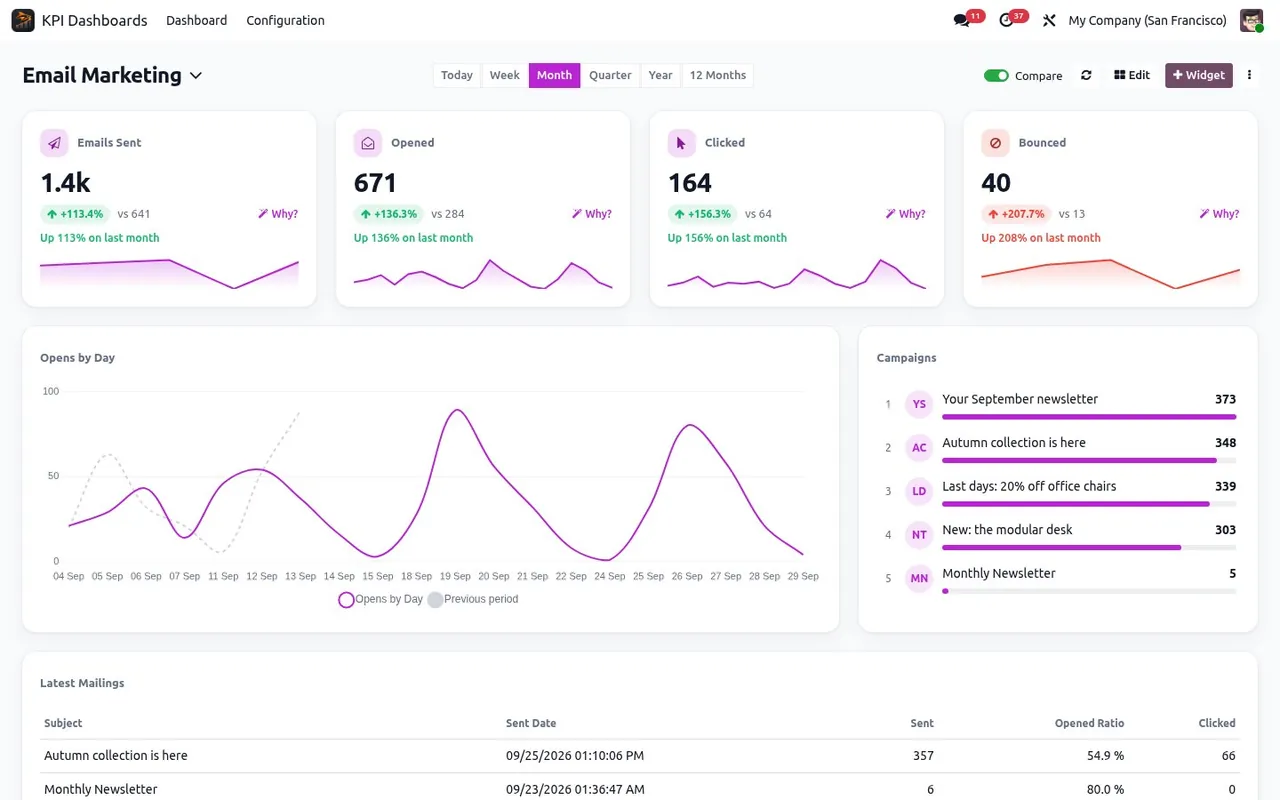
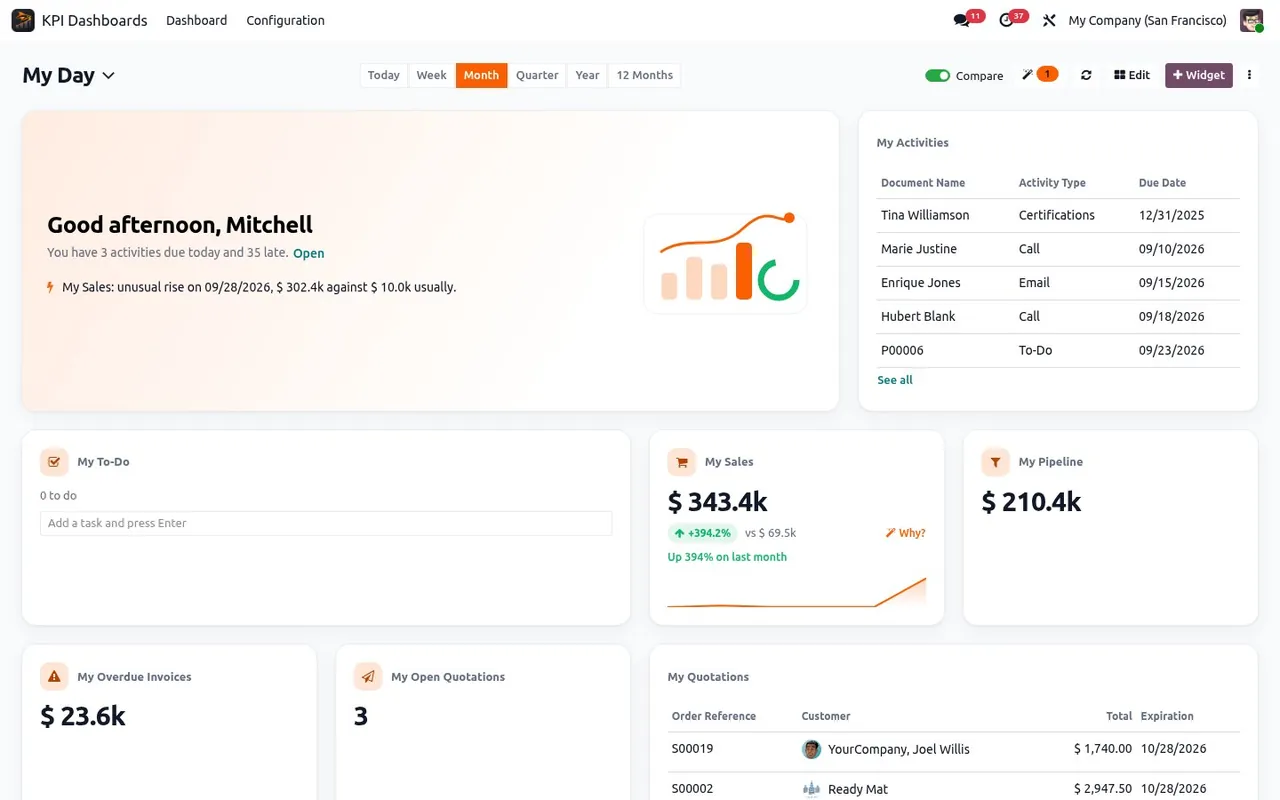
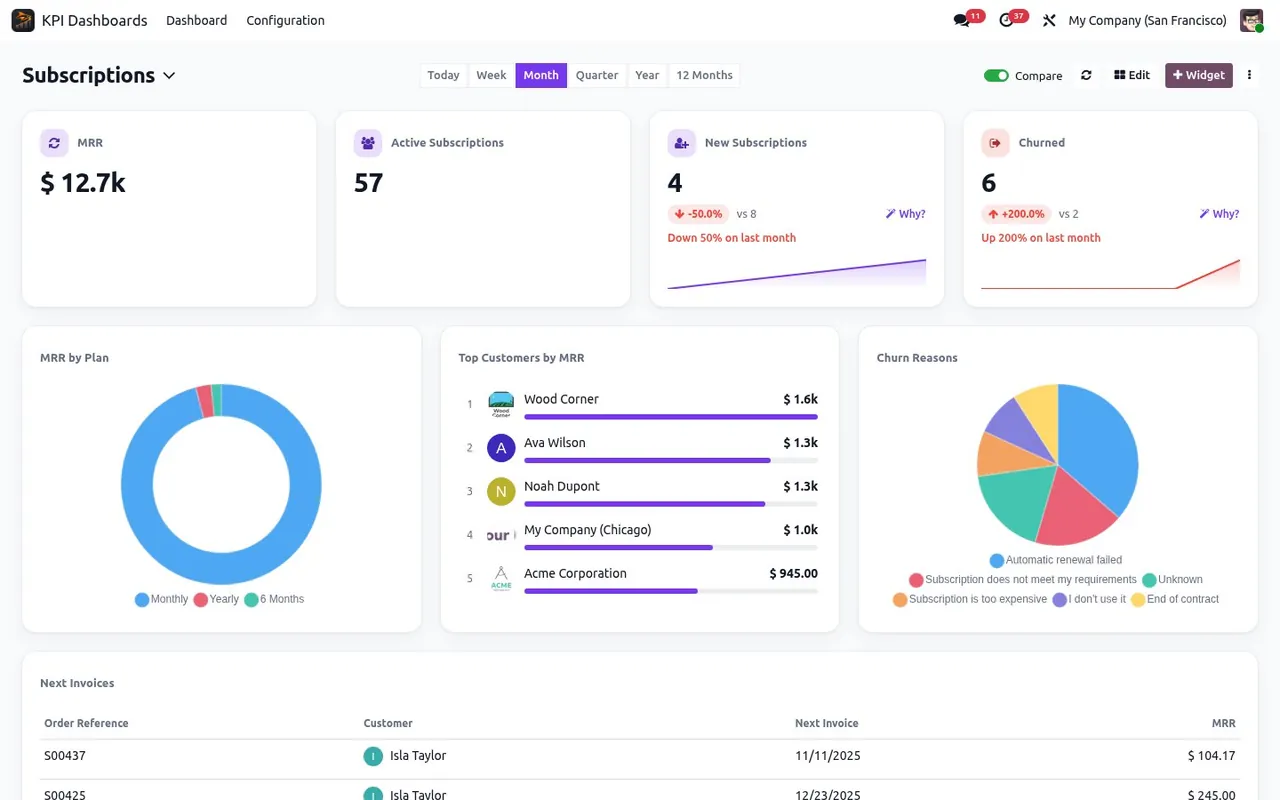
When you open the app, a gallery offers dashboards built for your job and for the apps you have installed: sales, CRM, invoicing, cash, point of sale, eCommerce, projects, helpdesk, HR, manufacturing and more. Pick one, and it works with your data right away. Swipe through them:
Build a dashboard just by asking
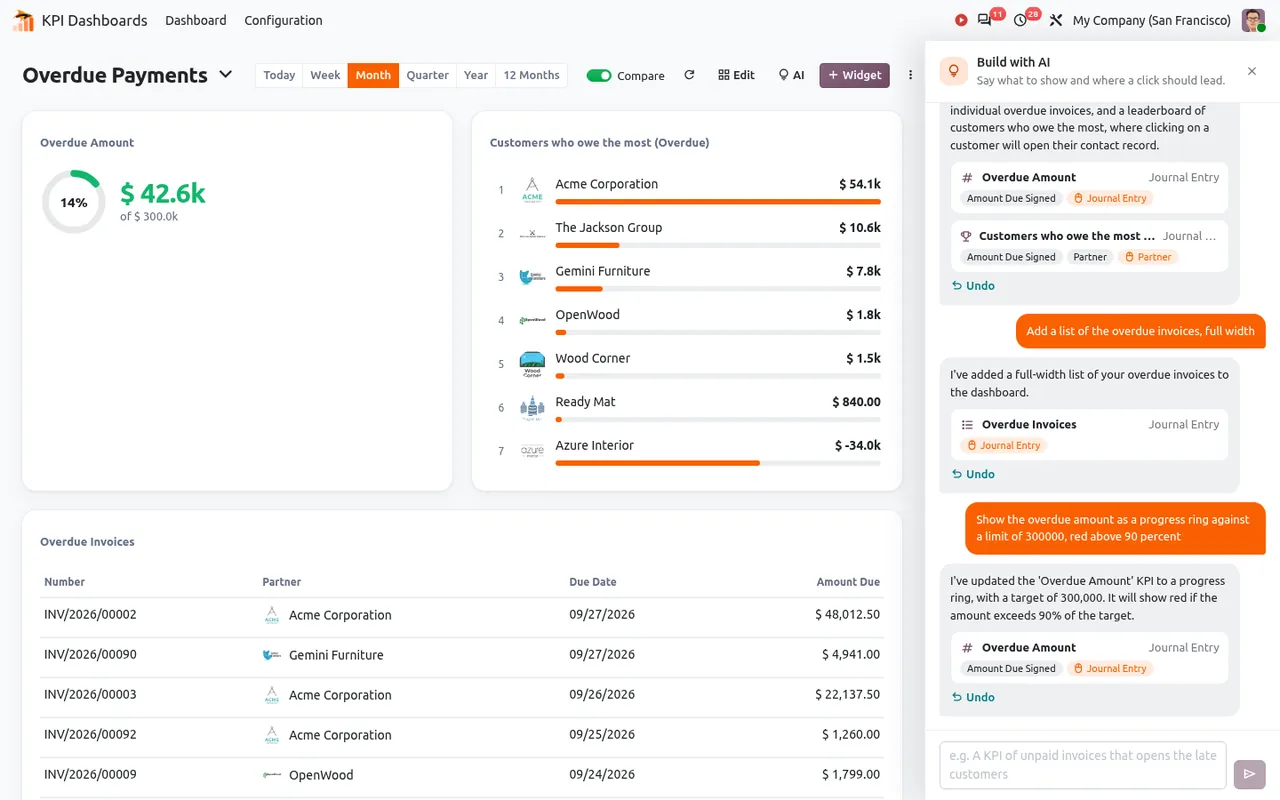
Type what you want: "the overdue amount, and a click opens the late customers". The AI assistant builds the widget, shows which fields it used, and every step can be undone. If your request is vague, it asks a question with clickable answers. The AI is optional: you choose the provider, even a model running on your own server, and it only ever sees field names and totals, never a record. Without AI, a widget is set up in three questions: what, how, and when.
Know your cash for the next 13 weeks
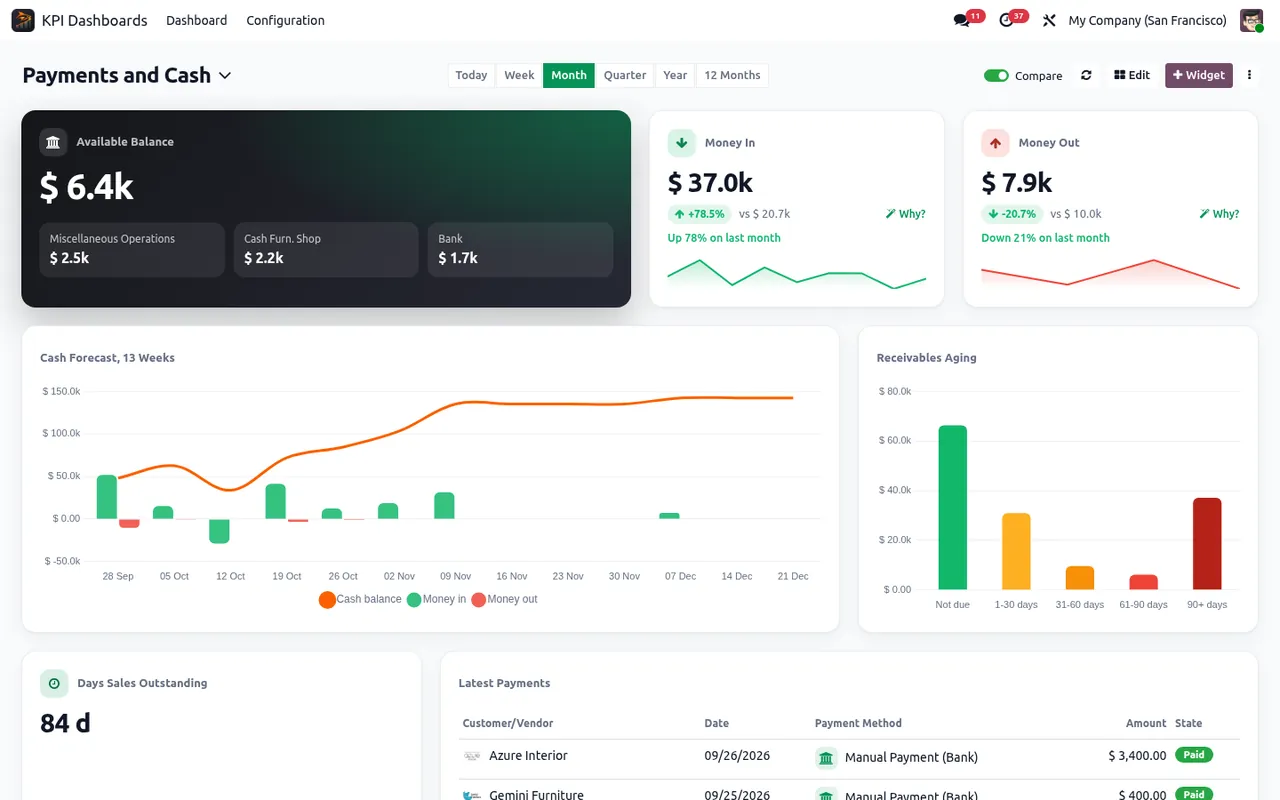
The cash flow forecast starts from today's bank balance and places every open invoice on the date that customer usually pays, not on its due date. Add the receivables aging, your top debtors with their usual delay, and the days sales outstanding, and you see a cash problem weeks before it happens.
Goals, alerts and a morning email
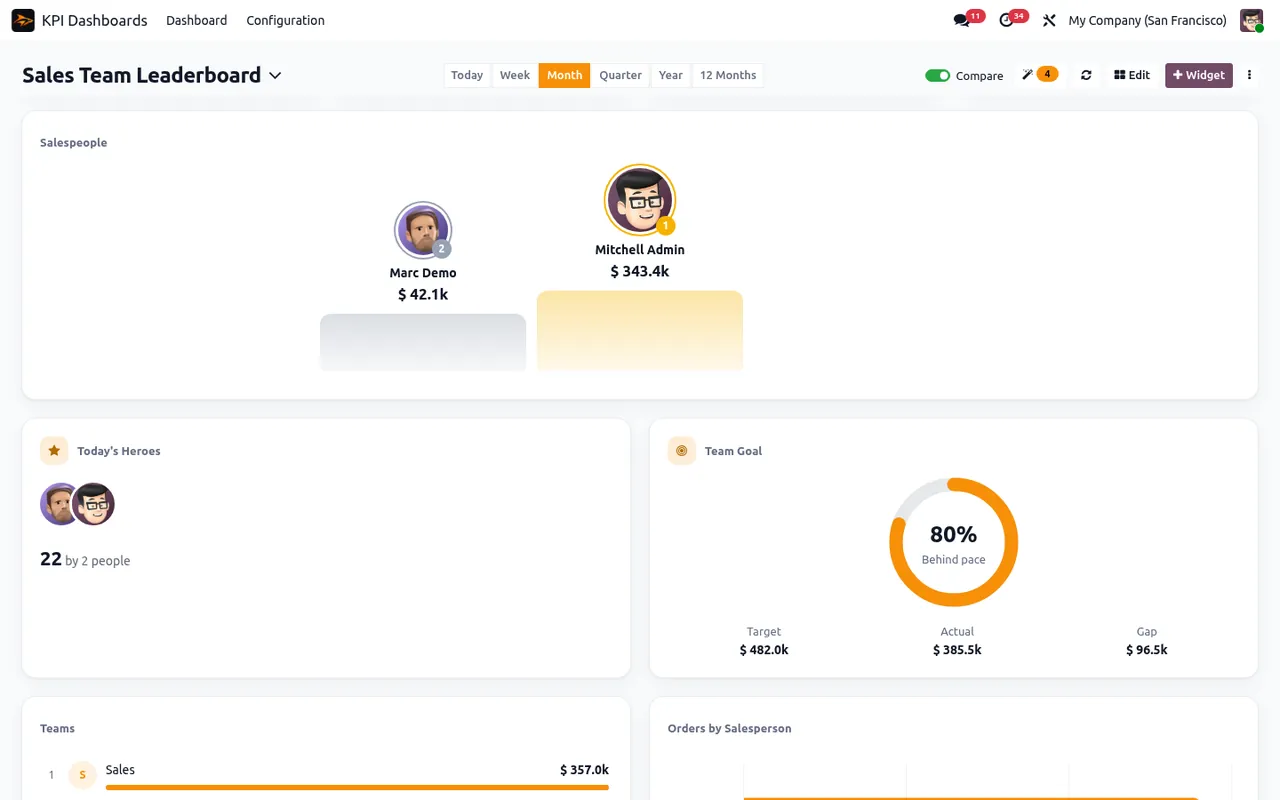
Set a target per week, month or year and see at a glance if the team is ahead or behind the expected pace. The dashboard watches for you: an unusual day, a threshold crossed or a goal reached sends an Odoo notification to the right people. Every Monday, big changes are flagged with their main cause, and a daily or weekly digest lands in each person's inbox, with their own access rights.
Made for the whole company, not just the manager
A dashboard is only useful if people actually look at it. These features put the right numbers in front of the right people, where they already are.
Anomalies spotted, alerts sent
Every morning, yesterday is compared with the same day of the last seven weeks. An unusual rise or drop is flagged before anyone asks. Set a threshold or a goal and the right people get an Odoo notification, by email if they wish. A daily, weekly or monthly digest brings the key figures to each inbox.
TV mode for the whole team
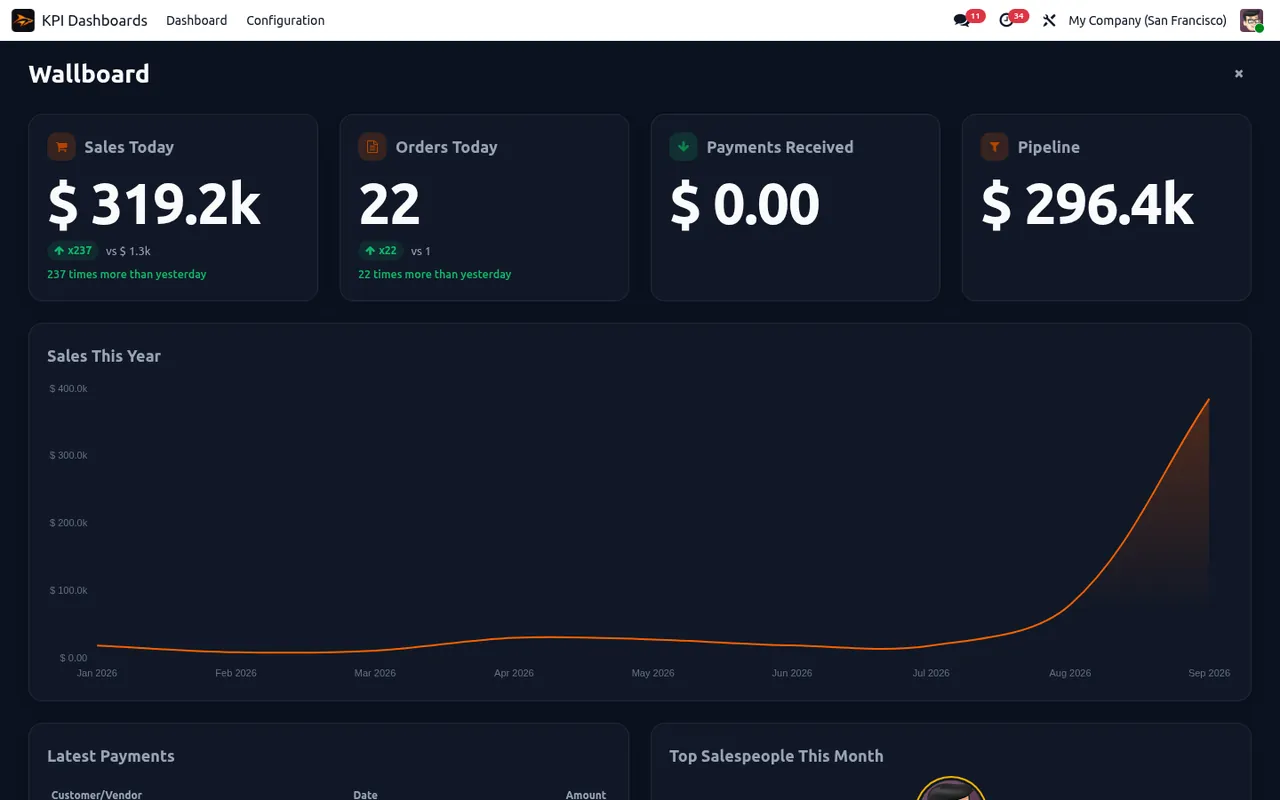
Put your sales floor or warehouse on a big screen: full screen, dark background, big numbers readable from across the room. Dashboards rotate on their own, so the team sees today's sales and the leaderboard without touching a mouse.
Share it, even outside Odoo
Export a dashboard to Excel, print it or save it as PDF for the board meeting. Or send a read-only public link to your accountant or a partner: they see the figures, never your Odoo. You can renew the link at any time.
Upgrade Odoo, keep your dashboards
Export your dashboards in JSON and import them in another database or another Odoo version. The format stays the same from Odoo 18 to 20, so your work survives upgrades, and copying a dashboard from test to production takes seconds.
Each person sees only their numbers
Keep a dashboard private, share it with a group or with everyone, in one company or several. Every tile is computed with the rights of the person looking at it: a salesperson sees their own figures, the manager sees the whole team, on the same dashboard.
Live, on any screen, in any language
Figures refresh by themselves when your data changes. Dark mode for late evenings, a layout that fits a phone, and full support for right-to-left languages such as Arabic.
A builder that does the work for you
- 27 widget types: KPI, goal, gauge, line, bar, pie, funnel, radar, heatmap, cohorts, leaderboard, list, to-do and more.
- 12 KPI styles with green, amber or red thresholds.
- Drill-down everywhere: a click on a number, a bar or a name opens the Odoo list.
- Periods from today to 12 months, with comparison to last period or last year.
- Dashboard filters by customer, salesperson or team.
- Restyle every KPI card of a dashboard in one click, with a live preview.
Few lines of code, many features
The whole app fits in under 9,000 lines of code. That is not a detail: every line we did not write is a line that cannot slow down your Odoo, break at the next upgrade or hide a bug.
We could keep it small because we build on what Odoo already does well, and we reviewed every line with that in mind:
- Fast: a whole dashboard loads in a single call to the server, and the first tiles show up before the rest.
- Light: the charts use the chart library already shipped with Odoo, nothing heavy is added to your pages.
- Safe: no change to how Odoo works under the hood, and every number is read with the user's own access rights.
- Solid: a widget with a mistake in its settings shows its own error, and the rest of the dashboard keeps working.
- Easy to upgrade: less code means less to migrate, which is why the app is already available for Odoo 18, 19 and 20.
100% tested
The app ships with automated tests. No risk.
Up and running in two minutes
Install the app from the Odoo Apps Store, open KPI Dashboards and pick a dashboard in the gallery. No setup, no AI key needed. It works on Odoo 18, 19 and 20, Community and Enterprise, Odoo.sh and on-premise, for 200 € one time. No subscription.
Stop reading numbers, start getting answers
Your Odoo already holds the answers. This dashboard puts them on one screen every morning.
See all our modules on the SHARQIX apps page.
Questions before buying? Write to support@sharqix.com, we answer fast.