"How to connect Odoo to your AI using an MCP server?" has been read more than 22,000 times on the Odoo forum. Since Odoo 20, Odoo ships its own MCP server, and the question has become: can I use it? The answer depends on your edition, your version and your pricing plan. This guide sorts it out, with what each option does.
Odoo 20's own MCP server
The AI app of Odoo 20 includes an AI MCP Server. An assistant such as Claude Code or Codex connects to your database address followed by /mcp, with OAuth or with an API key of the MCP scope, and acts with the rights of the user who connected it.
- It is an Enterprise app: the module is published under Odoo's Enterprise license.
- Odoo's documentation warns that installing the AI app on the Standard plan switches the subscription to the Custom plan.
- It exists from Odoo 20: Odoo 19 and older have no MCP server of their own.
- Out of the box, it exposes reading tools: list the models, describe their fields, search records and group them. Every other action is a server action that an administrator exposes in developer mode.
So, on Community or the Standard plan?
- Odoo Community: no AI app, so no MCP server from Odoo.
- The Standard plan: installing the AI app moves you to the Custom plan. And the Standard plan runs on Odoo Online only, where third-party apps cannot be installed either. On the Standard plan, there is no MCP server at all.
- Enterprise on Odoo 19 or older: no MCP server from Odoo, even on the Custom plan.
The options, side by side
| Your Odoo | Odoo's MCP server | MCP Server app |
|---|---|---|
| Community, any version from 11 to 20 | No | Yes |
| Enterprise 20, Custom plan | Yes | Yes, on Odoo.sh or your server |
| Enterprise 19 or older, Custom plan | No | Yes, on Odoo.sh or your server |
| Standard plan, Odoo Online | No: switches to Custom | No: Odoo Online refuses third-party apps |
Before
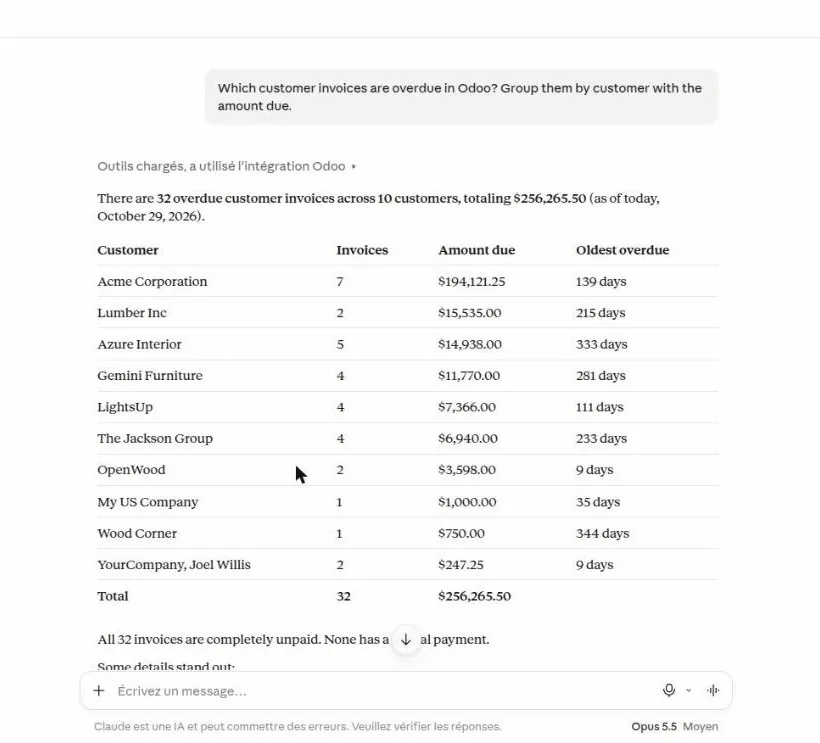
On Community or Odoo 19: export to Excel, paste into the chat, get an answer about yesterday's figures.
After
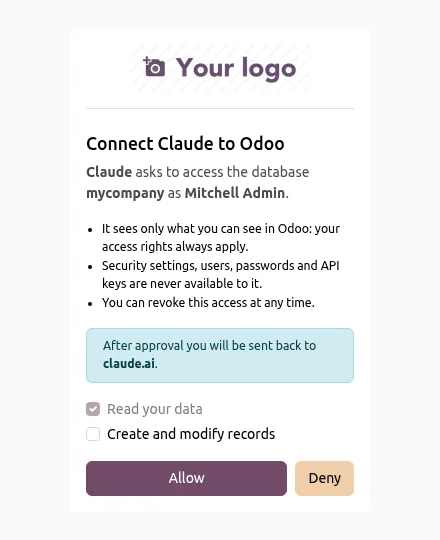
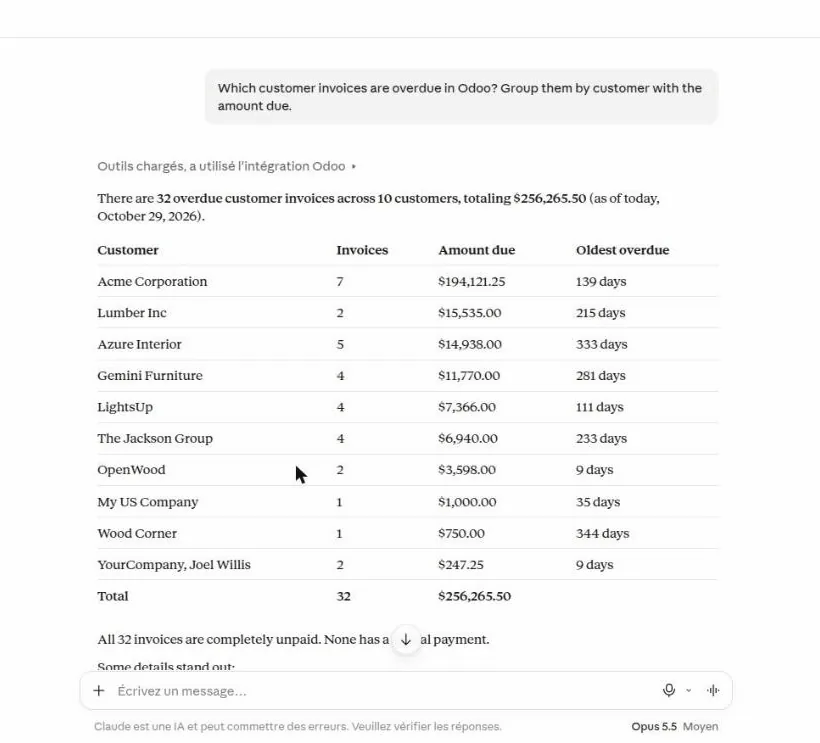
Claude or ChatGPT reads Odoo live, with your rights, and asks before any change.
MCP on Community and older versions
MCP Server turns any Odoo database from version 11 to 20, Community or Enterprise, into an MCP server, inside Odoo, with no external server:
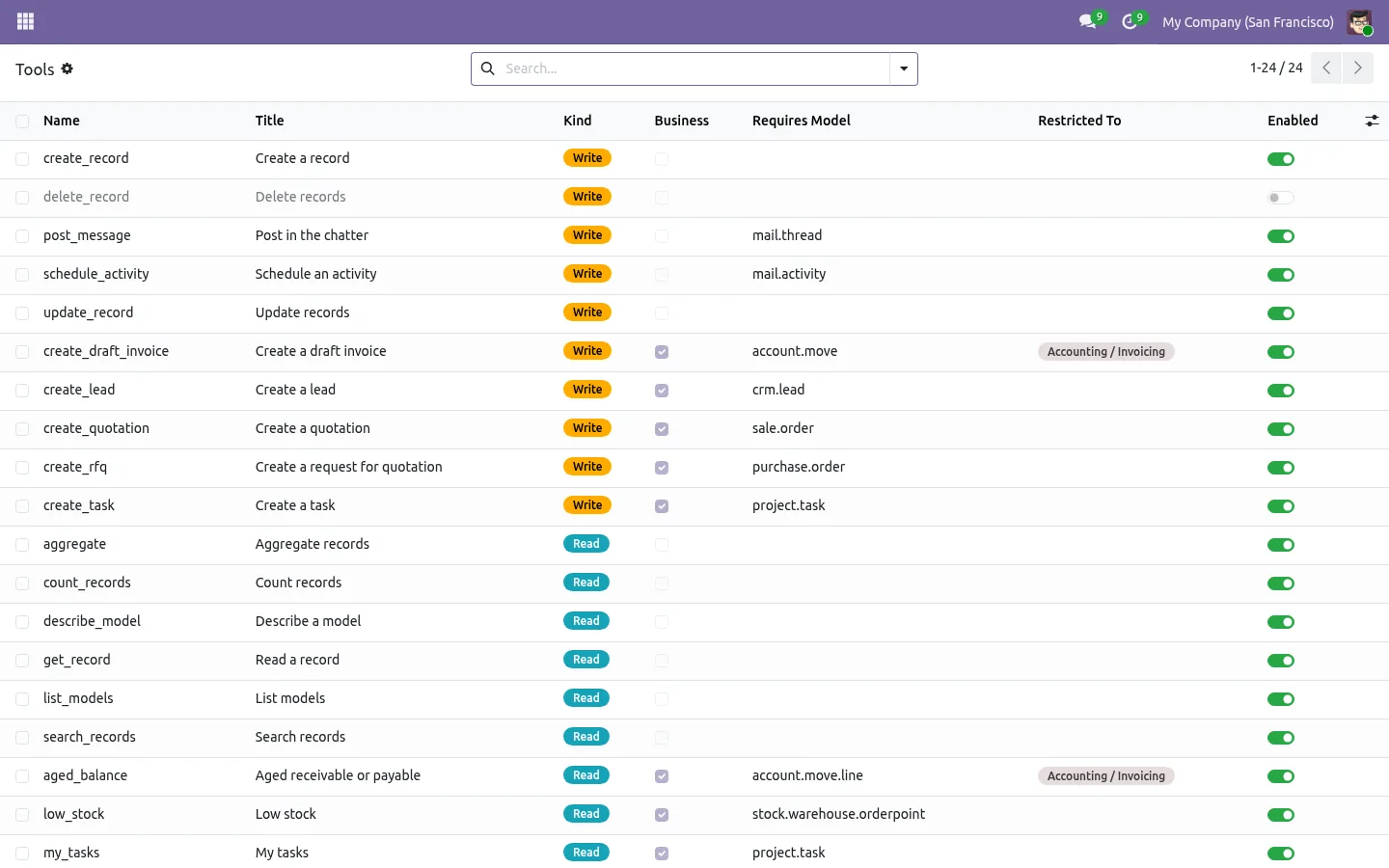
- 24 tools ready on day one: sales and purchase summaries, overdue invoices and aged balance, pipeline, low stock and availability, and the creation of quotations, draft invoices, requests for quotation, leads and tasks.
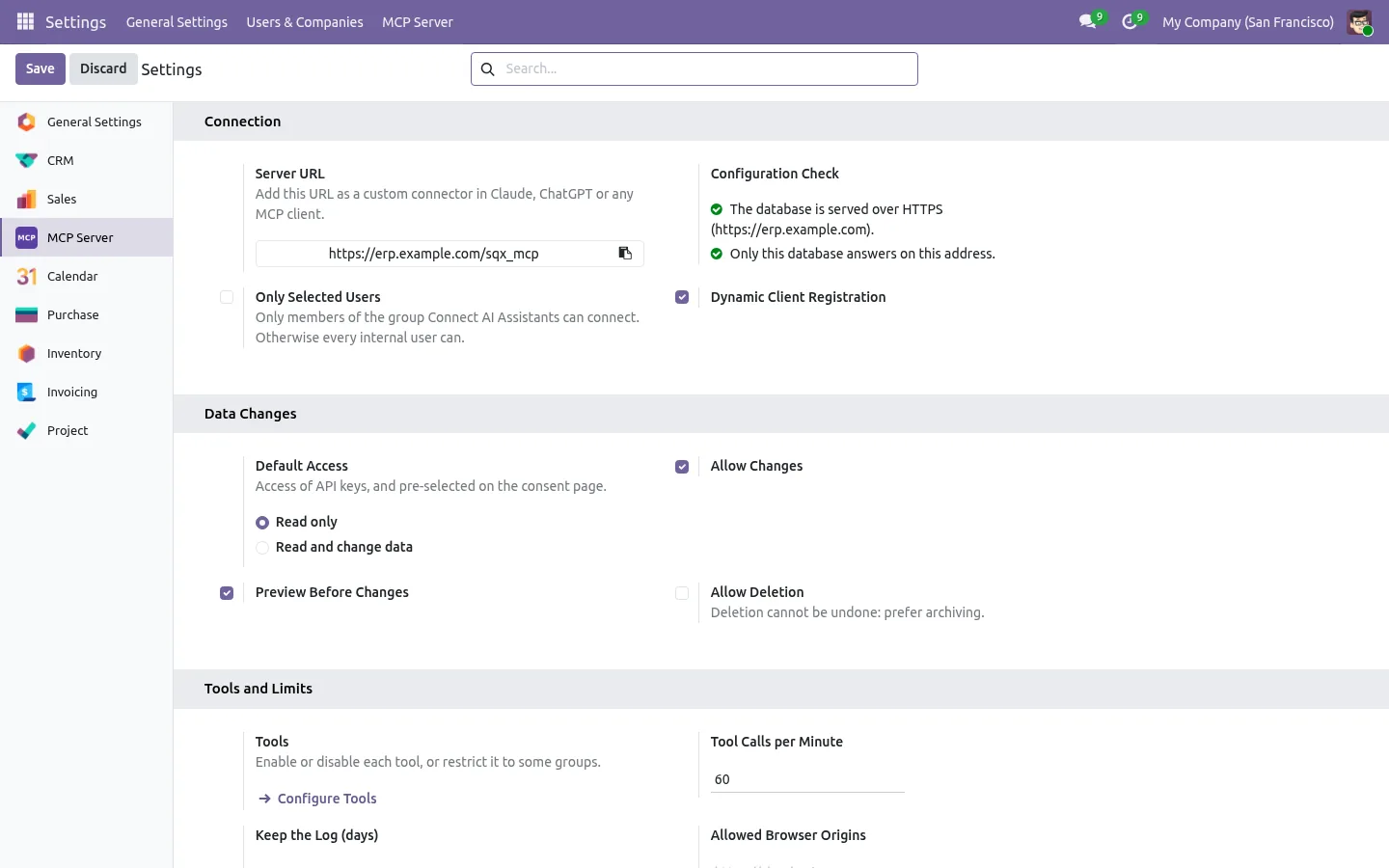
- A preview before every change: the assistant shows what it will create, and nothing is saved until the user says yes. Deleting is off unless the administrator turns it on.
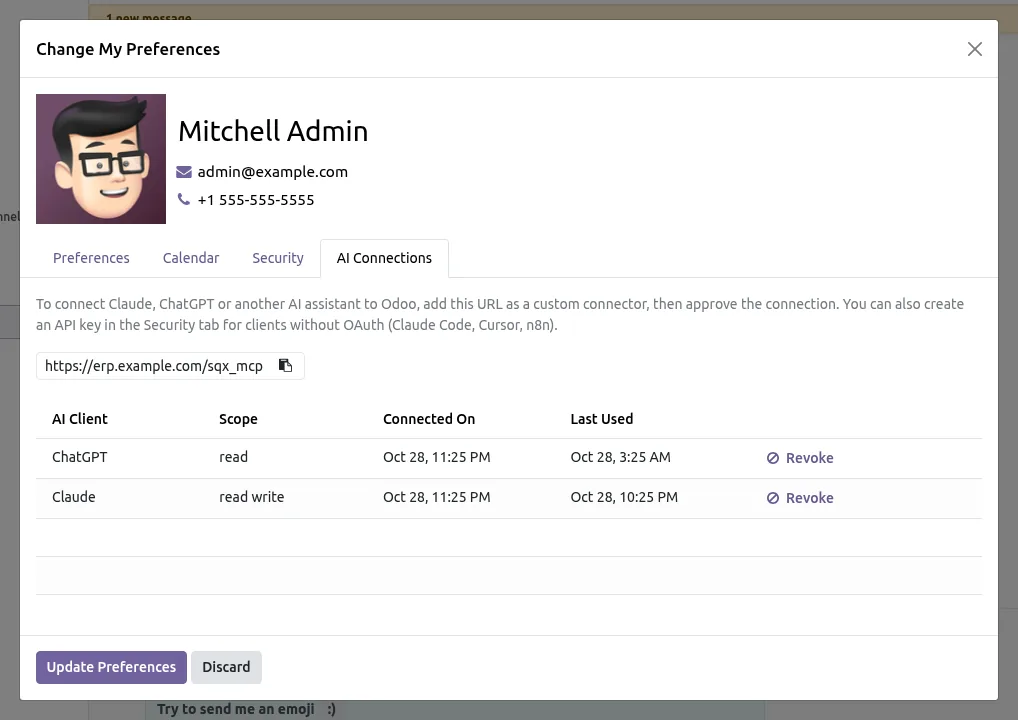
- OAuth 2.1 sign-in from Claude or ChatGPT, or an API key for Claude Code, Cursor and n8n. Every call runs with the rights of the user who connected.
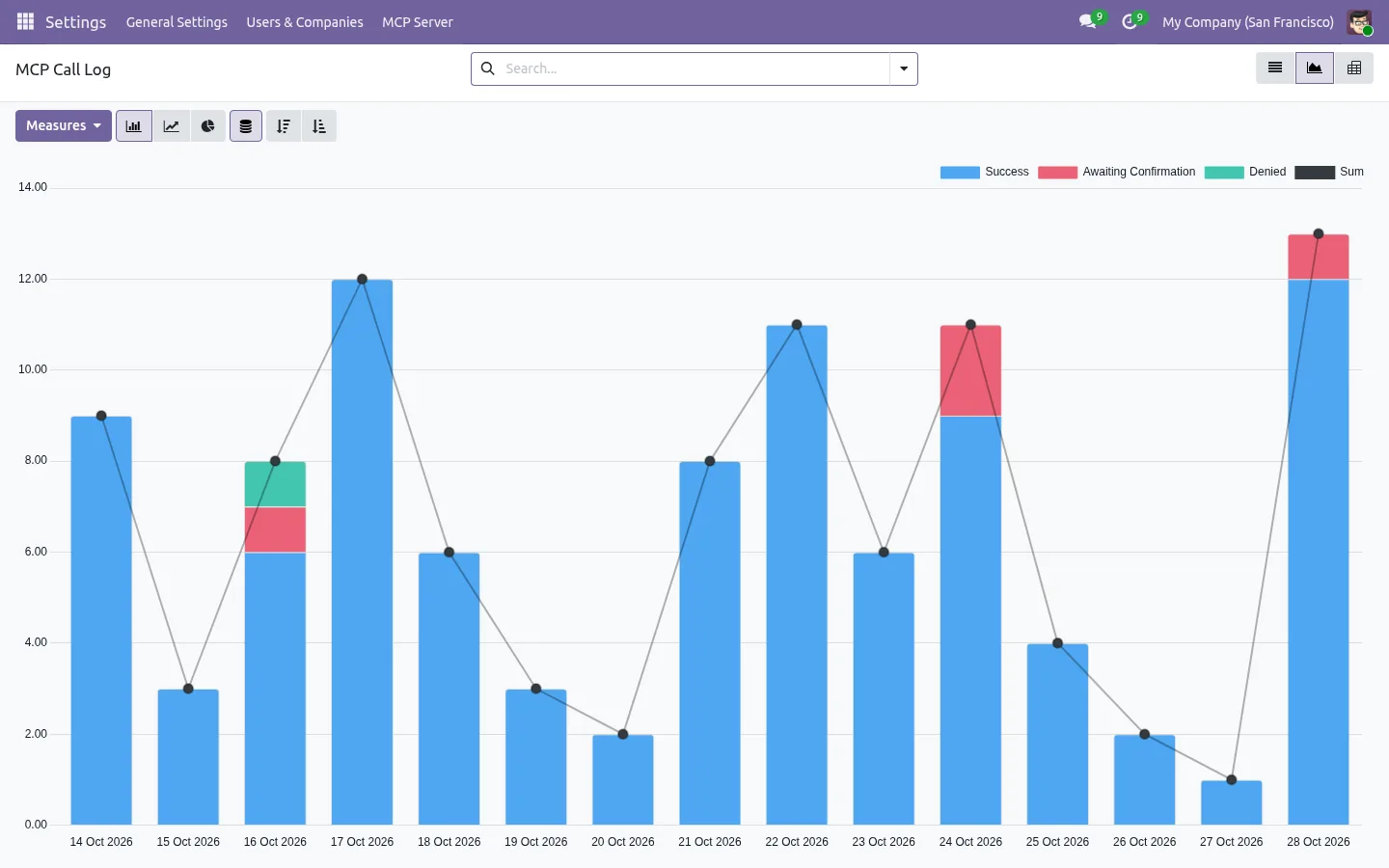
- A call log in Odoo: who asked, from which assistant, which tool, and whether it worked.
On Enterprise 20, both can run side by side: Odoo's server for its own AI agents, the app for its ready-made business tools and its preview step.
The connection, step by step, is in how to connect Claude and ChatGPT to Odoo with an MCP server.
100% tested
The apps ship with automated tests. No risk.
Questions people ask
Is Odoo's MCP server free?
It comes with the AI app of Odoo 20 Enterprise. On the Standard plan, installing that app switches the subscription to the Custom plan. Check Odoo's pricing page for the current conditions.
Does Odoo Community have an MCP server?
Not from Odoo: the AI app is part of Enterprise. A module such as MCP Server adds one to Community.
Can I use MCP with Odoo 19?
Odoo's own MCP server starts with Odoo 20. On Odoo 19 and older, an app is the way to connect an assistant through MCP.
Does it work on Odoo Online?
Odoo's MCP server does, on the Custom plan. Third-party apps, MCP Server included, need Odoo.sh or your own server.
Which assistants can connect?
Any MCP client: Claude, ChatGPT, Claude Code, Cursor, Codex, n8n and the agents built on the protocol.
Wondering about apps on Odoo Online in general? See whether you can install third-party apps on Odoo Online.
Your AI assistant, on the Odoo you have
On Enterprise 20 with the Custom plan, try Odoo's own server. On Community, or on an older version, add an MCP server in a few minutes and keep your rights and your data where they are.
A question before you buy? Write to support@sharqix.com, we answer within one business day.