You bought a good thermal receipt printer, plugged it into the till over USB, and opened the Point of Sale. Odoo POS does not see it. The receipt opens a browser print dialog, the paper comes out with wide margins, and the cash drawer stays shut.
If you set up an Odoo POS receipt printer recently, you have probably met at least one of these:
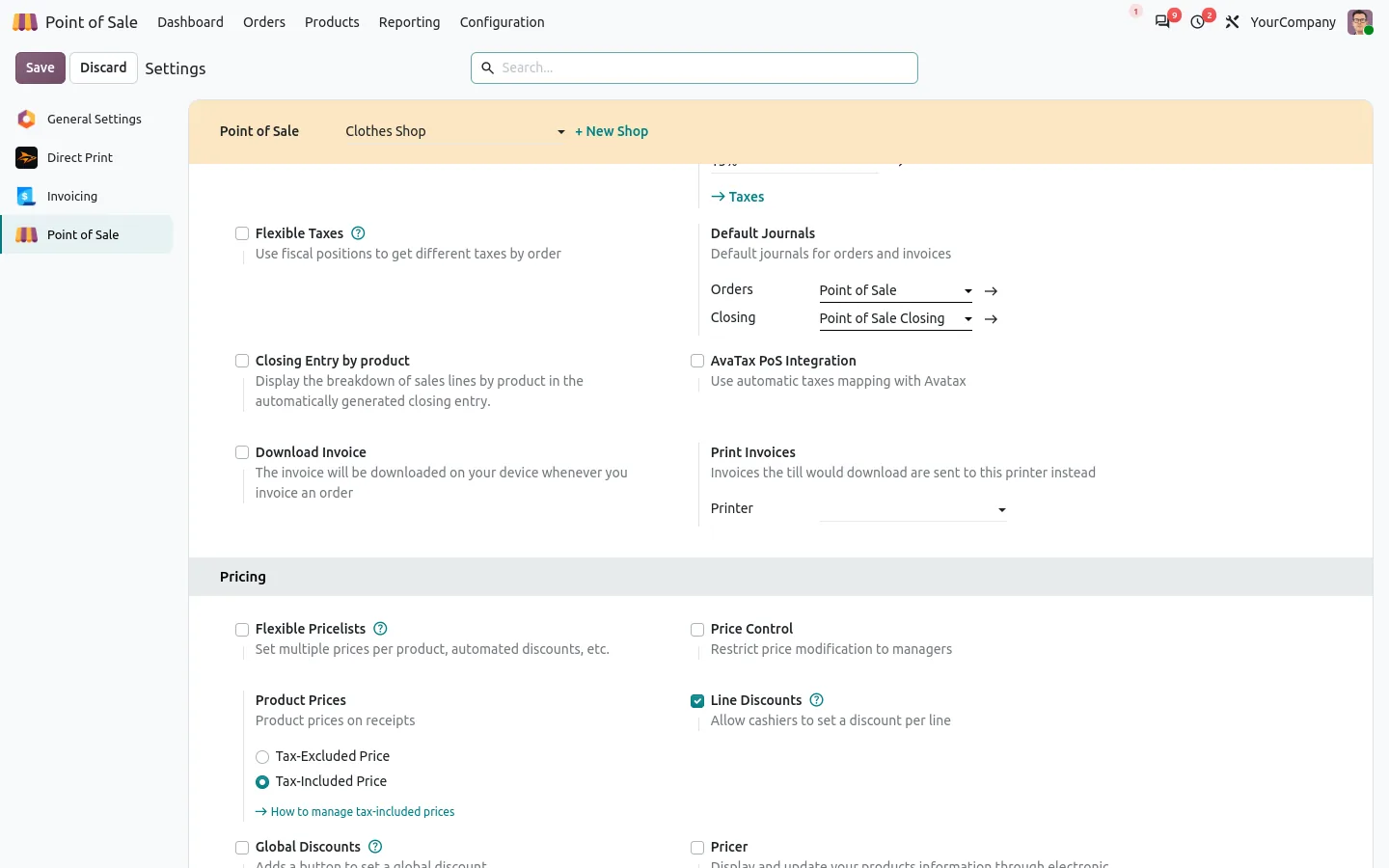
- Odoo POS only talks to Epson ePOS printers on the network, or to printers behind an IoT box.
- A USB printer only prints through the browser print dialog, one click more on every sale.
- The till must reach the printer IP address, so a tablet on Wi-Fi cannot print on the printer in the back office.
- The invoice of a POS order is a PDF download on the till, not paper.
The IoT box works, but it is extra hardware to buy, set up and keep running in every shop. Most shops already have a PC next to the counter. That is all you need.
Odoo POS receipt printer without IoT box: pay, and the ticket is out
Direct Print for Point of Sale sends your POS tickets through Odoo to a small print agent that runs on the shop PC (Windows, Linux or a Raspberry Pi). The agent prints them on the ESC/POS printer it sees, in USB or on the network.
Before
Payment. Print dialog. Pick the printer. Check the margins. Print. Open the drawer with the key.
After
Payment. The receipt prints, cuts itself, and the drawer opens.
The ticket is the standard Odoo receipt, with your logo and the QR code, on 58 mm or 80 mm paper. It works with the printers shops actually buy: Epson, Star, Bixolon, Xprinter, Rongta and other ESC/POS models.
Set up your POS printer in two screens
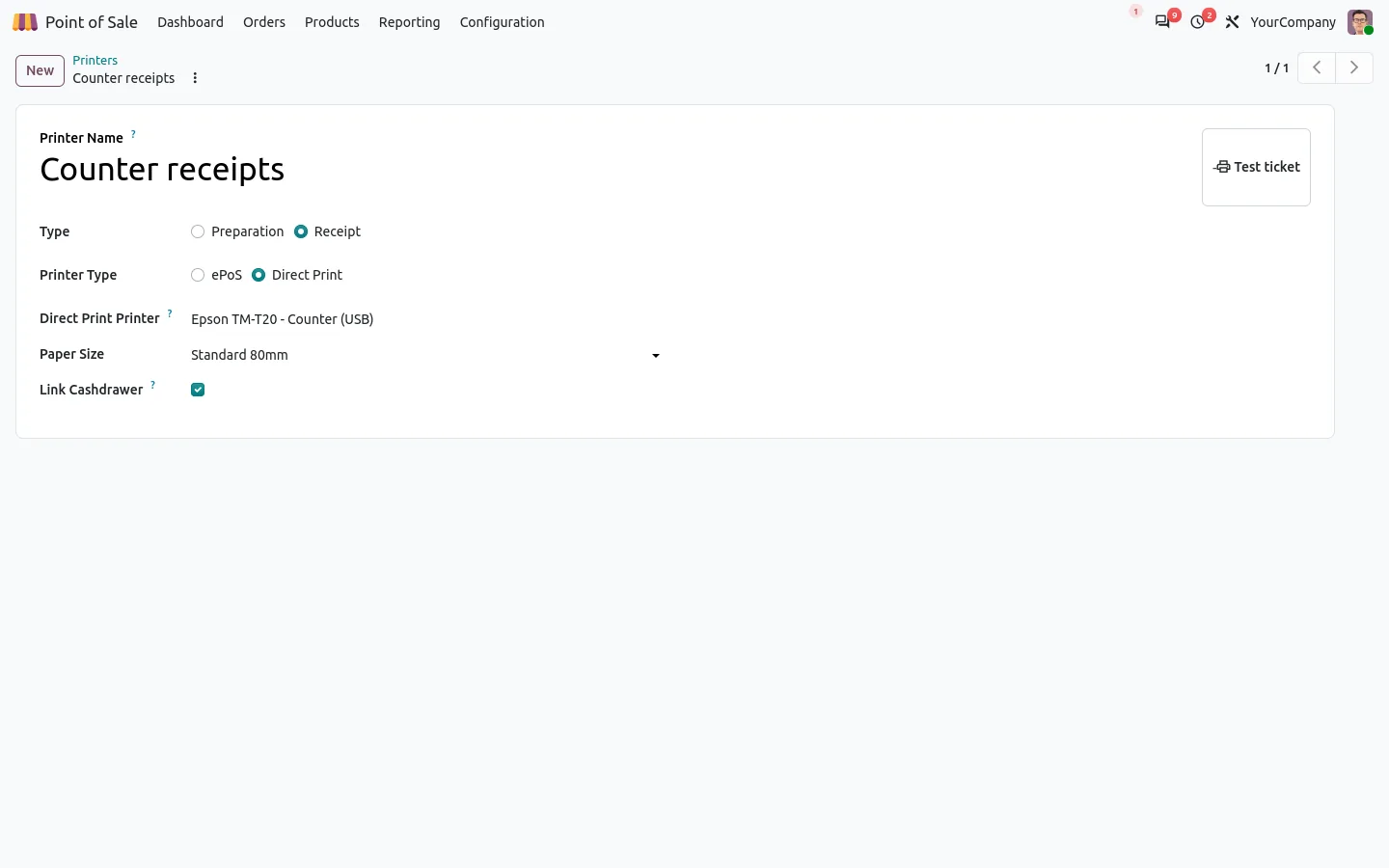
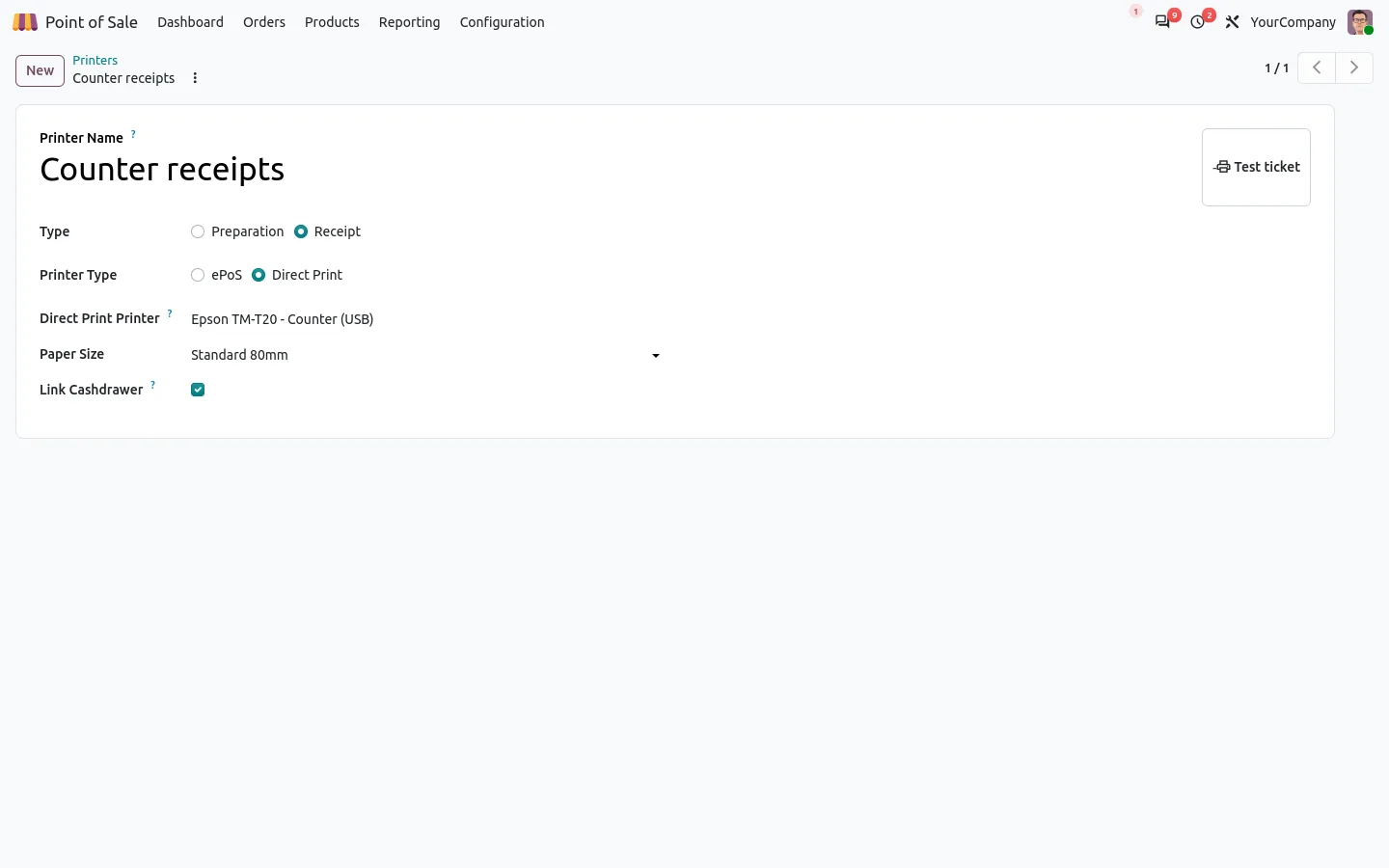
Create a POS printer as usual in Odoo, choose the Direct Print type and pick the thermal printer of the agent. Paper width and cash drawer are the usual options, and a Test ticket button prints a sample right away. Then add the printer to your shop, like any receipt printer.
Kitchen tickets and the cash drawer, on the same agent
Preparation printers work the same way: kitchen and bar tickets print per product category, on the printer of each station. The cash drawer opens on a cash payment, a cash in or out, and at the opening and closing of the session. Sales reports, tip and cash move tickets print too.
Because the ticket is sent as an image, every alphabet prints, Arabic and Chinese included.
A tablet at the counter, the printer anywhere
The till never talks to the printer: it only talks to Odoo. A tablet on Wi-Fi can print on the USB printer of the back office PC, and a printer on another network is not a problem. Invoices that the till used to download go to the office printer you choose for the shop.
Every ticket goes into the Direct Print queue with its status, so you can see what printed and reprint it in one click.
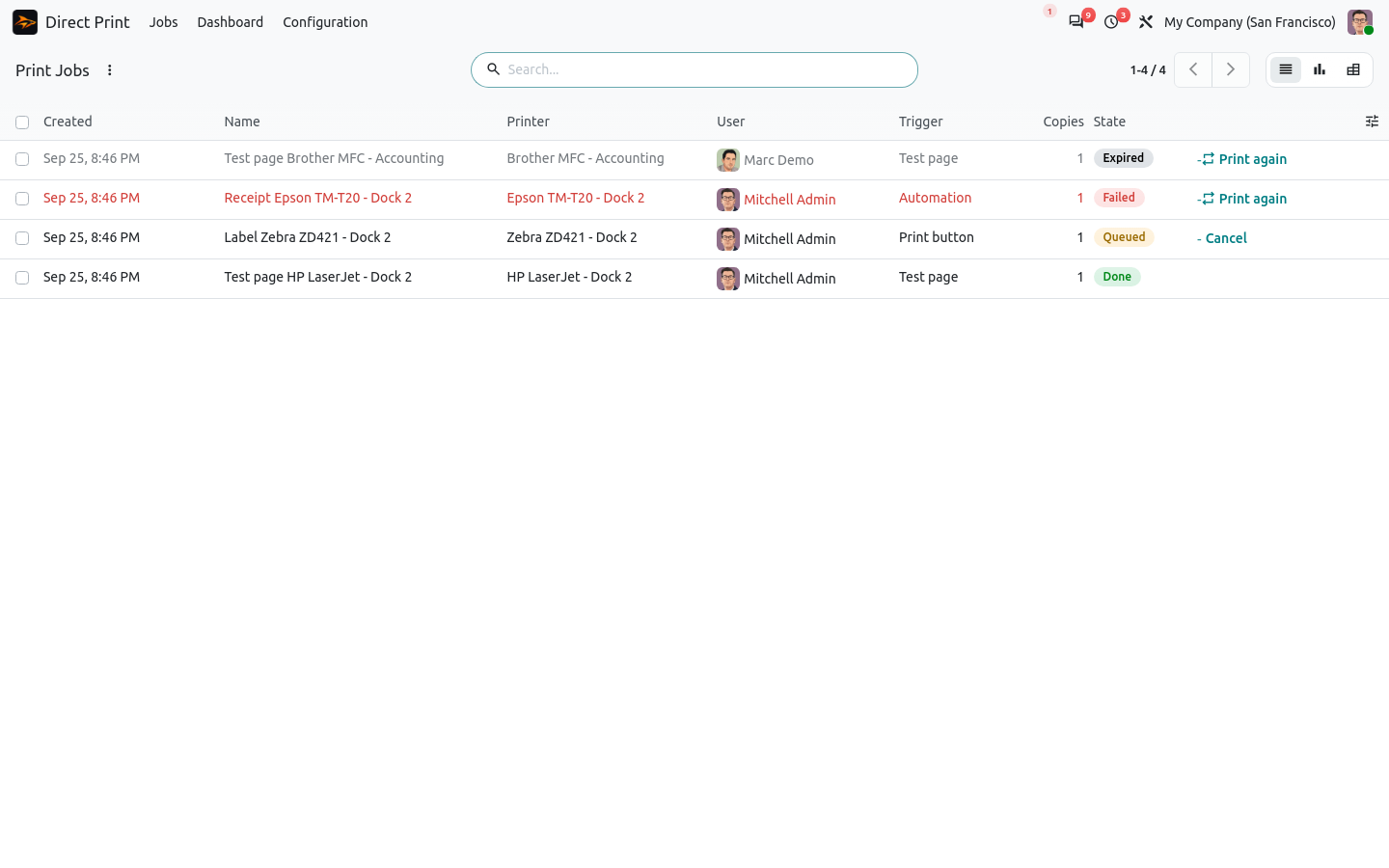
If the internet goes down, the till shows the usual Odoo choice: retry, or print in the browser. A receipt is never printed ten minutes late, old tickets expire.
100% tested
The apps ship with automated tests. No risk.
Up and running in a few minutes
Install Direct Print for Point of Sale from the Odoo Apps Store: it brings the Direct Print base app with it. Get the agent on sharqix.com/direct-print with your order reference and pair it with a short code. Community and Enterprise, paid once. The self order kiosk is not covered.
Keep your printer, skip the box
The thermal printer you already own is enough. Let Odoo print the receipt while you hand over the change.
Details and screenshots on the app page.
Not sure your printer is supported? Write to support@sharqix.com with its brand and model, we answer within one business day.