
After an import, the contacts list holds thirty duplicates. Old draft quotations pile up, and test records never got removed. To delete a record from the list view in Odoo, you tick the row, open Actions, choose Delete and confirm. Then the next one. This guide shows how to do it in one click, with a way back.
If you clean up data in Odoo, this probably sounds familiar:
- Every deletion takes four clicks, record after record.
- A wrong click and the record is gone for good: there is no undo.
- Nobody knows who deleted a contact, or why.
- Archiving would have been safer, but it is another menu.
Delete records from the Odoo list view: before and after
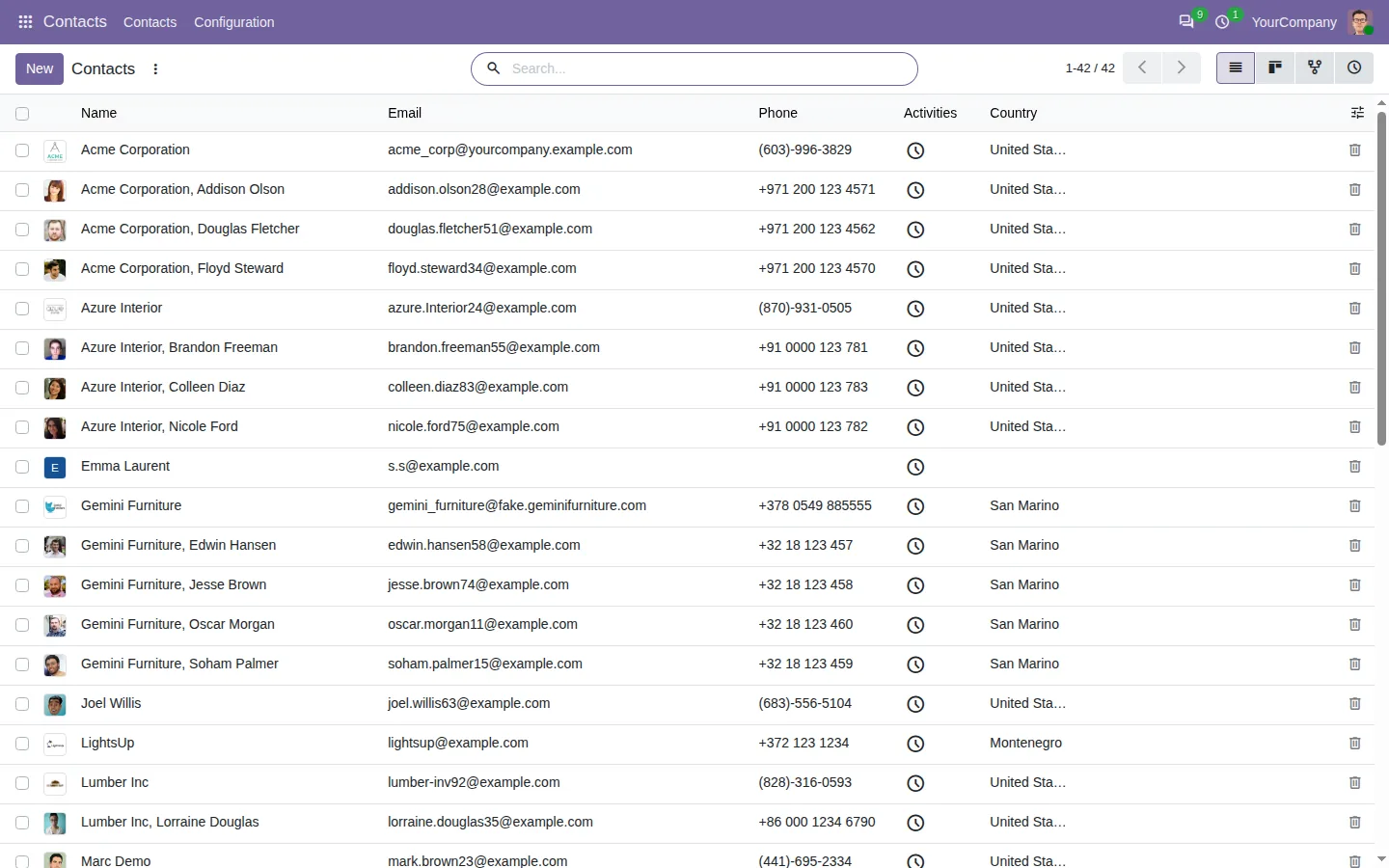
Quick Delete Button in List View adds a small trash icon at the end of each row, in every list view of every app. Click it and the row leaves the list at once.
Before
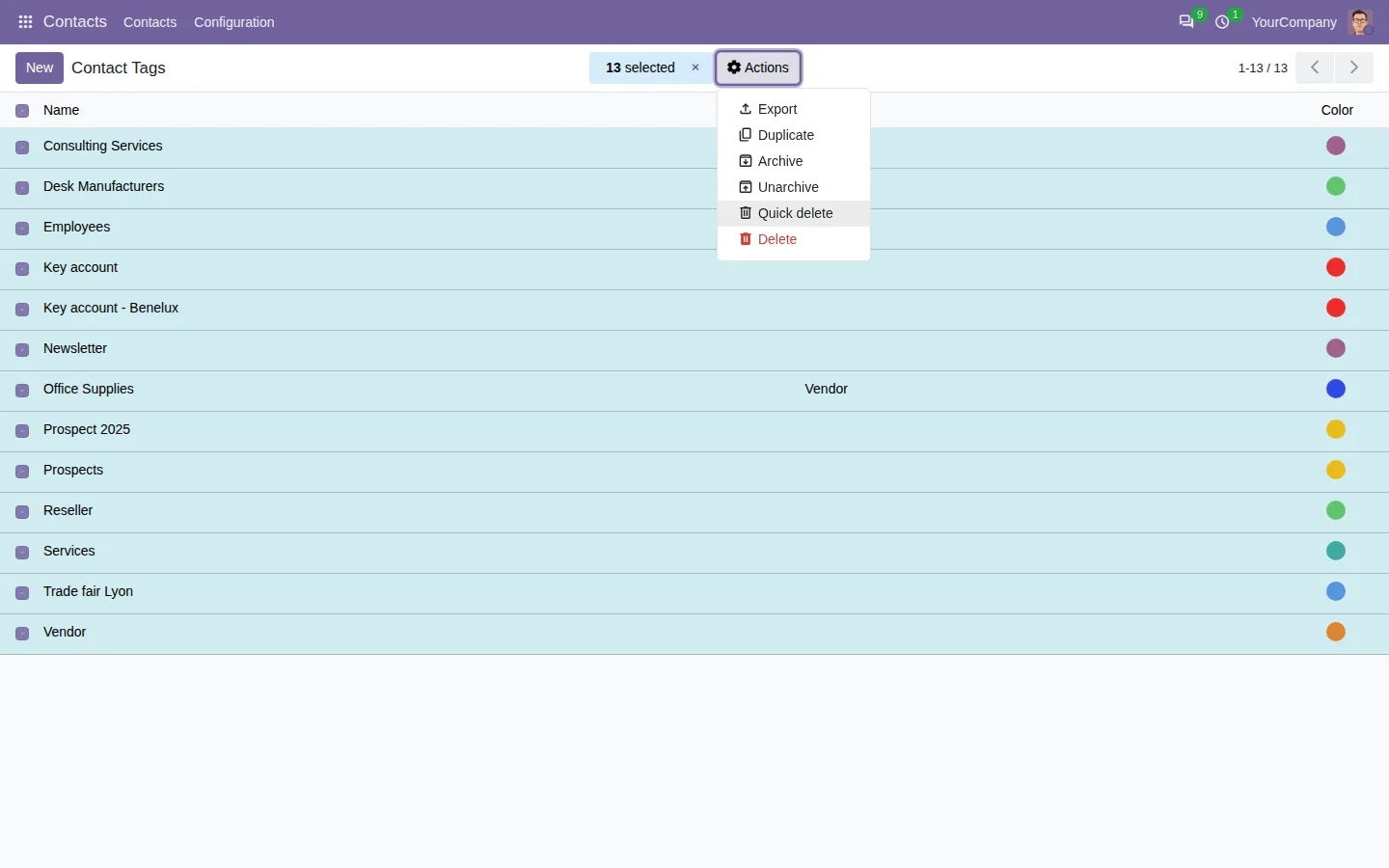
Tick the row. Open Actions. Choose Delete. Confirm. Hope it was the right one.
After
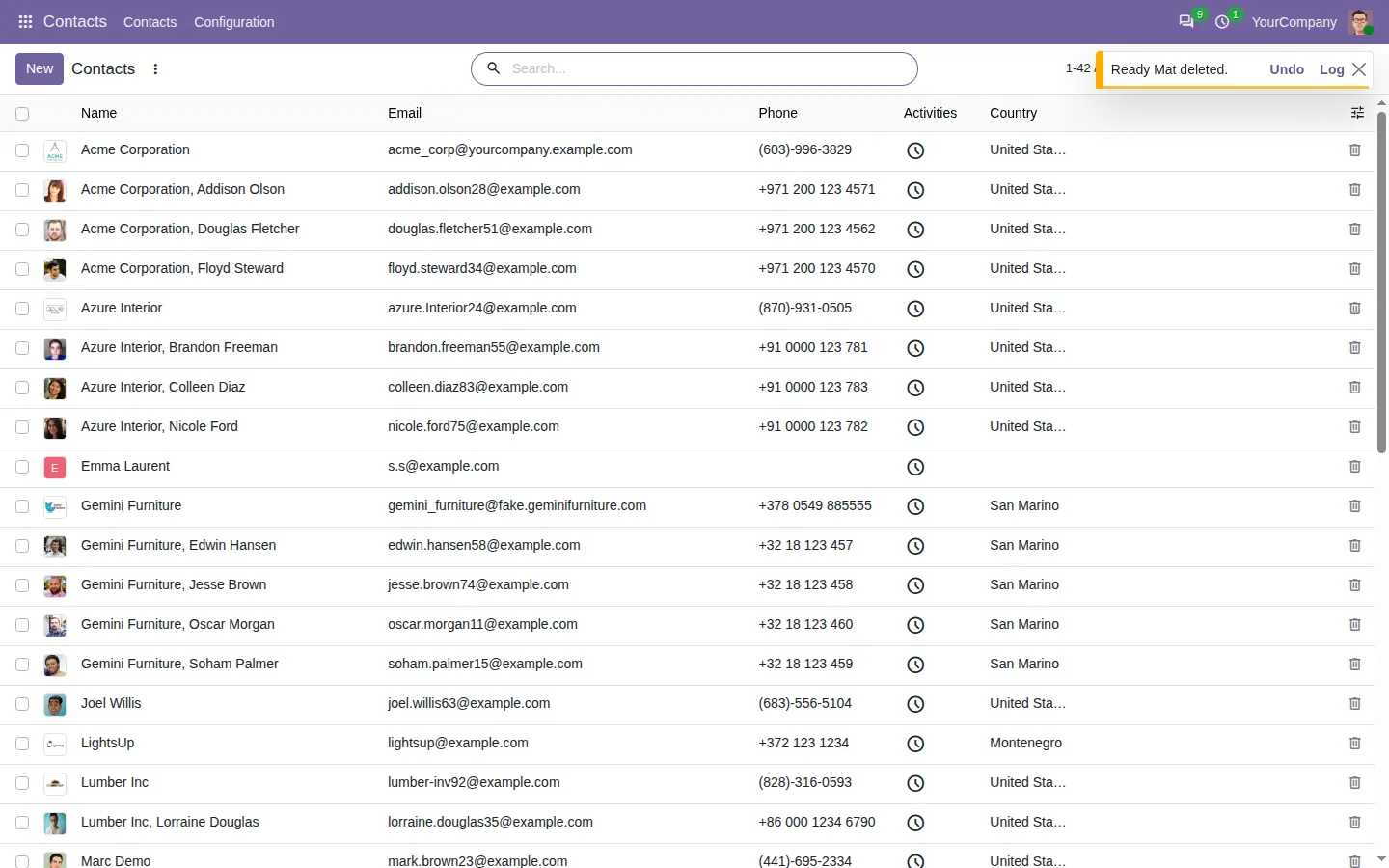
One click on the trash icon. Undo if it was a mistake.
One click to delete, a few seconds to undo
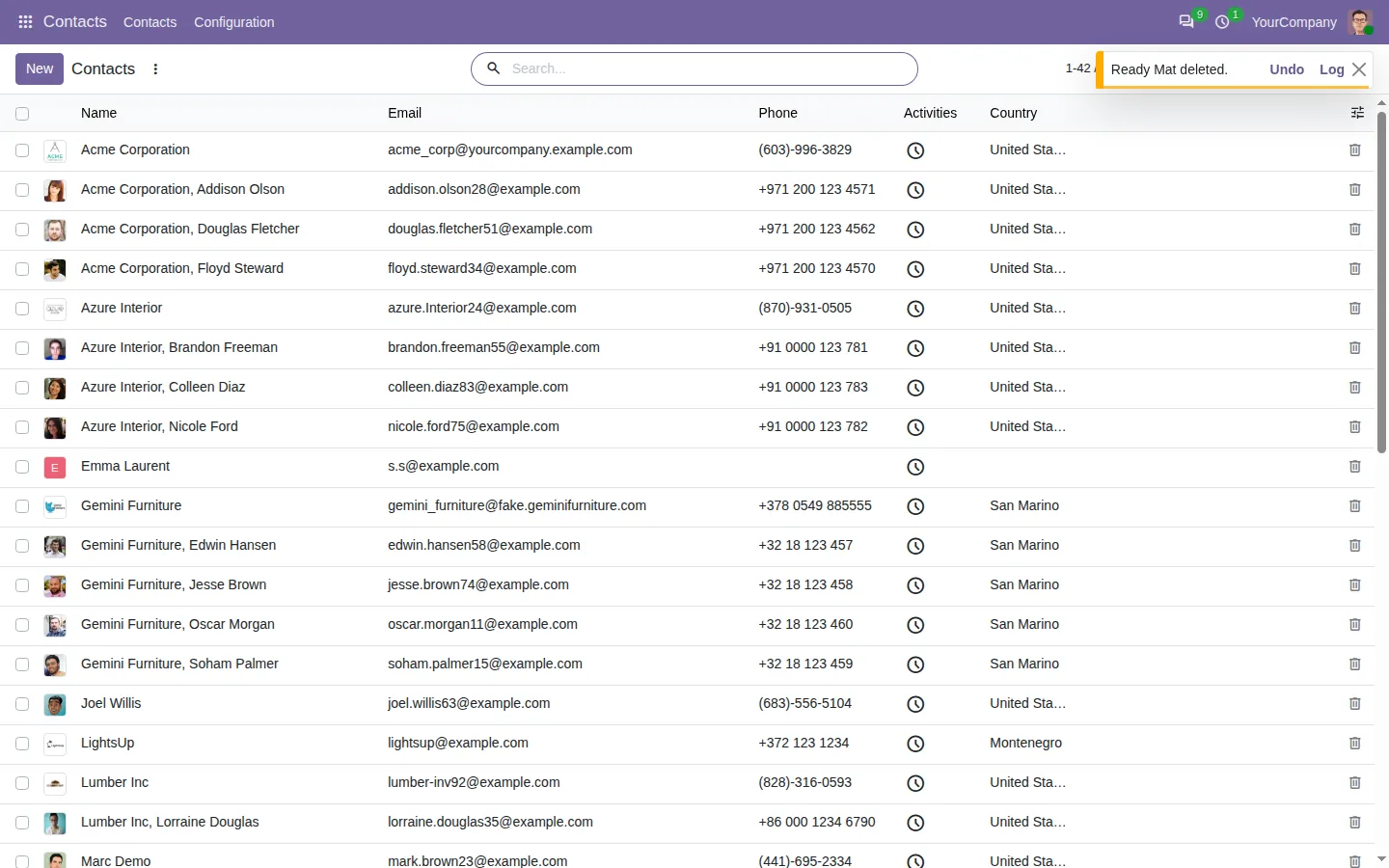
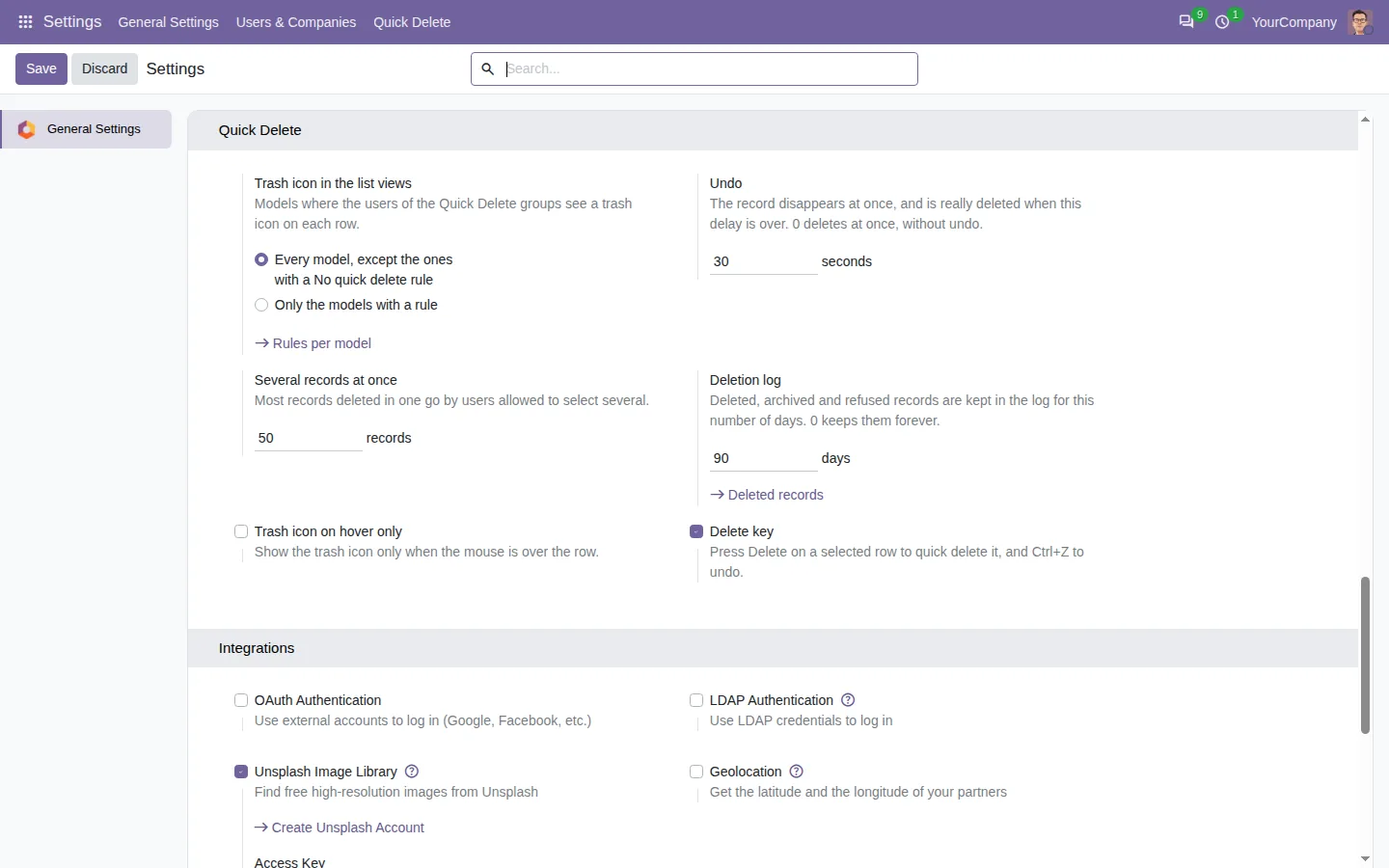
The row disappears at once, and Odoo deletes the record when a short delay is over. Click Undo, or press Ctrl+Z, and the record comes back. You choose the delay in the settings. The Delete key works on a row too, and you can show the trash icon only when the mouse is over the row, to keep lists clean.
Archive instead of delete, with a reason
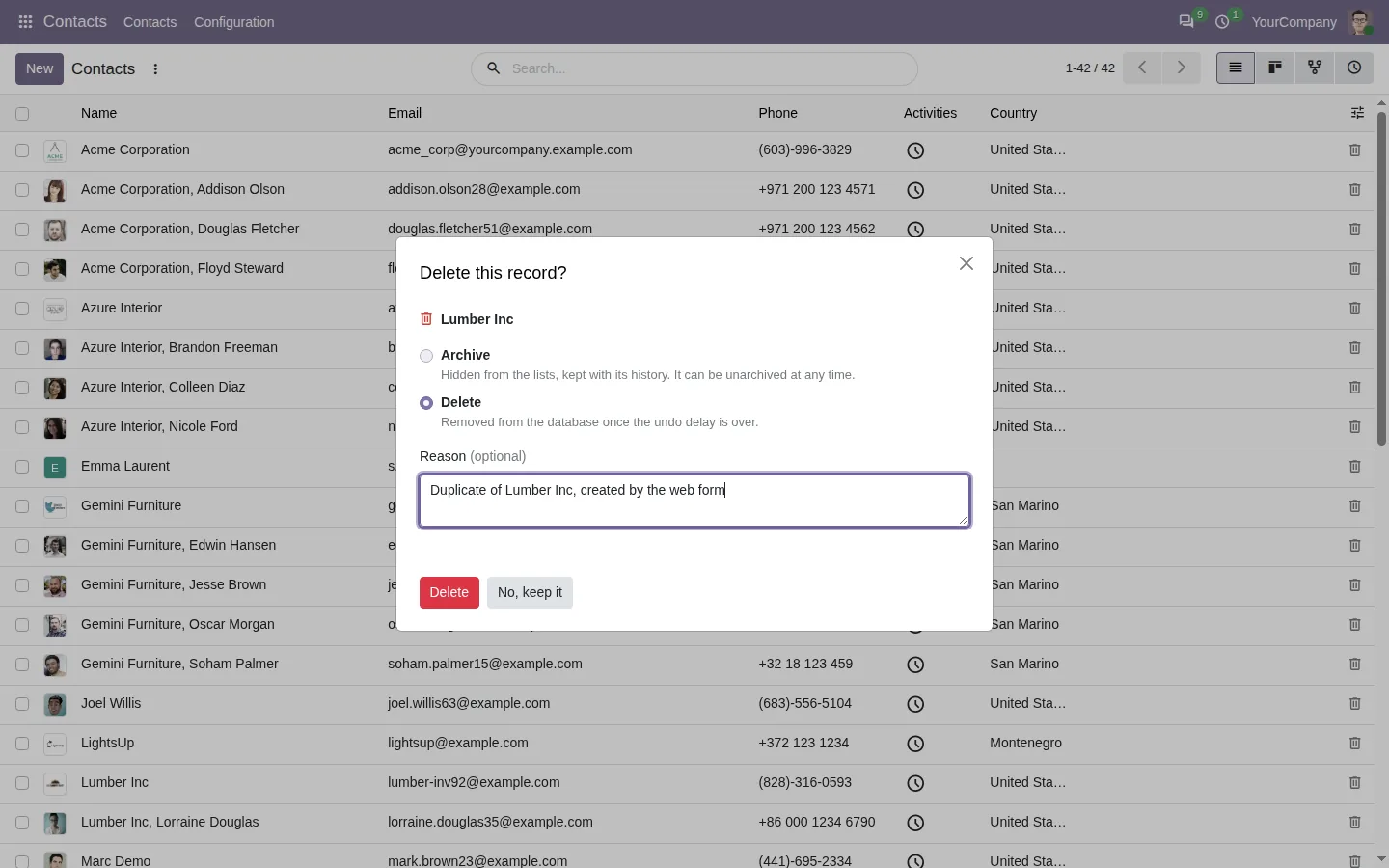
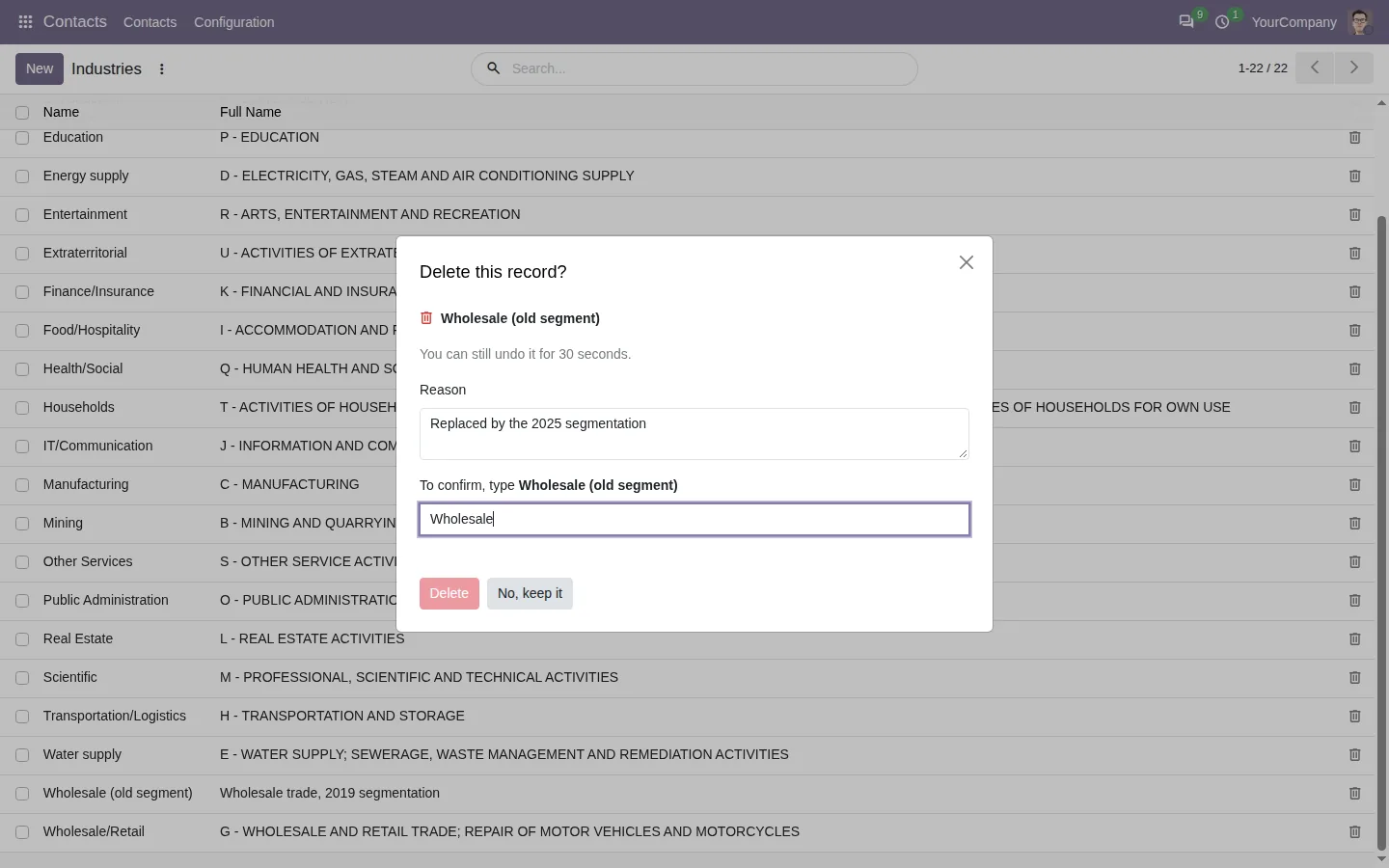
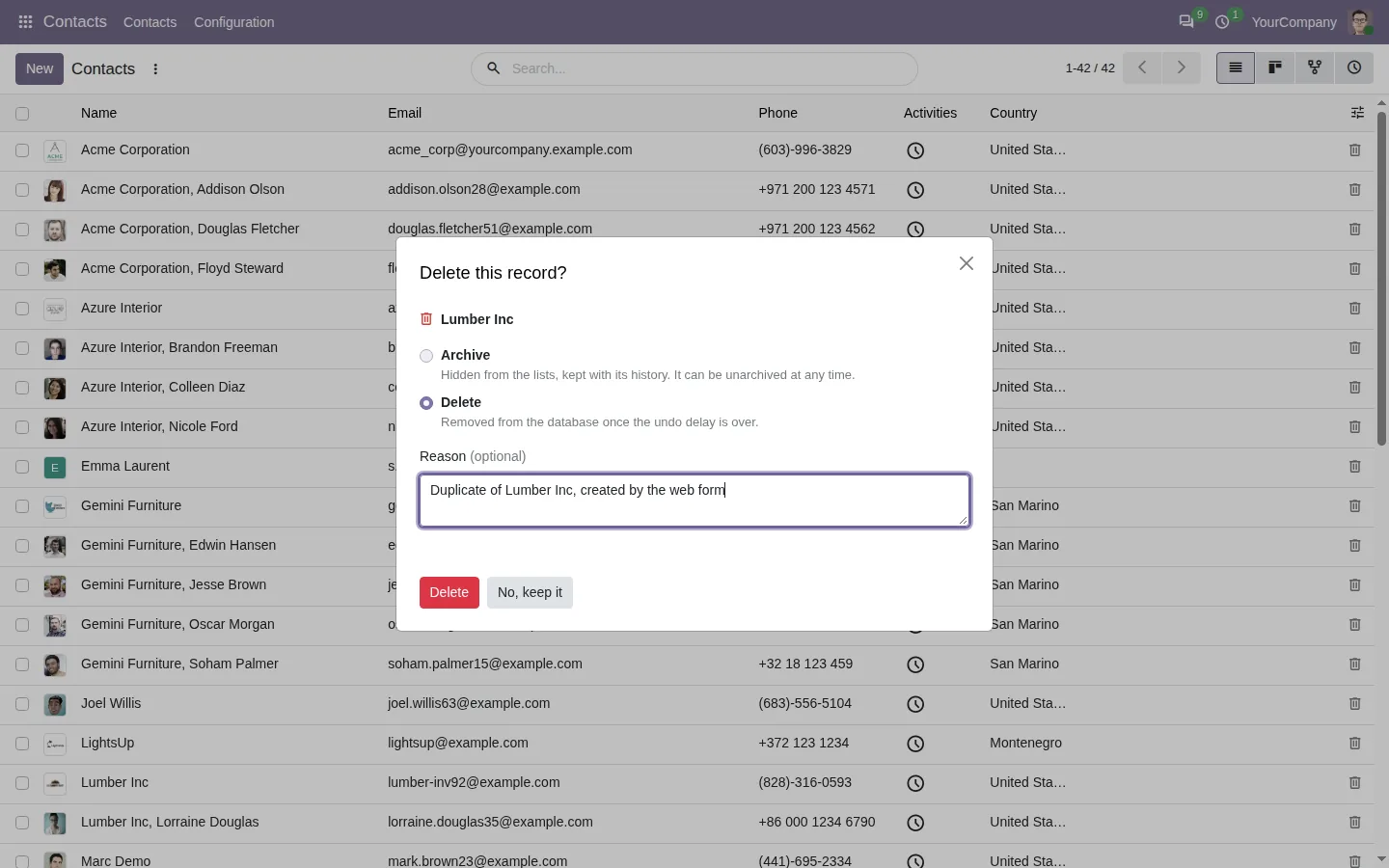
On records that can be archived, like contacts or products, the dialog offers to archive instead of delete: the record leaves the lists but keeps its history. Type a reason if you like, such as a duplicate created by the web form. For sensitive data, Delete can stay disabled until the user types the exact name of the record.
Know who deleted what, and restore it
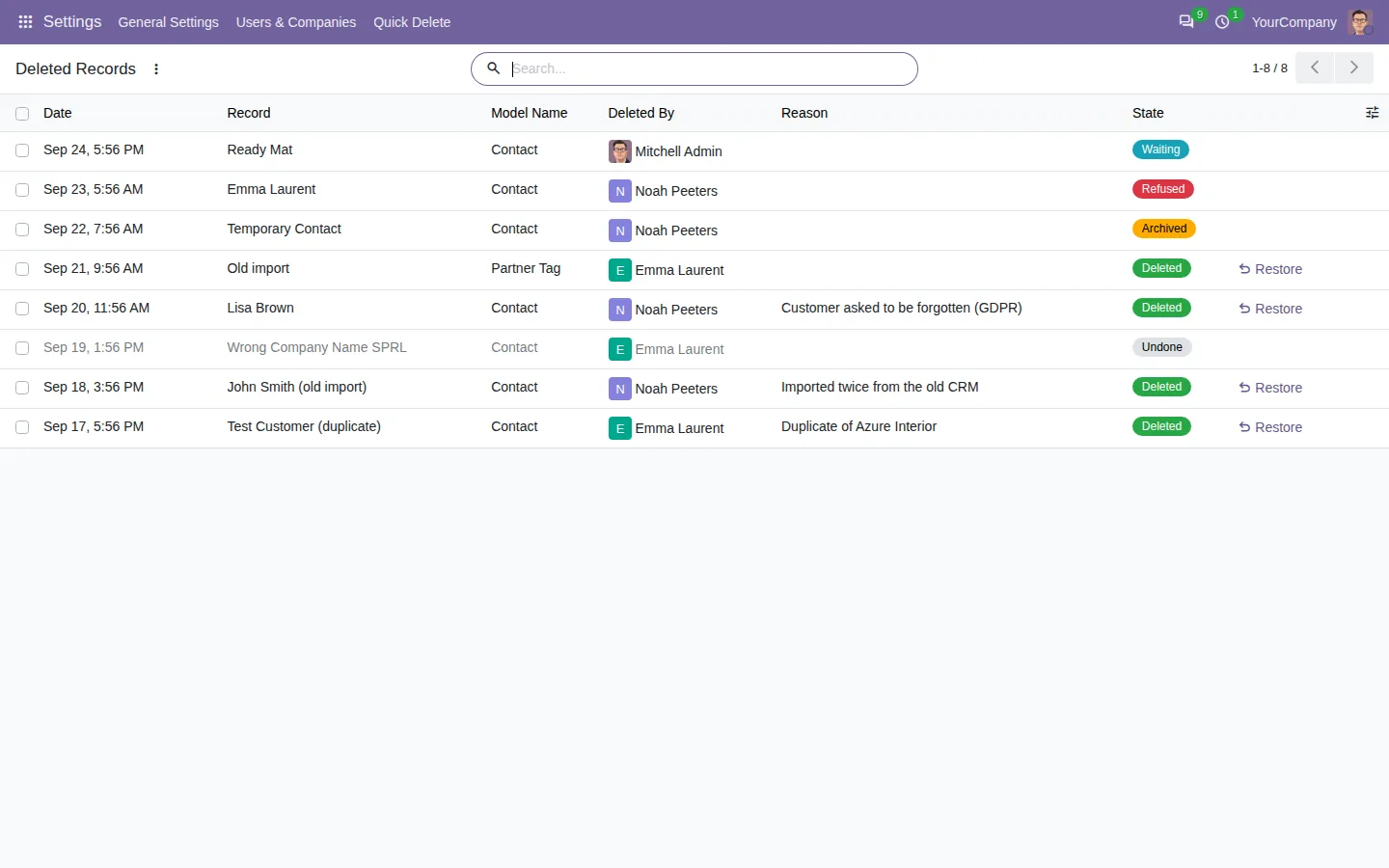
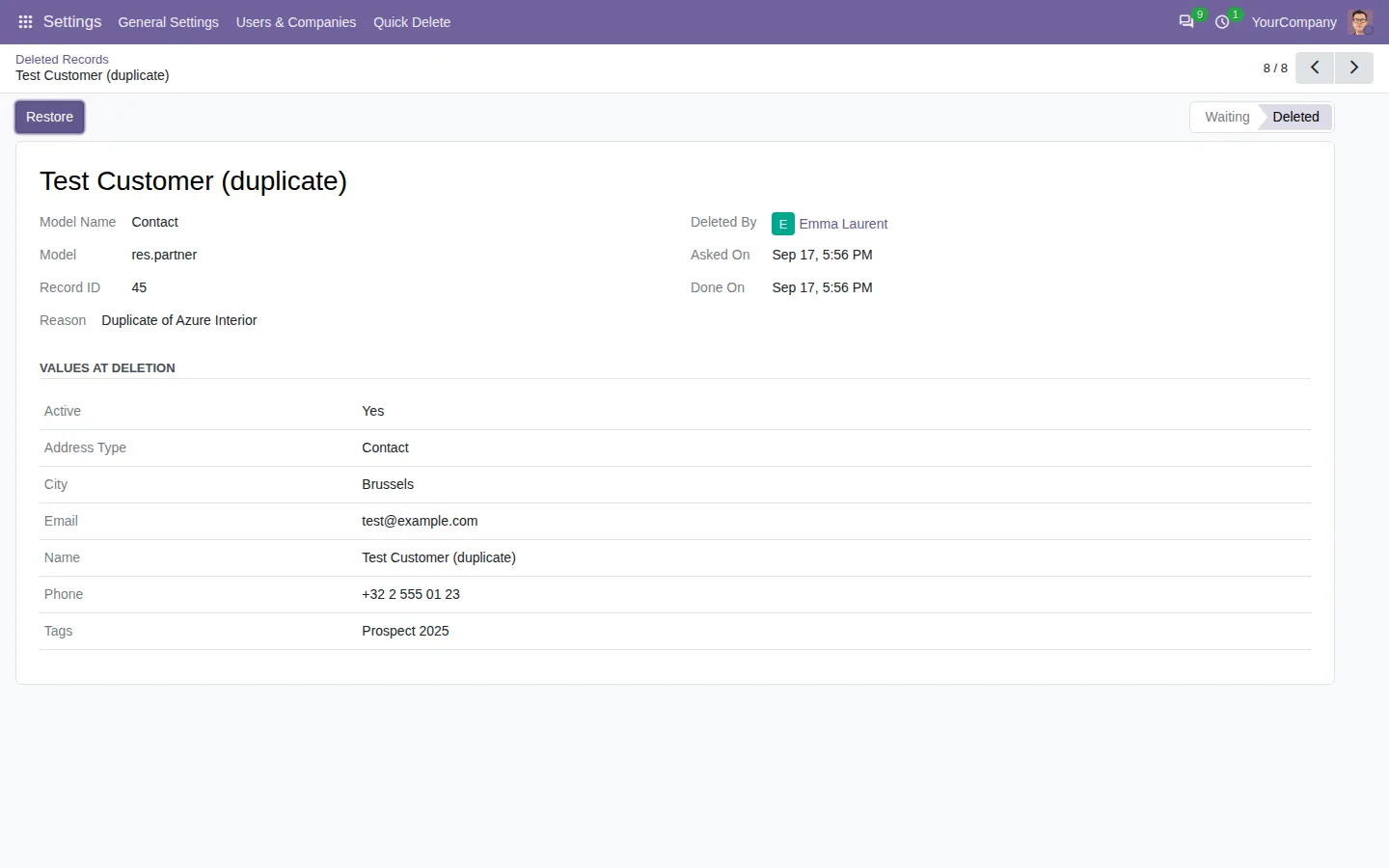
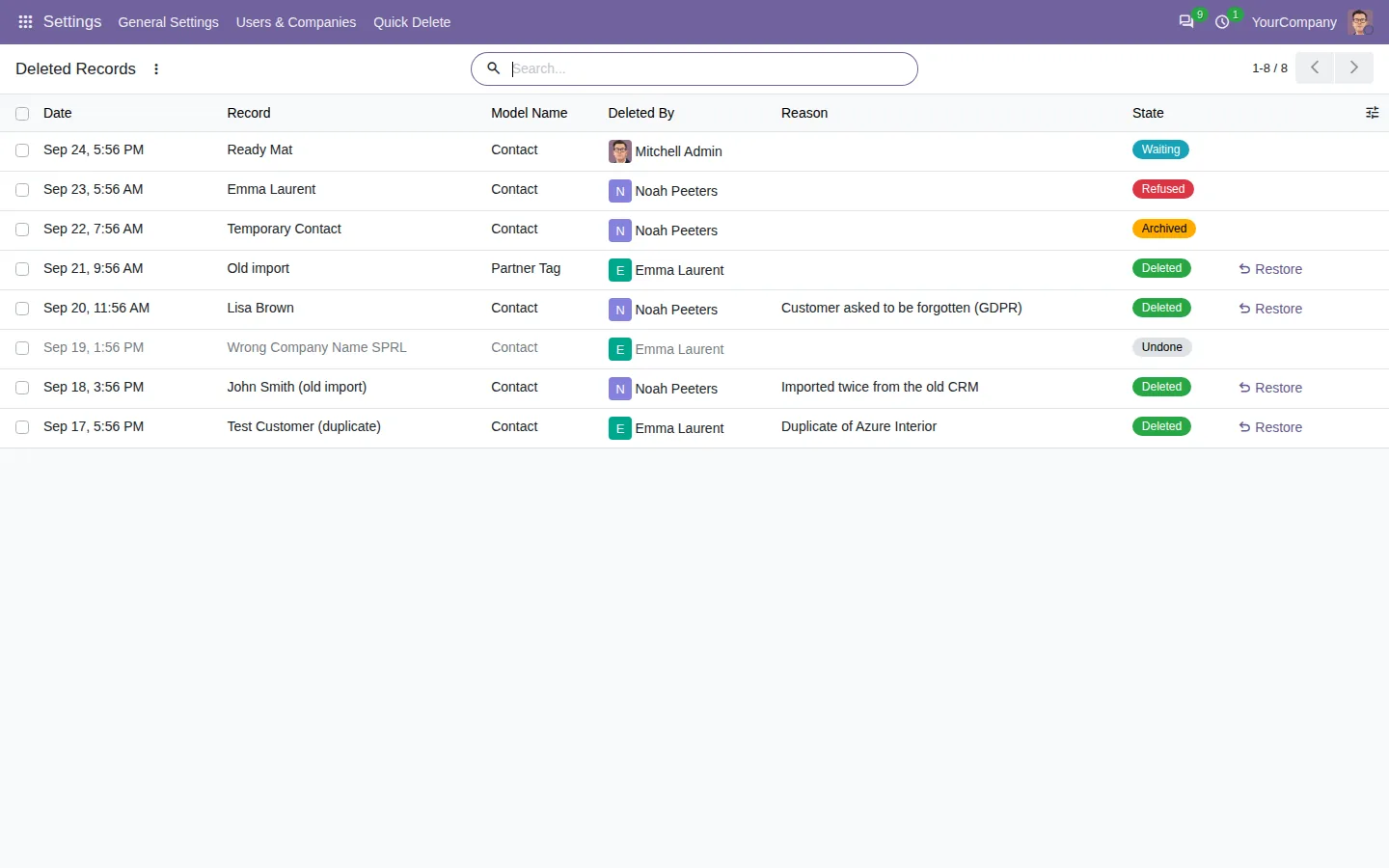
Every deletion, archive, undo and refusal is written to a log, with the user, the date and the reason. The log keeps the values of the deleted record, and a manager can create it again in one click, linked records included when they still exist. Users see their own lines, managers see all of them.
Decide where quick delete is allowed
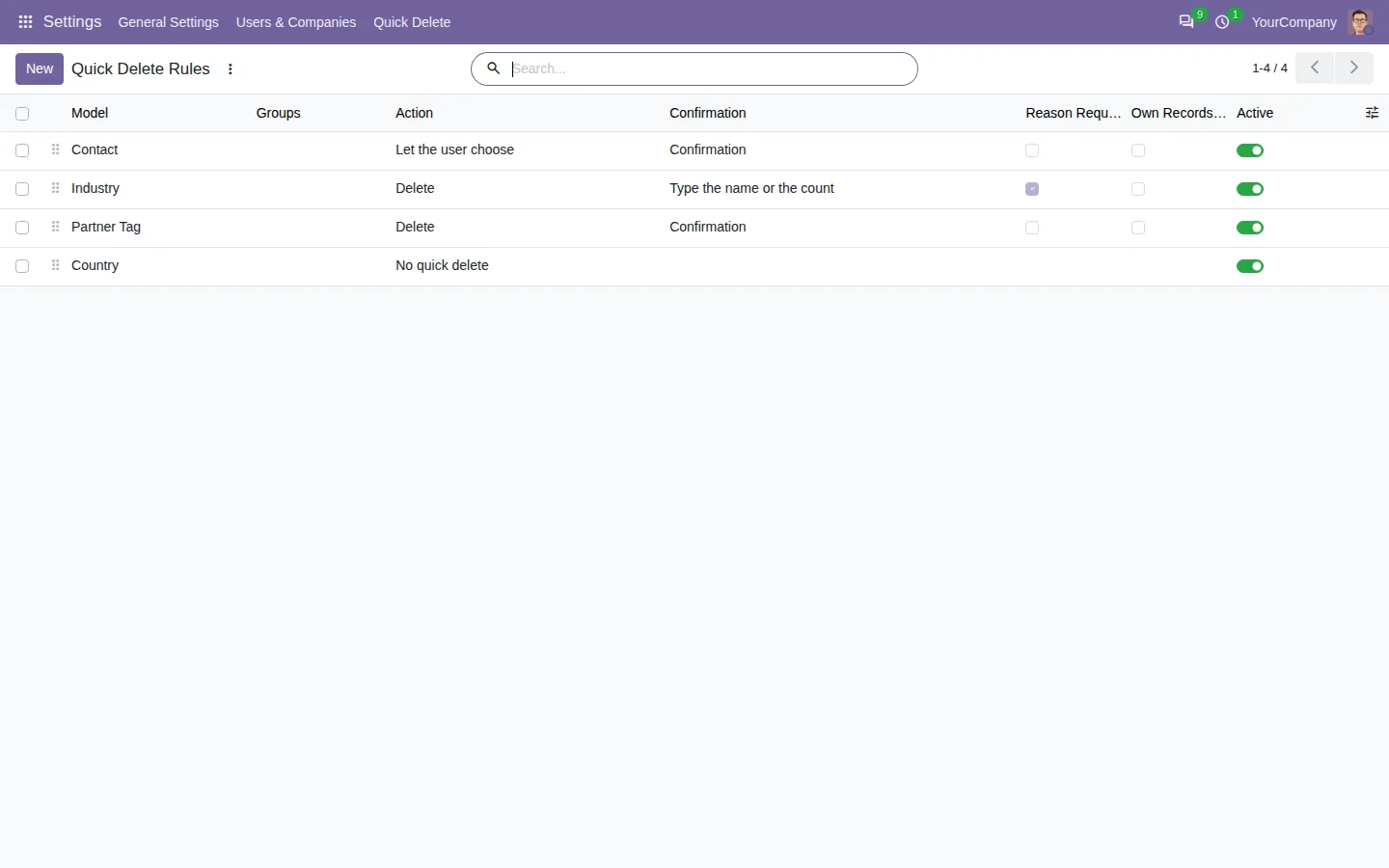
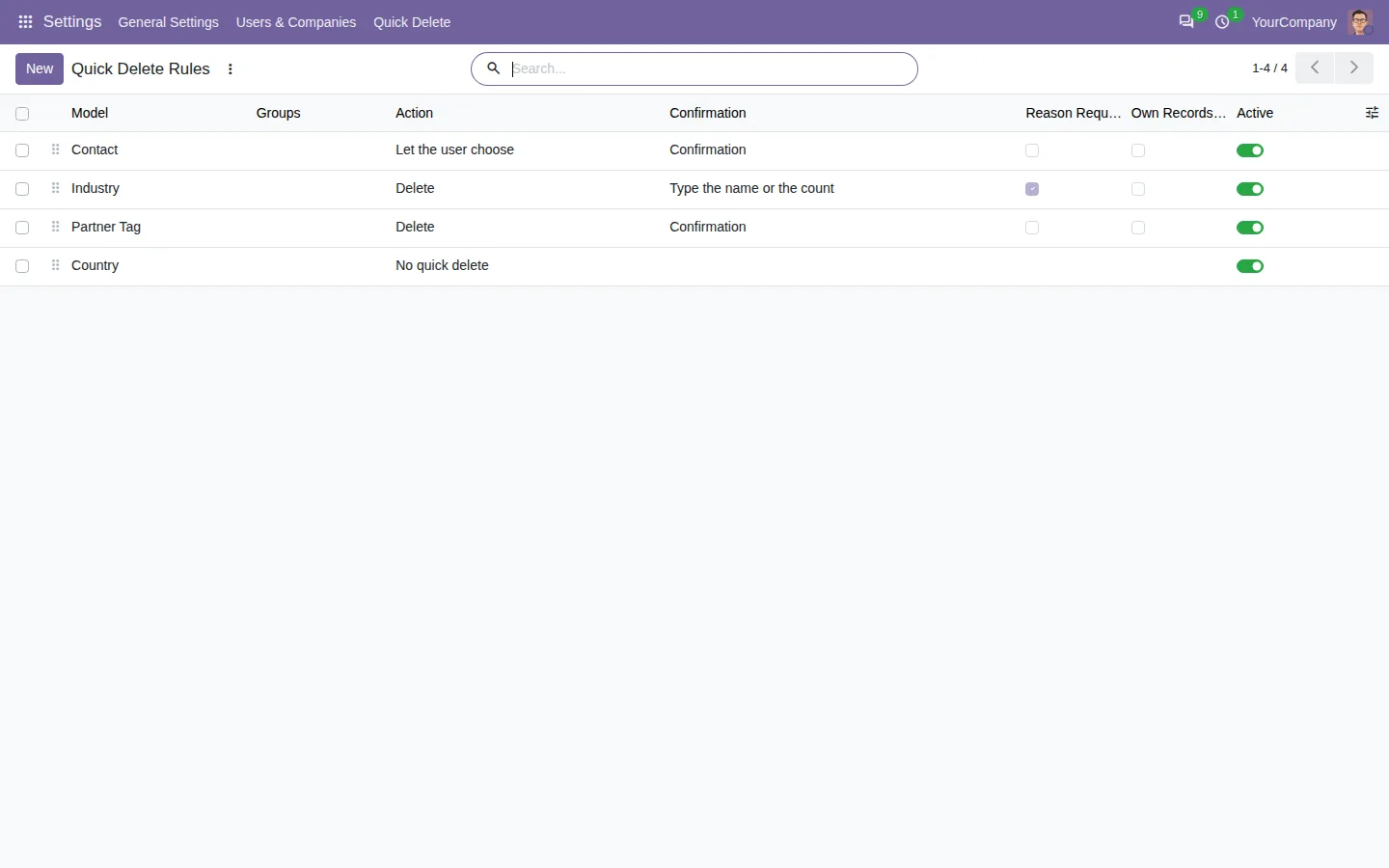
One rule per model sets who may use it, whether it deletes or archives, the kind of confirmation, a required reason, own records only and a limit for bulk deletions. Turn it off where it has no place, like accounting or stock, and keep it on the contacts and the tags. Technical models, users and companies are always left out.
100% tested
The apps ship with automated tests. No risk.
Up and running in two minutes
Install Quick Delete Button in List View from the Odoo Apps Store: the trash icon appears on every list for the users of its groups, with no rule to write first. The button only calls the normal Odoo deletion, as the user who clicks: nobody can delete more than Odoo already allows, and a view that forbids deletion shows no icon. Community and Enterprise, on Odoo.sh or on your own server, in six languages including Arabic.
Clean lists, without the fear of a wrong click
Remove duplicates and test records as fast as you spot them, and keep a way back for the day someone clicks the wrong row.
Every feature and screenshot on the app page.
A question before you buy? Write to support@sharqix.com, we answer within one business day.