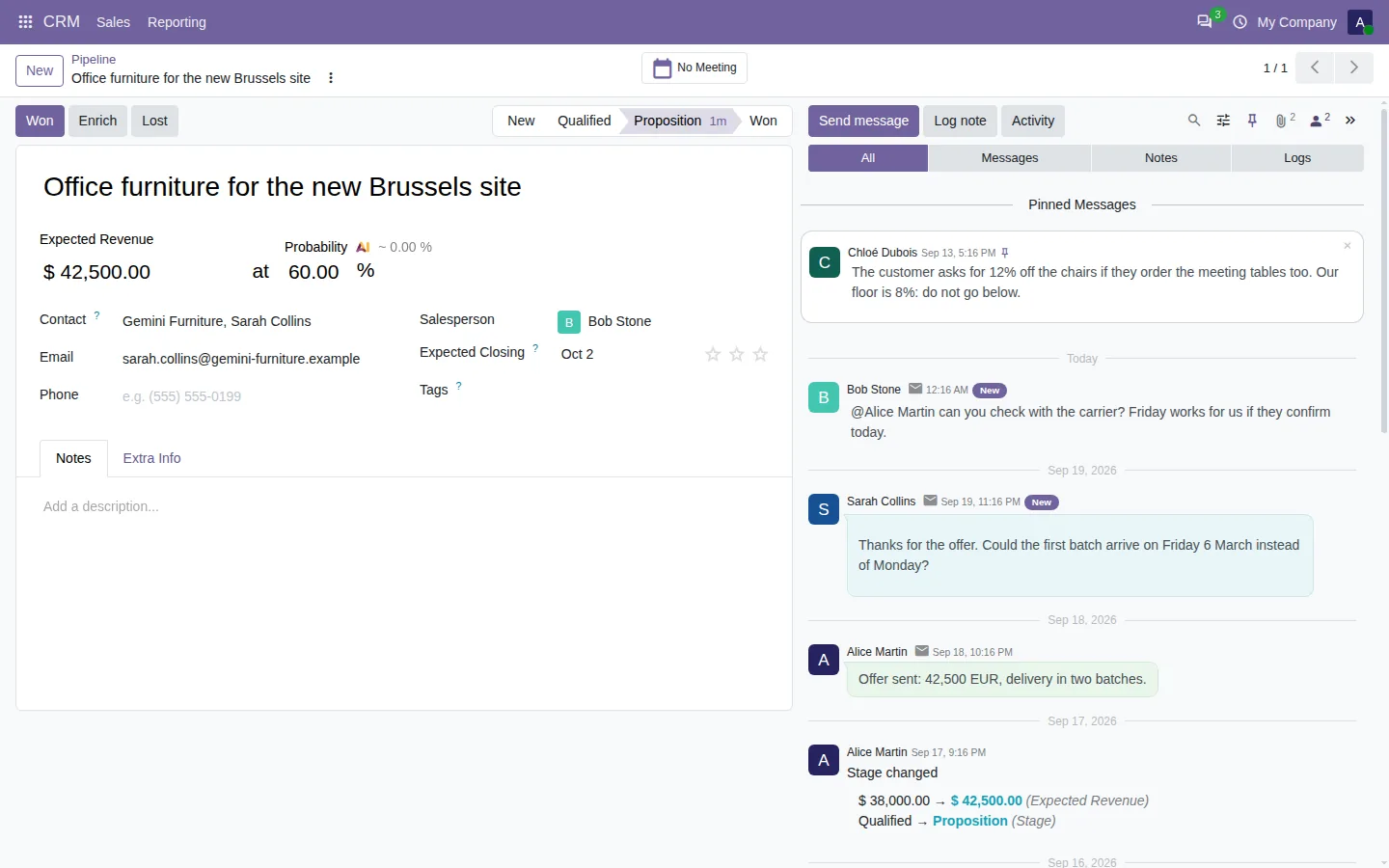



The deal has been open for three months. Somewhere in its chatter, a colleague wrote the lowest discount you may give. Between customer emails, internal notes and stage changes, there are two hundred messages to scroll. This guide shows how to search and filter the chatter in Odoo, and find that note in seconds.
If your team lives in the chatter, this probably sounds familiar:
- Emails, notes and system logs come in one single stream.
- You remember who wrote it, but not when, so you scroll page after page.
- To know when the stage or the amount changed, you read every log.
- A reply written three days later sits far from the message it answers.
Search and filter the Odoo chatter: before and after
Chatter Filter and Search adds a search box and a row of filters at the top of the chatter, on every record of every app. The chatter itself stays the Odoo chatter: it only gets easier to read.
Before
Scroll the whole history. Open every log. Guess which reply answers which message. Start again on the next record.
After
Type a word, click Notes, read the answer.
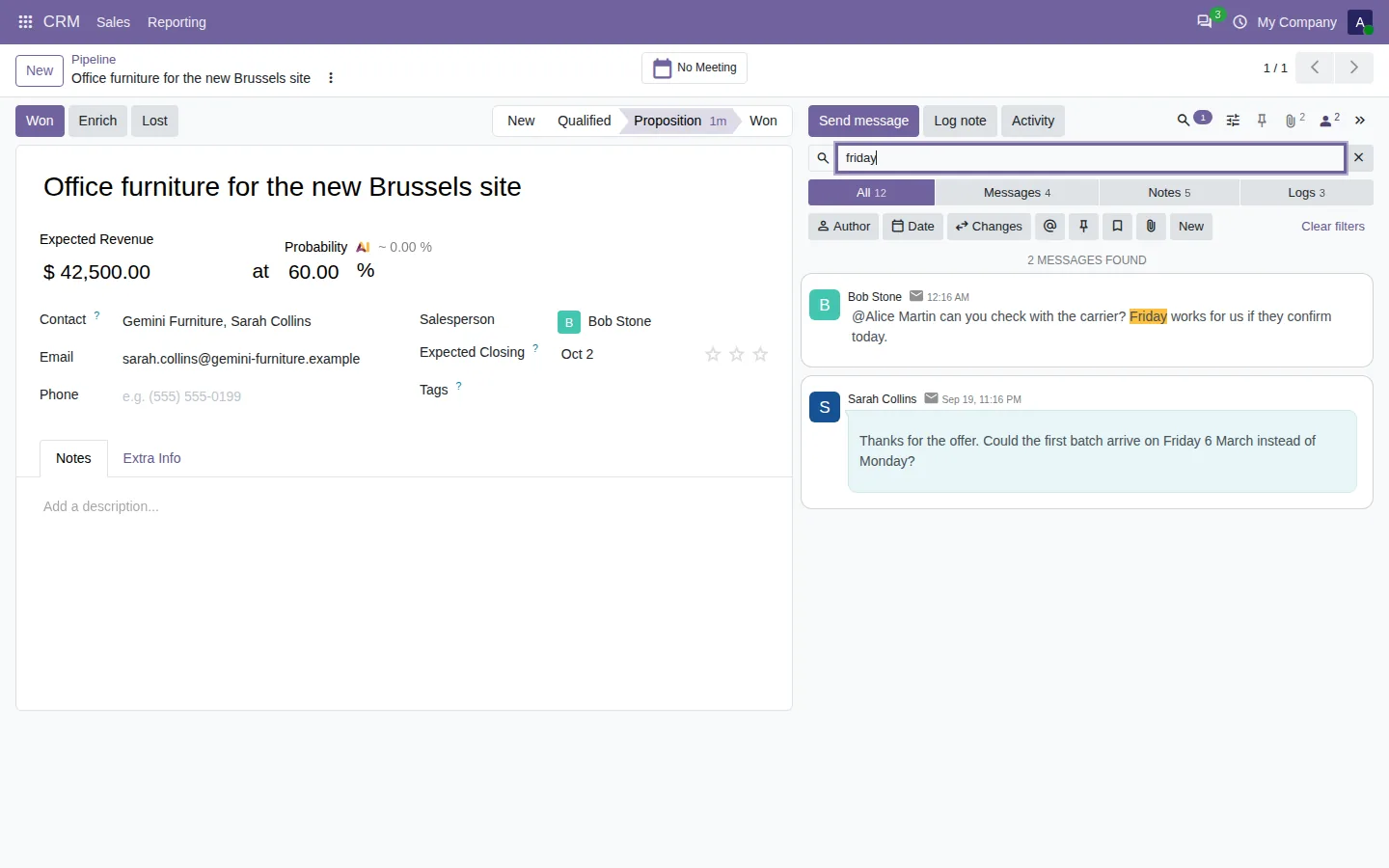
Search the chatter as you type
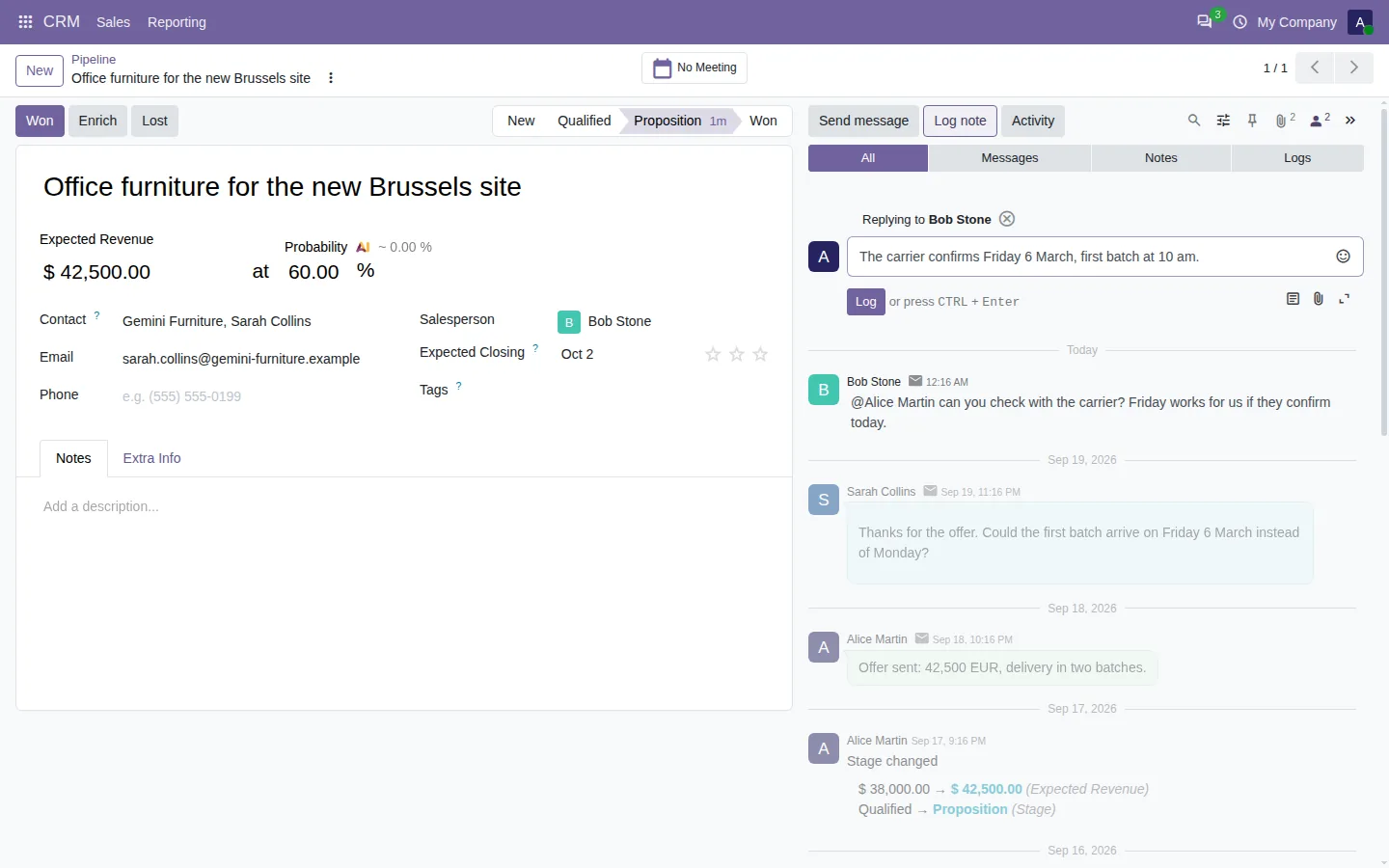
Type a word and the matching messages show up at once, with the word highlighted. The search covers the whole history of the record, not only the messages on screen: the text, the author, the sender email, the file names and the old and new values of the changed fields. Every word counts, in any order.
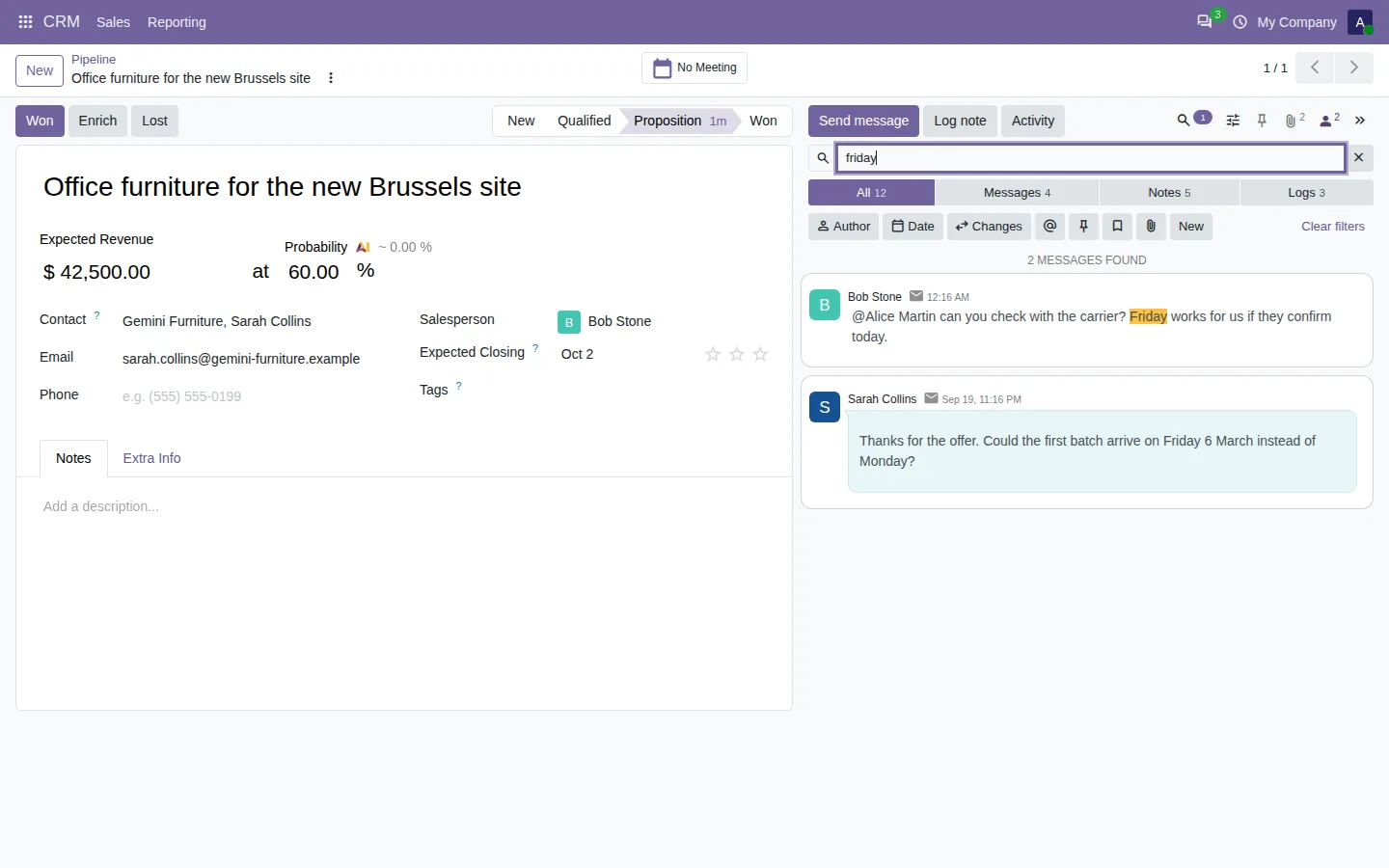
Show only the notes, the emails or the logs
Tabs at the top of the chatter split it into Messages, Notes and Logs, each with its count. Add an author, a date range, the messages that mention you, the pinned ones or those with files: the filters add up, and a search can go on top. You can also hide the system logs for good, and bring them back in one click.
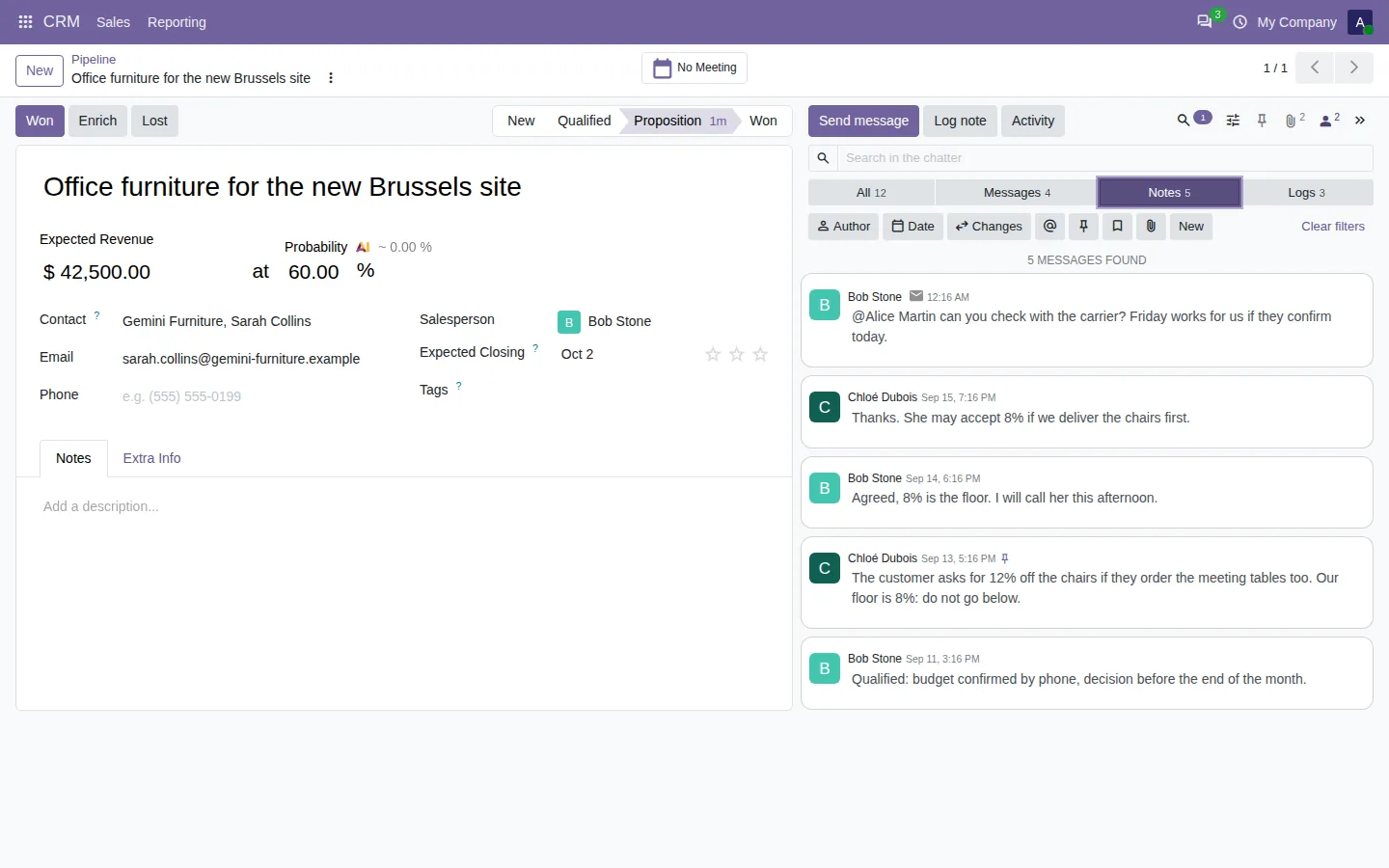
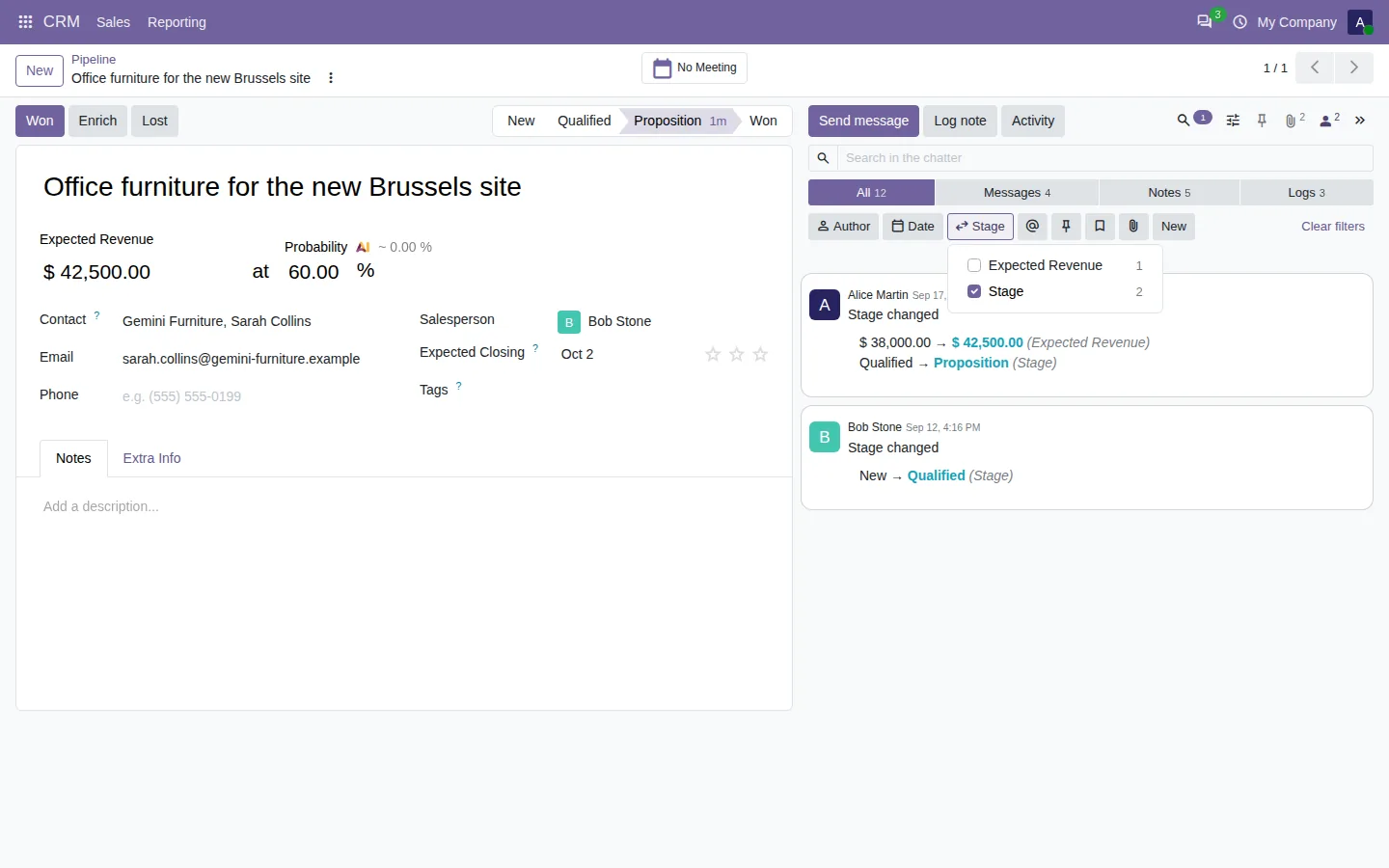
Follow every change of one field
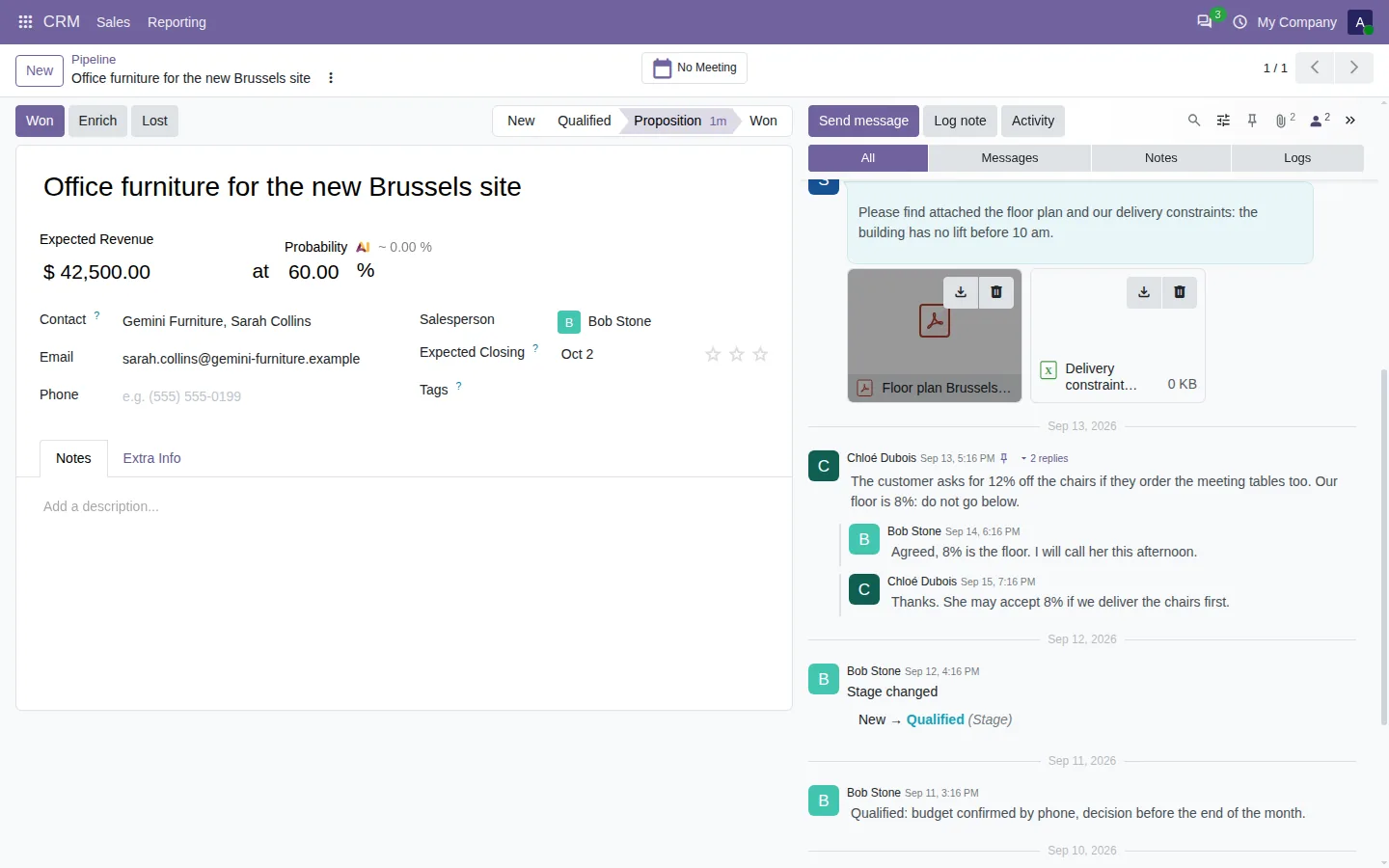
Pick Stage and read the life of the deal, from New to Proposition. Pick Expected Revenue and see each new amount, with who changed it and when. Only the fields that changed on this record are listed, and users only see the fields they are allowed to read.
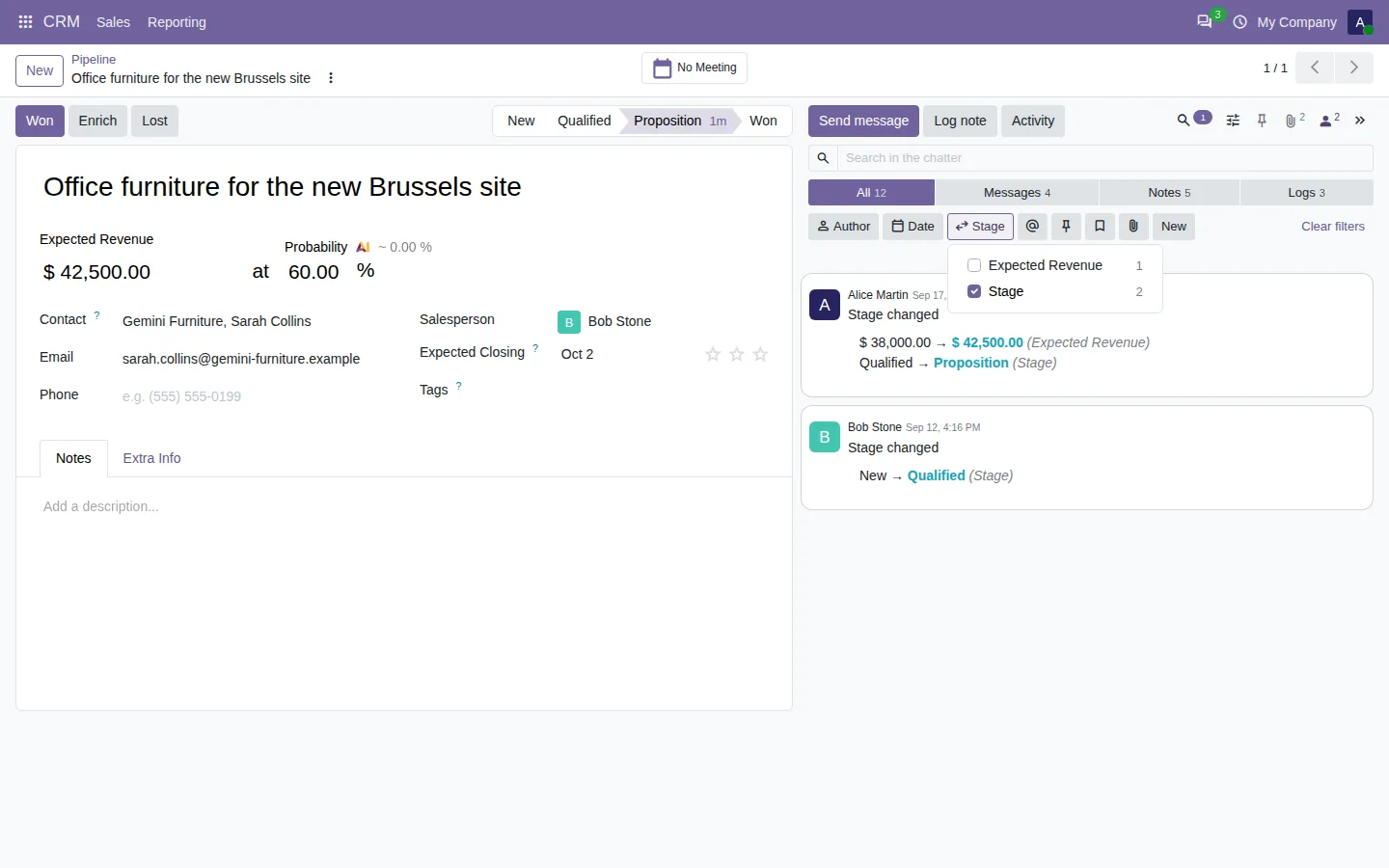
Read replies as conversations
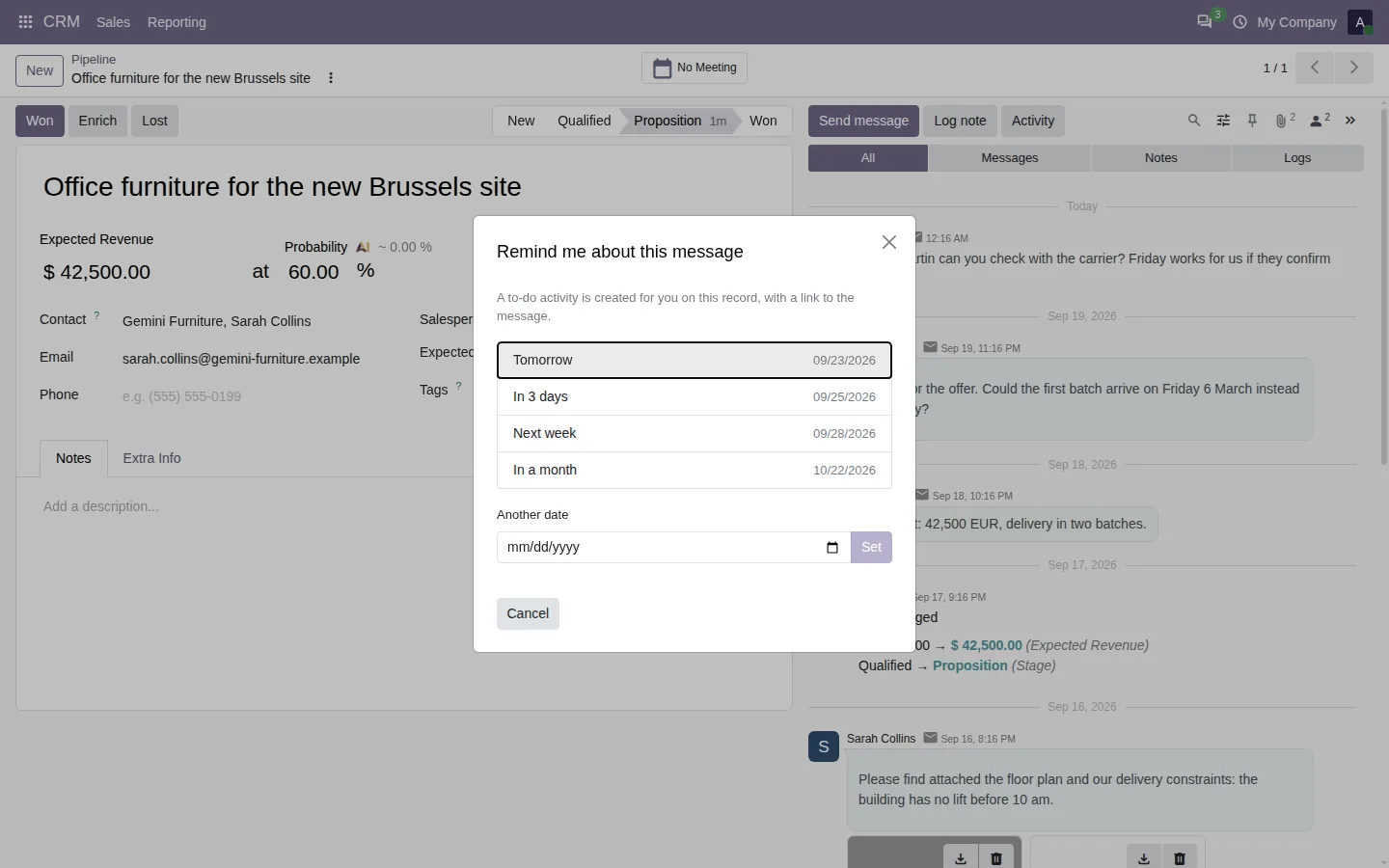
Reply to a note and the answer is linked to it. Replies sit below the message they answer, in the order they were written, even days later, and a click on the reply count folds the thread. Each message also gets Remind me, which creates a to-do for you at the date you choose, with a link back to the message.
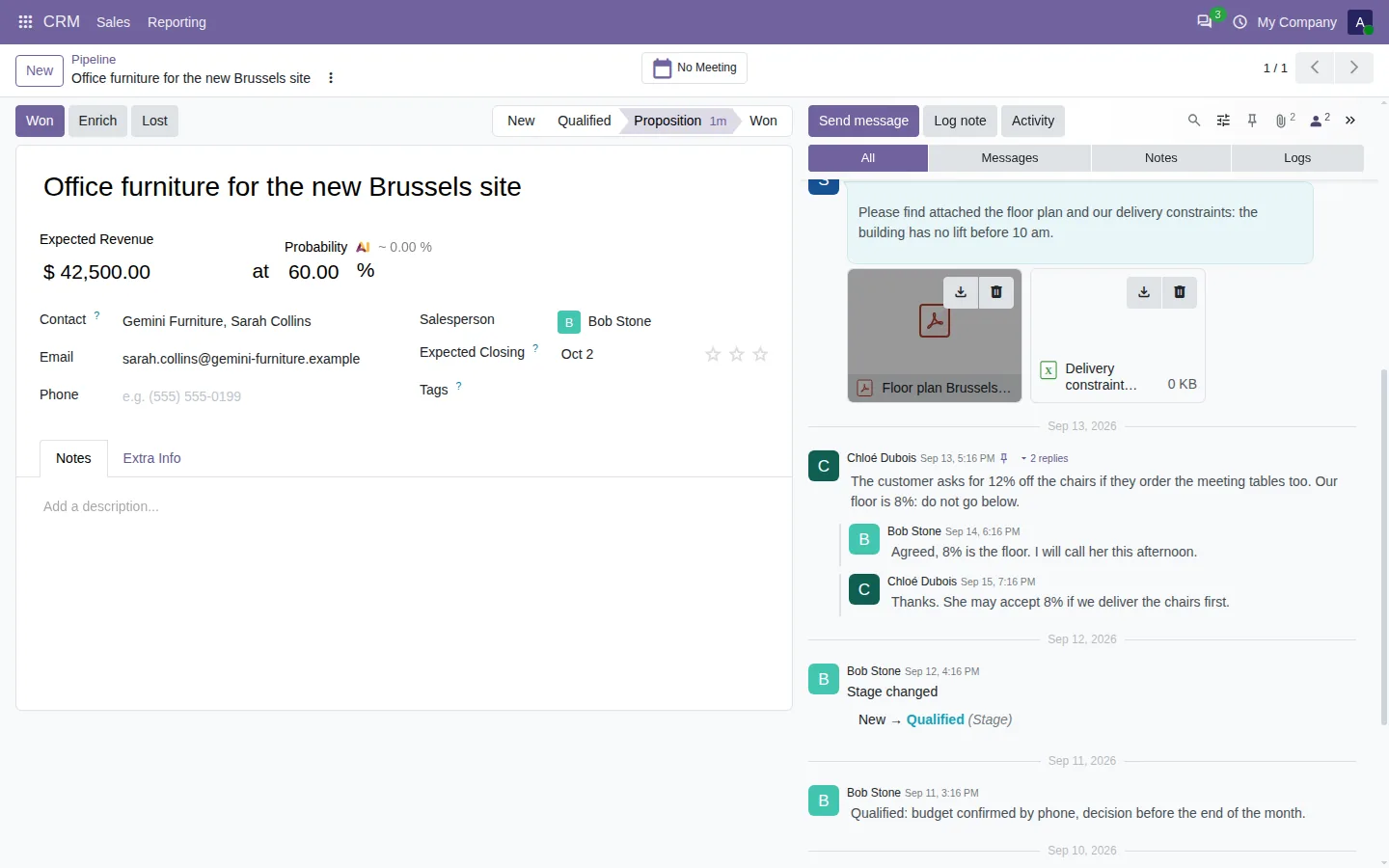
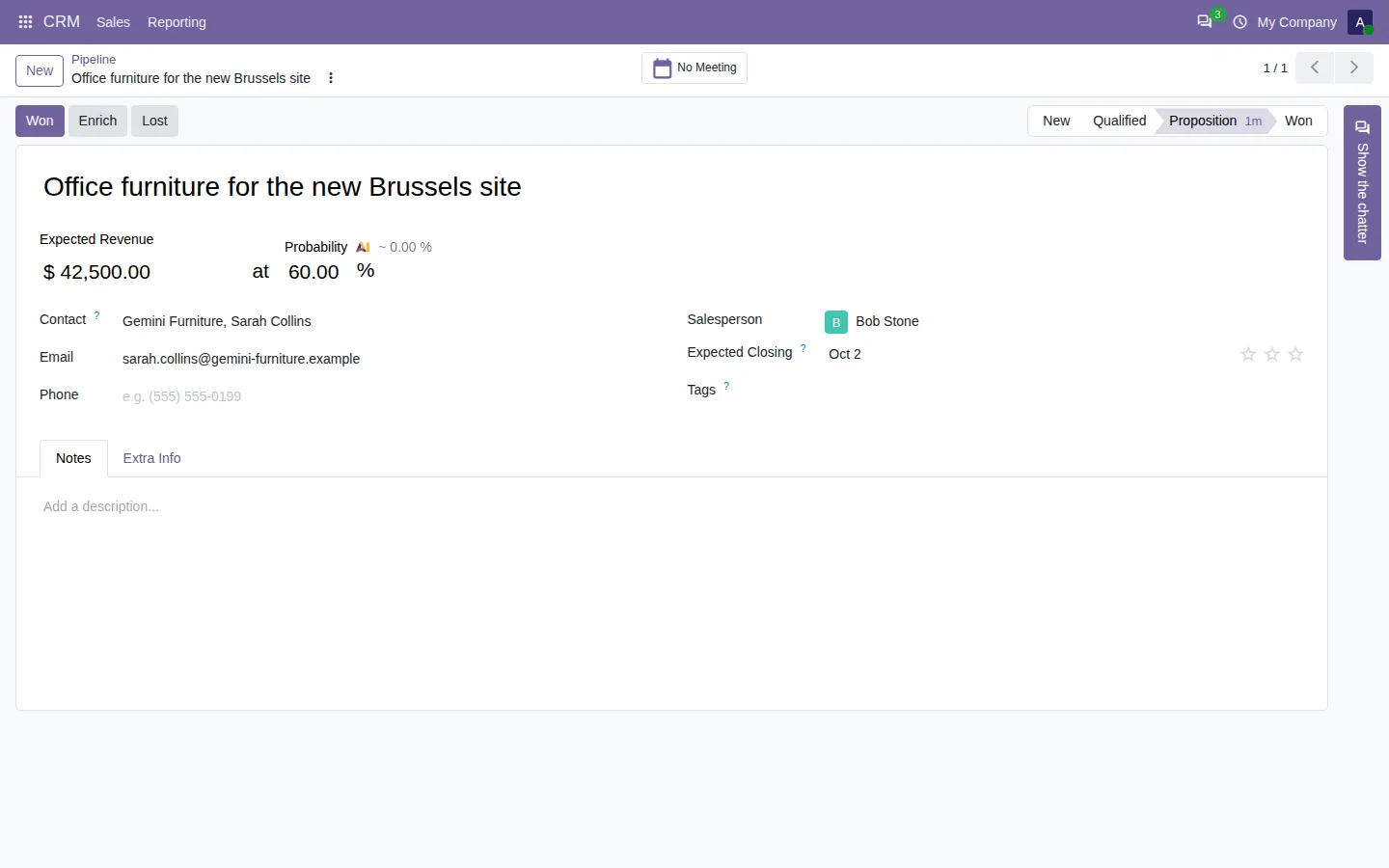
Each user also chooses where the chatter sits: on the side, even on a laptop, below the form, full screen, or hidden in one click to give the form the whole width.
100% tested
The apps ship with automated tests. No risk.
Up and running in two minutes
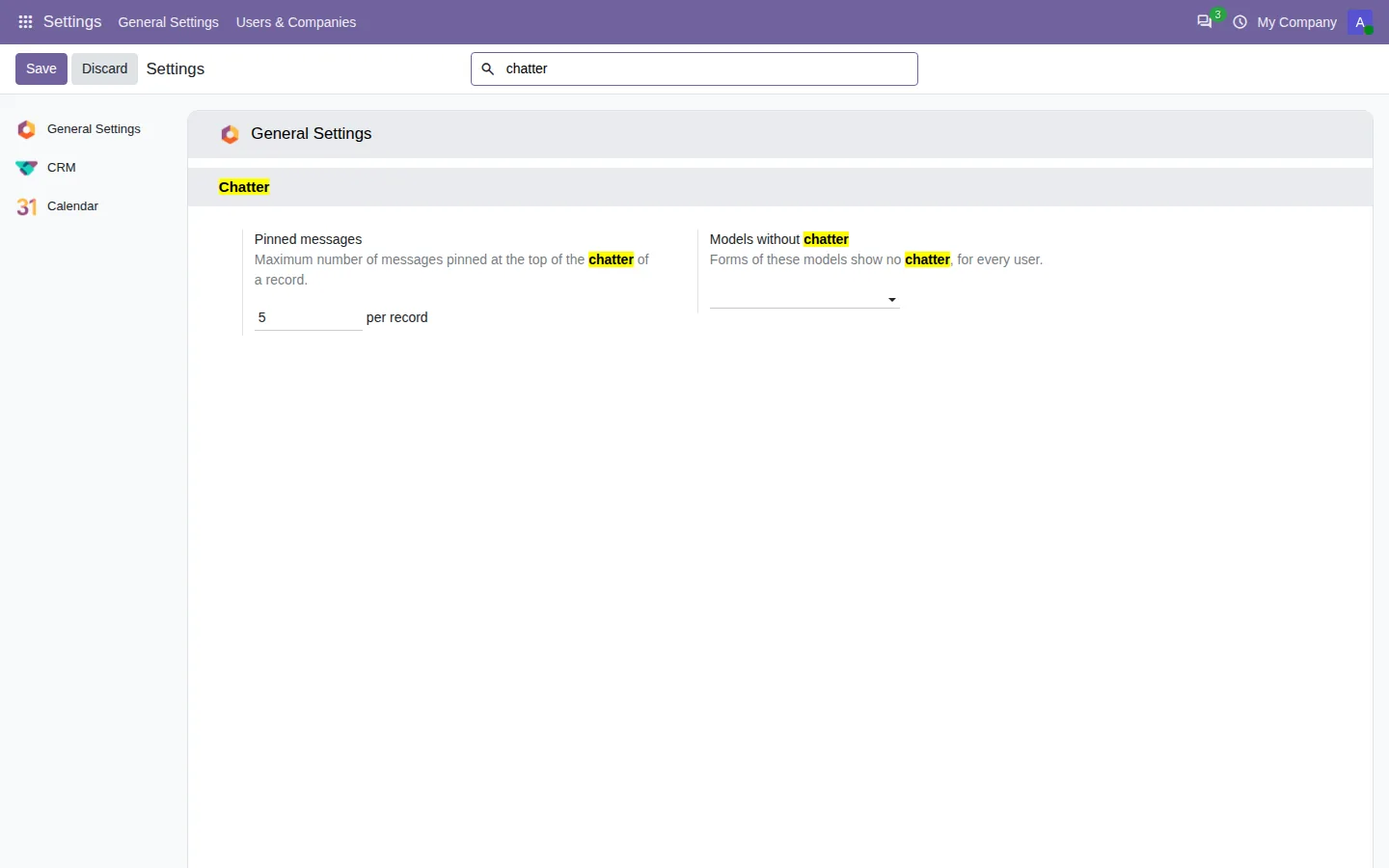
Install Chatter Filter and Search from the Odoo Apps Store: the search box and the filters appear at once on every chatter. Two settings at most: how many messages a record can pin, and the models that should show no chatter. Filters run on the server, with the access rights of Odoo, and uninstalling the app gives you the standard chatter back. Community and Enterprise, on Odoo.sh or on your own server (not Odoo Online), in six languages including Arabic.
The message you need, not the whole history
Stop scrolling two hundred messages to find one sentence. Type it, filter it, and get back to the customer.
Every feature and screenshot on the app page.
A question or an idea? Write to support@sharqix.com, we answer within one business day.